


.svg)
.svg)
.svg)
.svg)



.svg)



.svg)
.svg)


We see a lot of blog posts about popular picks in the digital adoption market, but rarely do we get a deep dive of up-and-coming tools. But you really need to read a review or two before adding it to your watchlist.
This is what this post is for.
Today, you’ll learn more about Jimo, its key features, and how it compares to other popular tools in the market.
Ready, set, go!
TL;DR
- Jimo: AI-generated onboarding flows and simple in-app guides, but limited analytics and customization. Best for lightweight, hands-off onboarding.
- UserGuiding: No-code onboarding with tours, checklists, and a resource center. Great for fast setup, small teams, and straightforward product adoption needs.
- Chameleon: Highly customizable, UX-native guidance with tours, hotspots, and launchers. Ideal for teams wanting polished in-app experiences with targeting.
- Userflow: Fast, intuitive flow builder with powerful branching and segmentation. Great for teams that want flexible onboarding without heavy design work.
- Userpilot: Product growth platform with checklists, walkthroughs, and adoption analytics. Best for SaaS teams focused on activation and feature adoption.
- Appcues: Polished onboarding experiences that look native to your UI. Strong for onboarding and upsells, but requires more setup and PM involvement.
- Whatfix: Enterprise digital adoption with contextual guidance, automation, and workflow support. Designed for large organizations with complex processes.
- Pendo: Analytics-first platform with in-app guides and feedback collection. Ideal for PMs who need strong product insights alongside onboarding.
- WalkMe: Enterprise-grade adoption with process automation and deep integrations. Best for large-scale workflows but heavy to implement and maintain.
- Intercom: Engagement and support platform with in-app messages, bots, and help content. Works well for customer support-led onboarding experiences.
- Intro.js: Lightweight, open-source guided tours for simple product walkthroughs. Best for developers who want minimal onboarding without advanced features.
- Shepherd.js: Flexible, open-source tour library with customizable steps and styling. Ideal for dev teams building tailored onboarding experiences.
What is Jimo AI?
If you’re here for user onboarding (and nothing else), Jimo keeps it simple because that’s exactly what it does.
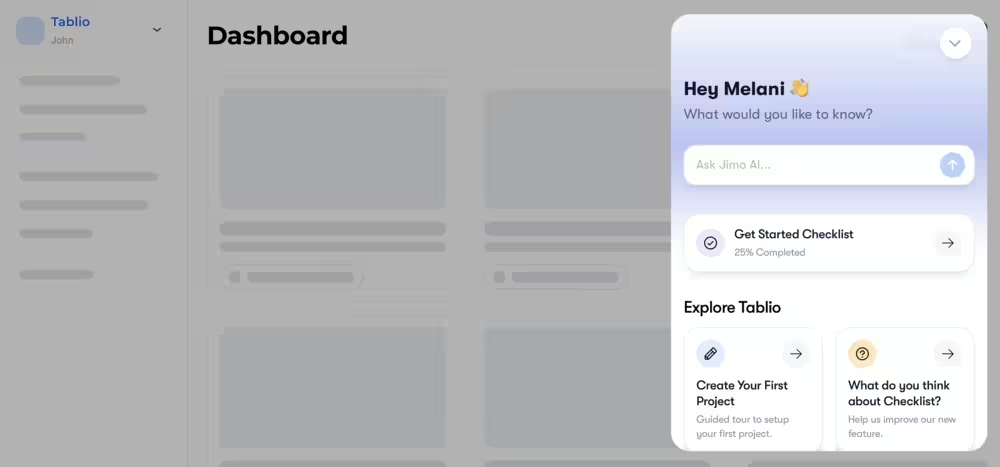
With that said, here’s what the platform offers to create an end-to-end onboarding experience for users:
- Tours and modals: Build step-by-step product tours and pop-up modals to guide, educate, and engage users. No need for a “next” button as tours use a logic builder to auto-progress.
- AI resource center: This new feature helps users solve their problems without ever leaving the app. The center (alongside the chatbot) auto-generates help content to get answers instantly.
- Checklists: Customizable, multi-media checklists are designed to give users a clear path to “aha moment” with tasks that feel achievable.
- Surveys: From NPS surveys to validating new feature ideas with a prototype, this feature lets you collect feedback in the moment.
- Hints: Hints are subtle nudges that steer users in the right direction with contextual information that don’t disrupt their flow.
- In-app announcements: With in-app announcements, you can pin a banner at the top of your web page to announce new features, special offers, and scheduled maintenance. You get to show these updates where users will actually see them, not in their inbox.
- Changelog: Keep a running list of what’s new or fixed, so users know you’re shipping more than vibes.
- Success tracker: Much like an analytics page, success tracker helps you capture feature usage and run a funnel analysis to uncover drop-off points.
👀 Jimo AI is also teasing a new feature, an AI-powered in-app cursor, to provide contextual help with a personal touch.
Jimo Pricing
Jimo AI offers a 3-tiered pricing system: Starter, Growth, and Enterprise. The Starter plan starts at $299/mo when billed annually, for 5 team members. The Growth plan starts at $549/mo (billed annually) and for 10 team members.
The Enterprise plan has custom pricing with unlimited team member seats.
If you’re wondering what you get with each plan, check this out:
- Starter: Comes with Jimo AI branding and limited functionalities — 10 published experiences and 10 in-product events tracker, along with resource center, changelog widget, and user segmentation. You can only integrate with Hubspot, Intercom, Segment, Slack, and Zapier, but data migration is not available.
- Growth: Everything in Starter, plus no Jimo AI branding, advanced integrations, A/B testing, along with unlimited experiences and in-product event tracking. It offers more integration options and a dedicated customer success manager. However, still no data migration or enhanced SLA for security purposes.
- Enterprise: Everything in Growth, plus unlimited seats, and custom environments, alongside data migration from current tool and SLA.
👉 Bottom line: Jimo AI stays true to its core use case, but its pricing doesn’t always match the value you get. Must-have features like SLA, DPO, SSO, and A/B testing sit behind higher-priced tiers, which may be a barrier for smaller businesses. And with plenty of competitors offering similar (or more) capabilities for less, the pricing becomes hard to justify.
What are the weaknesses of Jimo?
For teams with little to no technical skills, Jimo offers a lot. But it falls short in many important areas as well, such as:
- AI effectiveness: Jumping on the “AI-powered” trend has never been easier, and the market is crowded with what Harvard Business Review calls “workslop” — flashy features with little real value. Jimo risks falling into that bucket, as its agentic AI still struggles to deliver truly contextual user interactions.
- Analytics: Since Jimo is a fairly new product, “advanced” part of its analytics is not… very advanced. It still needs further development.
- Bugs: While Jimo’s main focus is user onboarding, some users constantly see the same tour over and over again and others experience bugs on certain frameworks.
11 Best Alternatives to Jimo
#1 Jimo vs. UserGuiding
UserGuiding is a product adoption platform with self-serve experiences designed to be personalized and easy to navigate. It helps you to engage and educate customers with interactive in-app elements, centralize onboarding materials, and analyze their performance.
A list of use cases would look like this:
- User onboarding and engagement
- In-app communication
- Self-service support
- Feature adoption
Curious what all of these look like within the app? Here’s an example:
To give you a better sense of what UserGuiding really offers, we’ve created a short list of its most known features:
- Interactive product tours: Step-by-step guides to familiarize users with the app’s UI
- AI assistant: AI-powered support agent that automates routine tasks to decrease support load
- Hotspots, modals, tooltips: Interactive elements that provide contextual information and guidance
- Surveys: Short feedback forms embedded to the UI, triggered by certain events or milestones
- Onboarding checklists: Interactive task lists to help users progress and get the most value out of an app
- Resource centers: Centralized information and support hub for your guides, checklists, and FAQs
- Analytics: Dashboard with insights into user behavior, engagement levels, and feature adoption
- Knowledge base: Self-service hub for how-to articles, tutorials, and analytics
- User segmentation: User groups based on attributes, usage frequency, and analytics
Here’s how UserGuiding compares to Jimo👇
Features are not the only important points of comparison. Here’s how Jimo AI and UserGuiding differ in technicalities👇
UserGuiding Pricing
UserGuiding offers three different pricing plans. All the plans are based on your number of monthly active users (MAUs). The plans are:
- Starter: The Starter plan starts at $249/mo (billed annually) for 2,000 MAUs. It’s a great fit for small businesses who want to get the most bang for your work. You can try out surveys, reporting, segmentation, in addition to what you get with Support Essentials.
- Growth: Starts at $499/mo (billed annually) for 2,000 MAUs. You get everything in Starter, plus A/B testing, goal tracking, premium integrations, and localization.
- Enterprise: Custom pricing, billed annually. You get everything in Growth, plus SOC2, GDPR, HIPAA compliances, personalized coaching and support, and activity logs.
AI features (Lighthouse included) are available across all plans.
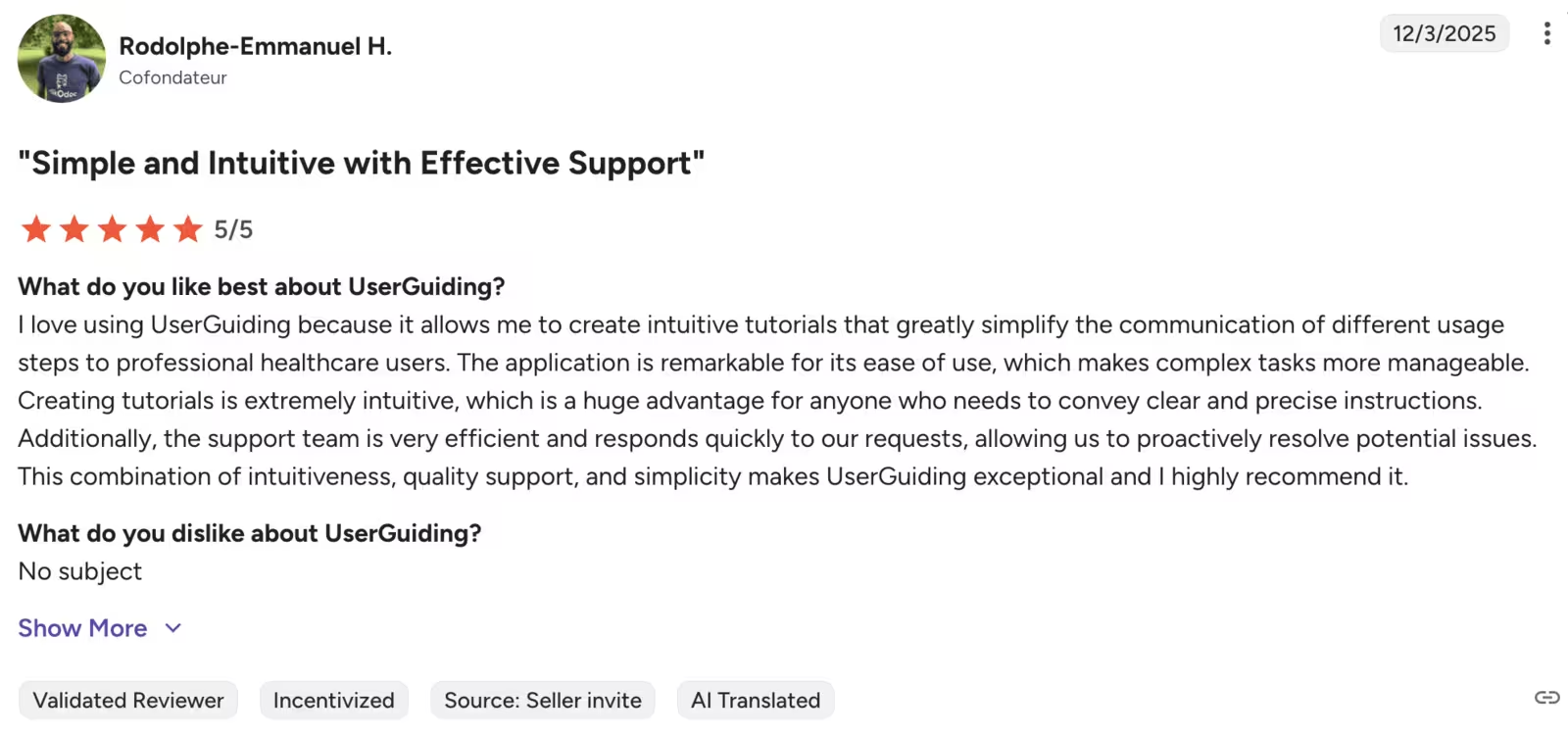
Here’s what users say about UserGuiding👇
Jimo Wins at…
- AI-generated onboarding content: Jimo creates tours, checklists, and guidance automatically with AI, reducing manual setup time compared to UserGuiding’s more hands-on builder.
- AI-assisted workflows: Jimo leans more heavily into AI automations for drafting copy and onboarding steps, offering faster iteration for teams that want minimal manual input.
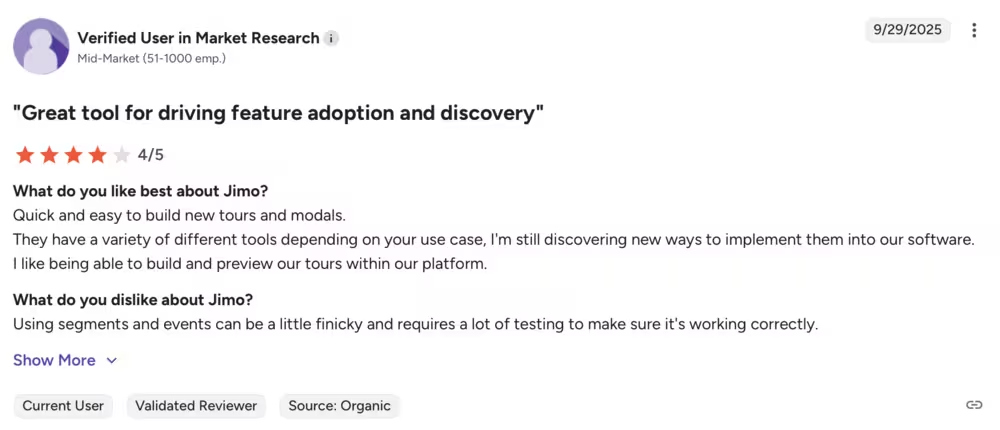
This is what users have to say about Jimo AI on G2👇
UserGuiding Wins at…
- Segmentation & targeting: UserGuiding delivers stronger behavioral segmentation and targeting controls, enabling more personalized onboarding flows than Jimo’s basic rules.
- Pricing flexibility: UserGuiding offers clearer, more scalable pricing that includes essential features earlier, making it more accessible for startups and growing teams.
#2 Jimo vs. Chameleon
Chameleon is a product adoption platform built for teams that want customizable, non-intrusive onboarding experiences. Its tools are designed to help you guide users, deliver timely education, and experiment your way to better product engagement.
To give you a better sense of what Chameleon really offers, here’s a short list of its most known features:
- Interactive product tours: Fully customizable walkthroughs that adapt to your UI and guide users through key actions.
- Launching announcements: Targeted in-app updates that introduce new features without overwhelming users.
- Tooltips, banners, and hotspots: Lightweight, contextual cues that offer just-in-time guidance throughout the product.
- Microsurveys: Quick, targeted surveys for capturing qualitative insights, NPS, and user sentiment in the moment.
- Onboarding checklists: Personalized task lists that help users activate faster and stay on track.
- Product Launcher: A customizable in-app hub where users can access guides, help docs, announcements, and resources.
- A/B testing: Built-in experimentation to compare tours, announcements, and patterns to understand what drives engagement.
- Integrations: Seamless connections with tools like Segment, Amplitude, Heap, Mixpanel, HubSpot, and more for unified data.
- User segmentation: Target users based on attributes, events, and behaviors to deliver highly personalized experiences.
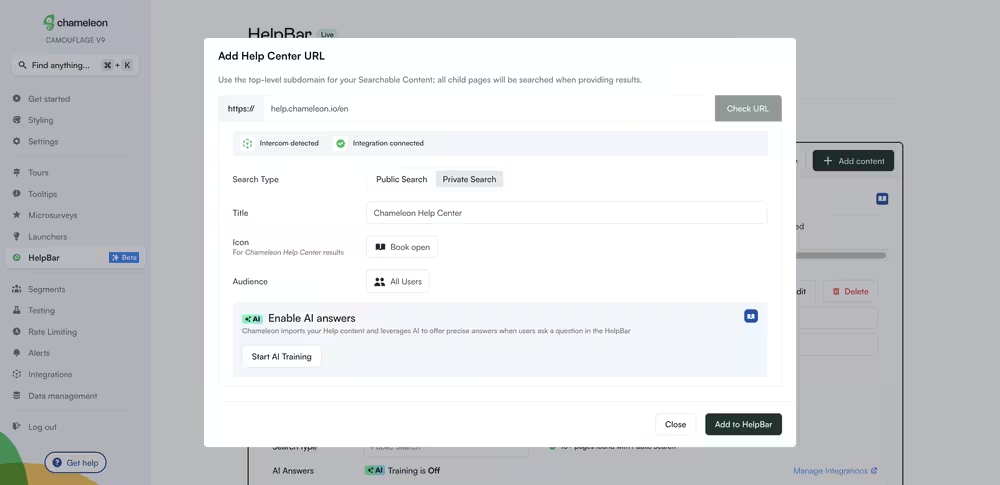
How does Chameleon stack against Jimo? Check this out👇
Chameleon Pricing
Similar to UserGuiding, Chameleon also has a MAU-based pricing system. Four plans, including a free one, have different features included. Here’s how they look:
- Demos Free: Free so you can try out interactive product demos, CTAs, engagement tracking, and email capture.
- Startup: The Starter plan starts at $279/mo (billed annually) for 2,000 MAUs. For startups that aim to grow fast, unlimited tours and tooltips, 5 microsurveys, and Copilot Agent can be a good place to start.
- Growth: Starts at $18,000/year for 2,000 MAUs. You get everything in Starter, plus A/B testing, rate limiting, goals tracking, and customer success support.
- Enterprise: Custom pricing, billed annually. You get everything in Growth, plus unlimited seats, roles and permissions, and localization.
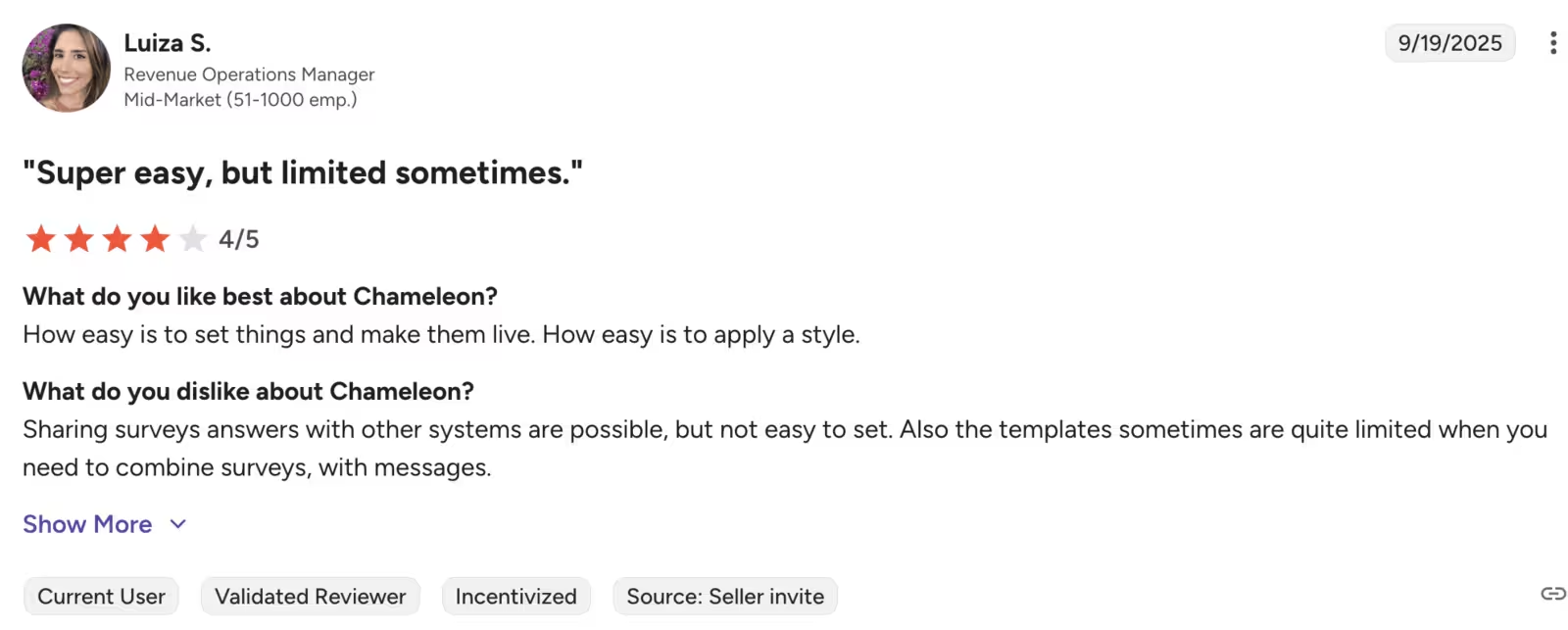
Here’s what users say about Chameleon👇
Jimo Wins at…
- AI-powered onboarding: Automatically generates guides, checklists, and hints for users.
- Lightweight setup: Quick to deploy for small teams with minimal configuration.
Chameleon Wins at…
- In-app guidance: Rich interactive product tours, tooltips, and modals.
- Resource center & self-serve help: Central hub for guides, checklists, and FAQs.
- Analytics & segmentation: Better reporting and user group targeting for onboarding campaigns.
- Pricing: Flexible plans that scale with usage and team size.
#3 Jimo vs. Userflow
Userflow is a no-code onboarding platform that aims to increase trial-to-paid conversions and feature adoption through product tours, checklists, and other contextual guidance.
Here are some of the highlight features it offers:
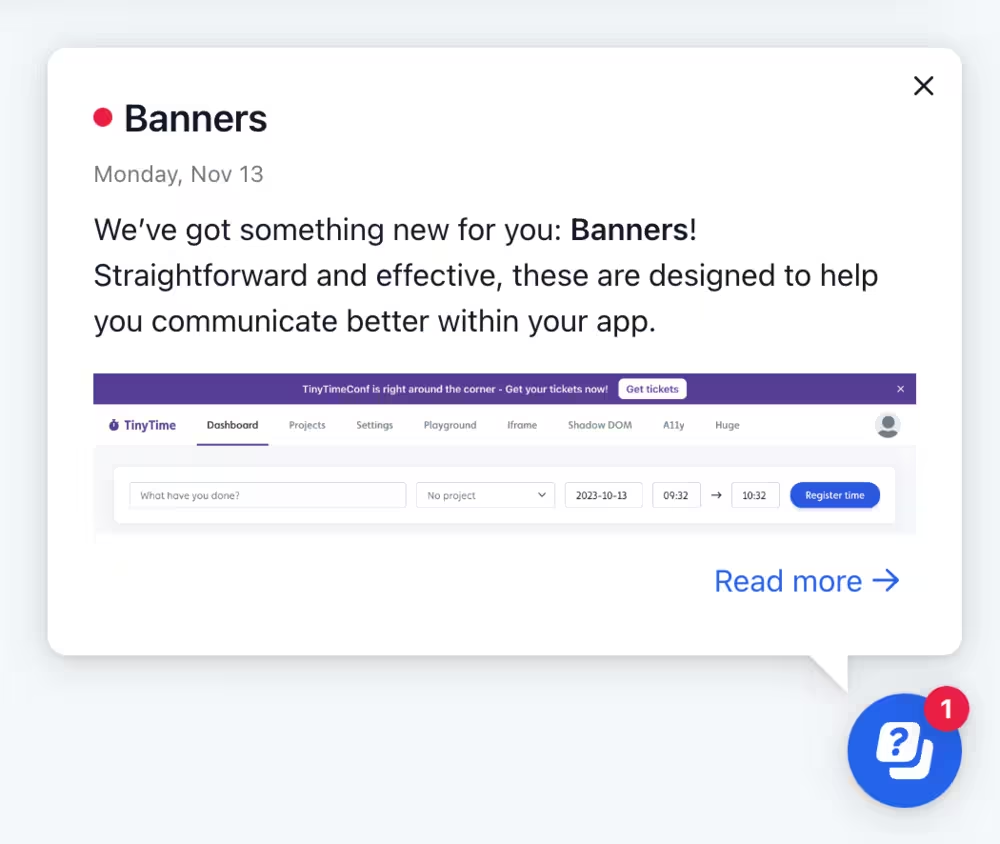
- Smartflow: 🚨 This is a new feature drop alert! An upgrade to its flow builder, Smartflow uses AI to record product tours to build a guided flow.
- Checklists
- In-app surveys
- Hotspots, tooltips, modals
- Resource centers
Here’s a side-by-side comparison between Userflow and Jimo👇
Userflow Pricing
Userflow has three different pricing tiers and the pricing scales with your MAU. Here’s what you get with each plan:
- Startup: The Startup plan starts at $240/mo (billed annually) for 3,000 MAUs. 3 team members, unlimited flows and checklists, and user-level targeting to put your product on the map.
- Pro: Starts at $680/month (billed annually) for 10,000 MAUs. You get everything in Starter, plus unlimited team members, localization and surveys, and deep integrations. This is a better fit for teams that need customization and analytics.
- Enterprise: Custom pricing, billed annually. You get everything in Growth, plus single sign-on (SSO), custom limits for MAUs, and compliance.
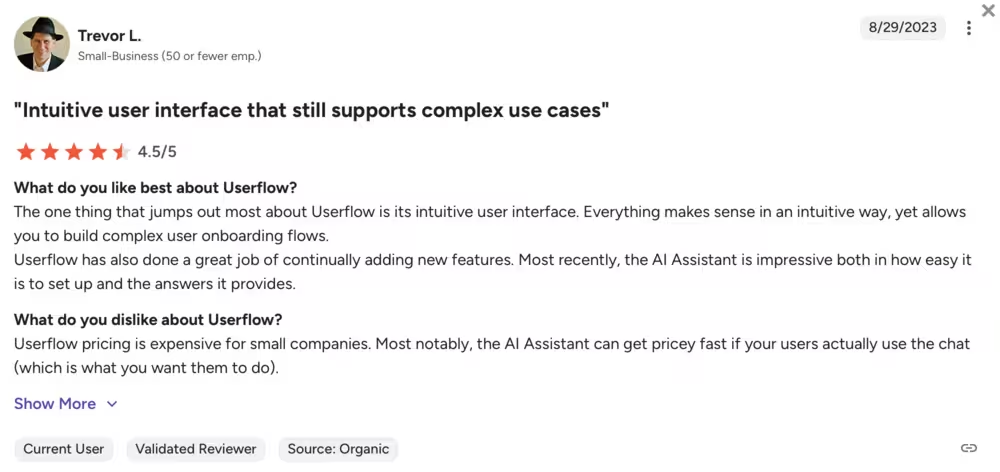
Here’s what users say about Userflow👇
Jimo Wins at…
- AI-powered onboarding: Provides automated AI-driven guides and self-serve help.
- Quick adoption: Lightweight platform for rapid onboarding.
Userflow Wins at…
- Flow customization: Powerful drag-and-drop builder for tailored user experiences.
- Event tracking: Granular analytics on flow completion and user actions.
- Pricing: For small and mid-sized businesses, Userflow offers more features at a more affordable price point.
#4 Jimo vs. Userpilot
Userpilot is a no-code product adoption and growth platform you can use to create in-app experiences, collect feedback, and provide self-serve support.
To achieve its use cases, Userpilot offers features like:
- Interactive product tours
- Tooltips and hotspots
- Checklists
- Session replay
- Lifecycle emails (beta)
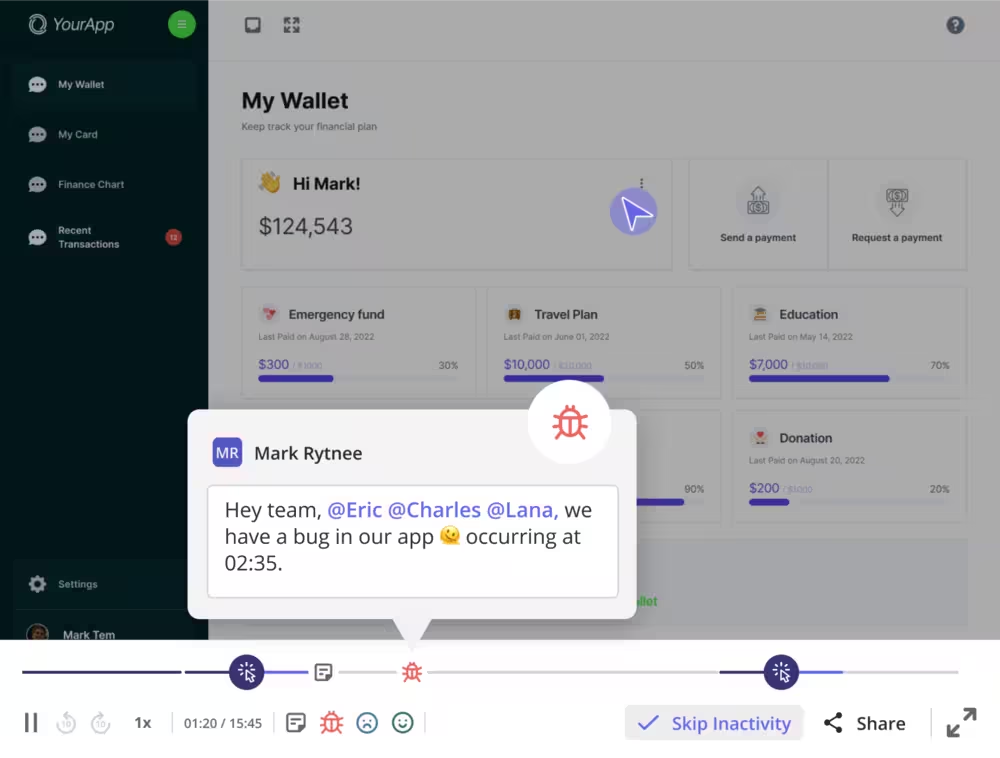
Here’s how it compares to Jimo👇
Userpilot Pricing
Userpilot has three different plans and they are based on MAUs. Here’s what you get with each plan:
- Starter: The Starter plan starts at $299/mo (billed annually) for up to 2,000 MAUs. You get in-app user engagement, user segmentation and tracking, and NPS features.
- Growth: Custom pricing, starts from 5,000 MAUs. You get everything in Starter, plus analytics, event autocapture, and resource centers.
- Enterprise: Custom pricing. You get everything in Growth, plus premium integrations, bulk data export and import, security audit and compliance.
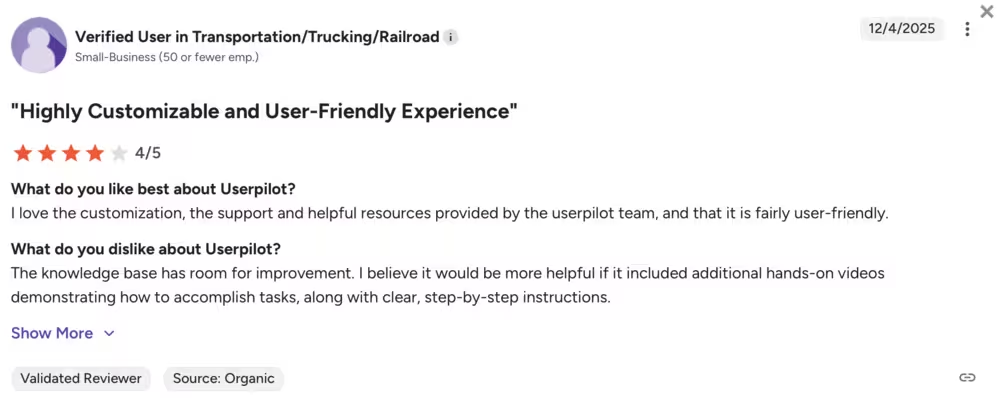
Here’s what users say about Userpilot👇
Jimo Wins at…
- Automated onboarding content: AI-driven checklists and hints.
- Minimal setup: Faster to launch with default configurations.
- Pricing: When it comes to pricing transparency and affordability, Jimo wins the cake with more affordable options and transparent breakdown of each plan.
Userpilot Wins at…
- Engagement depth: Rich interactive tooltips, modals, and onboarding checklists.
- Segmentation: Stronger user grouping for personalized experiences.
#5 Jimo vs. Appcues
Appcues uses live customer behavior and turns it into automated in-app, push, and email plays to grow adoption and conversions. Sounds a little technical? Check out what features it offers instead:
- In-app messaging
- Push notifications
- Behavioral email
- Flows, tooltips, pins
- Checklists
- Launchpad
- NPS and surveys
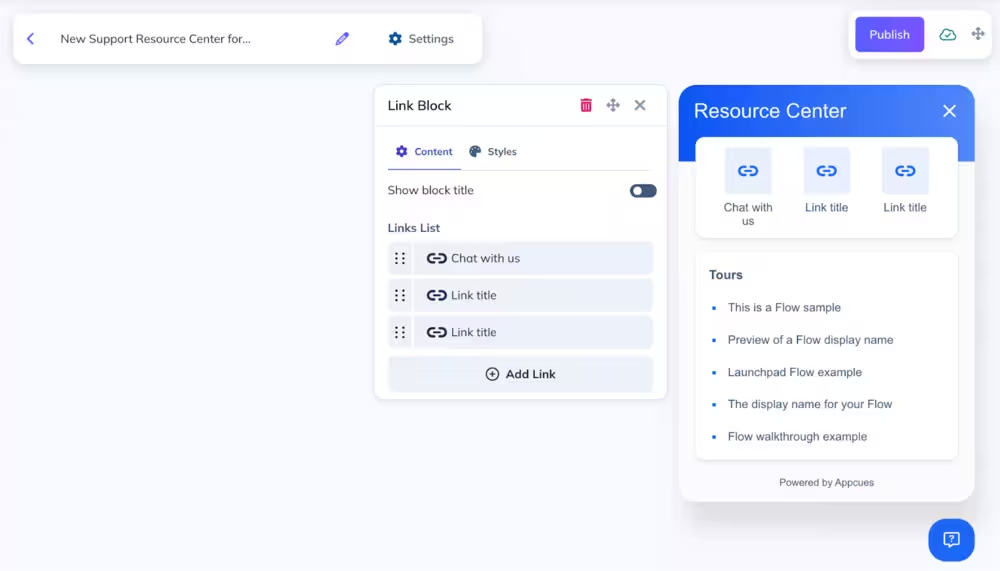
Though similar in use cases, Jimo AI and Appcues bring different strengths (and weaknesses) to the table. See how they compare👇
Appcues Pricing
Appcues has three different plans and they are based on MAUs. Here’s what you get with each plan:
- Start: The Starter plan starts at $375/mo (billed annually) for up to 2,000 MAUs. 50+ published experiences, flows, checklists, and email support.
- Grow: Starts at $800/mo (billed annually) for 2,000 MAUs. You get everything in Starter, plus 100 experiences, NPS and surveys, premium integrations, and resource centers.
- Enterprise: Custom pricing. You get everything in Growth, plus 150+ published experiences, multi-product pricing, and advanced security and SLAs.
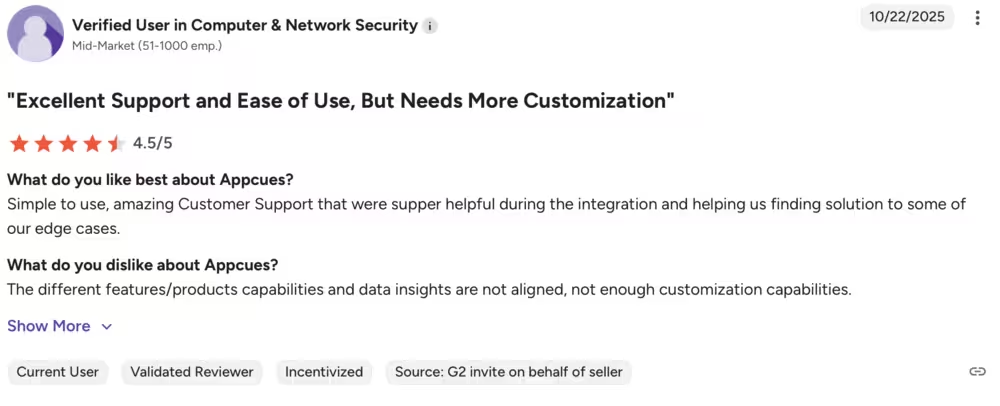
Here’s what users say about Appcues👇
Jimo Wins at…
- AI assistance: Generates guides automatically without manual design.
- Lightweight: Simple to set up for small teams or startups.
- Pricing: Even though both tools offer slightly above average plans, with Jimo, you get more features without limitations in each plan.
Appcues Wins at…
- Feature richness: Advanced checklists, modals, and event-triggered flows.
- Analytics: Comprehensive reporting on feature adoption and user behavior.
- Scalability: Designed for mid-size to enterprise-level onboarding programs.
#6 Jimo vs. Whatfix
Whatfix is a digital adoption and advanced analytics platform specifically targeted for enterprises. With its own AI technology (called ScreenSense), Whatfix offers a wide range of features, including:
- Step-by-step in-app guidance
- AI-powered help center
- Guidance Agent, Insights Agent, Authoring Agent (for analytics)
- NPS and micro-surveys
- Mirror (simulation and sandbox environment)

Here’s a side-by-side comparison between Jimo AI and Whatfix👇
Whatfix Pricing
Whatfix doesn’t have public plans or features listed on its website. Users on Vendr report that the median annual contract is $31,950.
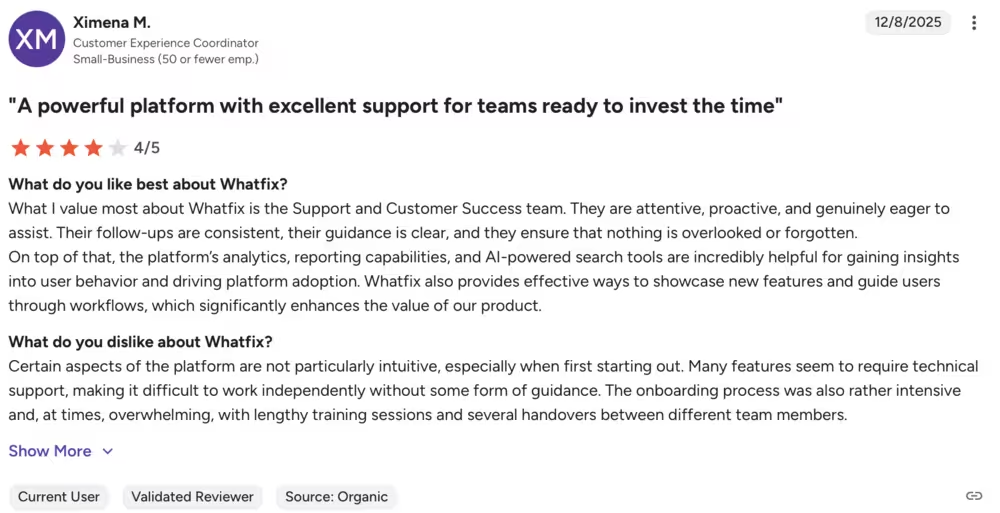
Here’s what real users say about Whatfix on G2👇
Jimo Wins at…
- Fast deployment: Quick AI-driven onboarding for small teams.
- Ease of use: Minimal setup, no coding required.
- Pricing: Whatfix’s enterprise-level pricing for all its plans put Jimo at an advantage for small-to-mid-sized teams.
Whatfix Wins at…
- Enterprise onboarding: Complex walkthroughs, tooltips, and banners at scale.
- Knowledge management: Built-in resource center for self-serve support.
- Compliance: Strong SOC2/GDPR readiness for regulated industries.
#7 Jimo vs. Pendo
Pendo is a product experience and analytics platform focusing on in-app experiences. It has a wide range of features, such as:
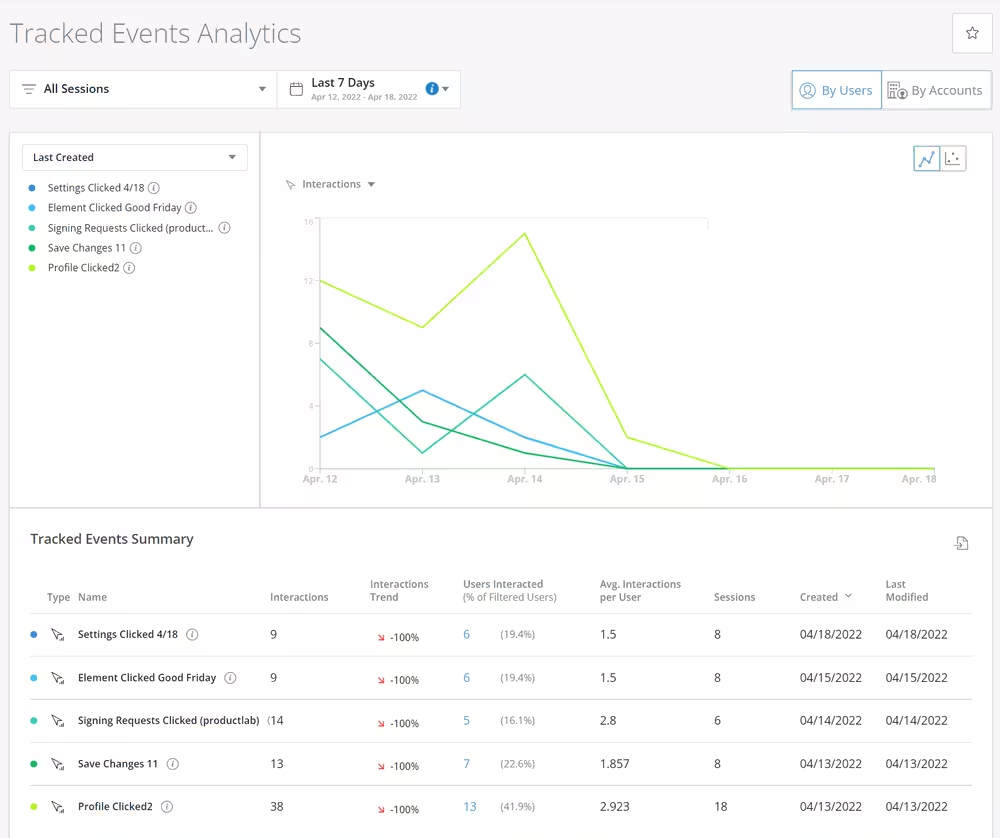
- Session replay
- Analytics
- NPS and surveys
- Guides
- Listen (AI-powered feedback collection and analysis)
- Orchestrate (Synchronizes customer journeys)
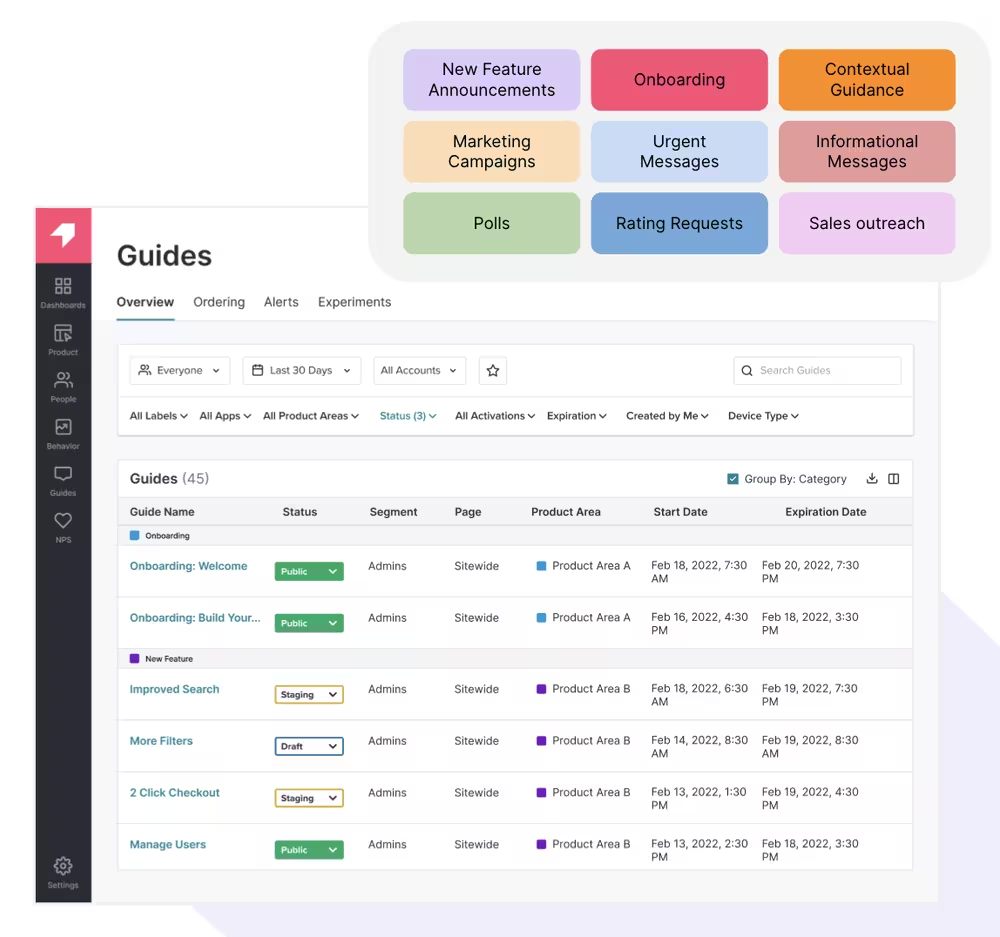
See how Jimo AI compares against Pendo👇
Pendo Pricing
Pendo has four different plans and they are all based on MAUs. However, transparent pricing isn’t available on its website. The plans are:
- Base: Product analytics, in-app guides, one integration
- Core: Everything in Base, plus session replays
- Pulse: Everything in Core, plus NPS and product discovery
- Ultimate: Everything in Plus, plus journey orchestration and data synchronization
⚠️ Users report $48,300/year median pricing on Vendr.
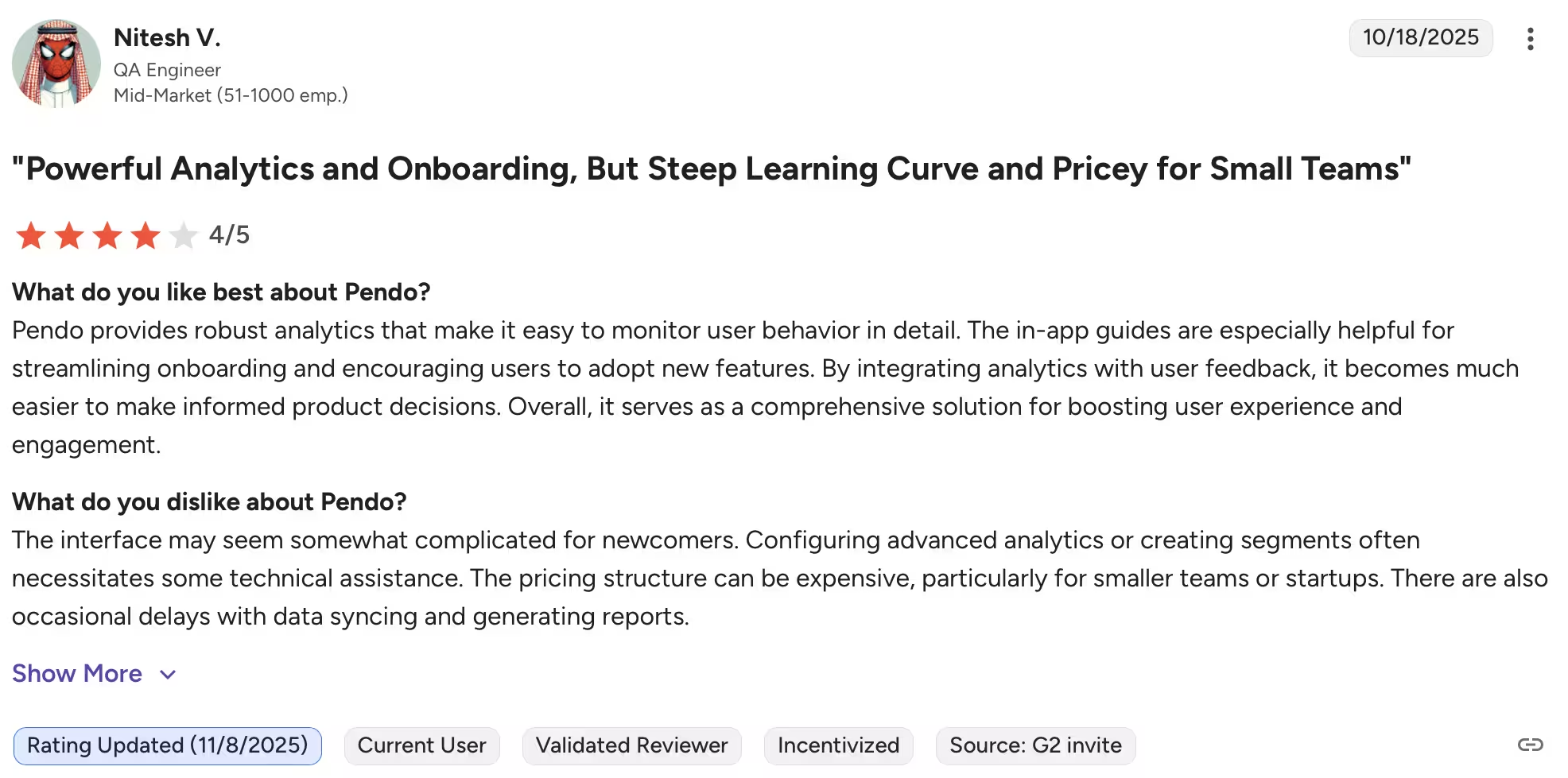
Here’s what real users say about Pendo on G2👇
Jimo Wins at…
- AI automation: Automatic tour generation reduces manual effort.
- Lightweight approach: Perfect for startups and small SaaS teams.
- Pricing: With more features available in lower-priced tiers, Jimo wins over Pendo’s untransparent and enterprise-level pricing system
Pendo Wins at…
- Deep analytics: Detailed product usage metrics and funnel tracking.
- Engagement & targeting: Highly customizable walkthroughs and messages.
- Enterprise-ready compliance: SOC2/GDPR/HIPAA support.
#8 Jimo vs. WalkMe
WalkMe (an SAP company) is a digital adoption platform that offers personalized in-app experiences, engagement, and automation. To achieve that, it provides you with:
- Product walkthroughs and guides
- Interactive elements (hotspots, tooltips)
- NPS, CSAT, and micro-surveys
- User segmentation
- Chatbots
- Event tracking
Curious to see differences between Jimo AI and WalkMe, check this out👇
WalkMe Pricing
WalkMe has two products: For customers and for employees. Pricing isn’t listed on its website but users on Vendr reports $43,680/year as median pricing.
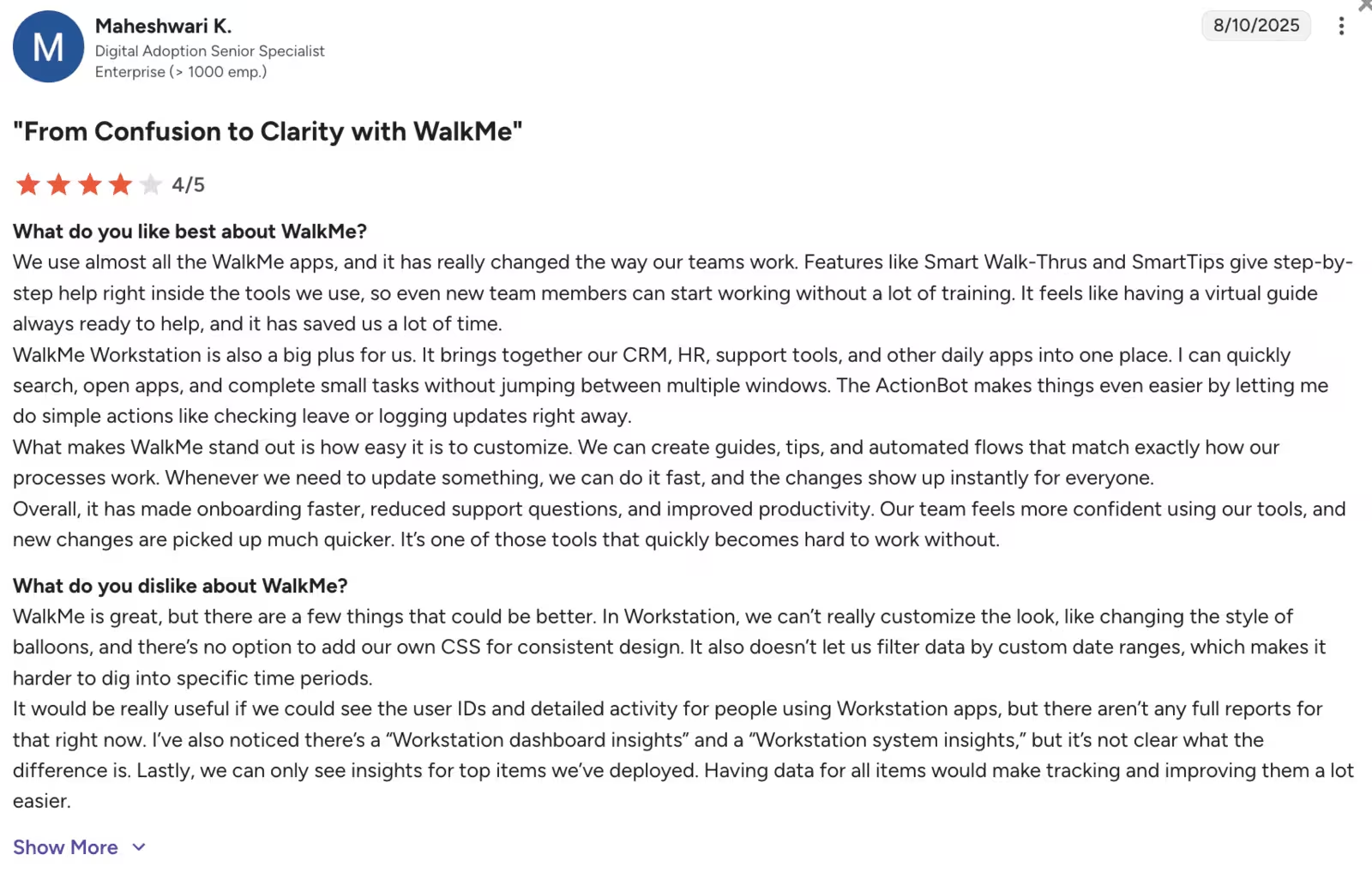
Here’s what real users say about WalkMe on G2👇
Jimo Wins at…
- AI-guided onboarding: Reduces manual flow creation.
- Rapid deployment: Lightweight setup for small teams.
- Pricing: For essentials, Jimo AI has better-structured and more affordable plans.
WalkMe Wins at…
- Scale & customization: Full-featured enterprise digital adoption platform.
- Analytics & communication: Detailed insights, banners, nudges, and walkthroughs.
- Security & compliance: SOC2 and GDPR ready for large organizations.
#9 Jimo vs. Intercom
Though there’s some overlap between Jimo and Intercom’s use cases (onboarding and in-app engagement), Intercom is essentially a customer service platform, so it’s more focused on messaging and tickets.
Still, because it’s a legacy tool, it offers multiple features, including:
- Product tours
- Fin (Intercom’s AI technology)
- Onboarding checklists
- Tooltips, hotspots, and banners
- Surveys
- Help center
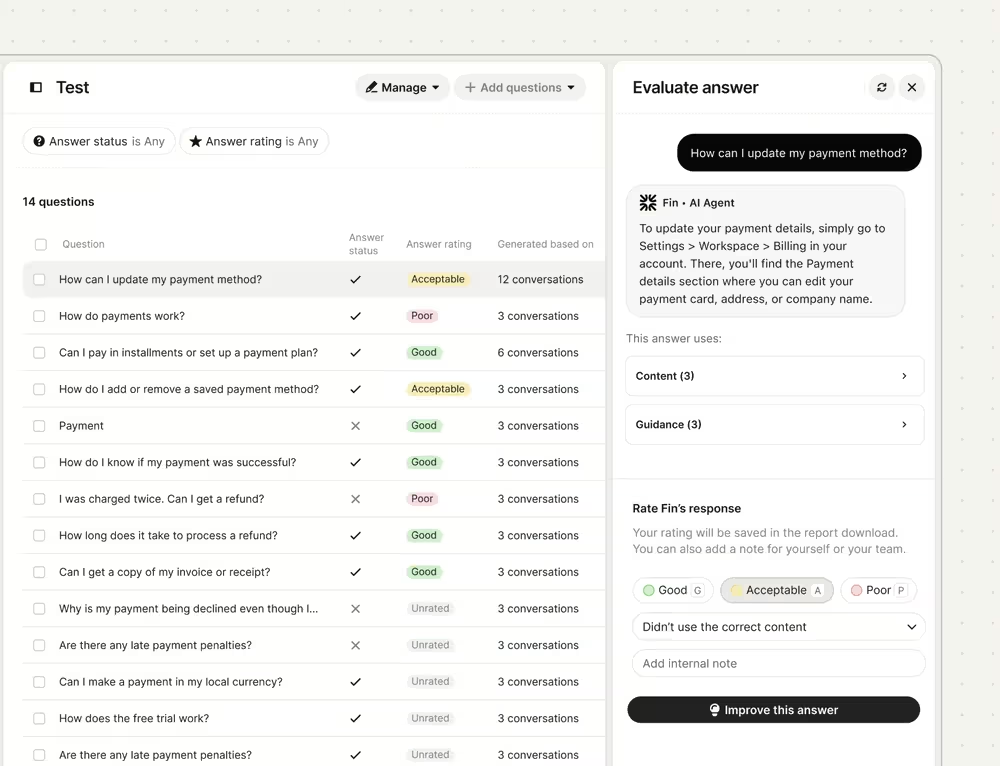
Here’s a side-by-side comparison between Jimo AI and Intercom👇
Intercom Pricing
Intercom has seat-based pricing and offers four plans. These are:
- Essential: $29 per seat/month, plus $0.99 per Fin resolution. Key features include Fin agent, messenger, shared inboxes and ticketing system, public help center.
- Advanced: $85 per seat/month, plus $0.99 per Fin resolution. Key features include everything in Essential, plus multiple team inboxes, workflow automations, private and multilingual help center.
- Expert: $132 per seat/month, plus $0.99 per Fin resolution. Key features include everything in Advanced, plus SSO and identity management, SLAs, and multibrand messenger.
- Fin AI Agent: For teams that only need an AI chatbot to integrate with their help desk like Zendesk and Salesforce. $0.99 per Fin resolution.
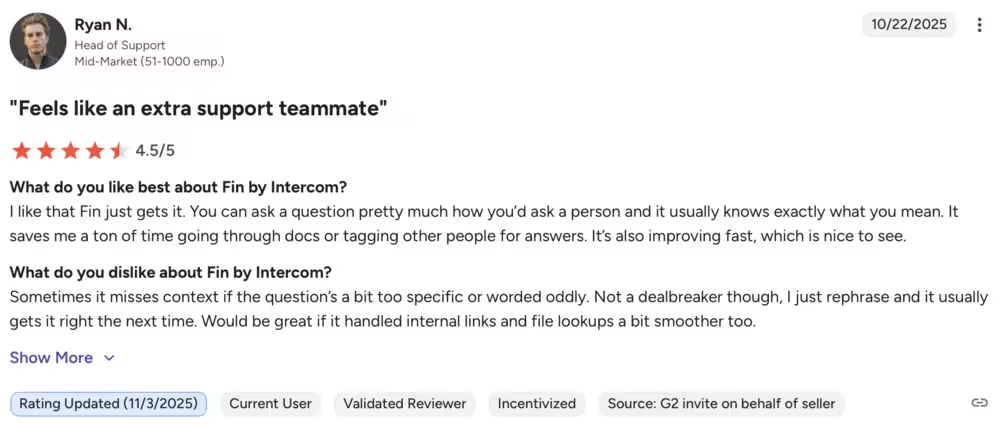
Here’s what real users say about Intercom on G2👇
Jimo Wins at…
- AI automation: Generates onboarding tours automatically.
- Lightweight setup: No-code deployment, quick launch.
- Pricing: For onboarding and in-app experiences, Jimo AI offers better features and more affordable pricing.
Intercom Wins at…
- Messaging & engagement: Multi-channel communication including chat and in-app messages.
- Feedback & surveys: Strong tools for NPS and user input collection.
- Segmentation: Advanced user targeting for campaigns.
#10 Jimo vs. Intro.js
Intro.js is an open-source JavaScript library that helps you build step-by-step user guides. It’s lightweight and covers the basics of user onboarding and in-app guidance with features like:
- Step-by-step customizable product tours
- Interactive hints
- Lightweight and developer-friendly integration
- Simple API for dynamic and programmatic control of guides
- Highlighting of specific UI elements to direct user focus
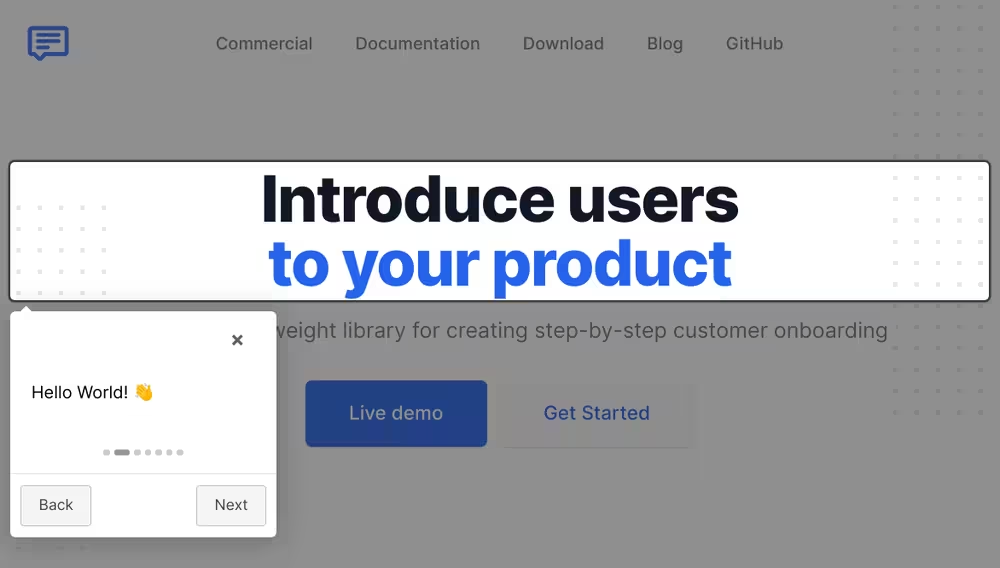
See how Jimo AI and Intro.js differ👇
Intro.js Pricing
Intro.js’ core product is free and open-source for all, which makes it extremely convenient for teams that have time and resources to code their guided tours.. However, if you want to use Intro.js in your commercial app or website, you need to purchase a commercial license.
The commercial licences have 3 different pricing tiers: Starter, Business, and Premium. The Starter plan starts at $9.99/lifetime and includes one project and product updates without commercial support.
The Business plan starts at $49.99/lifetime and includes five projects and one custom theme with commercial support for one month. The Premium plan costs $299.99/lifetime.
The Premium plan adds unlimited projects, three custom themes, 24/7 priority support, and commercial support for 6 months.
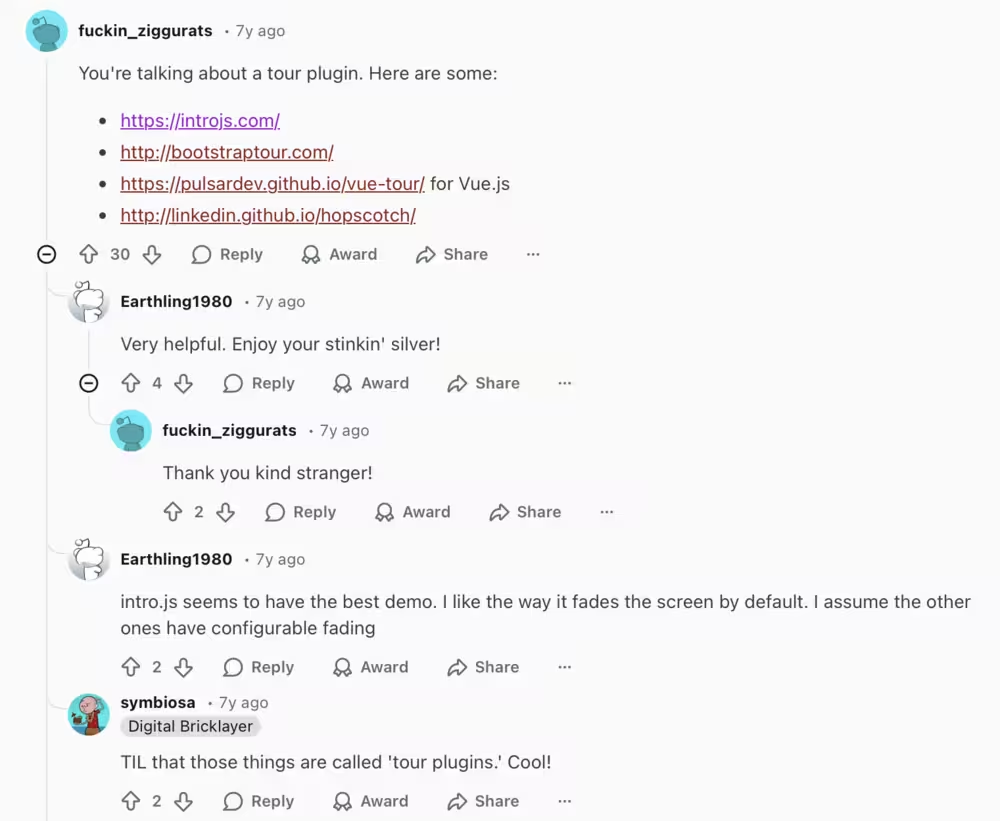
Intro.js isn’t on G2, so we took it to Reddit for real user insights👇
Jimo Wins at…
- AI-driven onboarding: Automated tours and checklists with minimal effort.
- Self-serve help: Resource center included for users.
Intro.js Wins at…
- Pricing and open-source: Zero cost and full code access.
- Developer flexibility: Fully customizable guided tours if you have coding resources.
#11 Jimo vs. Shepherd.js
Similar to Intro.js, Shepherd.js is also an open-source JavaScript library where you can build simple product tours and improve your user onboarding. Some of its key features include:
- Customizable product tours
- Floating UI
- Tooltips and modals
- Navigation
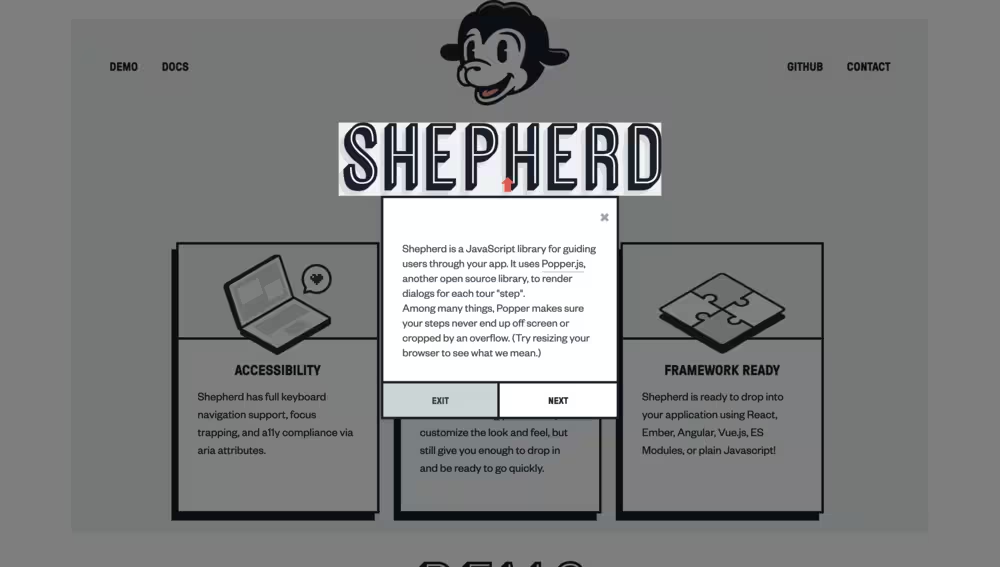
Here’s a side-by-side comparison between Jimo AI and Shepherd.js👇
Shepherd.js Pricing
For personal and non-commercial uses, Shepherd.js is completely free, but you need to code everything on your own. If your app, website, or plugin is commercial, you need to obtain a commercial license. These are:
- Business Plan: $50/lifetime. This plan includes one month commercial support, up to 5 projects, and regular product updates.
- Enterprise Plan: $300/lifetime. This plan includes commercial support for 6 months, unlimited projects, and prioritized GitHub issues.
- Shepherd Consulting: Custom pricing. This plan is the best fit for businesses who need onboarding training, analytics, and white-glove services.
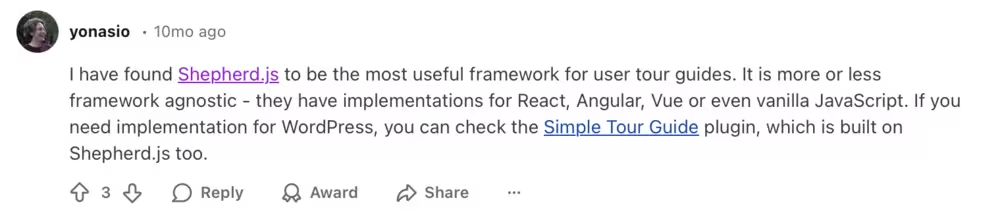
Shepherd.js isn’t on G2 either, so let’s see what users say on Reddit👇
Jimo Wins at…
- AI automation: Auto-generated guides, hints, and checklists.
- Resource-light: Quick setup for small teams without coding.
Shepherd.js Wins at…
- Open-source & free: No licensing costs, unless you want a commercial license.
- Developer control: Full flexibility for building custom guided experiences.
Finding the right tool for your team is hard, but it doesn’t have to be impossible. Use this big table to inform your decisions:
Frequently Asked Questions
What are the best Jimo AI alternatives for in-app guides and onboarding?
Top alternatives include UserGuiding, Appcues, Userpilot, and Userflow, which all offer robust, no-code onboarding flows. These tools provide deeper customization and richer component libraries than Jimo AI.
What are the best Jimo competitors with stronger analytics and segmentation features?
UserGuiding, FullStory, and Heap stand out for advanced analytics and granular segmentation. They offer richer behavioral insights than Jimo AI for optimizing onboarding paths.
How do Jimo AI and UserGuiding compare for product onboarding?
UserGuiding offers more mature onboarding components and broader customization, while Jimo AI focuses on lightweight, AI-assisted workflows. Teams needing scalability and depth typically find UserGuiding more flexible.
What are the most affordable Jimo alternatives for early-stage SaaS companies?
UserGuiding, Userflow, and Intercom Product Tours often provide more budget-friendly plans for startups. They deliver similar onboarding features at lower entry costs.
Which tools support checklists and surveys like Jimo AI?
Userpilot, UserGuiding, Appcues, and Spekit support interactive checklists and in-app surveys. They also offer more control over targeting and UX.
What are the Jimo alternative platforms with AI-powered onboarding?
Tools like Appcues AI, Userflow AI, and Pendo AI now offer AI-assisted content creation and flow building. These platforms give you broader AI capabilities than Jimo’s current offerings.
How do Jimo AI, Appcues, and Userpilot compare in terms of features?
Appcues and Userpilot offer more advanced targeting, analytics, and UI components, while Jimo keeps its feature set minimal. Teams wanting deeper experimentation and personalization typically choose Appcues or Userpilot.
Which Jiimo competitors are offering better in-app announcements and banners?
UserGuiding, Appcues, Intercom, and Beamer all provide richer announcement widgets and customizable banners. They also offer stronger scheduling and audience targeting options.
What tools can replace Jimo and have flexible pricing tiers?
UserGuiding and Userflow offer more transparent, flexible pricing structures that scale with your product needs. These tools also include key features (like SSO or A/B testing) at lower tiers compared to Jimo.
How do other no-code onboarding tools and Jimo AI compare in terms of activation outcomes?
Platforms like Userpilot, Appcues, and UserGuiding typically drive higher activation rates thanks to stronger segmentation and behavioral triggers. Their richer analytics help teams optimize flows more effectively than Jimo’s current setup.

.png)










