

.svg)
.svg)
.svg)
.svg)



.svg)



.svg)
.svg)

If you're looking for a user onboarding or product adoption tool, you've probably come across Appcues.
But what exactly does Appcues do? What can you use it for, how much does it cost, and (most importantly) is it the right tool for your team?
Maybe you're an onboarding specialist trying to improve the user experience. Maybe you're a product manager looking to increase feature adoption and engagement. Or perhaps you're already considering Appcues and want to see how it stacks up against alternatives before making a decision.
Whatever brought you here, we'll break Appcues down from all angles.
Here's what we'll cover:
- What Appcues is and what it's used for
- Its key features and use cases
- How much Appcues costs
- The pros and cons of Appcues
- How Appcues compares with alternatives such as UserGuiding
If you're in a hurry, jump straight to the TL;DR below. 👇
TL;DR
- Appcues is a no-code product adoption platform designed for web and mobile support.
- Appcues is primarily used for user onboarding and in-app engagement, so users can hit milestones and provide feedback on where they get stuck.
- Major use cases of Appcues include user onboarding, product adoption, trial conversion, user feedback, and self-serve support.
- Appcues doesn’t publicly share its pricing breakdown. Every tier is custom-priced, but it’s dependent on the number of your monthly active users (MAUs) and published experiences.
- These criteria can be helpful to decide if Appcues is a great fit for your team or you need to look for alternatives: level of complexity and flexibility you’re comfortable with, pricing, whether you need mobile and web support, in-depth analytics.
What is Appcues?
Appcues is a no-code product onboarding and adoption platform for web and mobile apps. It helps teams create personalized experiences and onboarding flows without extensive engineering work.
With Appcues, you can give users milestones to hit, guide them through key actions, trigger actions based on what users do, and collect in-app feedback to know exactly where users are getting stuck.
Who uses Appcues?
As a company Appcues is designed for:
- Small-to-mid-sized SaaS companies
- Product marketers and managers
- Customer success teams
- Non-technical users who want to build and test flows without relying heavily on engineering resources
What is Appcues used for?
Appcues is primarily used to create in-app experiences that help SaaS companies onboard users and guide users through their products.
We can categorize its use cases in five core challenges teams face: user onboarding, product adoption, trial conversion, user feedback, self-serve support.
However, these core challenges often act as umbrella terms and they might be too broad to do them justice. In this section, we’ll break down these use cases into manageable chunks and look at how each offers different features to enhance the product experience👇
1. Appcues for user onboarding
Appcues’ top use case (and strength) comes from user onboarding features. With Appcues, teams can design, launch, and track onboarding flows to nudge users to activation, and eventually, full product adoption.
Key features for this use case include:
- Launchpads: Launchpads are interactive in-app resource menus embedded within your app, helping you quickly access flows, links to external sources like blog posts, and other content. It’s a strength point for users who want self-guided onboarding, though it relies on well-organized content to be truly effective.
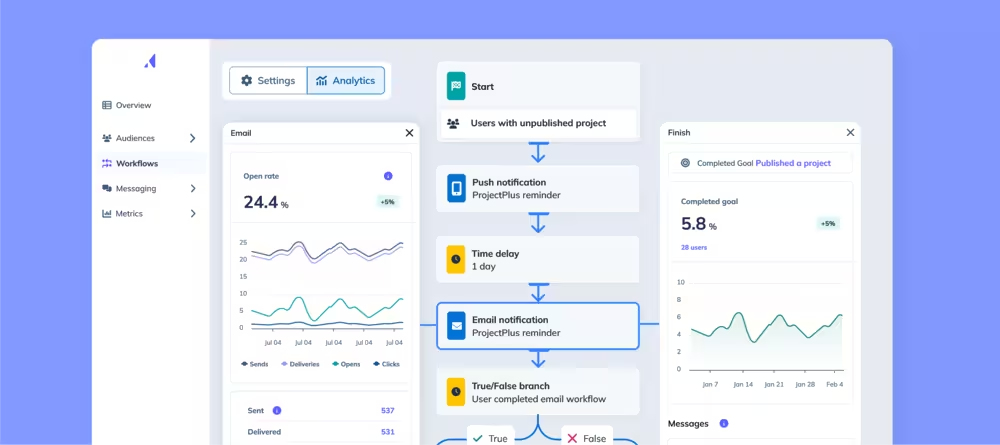
- Automated multi-channel workflows: These workflows enable you to schedule multi-channel messaging campaigns across email, mobile push notifications, and web Flows, all in a single workspace. It’s a highly scalable solution and ideal for keeping users engaged during critical first interactions. However, overuse or poor targeting may lead to message fatigue.
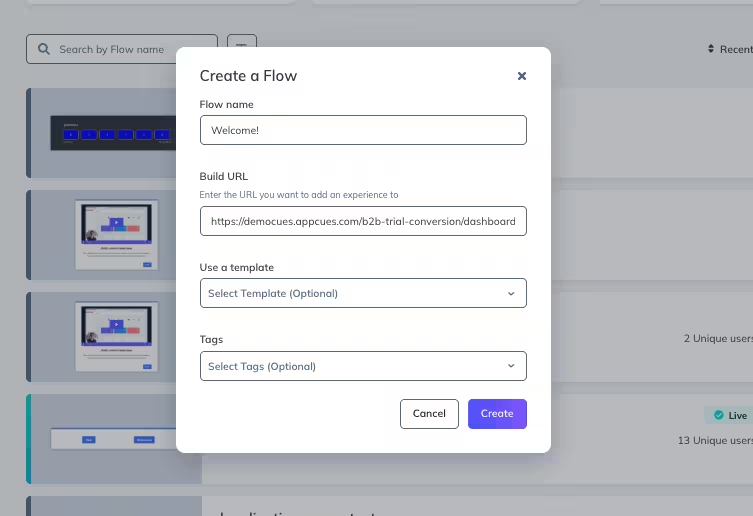
- Flows: Also known as product tours and walkthroughs, Flows are multi-step, in-app experiences that guide users through your product. Their main purpose is onboarding new users, but you can also use them to announce new features and collect feedback. Flows also use tooltips, modals, slideouts, and hotspots to build the onboarding content.
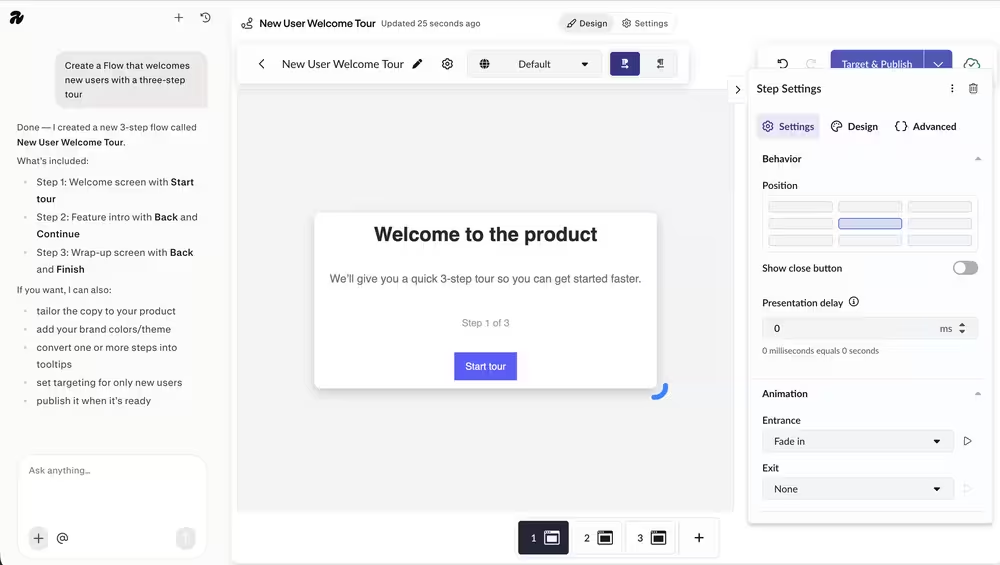
- AI creation: Appcues AI is like a personal assistant that helps you draft experiences when you describe it in plain language. Aside from drafting, Appcues AI can also open the builder to help you finish the experience. It works as a Flow builder as well, so you can easily onboard new users.
2. Appcues for product adoption
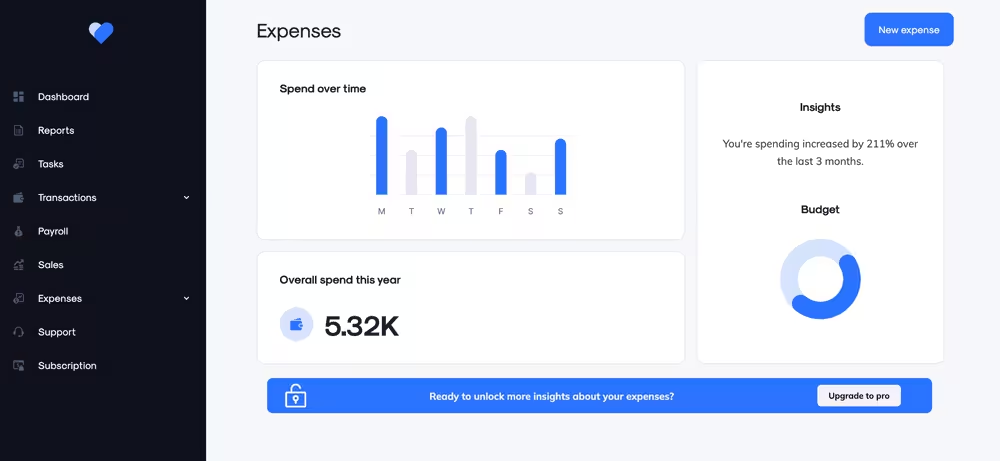
To drive product adoption, Appcues offers tools that highlight new or underutilized features. This use case focuses on driving feature engagement with specific parts of your product to increase long-term value.
Key features include:
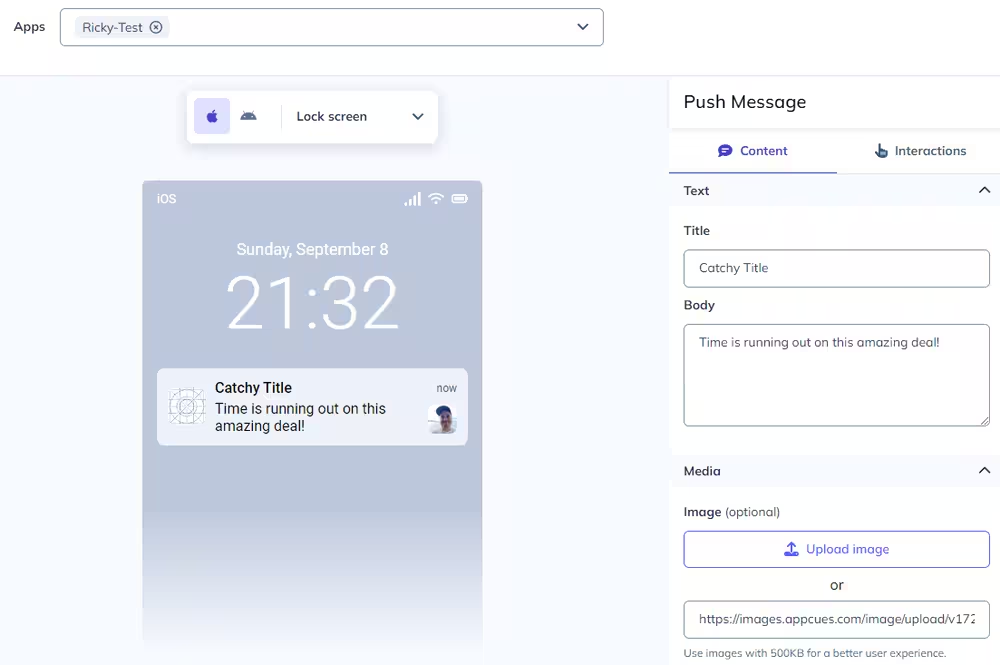
- Push notifications for mobile apps: Many alternatives don’t offer mobile support, so Appcues gets extra points for that. You can send push notifications to inform users about new features or encourage engagement through tailored campaigns. It’s a strong tool when timing and relevance are on point, but may be seen as intrusive if overused.
- Embeds: Embeds are Appcues’ content containers where you can place them directly inside your product layout, not layered on top of your existing UI. Available for both web and mobile apps, Embeds feel like a part of your product. A card on a home screen or a banner above a list are common examples. You can use them to surface next steps and tips in the context where users need them the most.
3. Appcues for trial conversion
Converting free trial users into paying customers is crucial for long-term success, and Appcues provides features that encourage users to complete key actions during their trial period. These features are:
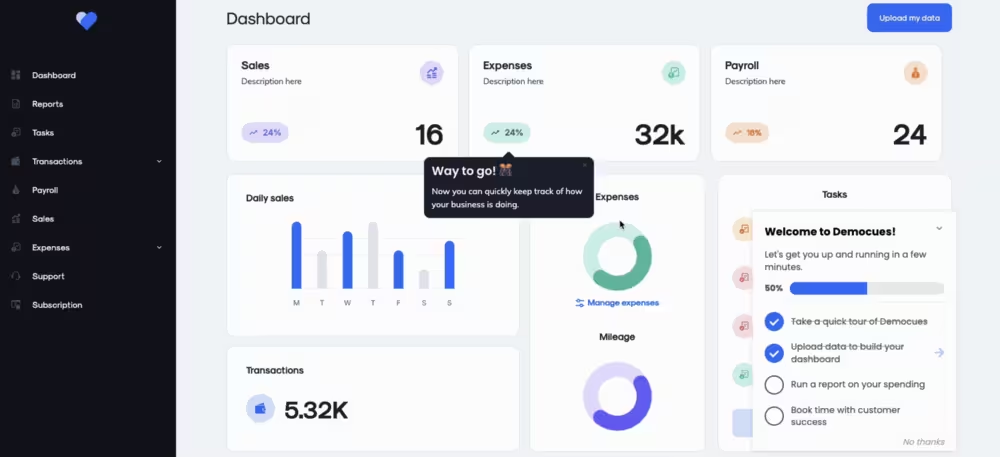
- Checklists: Checklists give users a visual guide to what they need to complete during their trial. They help users unlock value as quickly as possible with incremental progress like setting up integrations or completing onboarding steps. Checklists also nudge users to take meaningful action towards their goals.
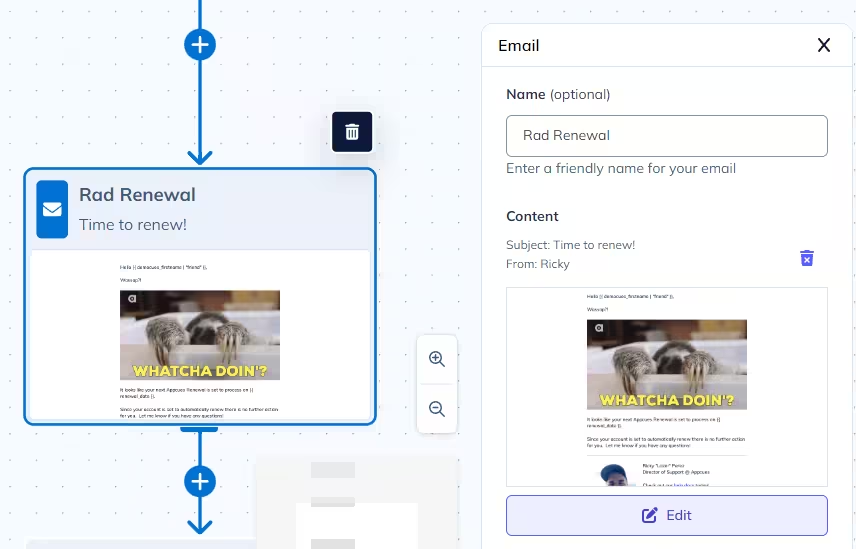
- Automated emails: Automated emails help reinforce product value by following up on in-app behavior with targeted messages. You can nudge users toward completing tasks or highlight features they have yet to explore. When well-integrated, these emails capture the “right action at the right moment” sentiment and help boost conversion rates. But if they feel generic or too frequent, you risk being ignored.
4. Appcues for user feedback
Appcues is very useful to gather insights within your app experience and understand user satisfaction.
Key features for this use case include:
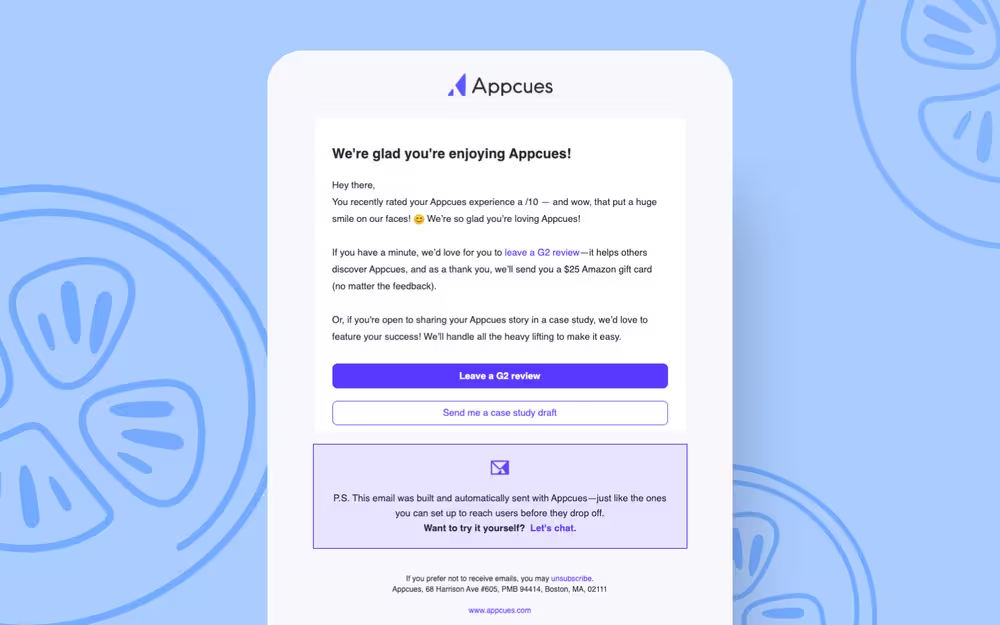
- Automated NPS follow-ups: After calculating Net Promoter Score (NPS), Appcues can trigger further feedback follow-ups based on user responses. For example, detractors may be directed to provide more context for their score, while promoters can be invited to share their testimonials for social proof.
- Surveys: Appcues lets you create and deploy in-app surveys that can collect quick, contextual feedback. Whether it’s a simple rating or an open-ended questionnaire, surveys provide insight into user sentiment at key moments during their journey.
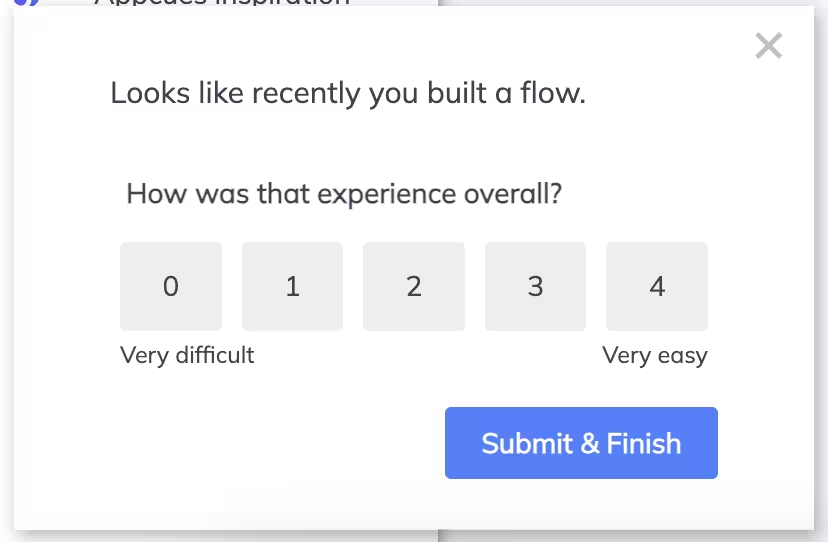
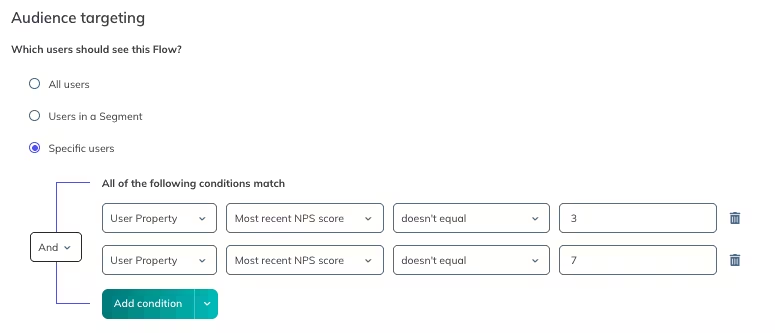
- Behavioral targeting and segmentation: You can trigger feedback requests based on specific user actions or attributions (like hitting a feature milestone or navigating a specific tab twice) rather than showing cues or flows to everyone blindly. Instead of guessing who needs help, you can use behavioral data to deliver the right in-app experience at the right moment.
5. Appcues for self-serve support
Self-serve support features help reduce dependency on support teams by giving users the tools and resources they need to solve problems independently.
Here’s how Appcues focuses on this core use case:
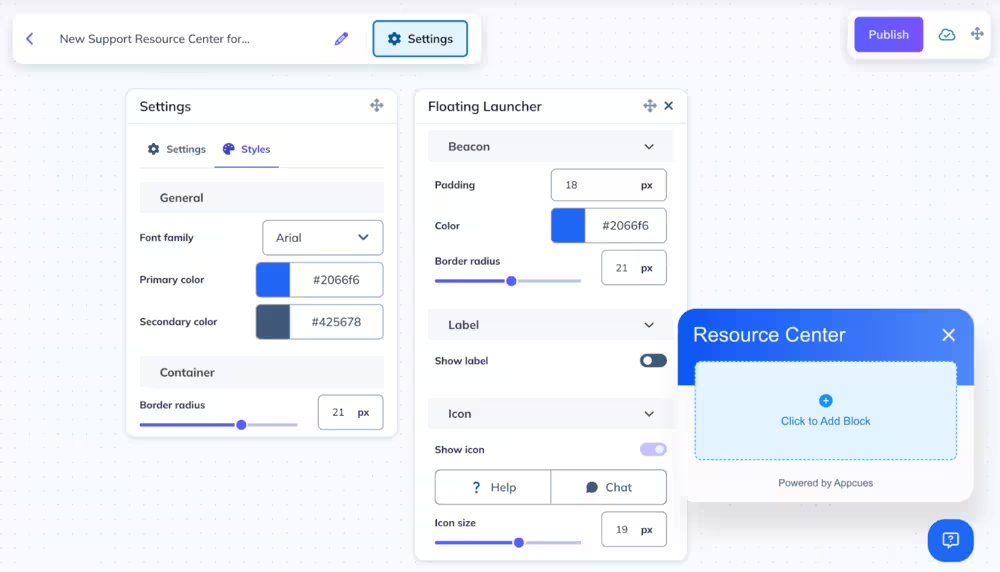
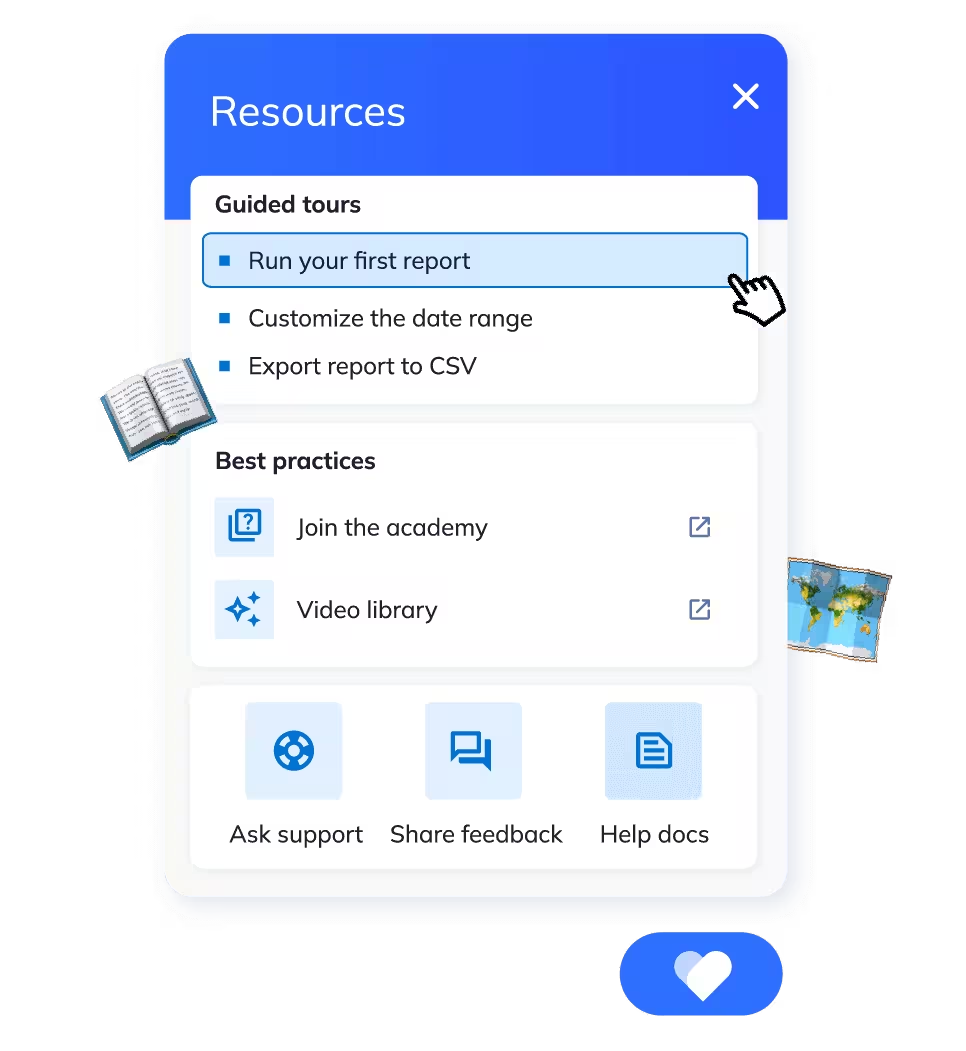
- Resource centers: Resource centers are always-available in-app widgets that house helpful articles, videos, guides, or other content you publish. They offer instant, in-the-moment access to support to reduce the overflow of support tickets. The key to make it happen is that you need up-to-date, well-organized content tailored to users’ needs.
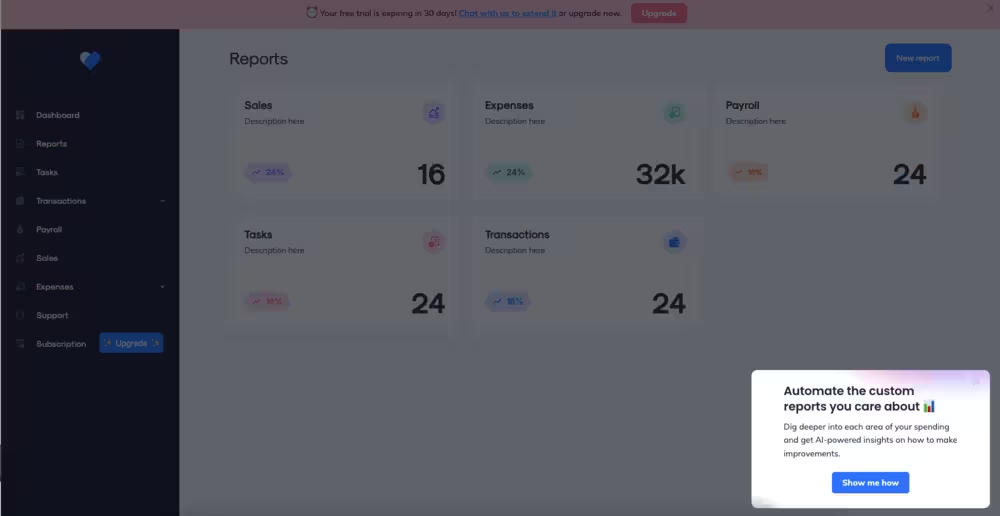
- Pins, modals, slideouts, tooltips, and hotspots: Pins are subtle icons that can be attached to UI elements to offer persistent, contextual help. You get two options: buttons and icons. Modals and Slideouts are attention-grabbing pop-ups designed for announcements and welcome messages. Tooltips and Hotspots are element-anchored pointers that highlight specific parts of your UI. All of them work well for explaining interface components without overwhelming the user. Plus, they are lightweight and user-friendly, though their visibility can be overlooked if they’re not visually distinct enough.
What are Appcues’ top features?
Whether for user onboarding or collecting feedback, Appcues has several good features that make up the no-code platform, including:
- Product tours: Product tours introduce new users to your product’s key capabilities and guide them towards their first “aha!” moment. Because there's no code, teams can publish tours without asking engineers to code them from scratch. Step-by-step progression also makes it less likely for users to drop off.
- Checklists: Appcues checklists are interactive task lists that break down onboarding or adoption goals into manageable steps. They provide a clear and consistent roadmap for completing key tasks within the app.
- In-app announcements: In-app announcements target users so teams can share updates, promote new features, or announce new events like webinars without impacting user experience massively. They’re typically overlaid on the app interface, so audience attention is captured while they use the product.
- A/B testing and experimentation: A/B testing allows you to compare different in-app experiences (like Flows, checklists, tooltips, or surveys) to see which version performs best. It helps you back decisions with real user data, while delivering different tests to different user cohorts.
- AI capabilities: Appcues AI can be your advisor, delivery specialist, segmentation planner, and more. It allows you to plan and ship experiences faster, as well as learn from what performs well or doesn’t.
How much does Appcues cost?
Here’s Appcues pricing at a glance👇
One of the biggest changes in Appcues recently is its pricing structure. While the criteria for pricing hasn’t changed much — pricing is still based on MAUs and number of installations — standardized pricing has disappeared. You get access to the same experience types, features, and integrations from day one. So better features aren’t locked in more expensive tiers.
However, the lack of transparent pricing can make it difficult to gauge what happens when you hit MAU or experience thresholds. That uncertainty might be uncomfortable (or outright unacceptable) for teams with specific budget requirements. On the bright side, the free trial option allows you to experience the full platform before committing to a plan.
💡 Looking for an Appcues alternative? If you're evaluating Appcues alongside other product adoption tools, we’ll compare its features, pricing, and capabilities with UserGuiding later in the article.
What are the pros of Appcues?
✅ Great customer support: When talking about Appcues, many users often mention how extensive their customer support is.
One user on G2 reports that screen recordings and personal calls were quickly arranged. Another user is also happy with how fast the support agents respond to their queries.
✅ Easy setup and use: A user on G2 labels the ease of building experiences without engineering involvement as the “biggest win.” Users also report the interface as user-friendly, which further supports the no-code mode.
✅ Multiple channel access: Appcues is often listed in “top best” lists because it supports mobile and web apps environments, such as Native Android, Native iOS, and React Native. A user on G2 also points out that Appcues “covers most common scenarios” for both mobile and web users.
What are the cons of Appcues?
❌ Limited customization and flexibility: While the editor and design templates provide a good starting point, they’re not exactly built for customization. One G2 user emphasizes that customization often requires developer intervention beyond the standard.
❌ Confusing and clunky UI: One of the biggest cons of Appcues is its outdated clunky UI. Flows and testing are “spotty,” UI can lag behind several seconds and UI elements are said to be “dated.”
❌ Segmentation: Limitations aren’t limited to customization or flexibility. A G2 user describes Flows “quite binary sometimes,” and creating segmentation with multiple layers to be difficult, especially if data comes from multiple different sources. This can cause problems especially if you’re A/B testing or experimenting with new campaigns.
Is Appcues right for you?
A platform that meets you where you are, but also capable of supporting you as you scale. That’s one of the key elements to succeed in product adoption. Here’s how you can decide if Appcues is the right fit for you:
Appcues might be a good fit if:
- You need cross-channel customer engagement
- Your team values in-depth analytics capabilities
- Your product has mobile and web versions
You might consider alternatives if:
- You need a simple solution that doesn’t break the bank
- You have to set up and publish experiences in a day or two
- You want all the essentials of adoption without expanding your scope to multiple environments
Appcues vs UserGuiding: How do they compare?
Why UserGuiding?
Whether Appcues is not as efficient as it used to be, you need a more budget-friendly alternative, or are just window shopping for tools with similar capabilities, you’re in the right place.
UserGuiding is a no-code product adoption platform that helps you create self-serve experiences and minimize extra support needs. You can create interactive product tours, knowledge bases, checklists, session recordings, and more.
Teams comparing Appcues and UserGuiding may want to consider UserGuiding if you don’t want to complicate your adoption workflow. It’s easier and faster to get started with UserGuiding’s builder. You can launch interactive onboarding experiences in minutes.
Plus, on the analytics side, UserGuiding provides actionable insights that help your team iterate quickly and without the bloat. Appcues has more analytics depth, but many users find them overkill for day-to-day needs.
Another key advantage of UserGuiding: pricing.
UserGuiding is much more affordable than Appcues, especially for early-stage companies. You get access to core features without having to pay extra for multi-channel engagement tools you have no need for yet.
On top of these, UserGuiding is expanding its essential feature offerings, with these latest additions for better user experiences:
- Product roadmaps: UserGuiding offers public product roadmaps, so you can make your progress visible to users. They can track the status of certain feature releases, bug fixes, improvements, and other changes in the order you set. You can add labels and create a navigation menu, so users can look for what matters to them.
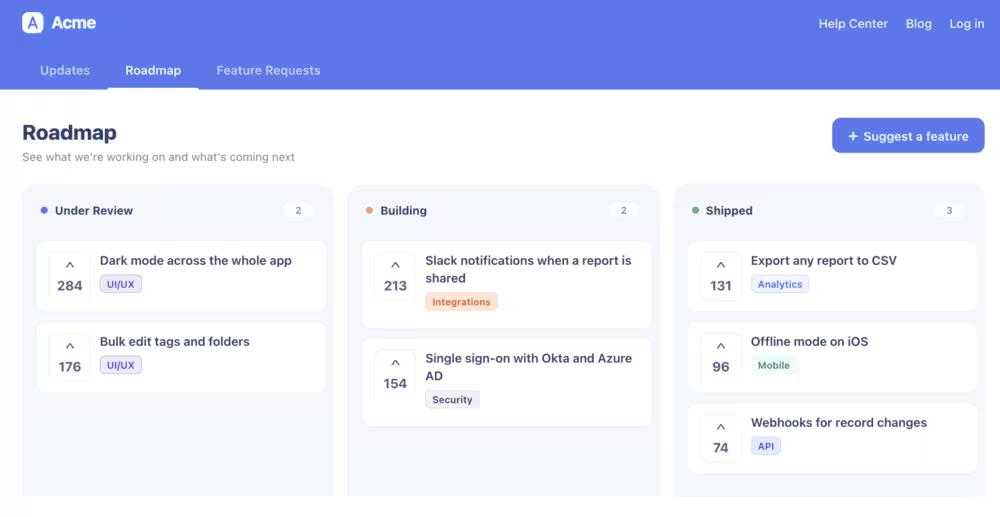
It’s also possible to embed these roadmap updates in your resource centers and in-app announcements. For example, when you publish a new update, a notification badge appears in your resource center to grab attention without leaving their current page. Similarly, you can enable a slide-out tooltip when users log in after a new update, so they don’t miss the update on what’s changing.
- Feature requests: The feature request that gets built and the request that users actually want don’t always overlap. Having users vocalize what they think of your “next feature” ideas is a good way to balance that gap — and that’s exactly what Feature Requests are for.
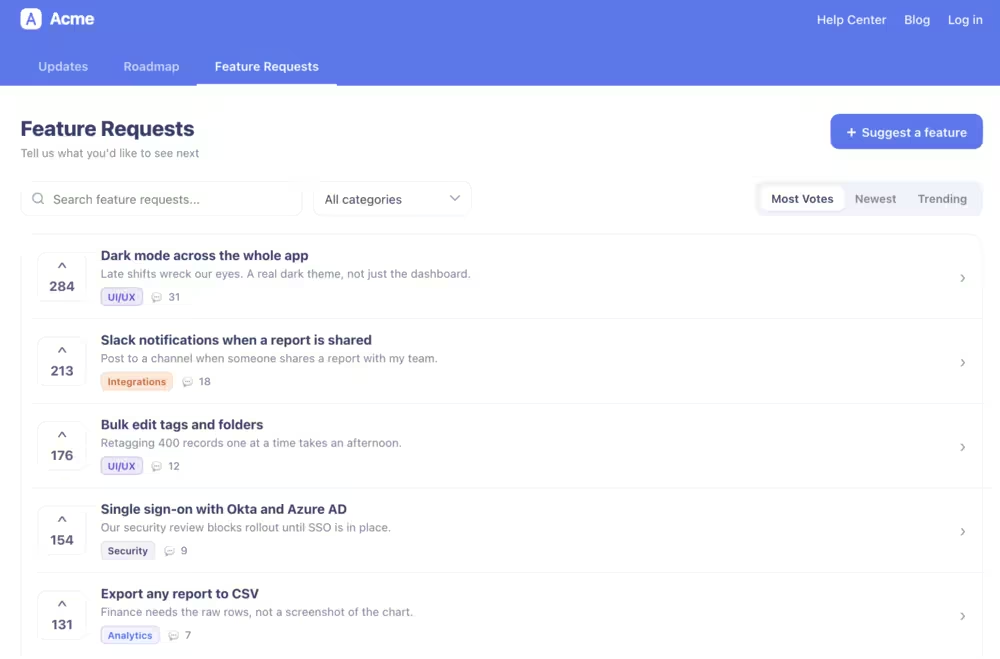
Requests can come from Slack threads, emails, social media, or sales calls, but the Feature Requests feature gives space to bring all of the ideas in one place. Users post their requests, they go public once you approve. And next, users can vote on what they prefer, so you have a ranked list — not a bunch of asks. Every request lands in a private inbox too, so you don’t have to switch between tools to keep track.
- Session replays: Session replays show exactly where users get stuck. You can watch real user sessions as recordings, with every click, scroll, and JavaScript error recorded from start to finish. This removes the guesswork because you can watch what users did before they rage-quit or dropped off during an experience.
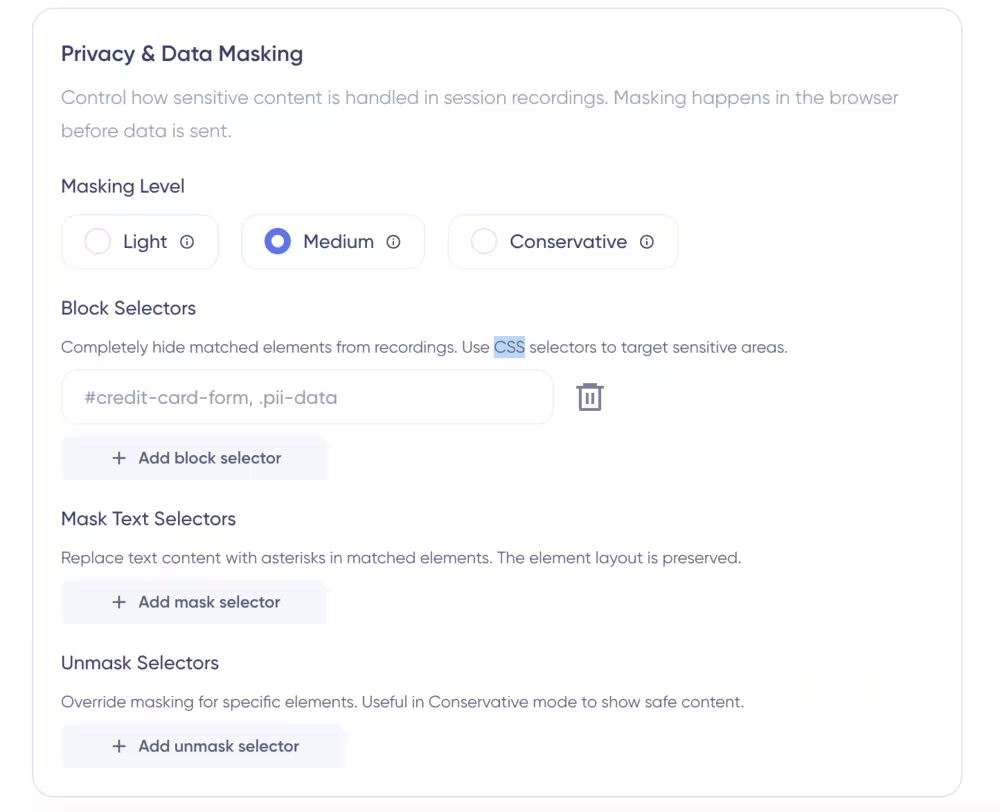
You can set rules to automatically record sessions and save collections in playlists for easy access. With three different masking levels, you can exclude users’ sensitive data (such as passwords and billing info) before recordings are stored.
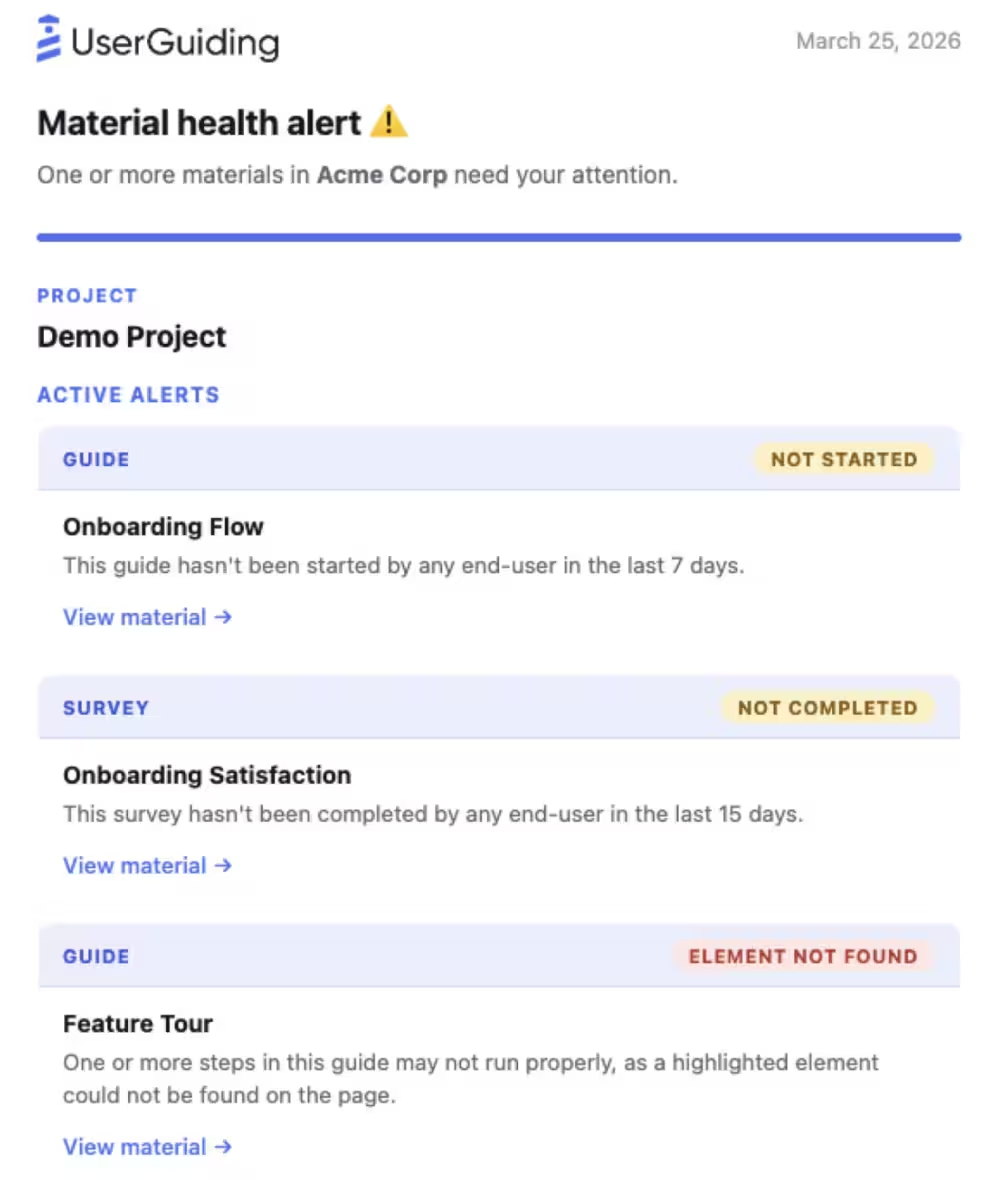
- Custom alerts: Custom alerts help you catch when content isn’t started or when a policy’s standards aren’t met within a specific time period. With custom alerts, you can monitor guides and surveys so teams are always on the same page about broken flows before users report them.
How much does UserGuiding cost?
Similar to Appcues, UserGuiding offers a tiered pricing system. It has three paid plans for different needs:
- Starter: Starts from $249/month, billed annually. This plan is the best value option for startups and small businesses that need all product adoption features like user guides, product tours, checklists, segmentation, and reporting at a reasonable price.
- Growth: Starts from $499/month, billed annually. This plan is a great fit for fast scaling small businesses or mid-market companies that need to track their data more extensively on top of all the product adoption capabilities. The Growth plan includes A/B testing, product roadmaps, goal tracking, and custom alerts.
- Enterprise: Custom priced, billed annually. This plan is best suited for enterprises or mid-market businesses with a large number of MAUs. The Enterprise plan includes security compliance (SOC2 & GDPR), service-level agreements (SLAs), customizable themes for branding, and migration support when needed.
AI features (Lighthouse included), are available across all plans.
In short…
And there you have it: Appcues in a nutshell.
It’s a capable product adoption platform with plenty to offer if you’re looking to improve onboarding or product adoption.
But “capable” doesn’t necessarily mean “right for everyone.” Your budget, the features you need, and how much control you want over your in-app experiences all matter.
So if Appcues looks like a good fit, great! It's worth exploring further. If something doesn't quite click, don't stop your search there. Compare it with a few alternatives and see how they stack up against what your team actually needs.
UserGuiding is one of those alternatives worth considering, particularly if you're looking for a different balance of features, ease of use, and pricing.
At the end of the day, the best onboarding tool is the one that helps you create better user experiences without creating more work for your team.
Frequently Asked Questions
What is Appcues, and how does it improve user onboarding in SaaS products?
You can build Experiences and Workspaces with Appcues. Experiences are mainly focused on creating product experiences for users that guide them to reach full adoption. Workspace is the team hub behind these experiences. Campaigns, analytics, and decisions are monitored in Workspaces.
What is Appcues used for in customer journey optimization?
No, Appcues doesn’t have a free plan. But you can schedule a call and get started with a free trial account to test all features and see if there's a test technical fit with your team.
How does Appcues help increase feature adoption and user retention rates?
The best alternatives to Appcues are UserGuiding for budget-conscious and fast-deployed onboarding, Userpilot for product analytics, and Userflow for in-app messaging.
What industries benefit most from using Appcues for user onboarding?
The main difference between Appcues and UserGuiding comes down to scope. Appcues is focused on cross-channel engagement for both web and mobile platforms, providing advanced analytics. UserGuiding, on the other hand, is a budget-friendly, web-only tool focused on interactive in-app experiences.
How does Appcues compare to other onboarding tools like UserGuiding or WalkMe?
Yes, Appcues is a product onboarding tool, designed for web and mobile SaaS products. It focuses on helping companies onboard their customers and design in-app user experiences without writing code.

.png&w=3840&q=75)