

.svg)
.svg)
.svg)
.svg)



.svg)




.svg)
.svg)

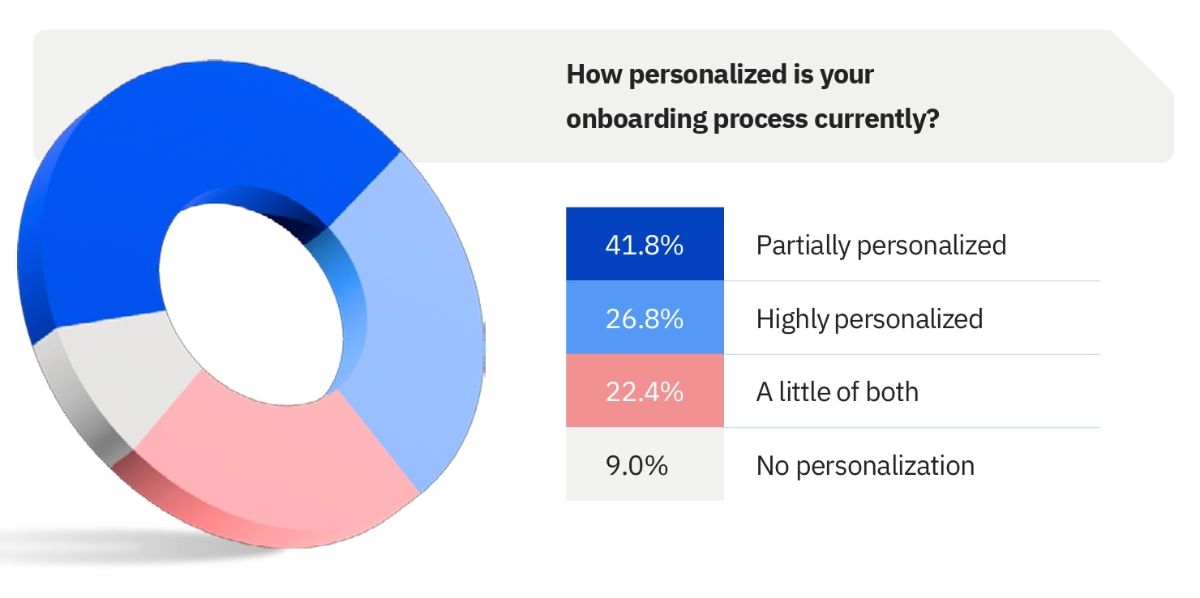
According to Rocketlane’s 2025 State of Customer Onboarding Report, 41.8% of companies say they’re only partly personalizing their onboarding today using standard templates for different customer types, then manually adjusting the process based on each customer’s unique needs.
If this sounds familiar, you’re probably looking for a product adoption solution that helps you scale onboarding without losing flexibility in 2026.
A tool that gives you reusable templates, no-code builders, and just enough personalization to avoid rebuilding everything from scratch.
But is Product Fruits that tool?
To answer that, we turned to the people who actually use it.
In this article, we’ve analyzed real Product Fruits reviews from G2, Capterra, and Gartner Peer Insights, focusing only on feedback from 2025 and 2026 to understand what the platform does well, where it falls short, and who it’s really for.
Short on time? Here’s the TL;DR 👇🏻
TL;DR
- Product Fruits is a no-code, AI-powered product adoption platform used for user onboarding, in-app guidance, feature announcements, surveys, and self-serve customer support.
- Product Fruits has a transparent, MAU-based pricing model. Its plans start at $96/mo (billed annually) for up to 1,500 MAUs, with costs increasing as MAUs and feature usage grow. Unlike most competitors, Product Fruits also offers a monthly billing option.
- Users appreciate Product Fruits for its broad toolkit, quick and easy setup, time-saving AI features, helpful customer support, and relatively accessible pricing compared to tools like Appcues or Userpilot.
- However, many users complain about limited feature depth, weak analytics and reporting, clunky and sometimes slow editors, and restricted no-code customization options. As onboarding needs become more complex, the platform can feel limiting.
- Product Fruits can be a solid choice for teams that want to move fast with no-code onboarding and user education.
- But for teams that need deeper customization, advanced analytics, and more scalable onboarding workflows, a more flexible alternative like UserGuiding may be a better fit.
Product Fruits at a glance
Product Fruits is an AI-powered product adoption platform used for user education, onboarding, feature announcements, and customer support. The platform offers several no-code features and capabilities that support product-led business strategies and empower non-technical teams.
The core offerings of Product Fruits include:
- Product tours/ guides
- Tooltips, hotspots, pop-ups, and banners
- Checklists
- Resource centers and newsfeeds
- AI assistants/ Copilots
- Surveys and feedback widgets
- Standalone knowledge bases
💡 Product Fruits’ AI assistant, Elvin, offers support and guidance both to your product teams and your app users.
For the app users, it functions as a traditional AI assistant, answering their questions and offering in-app guidance. In addition to that, Elvin also offers insights to your product team on your users’ engagement patterns and in-app behavior.
If you’d like to read more about Product Fruits’ capabilities and use cases, let’s take you to our in-depth analysis of Product Fruits features 👈🏻
Product Fruits pricing
Product Fruits has a very transparent pricing structure with 3 plans (Starter, Pro, Enterprise), whose starting prices and feature caps are publicly available. There’s also an MAU slider that allows you to estimate your cost based on your MAU.
The Starter plan starts at $96/mo (billed annually) for up to 1,500 MAUs. The Pro plan starts at $149/mo (billed annually) for the same MAU limit. The prices scale with feature usage and MAU. So, from 1,500 MAU to 3,000 MAU, the starting prices of the Starter plan and Pro plan increase to $149/mo and $224/mo, respectively, both billed annually.
Product Fruits also offers a monthly billing option, which is not a very common practice in the product adoption solutions world.
In fact, except for Product Fruits, UserGuiding, and Userflow, none of the major product adoption and software experience platforms (Appcues, Userpilot, Pendo, WalkMe) offer a monthly subscription option.
All Product Fruits pricing plans include unlimited tours & guides, hints & beacons, and tooltips.
Other features, such as NPS and surveys, knowledge bases, checklists, and capabilities like localization or included integrations, vary from plan to plan.
The AI copilot Elvin is another important feature that can quickly raise the platform's cost, as the number of resolutions it completes, the number of URLs it can scan, and the number of active sources at a time vary from plan to plan.
If you wonder how Product Fruits customers feel about the platform’s pricing plans and costs, as well as whether or not the capabilities you get are worth the investment, let’s take you to our detailed Product Fruits pricing breakdown 👈🏻
What users like about Product Fruits
Product Fruits is a relatively younger platform compared to its competitors like Appcues, WalkMe, and UserGuiding. However, since it was founded in 2019, it has helped many businesses and product teams to build experiences and offer support to their customers without relying on their developers (or hiring new developers).
Product Fruits has…
- 195 reviews on G2 and is rated 4.7/5⭐
- 88 reviews on Capterra and is rated 4.7/5⭐
- 21 reviews on Gartner Peer Insights and is rated 4.6/5⭐
For you, we’ve looked at everything people have said about Product Fruits. All the nice things, as well as the not-so-nice things 👀
To be fair, we’ll share all and only the reviews from the last year and this year (2025 and 2026).
Let’s start on a higher note.
Here are the positive trends in Product Fruits reviews: 👇🏻
Comprehensive toolkit
Product Fruits is a very comprehensive tool, even though it’s not a complete all-in-one solution. It still offers many tools and capabilities for different use cases, changing from onboarding to customer feedback and automated support.
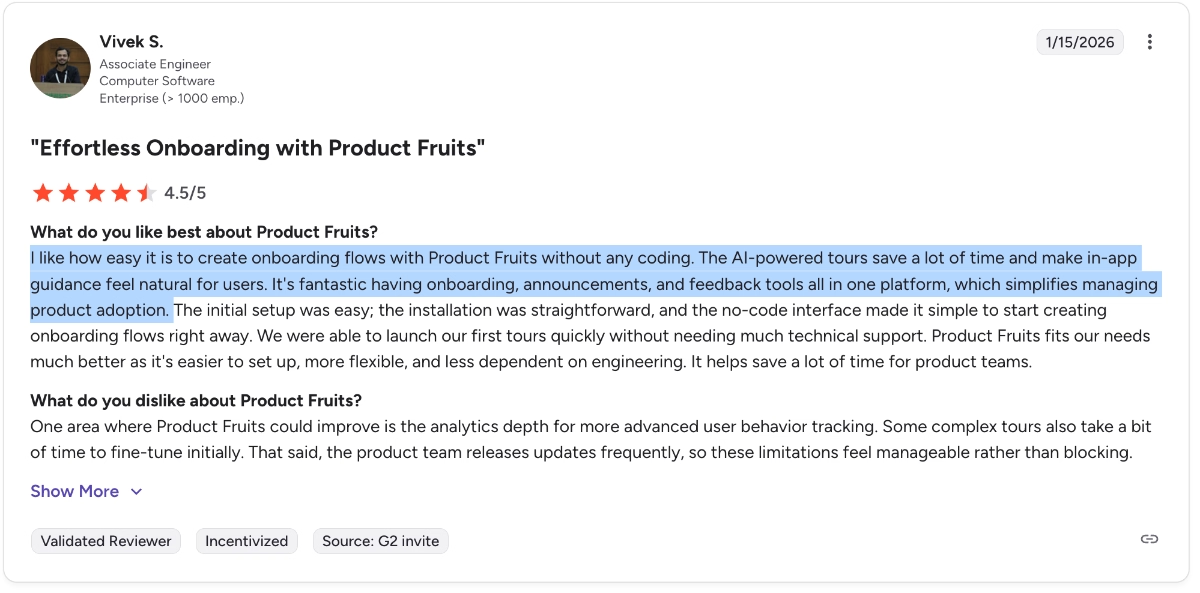
This is something many Product Fruits customers appreciate, as one of them puts it:
I like how easy it is to create onboarding flows with Product Fruits without any coding. The AI-powered tours save a lot of time and make in-app guidance feel natural for users. It's fantastic to have onboarding, announcements, and feedback tools all in one platform, which simplifies managing product adoption.”
⚠️ All that said, Product Fruits is criticized a lot for its lack of feature depth and limitations when it comes to complex workflows or advanced analytics, all of which we’ll discuss in a minute. So, while the platform is great for managing several workflows and use cases in one central place, it can feel limiting as you grow and expect more.
Quick and easy setup
Product Fruits is a no-code tool with a pretty intuitive and self-explanatory UI. Its setup process is also very easy. Many customers share positive experiences with the quick, easy implementation (though some still note a learning curve if you haven’t used a similar product before).
People generally say that within hours, one can easily learn the platform and start building guides.
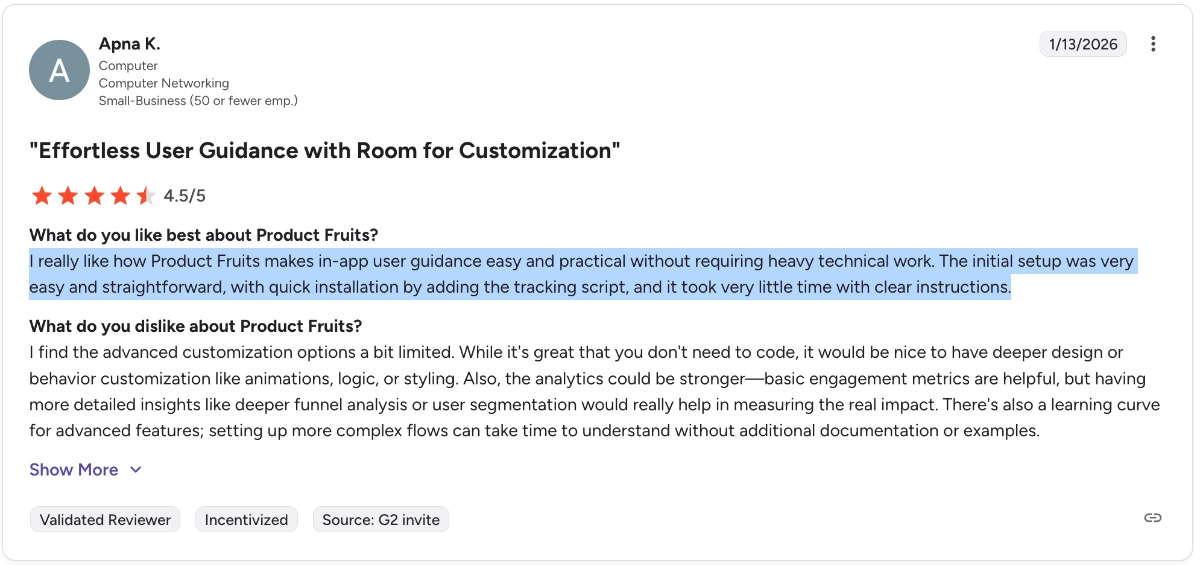
One customer says:
I really like how Product Fruits makes in-app user guidance easy and practical without requiring heavy technical work. The initial setup was very easy and straightforward, with quick installation by adding the tracking script, and it took very little time with clear instructions.”
And here’s what another user says:
I appreciate the simplicity and flexibility of Product Fruits. It makes it possible for us to quickly build tooltips, tours, and announcements without relying heavily on developers.”
Relatively accessible pricing
Product Fruits' paid plans are relatively cheaper than those of competitors such as Userpilot and Appcues. It’s also more transparent and scalable than them, too.
Many Product Fruits customers share their appreciation for the flexible and scalable plans.
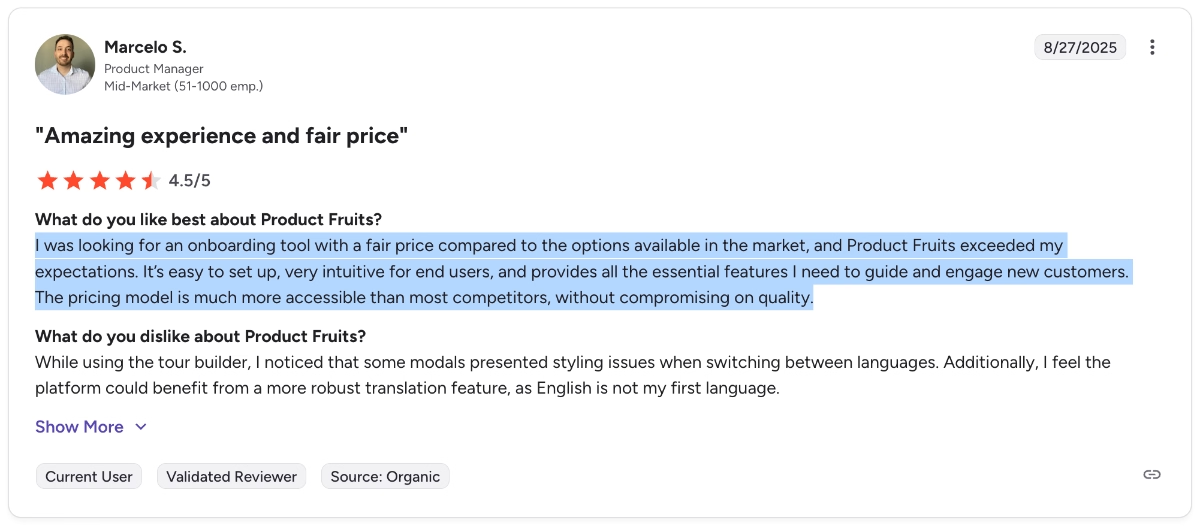
One customer says:
I was looking for an onboarding tool with a fair price compared to the options available in the market, and Product Fruits exceeded my expectations. The pricing model is much more accessible than most competitors, without compromising on quality.”
⚠️ However, we need to note that there are also many ex-Product Fruits customers who state that the cost of the platform was not justifiable for their use cases and/or what they got out of the platform.
The cheapest plan still costs more than $90/mo with an annual contract (with only 1,500 MAUs), making it expensive and inaccessible for many startups and SMBs.
Great support and new user education
Customer support and guidance are often disregarded until we need them. Luckily, for many Product Fruits users, these issues never arise because the customer support team is very helpful and the platform offers many automated in-app guidance materials for new users.
Here’s how one user expresses their appreciation for the customer service they received:
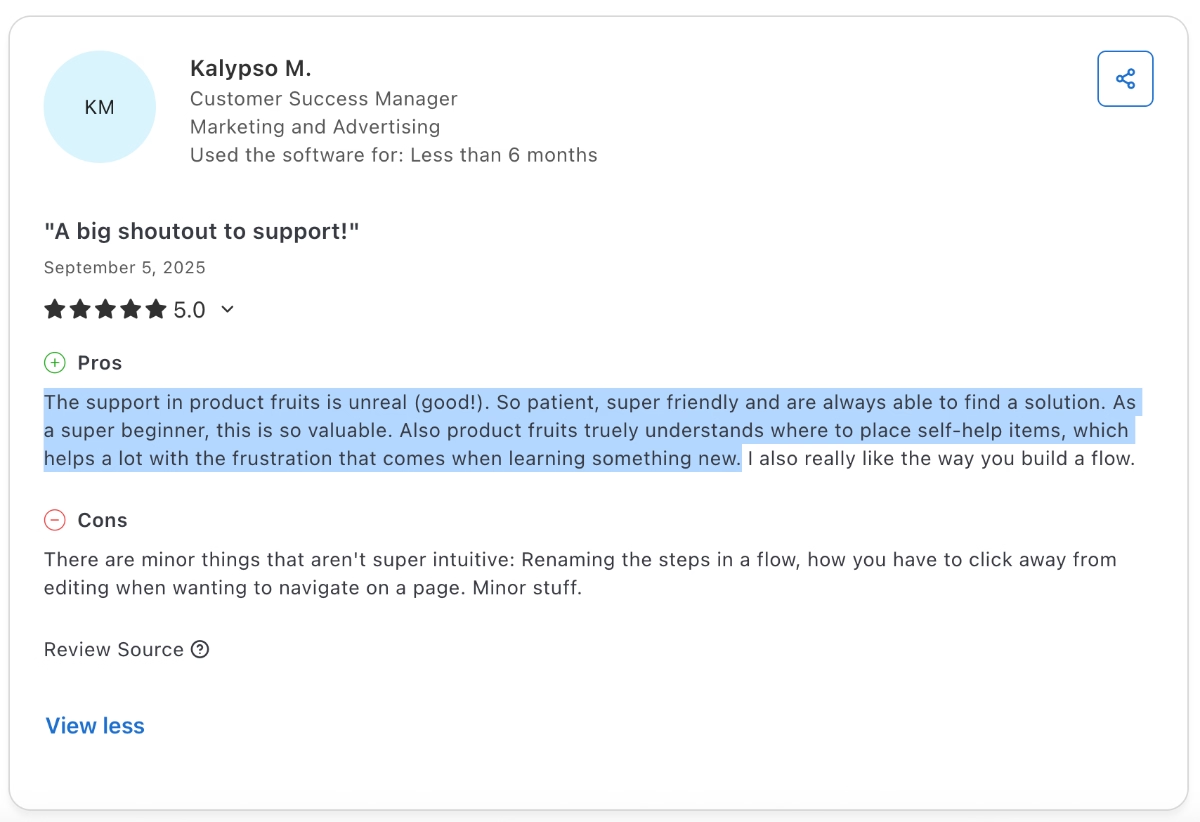
The support in product fruits is unreal (good!). So patient, super friendly, and always able to find a solution. As a super beginner, this is so valuable. Also, Product Fruits truly understands where to place self-help items, which helps a lot with the frustration that comes when learning something new.”
Time-saving AI capabilities
With the new AI turn in the industry, Product Fruits also became an AI-powered product with several AI capabilities. The platform allows you to create guides, banners, and other materials using a conversational AI chatbot, which several users have found time-saving and very efficient.
The AI-powered tools make it fast and easy to generate accurate content, saving me a ton of time while ensuring that the output is polished and professional.”
Another user on Capterra says:
I loved the AI and the tours it gives you.”
There’s also the AI copilot and support bot, which is praised for its detailed answers.
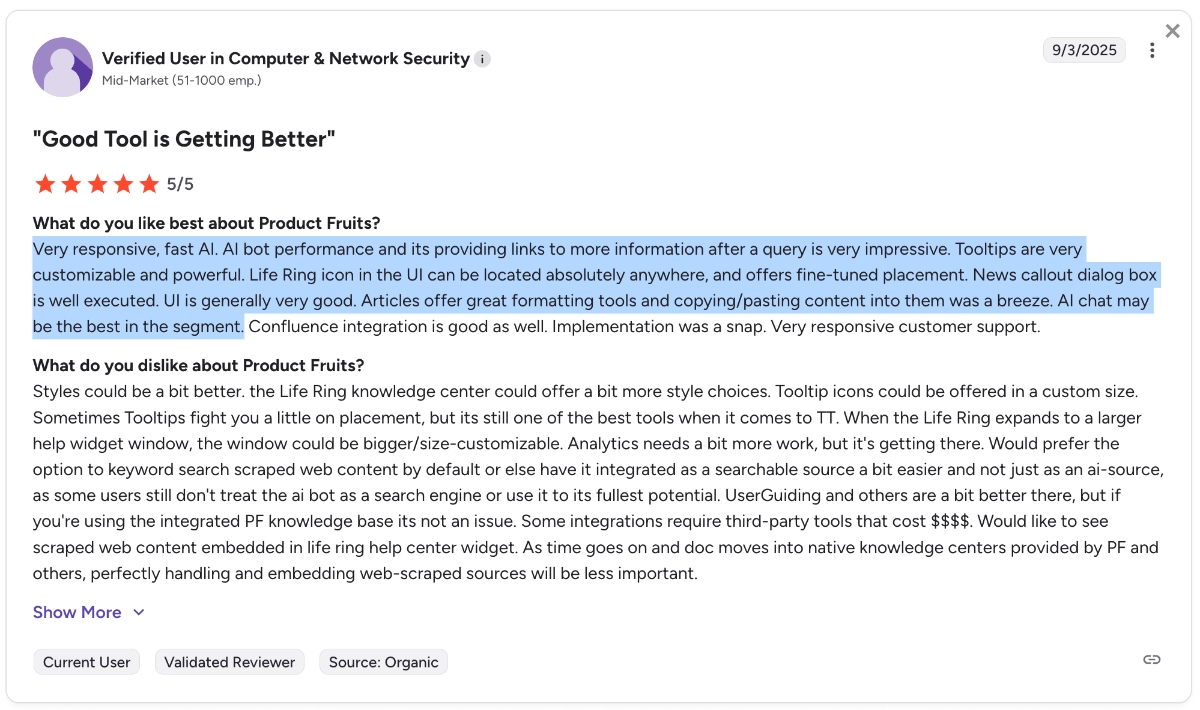
Very responsive, fast AI. AI bot performance and its providing links to more information after a query is very impressive. Tooltips are very customizable and powerful. The Life Ring icon in the UI can be located absolutely anywhere and offers fine-tuned placement. The news callout dialog box is well executed. UI is generally very good. Articles offer great formatting tools, and copying/pasting content into them was a breeze. AI chat may be the best in the segment.”
Common complaints about Product Fruits
In addition to the positive aspects of Product Fruits, many customers and users talk positively about it online; there are also several negative aspects of the platform that many other users complain about…
Based on our research, here are the most criticized aspects of Product Fruits 👎🏻👎🏻
Performance and usability issues
Many users have complained about Product Fruits’ performance and UX, stating that the app requires a lot of manual savings and configurations (no auto saves) and creating long and complex flows with a lot of steps or an advanced logic for personalization purposes is hard.
Additionally, in July 2026, a mid-market healthcare-AI company told UserGuiding that a team of theirs had tried Product Fruits back in early 2024 and hit enough usability friction that it took non-technical staff a long time to figure the tool out.
Some also complain about the platform’s slow loading and response times.
One customer says:
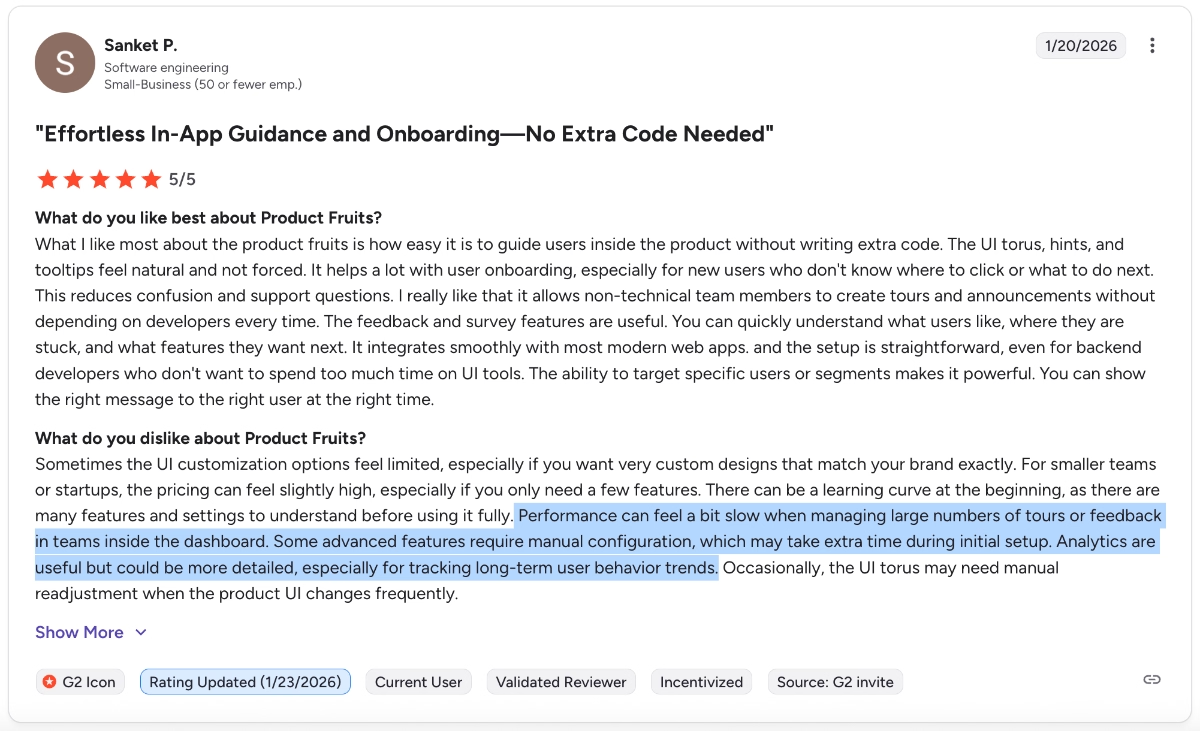
Performance can feel a bit slow when managing large numbers of tours or feedback in teams inside the dashboard. Some advanced features require manual configuration, which may take extra time during initial setup.”
Clunky editor
To add on to the time-consuming flows and manual configurations (or the slow loading/ updating times), the editor of Product Fruits is also criticized a lot for being clunky and unresponsive.
Many users experience lags or unexpected crashes while working on their guides and other materials.
For example, one customer says:
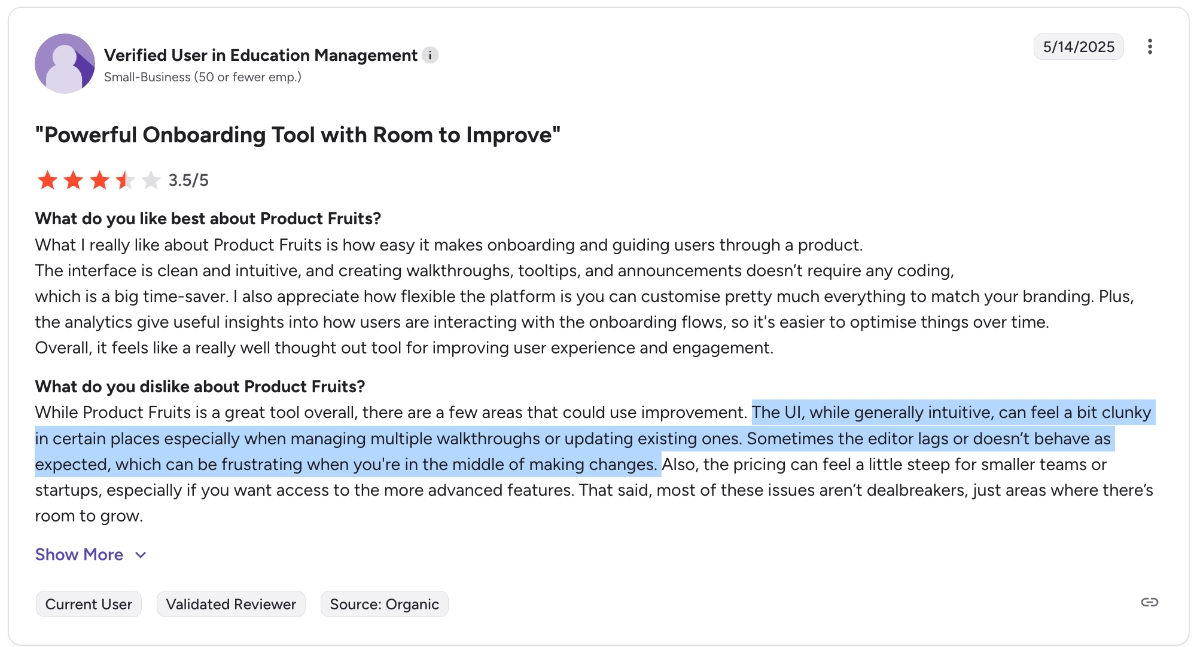
The UI, while generally intuitive, can feel a bit clunky in certain places, especially when managing multiple walkthroughs or updating existing ones. Sometimes the editor lags or doesn’t behave as expected, which can be frustrating when you're in the middle of making changes.”
Lacks feature depth
We’ve covered Product Fruits’ extensive toolkit among the platform’s positive aspects. However, we also said that while many tools and capabilities exist within the platform, they’re not necessarily suited for very advanced use cases and expectations..
A lot of Product Fruits users share their frustrations with the platform’s feature depth and explain how they cannot create complex flows, detailed user segments, or very customized looks.
Here’s how one customer expresses their dissatisfaction:
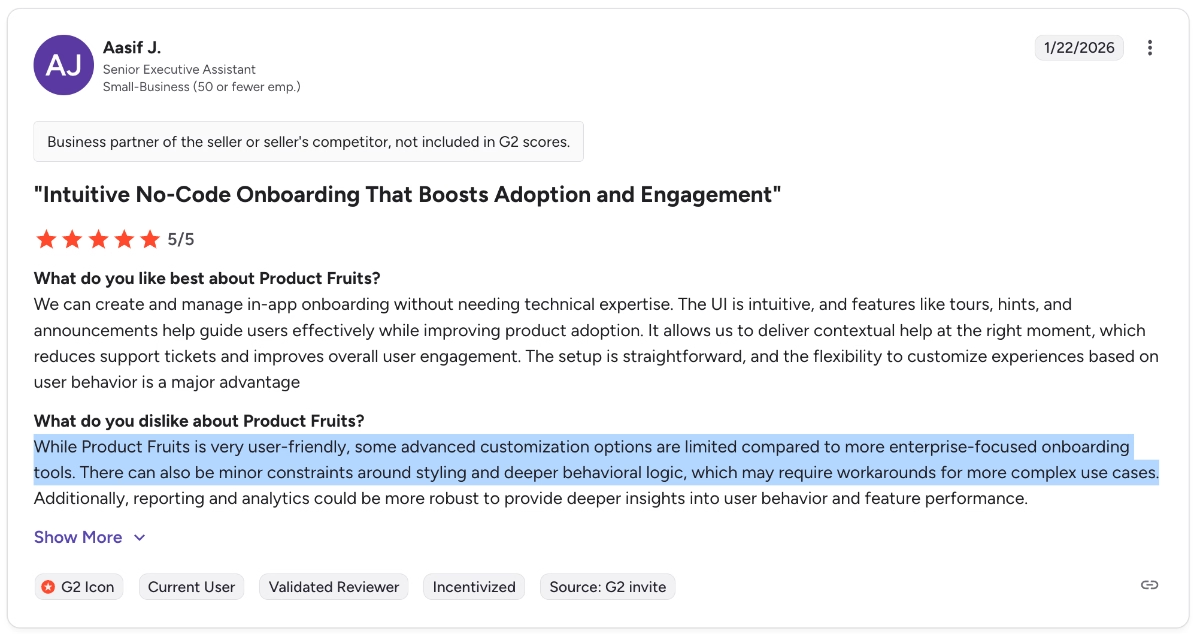
While Product Fruits is very user-friendly, some advanced customization options are limited compared to more enterprise-focused onboarding tools. There can also be minor constraints around styling and deeper behavioral logic, which may require workarounds for more complex use cases.”
Another customer says:
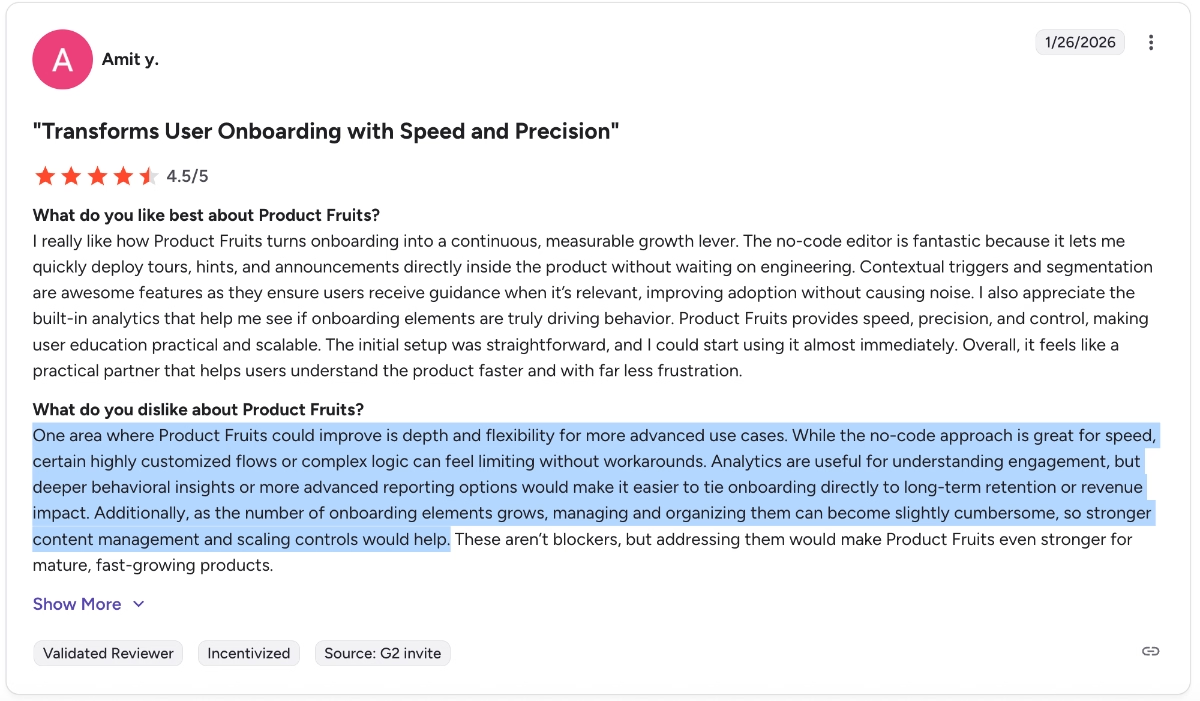
One area where Product Fruits could improve is depth and flexibility for more advanced use cases. While the no-code approach is great for speed, certain highly customized flows or complex logic can feel limiting without workarounds. Analytics are useful for understanding engagement, but deeper behavioral insights or more advanced reporting options would make it easier to tie onboarding directly to long-term retention or revenue impact. Additionally, as the number of onboarding elements grows, managing and organizing them can become slightly cumbersome, so stronger content management and scaling controls would help.”
Limited no-code customization capabilities
Talking about limited feature depth… Customization is another issue with Product Fruits. The no-code customization capabilities are very limited.
Sure you can use CSS to customize the look and the positioning of your materials, however, that kinda spoils the no-code feel of the platform and causes many users to either give up on their designs or knock on their developers’ doors.
One customer says:
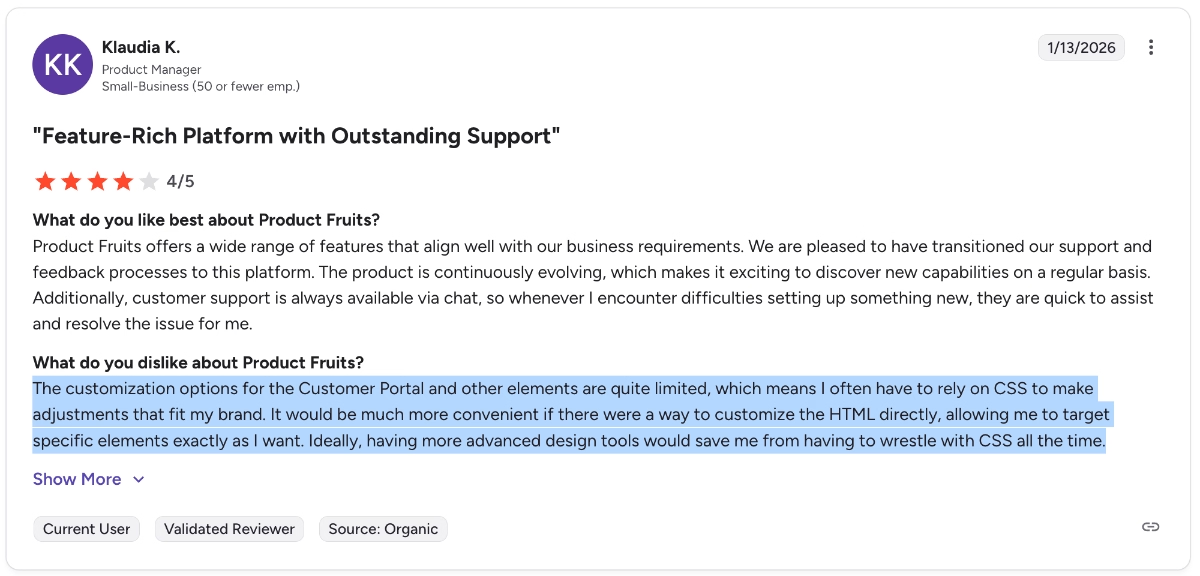
The customization options for the Customer Portal and other elements are quite limited, which means I often have to rely on CSS to make adjustments that fit my brand. It would be much more convenient if there were a way to customize the HTML directly, allowing me to target specific elements exactly as I want. Ideally, having more advanced design tools would save me from having to wrestle with CSS all the time.”
Here are moments when Product Fruits makes me slow down more than I want to. Some customizations feel limiting when I am trying to shape very specific user journeys, and I end up adjusting my idea instead of the tool.”
Analytics, analytics, analytics…
Could this be covered under the feature limitation? Well. Sure. But the number of complaints about Product Fruits’ analytics capabilities (or lack of it, really), deserves a separate part.
To be fair, Product Fruits doesn’t claim to have strong analytics, it’s not an analytics-first solution. Like many other product adoption solutions, it provides engagement analytics and reporting capabilities with the materials you create with the platform.
However, Product Fruits’ analytics dashboards and reports are terrible even compared to other product adoption platforms with not-so-strong analytics…
Many users state that you cannot even get a detailed breakdown of engagement patterns for the materials you create with the app, like guides.
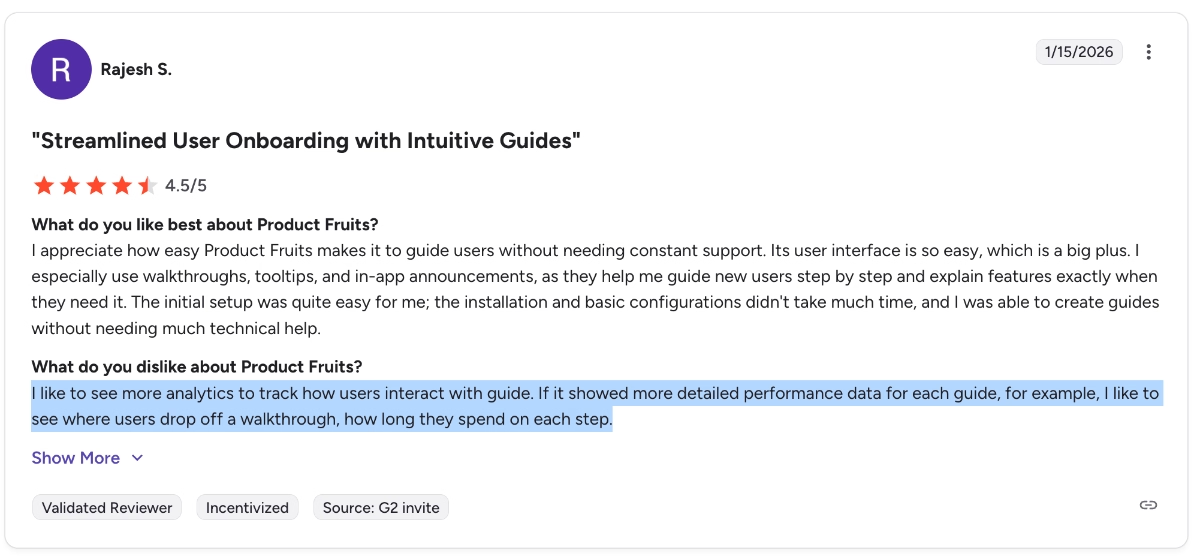
I like to see more analytics to track how users interact with the guide. If it showed more detailed performance data for each guide, for example, I like to see where users drop off a walkthrough, how long they spend on each step.”
Who Product Fruits is (and isn’t) for
Meet UserGuiding, a more advanced and customizable Product Fruits alternative!
UserGuiding is an all-in-one no-code product adoption and onboarding solution that offers a lot of features and capabilities common with Product Fruits, but with more feature depth and customization options.
You can use UserGuiding to create onboarding flows, in-app announcements, user surveys, and automated, self-serve support and resource hubs.
📌 Here’s what you get with UserGuiding in terms of features:
- Product tours
- Onboarding checklists
- Hotspots and tooltips
- Announcement modals (banners, slideouts, pop-ups, etc.)
- NPS and custom in-app surveys
- AI assistant
- Resource center (in-app)
- Knowledge base (standalone)
- Product updates (standalone)
- Segmentation
- Analytics
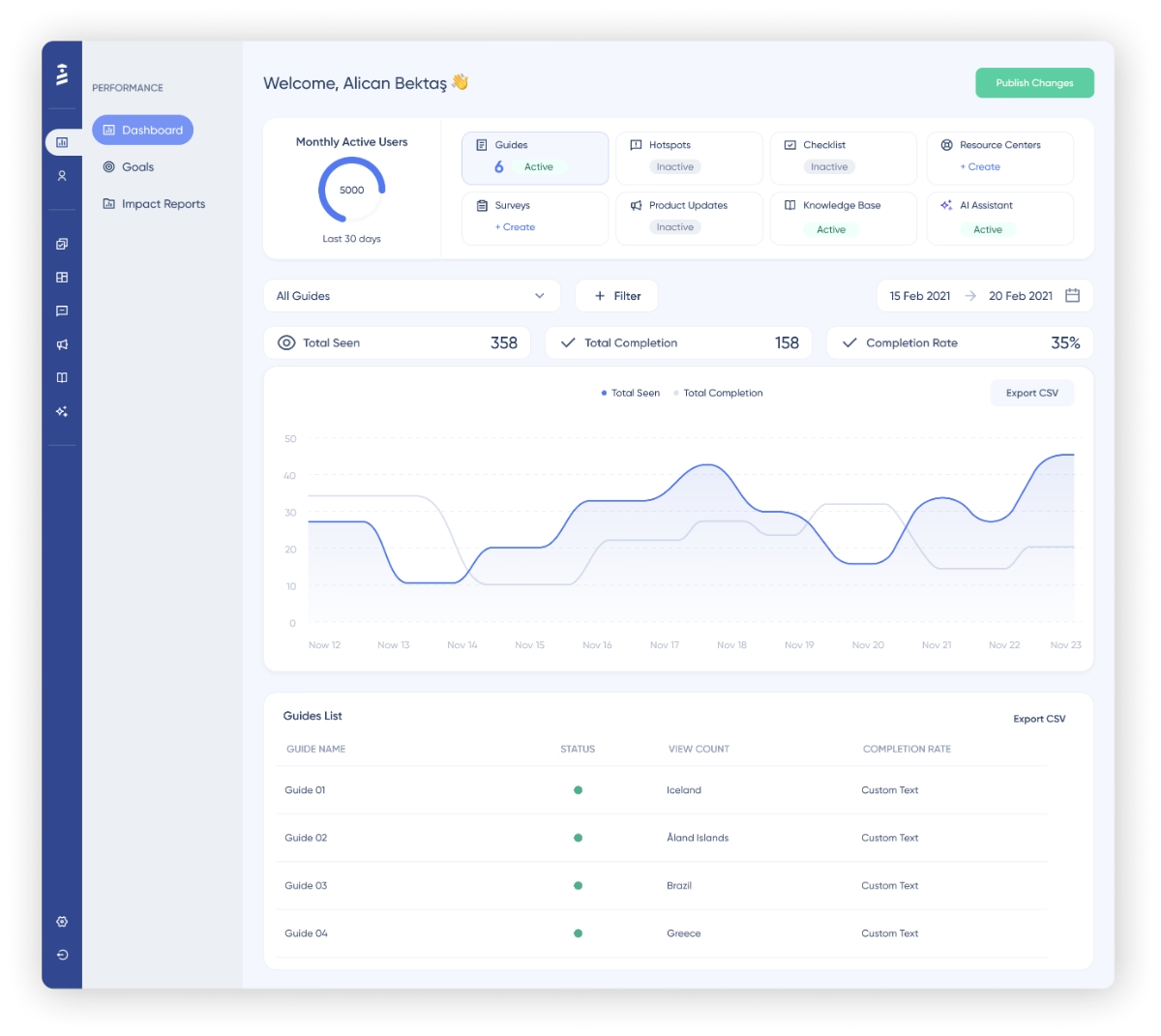
So, as you can see, on paper, both UserGuiding and Product Fruits enable you to create more or less the same things. However, where they differ is their usability, responsiveness, customization capabilities, and feature depth, as we’ve said.
Product Fruits is criticized a lot for its lack of customization capabilities (not just in terms of brand matching but also in terms of available templates and modal designs).
To give you an idea, here’s what Product Fruits’ tour/ guide builder looks like:
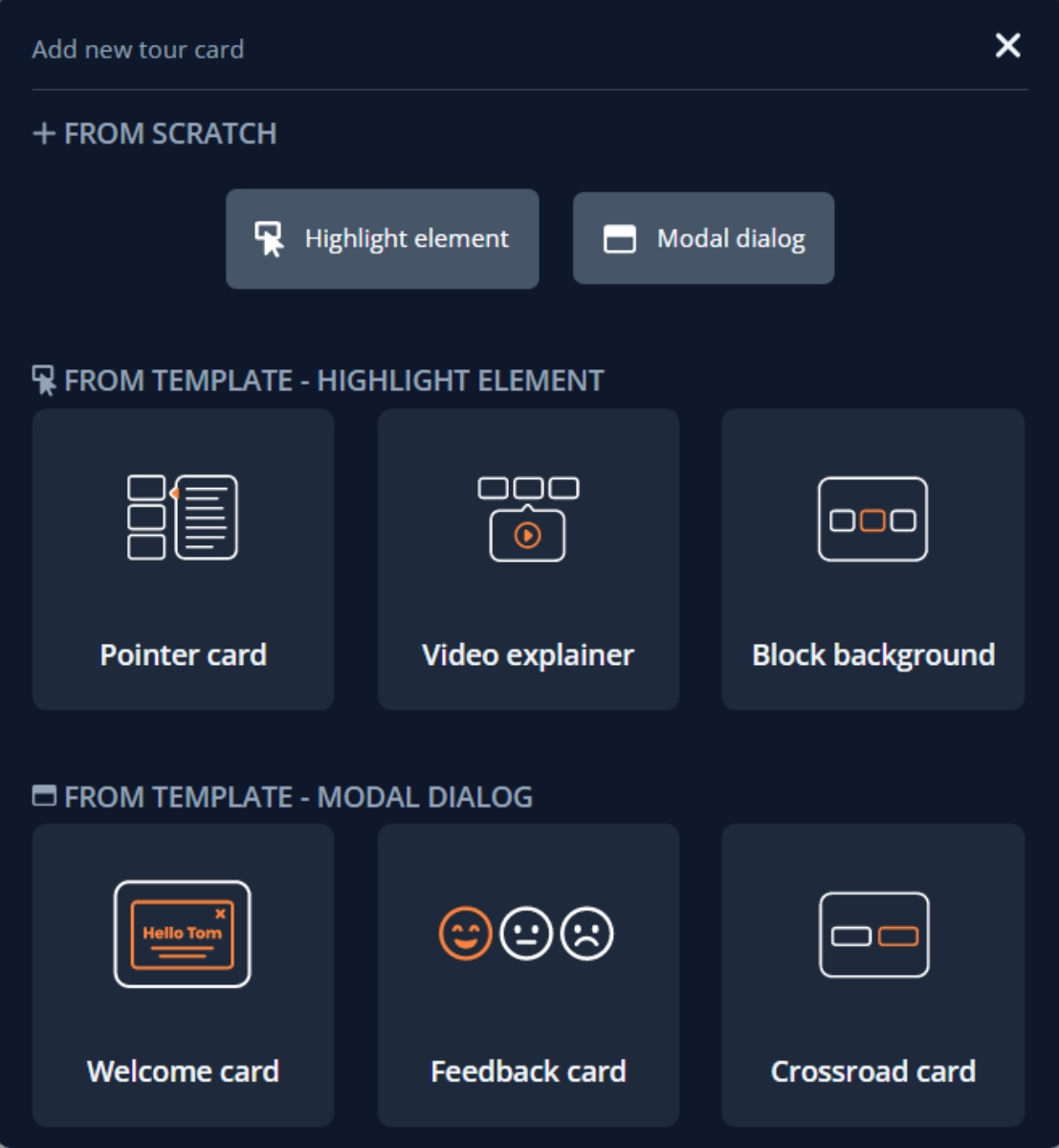
As you can see, you don’t get a lot of templates, and some of the templates you see are not clearly explained or exemplified. You need to actually create and see whether or not that is what you imagine it is to be…
Like, what is block background…
And the templates are mostly about the design of the modal (which is again, very limited), and you don’t really get any tips on what they can be used for.
Yes, a video explainer is used for a video, duh, but what is that video for?
Is it a feature announcement?
A product overview for a new user onboarding?
You do not get any use case inspiration with the templates, which is important for a business that has never used a product adoption platform before or that is just starting with product onboarding, that has just become product-led.
Plus, an actual use-case-oriented template makes it really easy to get started with building materials.
A clear copy to work on. A clear design with buttons and placeholder images. A use-case-appropriate positioning and modal choice.
That is exactly what you get with UserGuiding’s guide/modal editor.
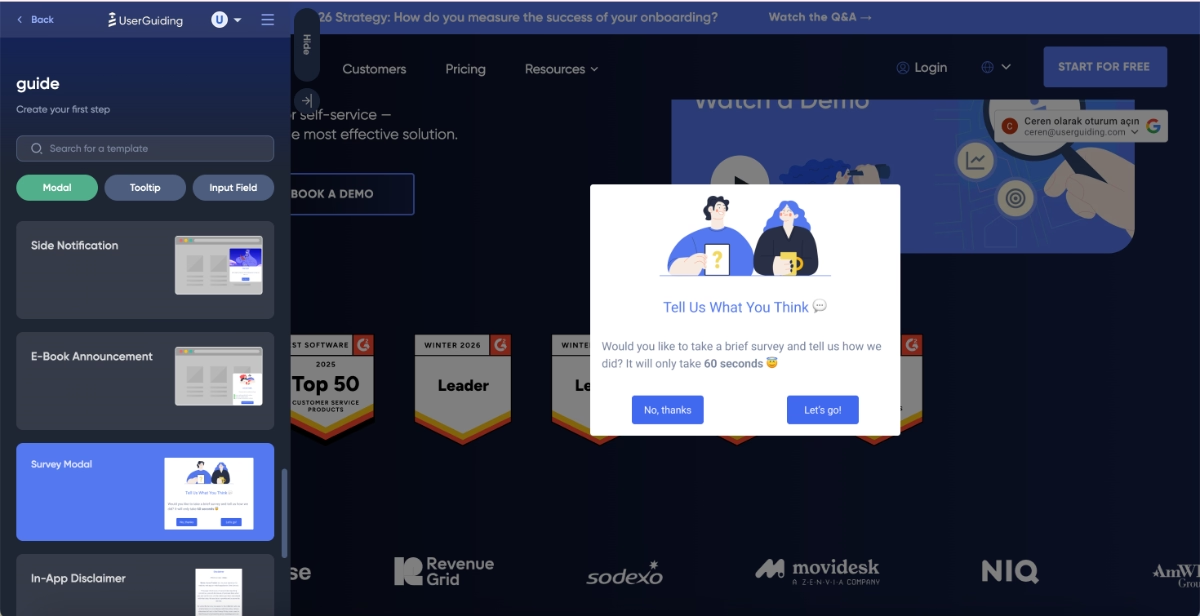
Side notifications, e-book announcements, survey modals, disclaimers, feature announcements, policy updates, welcome messages, event banners…
You get a lot of useful and modern use-case-oriented templates for whatever material you want to build with UserGuiding, from pop-ups and guides to banners and surveys.
In fact, here are the survey templates UserGuiding offers:
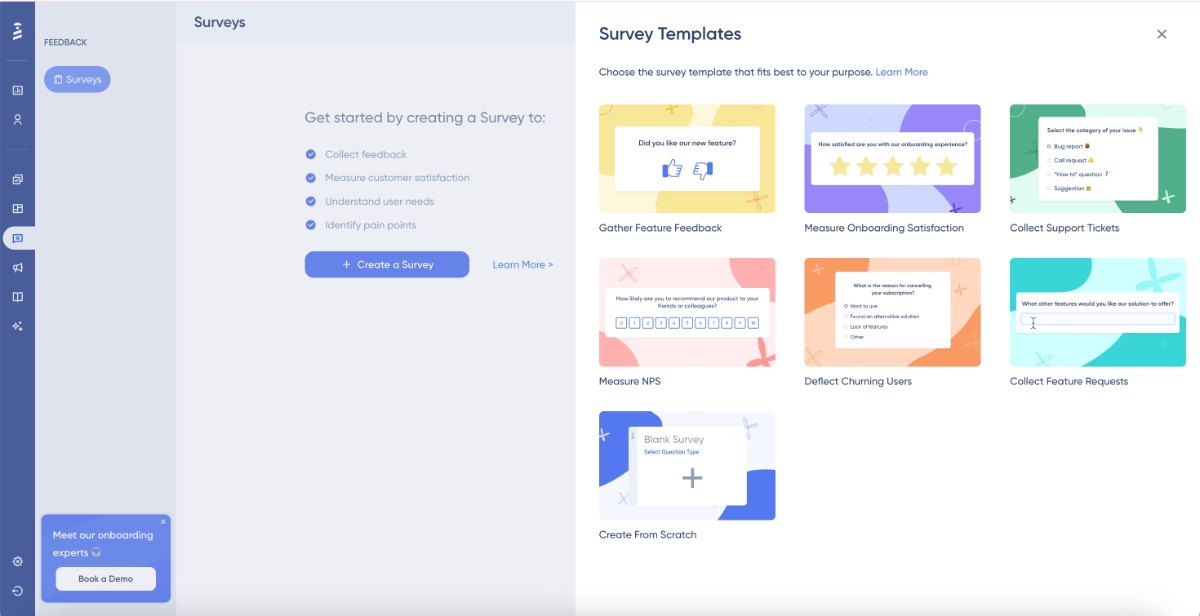
Additionally, UserGuiding’s analytics dashboards and engagement reports are also more advanced and detailed compared to those of Product Fruits, even if UserGuiding is not an analytics-first solution.
So, remember how Product Fruits users were upset about not being able to get detailed guide engagement reports with step breakdowns?
Well.
That is not an issue with UserGuiding.
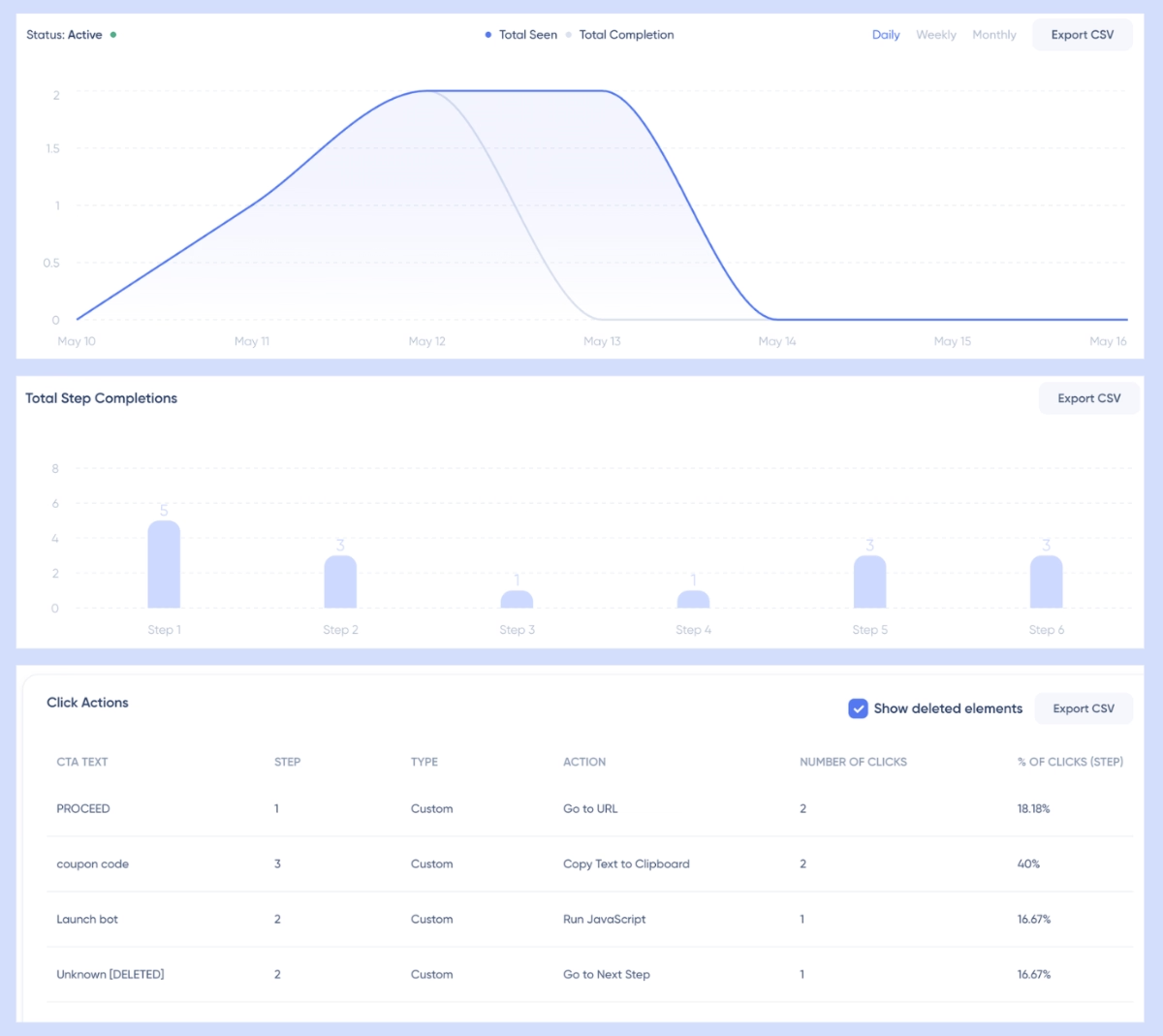
You can quickly monitor your engagement trends for each type of material you create with UserGuiding from the performance dashboard. Here, you get the interaction patterns and fluctuations over time from one central dashboard.
You can also filter certain user segments, tags, containers, or statuses.
Besides, you can create detailed engagement reports for each material.
For example, for guides, you can monitor each guide’s engagement patterns and see how its completion rates fluctuate, which steps are completed the most, and where users seem to drop off.
Plus, from these reports, you can also monitor the click actions.
Here are example dashboards from a guide engagement report:
Liked what you’ve seen so far?
🎁 Start your free trial and check UserGuiding out for yourself.
Alternatively, if you’d like to compare UserGuiding and Product Fruits in more detail, let’s take you to our side-by-side Product Fruits vs UserGuiding comparison. 👈🏻
Why teams love UserGuiding
Okay, so far we’ve claimed (and also kinda proved 👀) UserGuiding offers more customizable and use-case oriented templates as well as more advanced and detailed analytics.
However, there’s more that makes people love UserGuiding and prefer it over other product adoption solutions like Product Fruits.
Here’s what UserGuiding customers and users say about the platform that Product Fruits customers, unfortunately, cannot say about Product Fruits 👇🏻
Advanced targeting/ segmentation capabilities
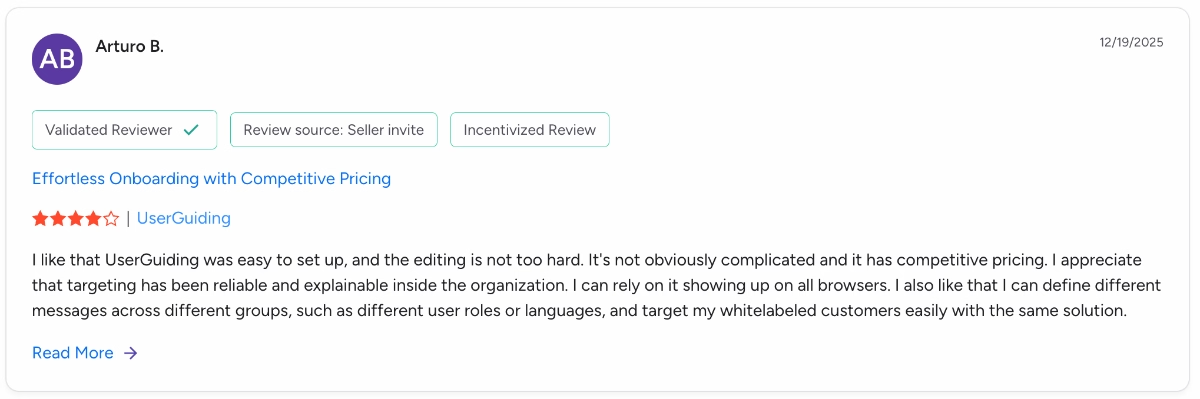
While Product Fruits’ segmentation capabilities are found to be limited, and the platform is heavily criticized for not allowing complex personalization and targeting, UserGuiding is praised for its reliable, advanced targeting and segmentation (which are still no-code and easy to use, might we say!!)
One UserGuiding customer says:
I appreciate that targeting has been reliable and explainable inside the organization. I can rely on it showing up on all browsers. I also like that I can define different messages across different groups, such as different user roles or languages, and target my whitelabeled customers easily with the same solution.”
Straightforward and reliable editor
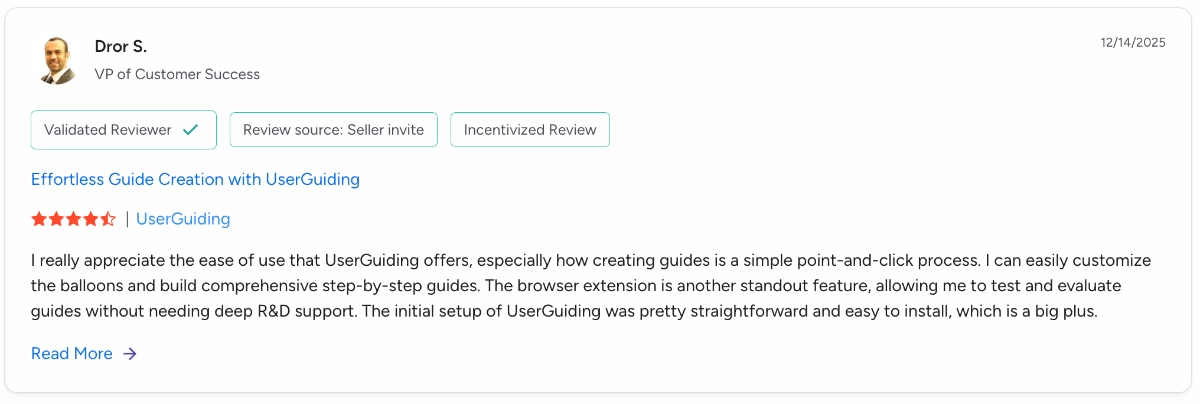
While Product Fruits’ editor is found to be clunky with unexpected lags and a lot of unintuitive manual configurations, UserGuiding’s editor is found to be intuitive and easy to use (as well as fast and responsive).
One UserGuiding user says:
I really appreciate the ease of use that UserGuiding offers, especially how creating guides is a simple point-and-click process. I can easily customize the balloons and build comprehensive step-by-step guides. The browser extension is another standout feature, allowing me to test and evaluate guides without needing deep R&D support.”
Final Verdict: Is Product Fruits worth it?
Product Fruits is a capable no-code product adoption. Its broad feature set, quick setup, and AI-powered capabilities make it especially appealing to non-technical teams that want to move fast without relying heavily on developers.
Plus, the platform’s transparent pricing and rare monthly billing option also make it more approachable than many enterprise-focused competitors.
That said, Product Fruits is not without its trade-offs…
Many users point out limitations around feature depth, customization, and analytics. As your onboarding needs become more complex, or as you grow and demand deeper insights, advanced targeting, and more flexibility, the platform can start to feel restrictive.
So, while Product Fruits can be a strong choice for teams that prioritize ease of use, speed, and an all-in-one toolkit, it may not be the best long-term fit for products with advanced onboarding requirements or data-driven adoption strategies.
For that reason, we’d recommend exploring alternatives to Product Fruits before committing, especially if customization, analytics, or long-term usability are high priorities for you.
👉🏻 Here are the best Product Fruits alternatives and competitors for different needs.
Frequently Asked Questions
What do Product Fruits do?
Product Fruits is a product adoption and user education platform that helps teams create in-app onboarding flows, tooltips, announcements, surveys, and self-serve support. It’s mainly used to guide users, announce new features, collect feedback, and reduce support workload without relying heavily on developers.
How much does Product Fruits cost?
Product Fruits uses a transparent, MAU-based pricing model with Starter, Pro, and Enterprise plans. Paid plans start at $96/month (billed annually) for up to 1,500 MAUs, with costs increasing as MAUs and feature usage grow. Monthly billing is also available, which is relatively rare in this space.
Is Product Fruits a no-code tool?
Yes, Product Fruits is primarily a no-code platform designed for non-technical teams. Most onboarding materials, guides, and in-app experiences can be built without writing code. However, more advanced visual customization often requires CSS, which slightly limits the platform’s pure no-code flexibility.

.png&w=3840&q=75)