


.svg)
.svg)
.svg)
.svg)



.svg)




.svg)
.svg)


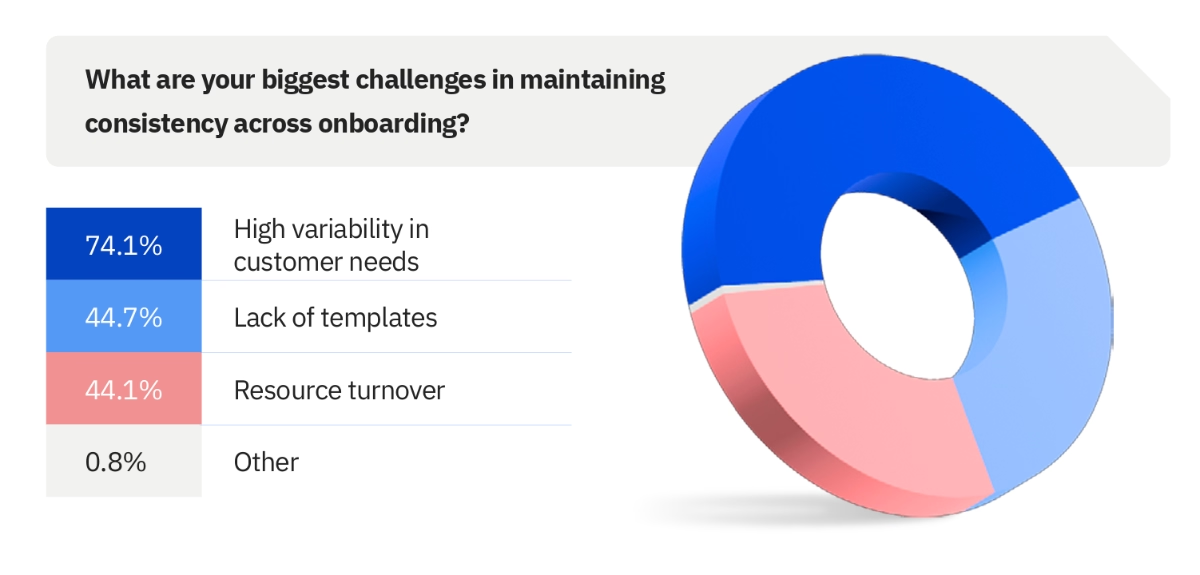
High variability in customer needs, lack of onboarding templates, alignment issues among customer-facing teams, resource turnovers…
These are the problems many SaaS companies and their teams face during customer onboarding according to Rocketlane’s 2025 State of Cusotmer Onboarding Report.
If you’re also facing similar challenges, you might have decided to try out a product adoption solution that will help you manage and standardize your onboarding in 2026.
A solution that will empower you with useful templates.
But, is Appcues that solution?
Well. Let’s hear from Appcues users and then decide.
We’ve gathered reviews from real users about the pros and cons of Appcues for this article. To be fair, we looked across different review platforms and only included reviews from 2024 onward.
For those short in time, here’s the TL;DR 📋
TL;DR
- Appcues is a no-code digital adoption and product experience solution for user onboarding, in-app communication, email automation, and mobile app experiences. The platform offers features like flows, checklists, push notifications, surveys, and emails.
- It has a relatively transparent pricing strategy. There are two plans, Grow and Enterprise, and Grow starts at $750/mo (paid annually).
- However, transparent doesn’t mean scalable. Appcues charges for every 1,000 MAUs. The starting price for the Grow plan is $800/mo for 2,000 MAU, $850/mo for 3,000 MAU, and $900/mo for 4,000 MAU. If you have a large number of MAUs or plan to use Appcues across multiple apps, the platform's cost rises quickly.
- There are several aspects Appcues users love about the platform, such as the intuitive, WYSIWYG editor, the versatile toolkit, the diverse user communication tools, and the helpful customer support and success teams.
- However, it’s not all sunshine. Many Appcues customers share their frustrations and discontent with the platform’s complex setup process, limited template galleries, fragmented and confusing segmentation/targeting workflows,limited analytics capabilities, and of course, the high costs.
- If you’re looking for a flexible and scalable solution that comes with a lot of useful templates and customization options, Appcues might not be the most suitable option for you. But UserGuiding can be!
- UserGuiding is a very similar solution to Appcues, only with easier implementation, more cost-effective and scalable plans, and a wider range of use-case oriented templates. Start your free trial and experience UserGuiding yourself.
Appcues at a glance
Appcues is a digital adoption and product experience platform that offers features and capabilities for user onboarding, in-app communication, and feature promotion. The platform can also help you collect user feedback and send targeted emails based on user behavior and interaction patterns.
Appcues’ main capabilities include:
- Flows, tooltips, and pins
- Checklists
- Resource centers
- NPS and feedback surveys
- Mobile app flows (carousels, slideouts, embedded modals) and push notifications
- Email automation
- Event tracking and analytics
If you’d like to learn more about Appcues’ features, here’s our in-depth analysis of Appcues’ use cases 👈🏻
Appcues pricing
Appcues has a pretty straightforward pricing strategy. There are 2 plans: Grow and Enterprise. Enterprise has custom pricing; however, Grow starts at $750/mo (for 1 app, paid annually) for 1,000 MAUs.
For up to 2,000 MAUs, this price increases to $800/mo, and for up to 3,000 MAUs, to $850/mo.
Appcues actually shares some information about how their prices scale as you grow your MAU base, contrary to some of its popular competitors like Pendo and WalkMe.
However, the feature caps are still somewhat opaque.
For example, both Growth and Enterprise plans have custom email volumes. So, even though you can guesstimate your costs with the MAU calculator on Appcues’ pricing page, your actual cost based on your feature usage/needs still requires contacting the Appcues team.
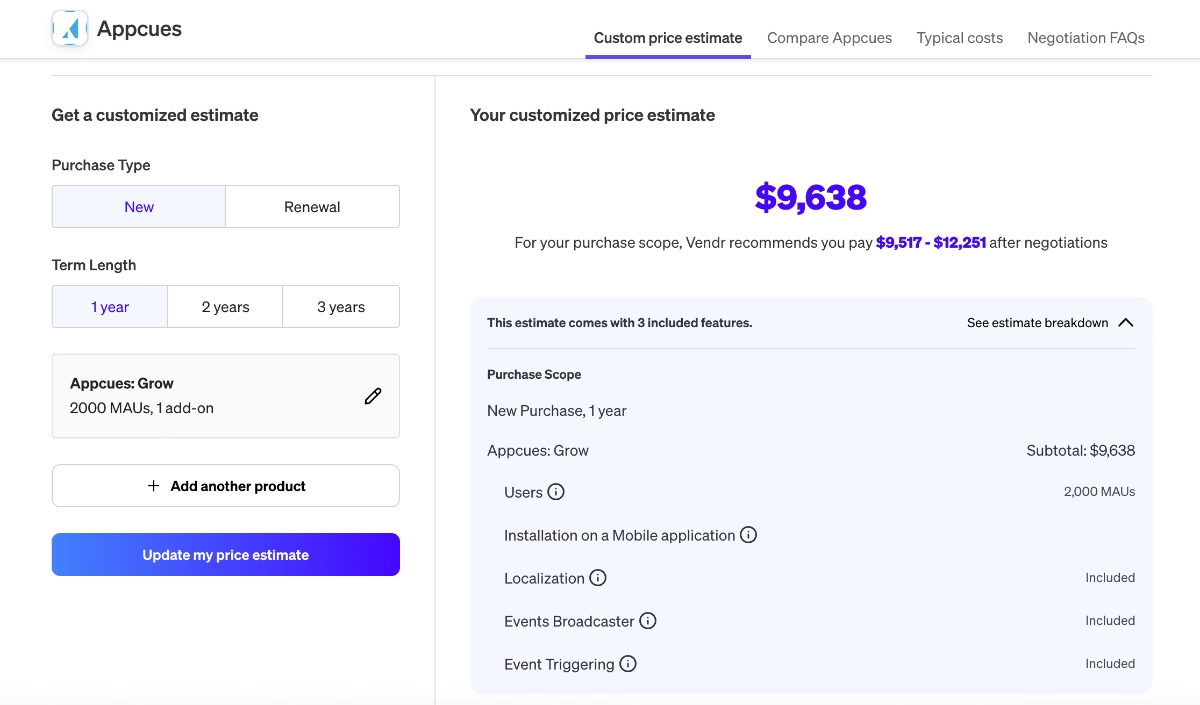
⚠️ Appcues also bases its pricing calculation on the number of apps you use the platform for. So, if you’re planning to use it both for a web app and a mobile app, or if you have more than one web app, your cost will be a lot higher.
For example, according to Vendr’s data, for 2,000 MAUs and a mobile app add-on beside the web-app, Appcues’ cost is almost $10,000/yr. 👇🏻
Appcues also encourages early-stage and scaling-up businesses to contact their sales reps, as they offer special discounts and plans for them. However, the details about this special option are not publicly available.
👉🏻 If you’d like to compare Appcues’ plans and get insights from real Appcues users on whether or not the platform’s offerings are worth the price, check out our Appcues pricing breakdown.
What users like about Appcues
Appcues was founded in 2013, and since then, it has helped many businesses and teams optimize their in-app experiences and communications. Because it’s a no-code tool with a relatively intuitive UI, it’s been adopted mostly by non-technical teams.
Appcues has…
- 342 reviews on G2 and 4.6⭐/5
- 100 reviews on Capterra and 4.8⭐/5
- 35 reviews on TrustRadius and 7.4⭐/10
- 8 reviews on Gartner Peer Insights and 4.2⭐/5
To help you decide whether Appcues is a suitable solution for your needs and use cases, we’ve reviewed what Appcues users have been saying about the platform and its capabilities over the last couple of years (mainly since 2024).
👇🏻 Here are the highlights:
WYSIWYG editor
While many users criticize Appcues’ setup process (which we’ll discuss in a minute), many more praise the platform’s workflows and in-app material builders/editors. So, once you’re done with the setup and the initial learning curve, the editors are actually pretty intuitive and self-explanatory.
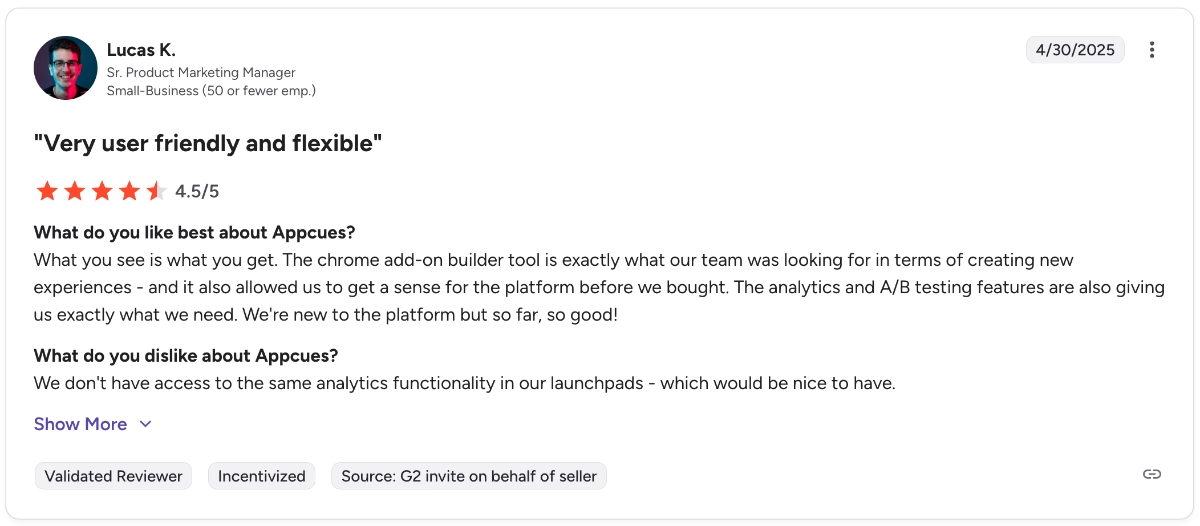
Here’s how a user describes the feature editor:
What you see is what you get. The Chrome add-on builder tool is exactly what our team was looking for in terms of creating new experiences - and it also allowed us to get a sense for the platform before we bought. The analytics and A/B testing features are also giving us exactly what we need.”
I like the drag and drop feature when building a pop-up on our site. It is pretty user-friendly, and we are able to build what we want easily.”
Versatility
Appcues offers many features that can be used for different use cases and needs across the user journey. From onboarding to feature promotion, email communication, and user feedback, Appcues is used differently by different customers.
The platform’s versatility also allows many users to discover different use cases in time and grow their usage by experimenting with different features.
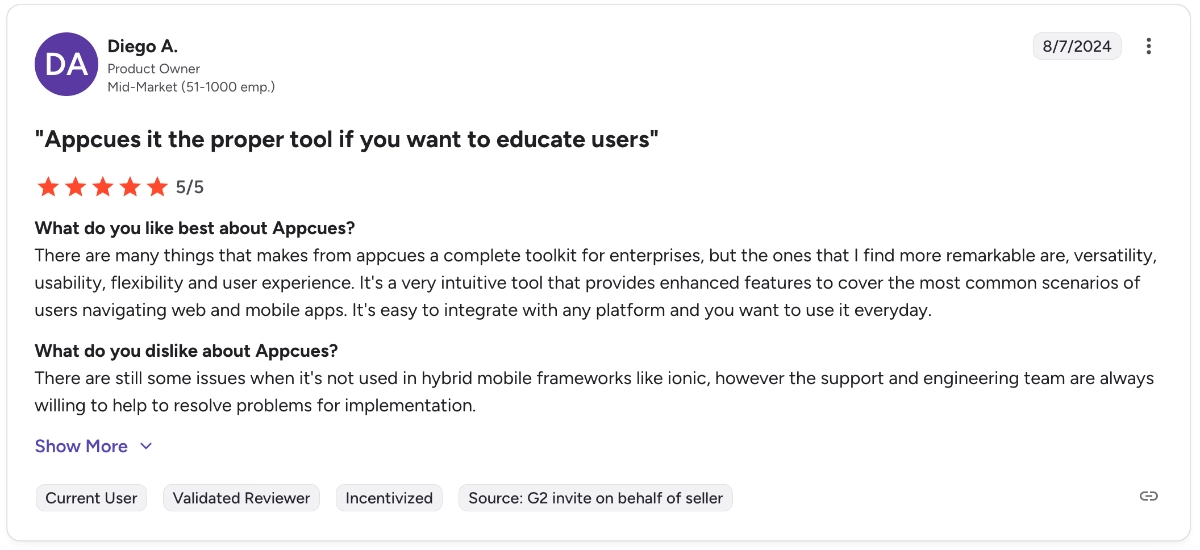
One user shares their appreciation of Appcues diverse toolkit as follows:
There are many things that makes from appcues a complete toolkit for enterprises, but the ones that I find more remarkable are versatility, usability, flexibility, and user experience. It's a very intuitive tool that provides enhanced features to cover the most common scenarios of users navigating web and mobile apps.”
Varied user communication capabilities
Appcues offers different features for user communication. You can create in-app modals (tooltips, pop-up modals), send push notifications to mobile users, or use email automation.
Many users like the platform’s user communication tools, as one says:
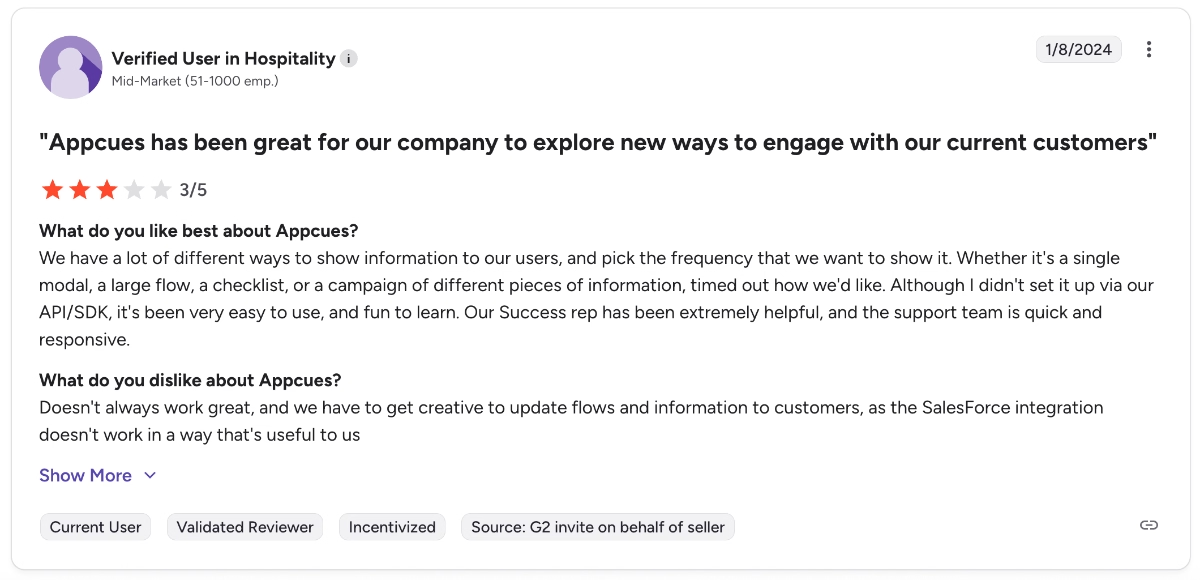
We have a lot of different ways to show information to our users, and pick the frequency at which we want to show it. Whether it's a single modal, a large flow, a checklist, or a campaign of different pieces of information, timed out how we'd like. Although I didn't set it up via our API/SDK, it's been very easy to use and fun to learn.”
Here’s what another Appcues customer says:
Appcues has made getting messaging out to clients fast and seamless! Appcues is an easy-to-navigate platform that doesn't require a large dev lift.”
Dedicated customer support team
One last aspect that Appcues customers praise a lot in their reviews is the level of customer support they get from the Appcues team. Overall, Appcues’ support and success teams are very responsive and quick. They also do their best to understand their customers and help them get the most out of the platform.
One customer says:
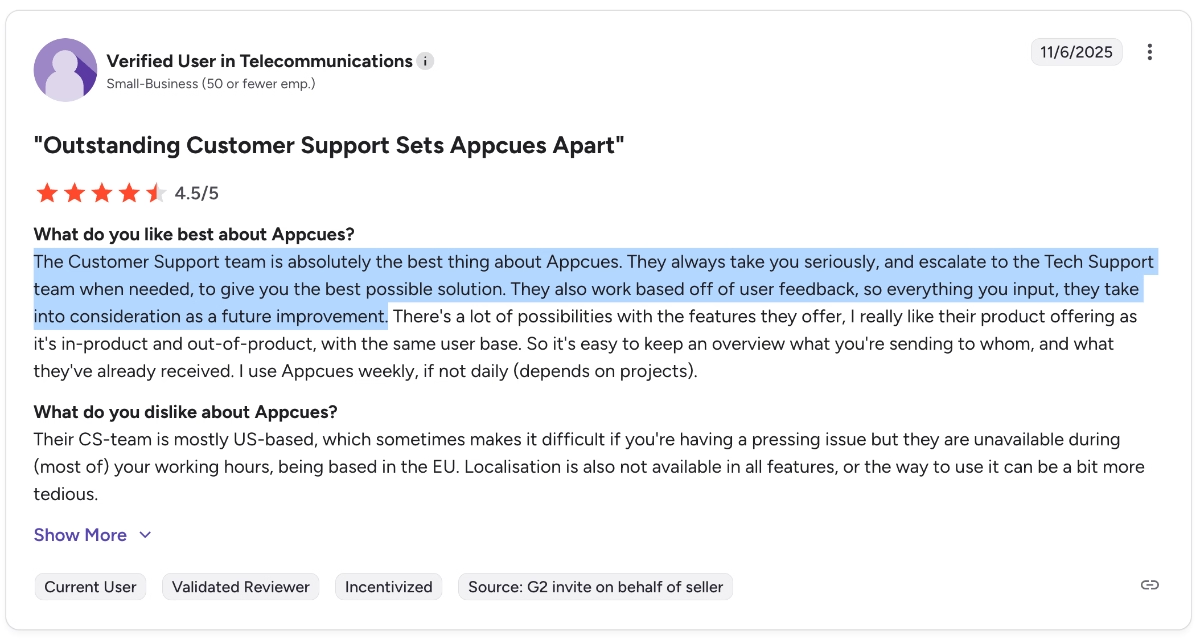
The Customer Support team is absolutely the best thing about Appcues. They always take you seriously and escalate to the Tech Support team when needed to give you the best possible solution. They also work based on user feedback, so everything you input, they take into consideration as a future improvement.”
Common complaints about Appcues
Just as many Appcues users praise the platform in very similar ways, many also criticize it in similar ways. After all, no software platform is 100% perfect and suitable for anyone…
So, here are the downsides of Appcues according to Appcues customers:
Complex setup and implementation
Appcues is a no-code tool; however, many users complain about the platform’s complex setup and steep learning curve. Because being a no-code tool doesn’t guarantee an easy setup…
One customer even states that they had to hire developers to implement Appcues. 👇🏻
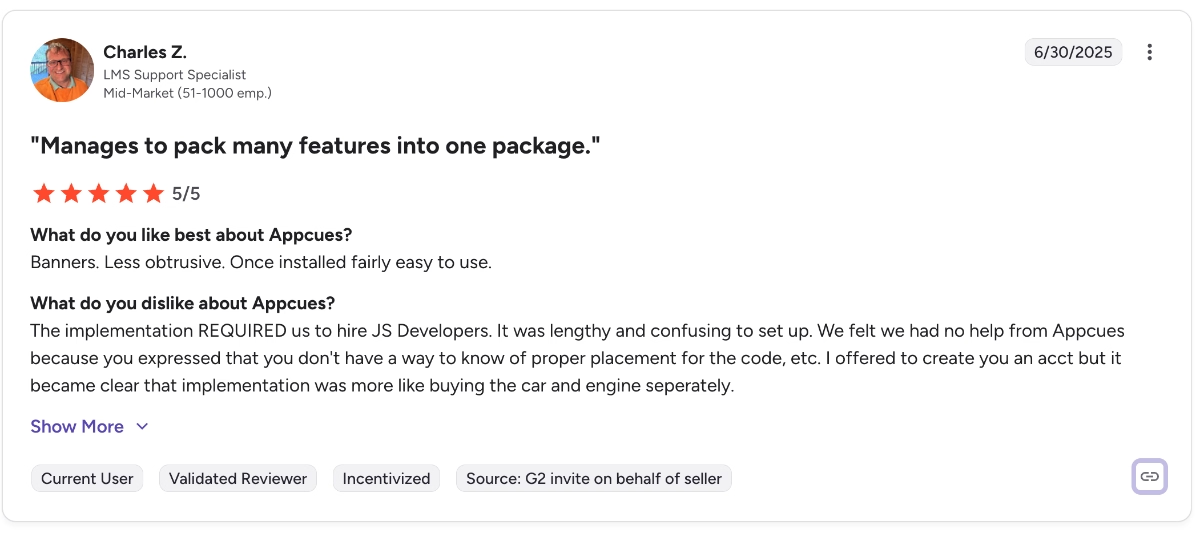
The implementation required us to hire JS developers. It was lengthy and confusing to set up.”
Many other users share similar sentiments about the setup process, stating that they needed some support from their developers and technical teams, and/or the Appcues support team itself (even if they didn’t hire external help per se).
Limited templates and customization capabilities
While Appcues' versatile toolkit is widely praised, this versatility does not translate to the template galleries and customization capabilities. So, yes, you can build many things with Appcues; however, the feature depth does not really allow you to tweak designs.
There are not enough templates that highlight different use cases or help you get started.
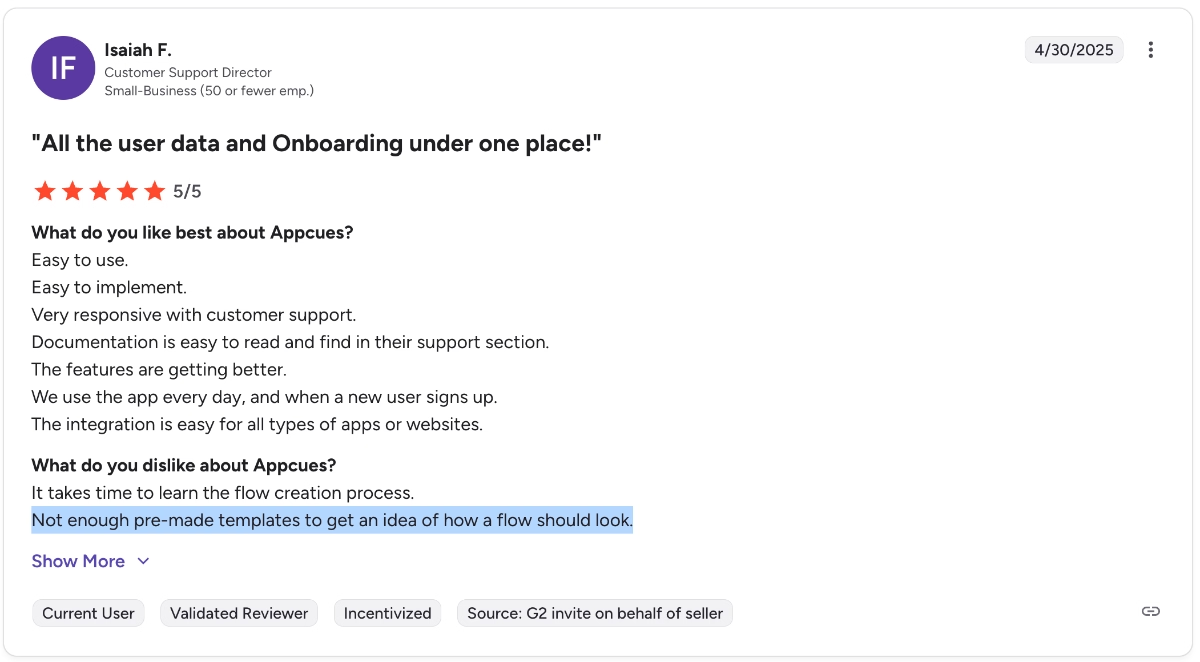
Not enough pre-made templates to get an idea of how a flow should look.”
There are also not enough customization options to match your brand design without resorting to coding and CSS/HTML.
While Appcues provides a solid set of templates, having more design flexibility and customization options would be a welcome improvement. We often find ourselves wishing for greater control over the appearance of modals and tooltips to better match our branding and user interface.”
Segmentation and targeting can feel fragmented
Appcues allows you to create user segments to personalize your in-app experiences and messaging. However, building these segments can be tricky, as you may need to create segmenting rules for each material.
Some users also find the segmentation and page targeting capabilities limited.
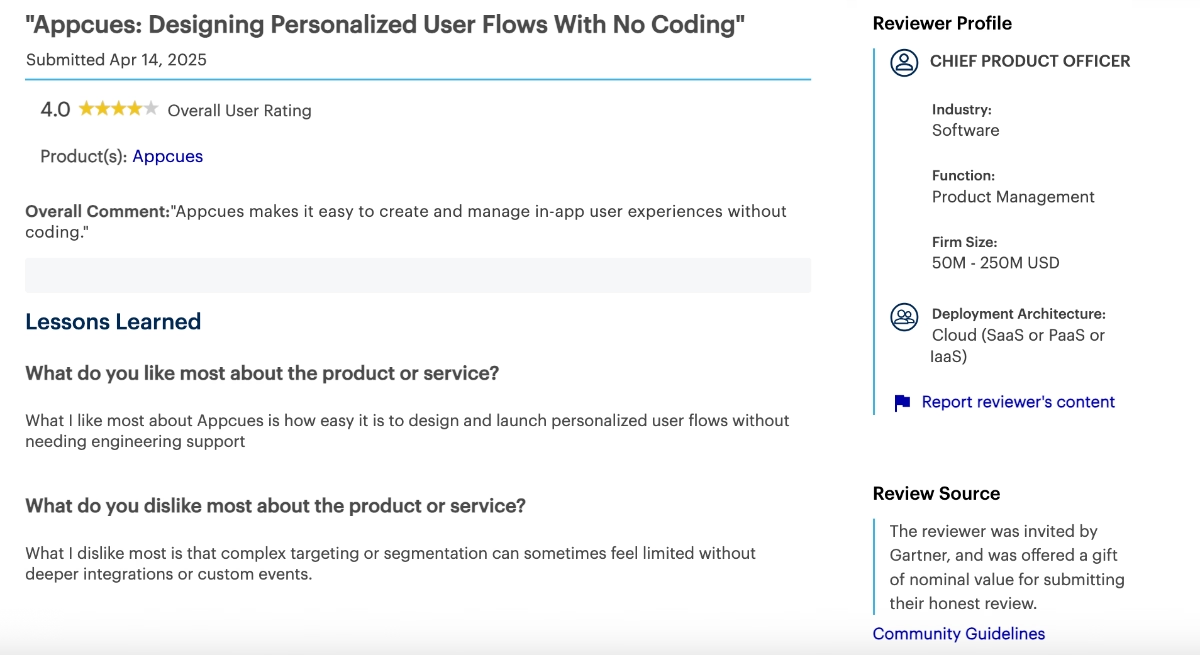
What I dislike most is that complex targeting or segmentation can sometimes feel limited without deeper integrations or custom events.”
Integration issues/availability*
Appcues offers many integration options, actually. However, most of them are one-way integrations, and they can also be tricky to set up. Several Appcues customers, especially enterprise customers, complain about the integrations/workflows.
Integration with third-party solutions is a huge challenge for multiple vendors.”
I would probably want to see more integration options with mail marketing platforms.”
⚠️ However, Appcues offers all of its integrations to all of its customers (both Grow and Enterprise plans include access to all integrations, according to the pricing page), which is not a very common practice in the SaaS industry.
So, while its integrations can be criticized by some, we need to leave an asterisk for this complaint to be fair.
Issues with analytics dashboards
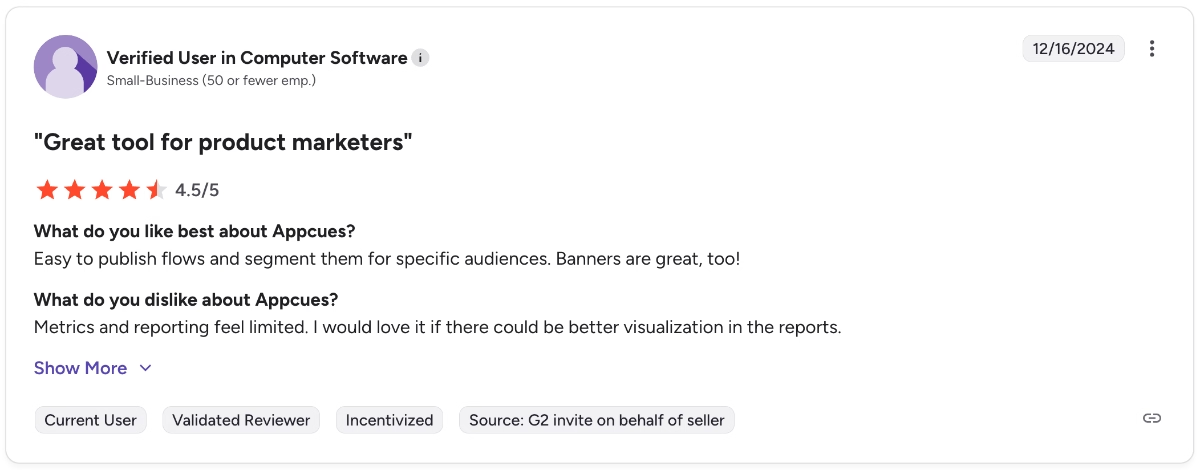
Appcues offers event-tracking and engagement monitoring analytics. However, it’s not an analytics-first solution. So, many users state that the reporting capabilities of the platform are pretty limited in terms of filtering, dashboard management, and metric tracking.
As this customer puts into words very briefly:
Metrics and reporting feel limited. I would love it if there could be better visualization in the reports.”
Hard-to-manage flow dashboards
We’ve covered Appcues’ WYSIWYG flow editor among the platform’s strengths. However, the aftermath of the easy-breezy flow creation is a little different.
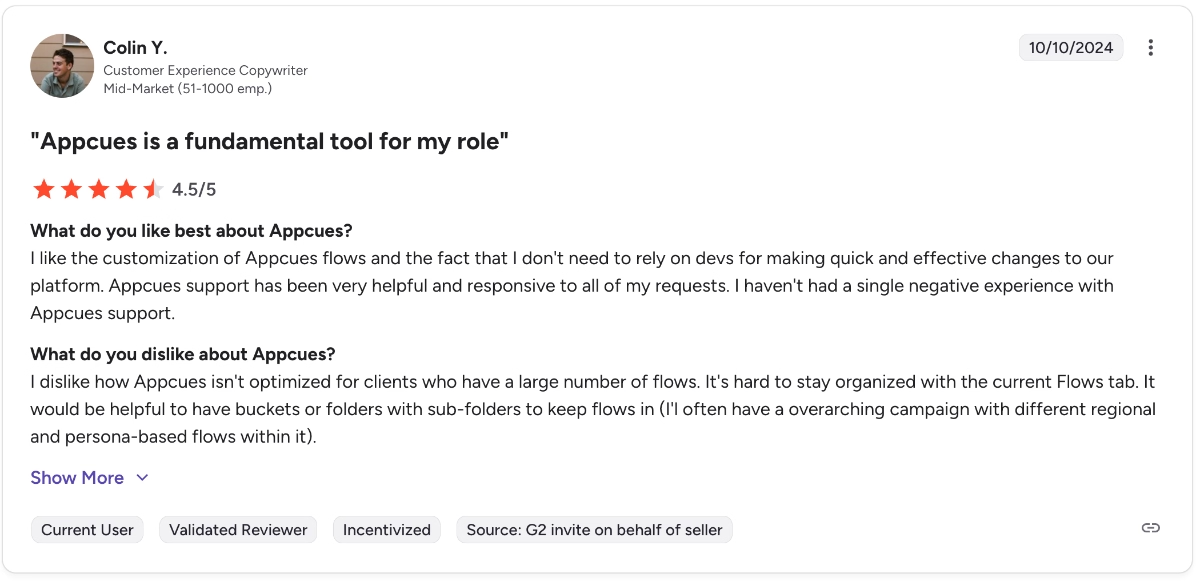
Many Appcues users complain about the flow dashboards and how bulky they get over time.
There are not way of organizing created materials, which makes it harder for you to keep track of your flows and update them regularly.
One user shares their frustration as follows:
I dislike how Appcues isn't optimized for clients who have a large number of flows. It's hard to stay organized with the current Flows tab. It would be helpful to have buckets or folders with sub-folders to keep flows in (I'll often have an overarching campaign with different regional and persona-based flows within it).”
Pricing
We’ve kept probably the most expected and obvious complaint about Appcues for the last: its prices. Appcues used to have a relatively cheaper entry-level plan before, which was called Start. However, they eliminated that plan, or at least decided to hide it and offer it only for those who contact the support for that “scaling-up” plan…
But, anyway, the starting price of Appcues’ cheapest plan is $750/mo…
And it’s a yearly contract.
So, especially with the platform’s latest pricing strategy change, it has become an expensive solution that is neither reasonable nor accessible for many businesses.
Here’s what one Appcues customer says about this issue:
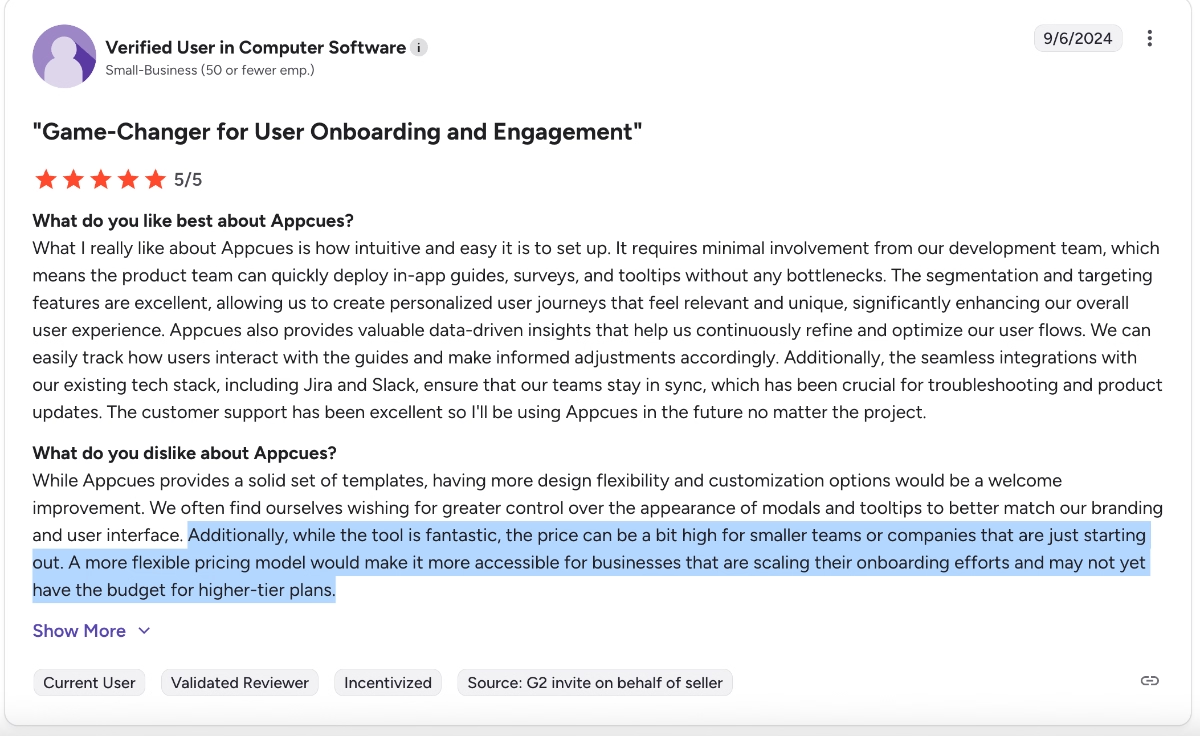
Additionally, while the tool is fantastic, the price can be a bit high for smaller teams or companies that are just starting out. A more flexible pricing model would make it more accessible for businesses that are scaling their onboarding efforts and may not yet have the budget for higher-tier plans.”
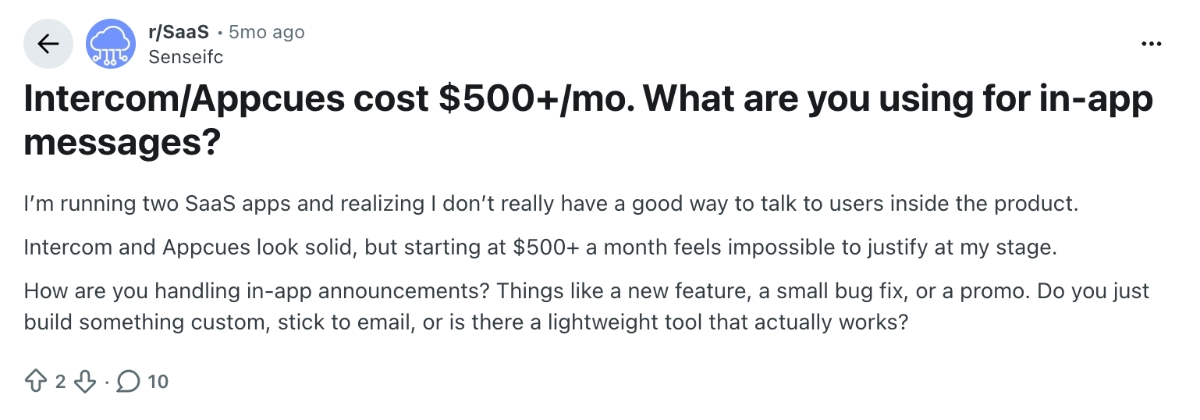
There are also several Reddit posts seeking alternatives to Appcues due to its high prices, saying they cannot justify the tool's cost at their current growth stage, even though they like it.
Here’s an example:
I’m running two SaaS apps and realizing I don’t really have a good way to talk to users inside the product. Intercom and Appcues look solid, but starting at $500+ a month feels impossible to justify at my stage.”
Meet UserGuiding, a more customizable Appcues alternative
UserGuiding is a no-code, all-in-one product adoption platform that offers capabilities to create interactive in-app experiences, to announce and promote features, and to offer support to your customers.
UserGuiding and Appcues share many common features, especially for use cases like user communication, feature adoption, and user feedback.
Here’s what you get with UserGuiding:
- Product tours
- Onboarding checklists
- Hotspots and tooltips
- Announcement modals (banners, slideouts, pop-ups, etc.)
- NPS and custom in-app surveys
- AI assistant
- Resource center (in-app)
- Knowledge base (standalone)
- Product updates (standalone)
- Segmentation
- Analytics
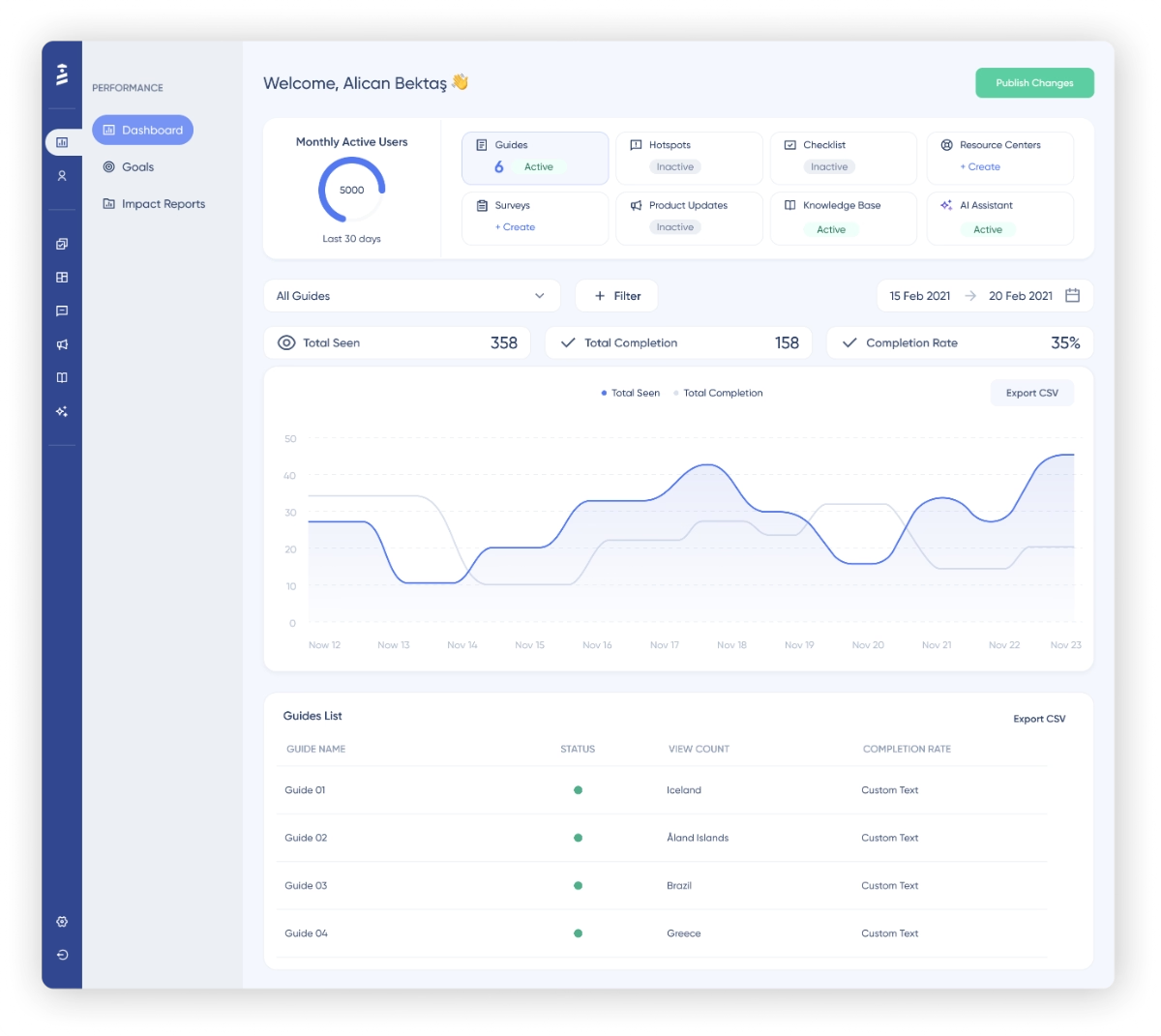
UserGuiding’s knowledge base, product updates, and AI assistant features allow you to offer support and guidance to your customers/users through different mediums.
For those who prefer reading long, detailed documentation, you can create help articles and centralize them through the knowledge base; for those who prefer getting help via generative AI and chatbots, you can feed your AI assistant with your help articles (and even interactive guides!!) and offer conversational support right in your product.
Beside its more comprehensive approach to user communication and support, another thing that sets apart UserGuiding from Appcues is its use-case oriented templates and customization capabilities.
With Appcues, you do not get a lot of templates that help you get started with in-app experiences or help you discover different use cases.
For example, here’s how you build surveys with Appcues:
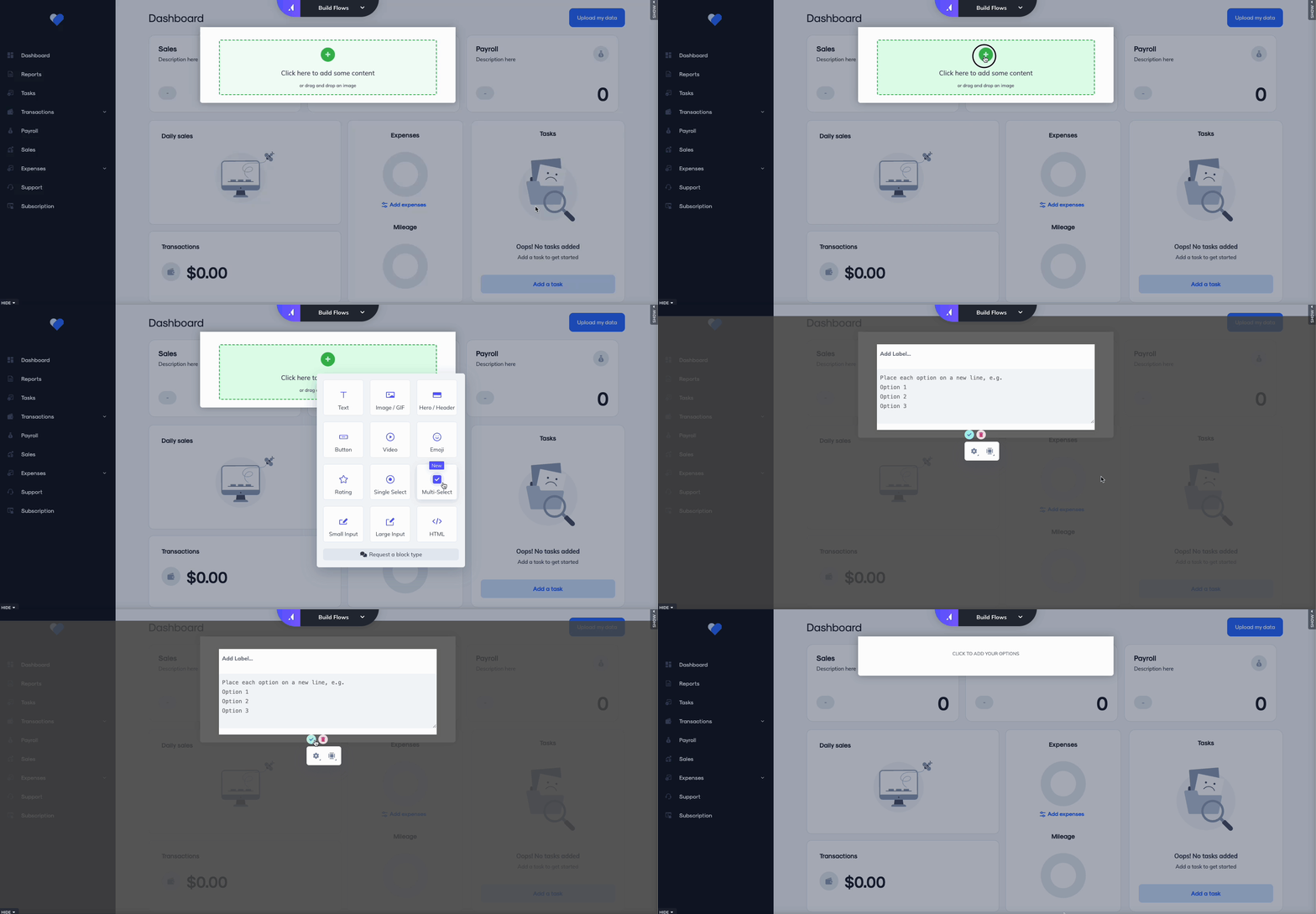
From a generic modal builder, you choose a question type to add and the build everything from scratch. No use-case examples; no copy that starts your creative juices flowing.
With UserGuiding, on the other hand, you get a template gallery that help you get started with user research/ feedback.
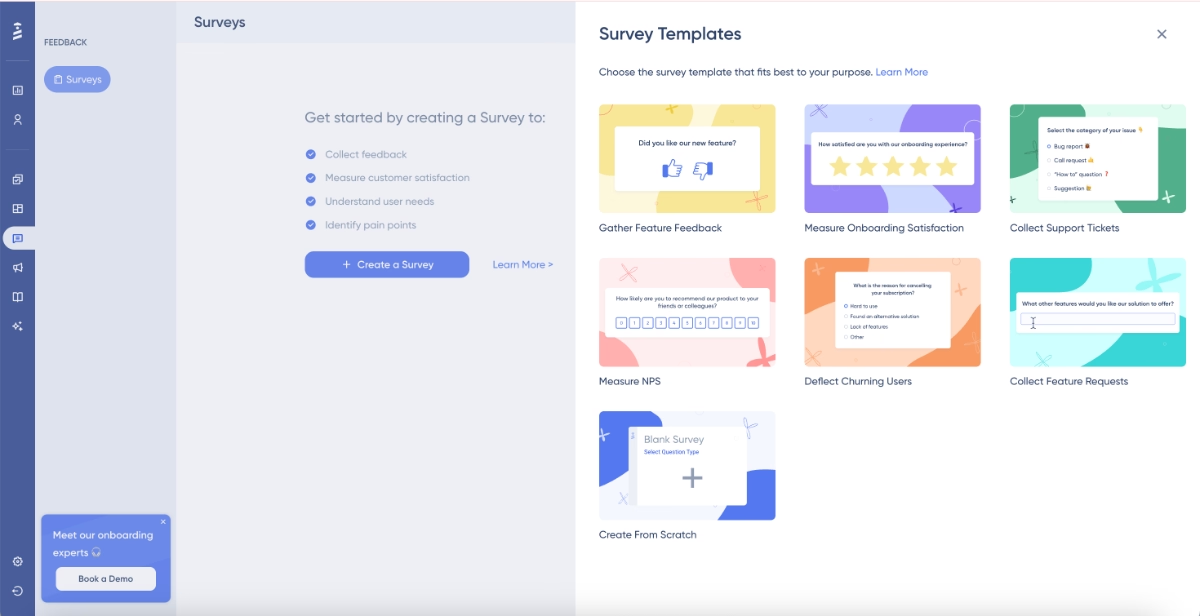
You can still start from scratch, of course, but you can also get a headstart with one of UserGuiding’s templates. Each template helps you get a sense of which question types work well with which survey types, as well as what you can ask in a specific survey.
Okay, Appcues does not offer any survey templates.
What about flows, one of the core features of the platform? Surely they must have templates…
Well. Here’s what Appcues’ flow builder looks like:
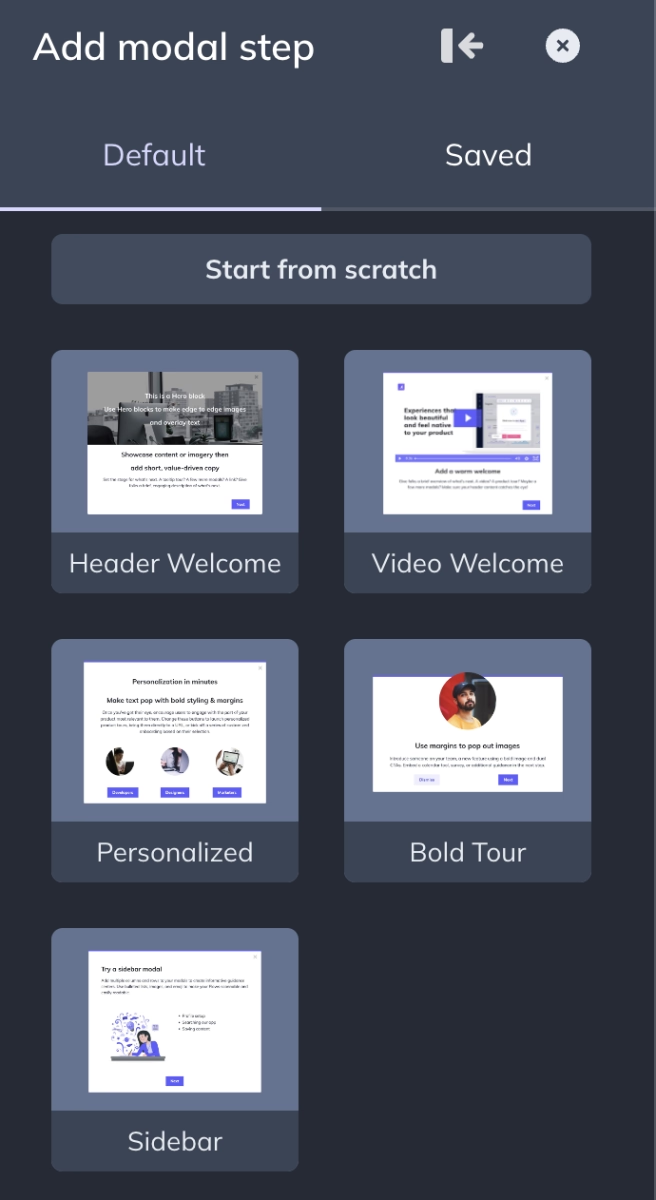
So, yes. You have 5 (five) templates to get started with the modals. However, these are mostly styling/formatting templates, not use-case templates. So, while they still offer some insights into what’s possible with Appcues flows, they do not necessarily help new users to create effective and useful modals for different purposes.
Whereas UserGuiding offers both formatting/styling-focused templates and use-case-focused templates for its guides, modals, hotspots, and banners.
Here are some of UserGuiding’s announcement modal templates:
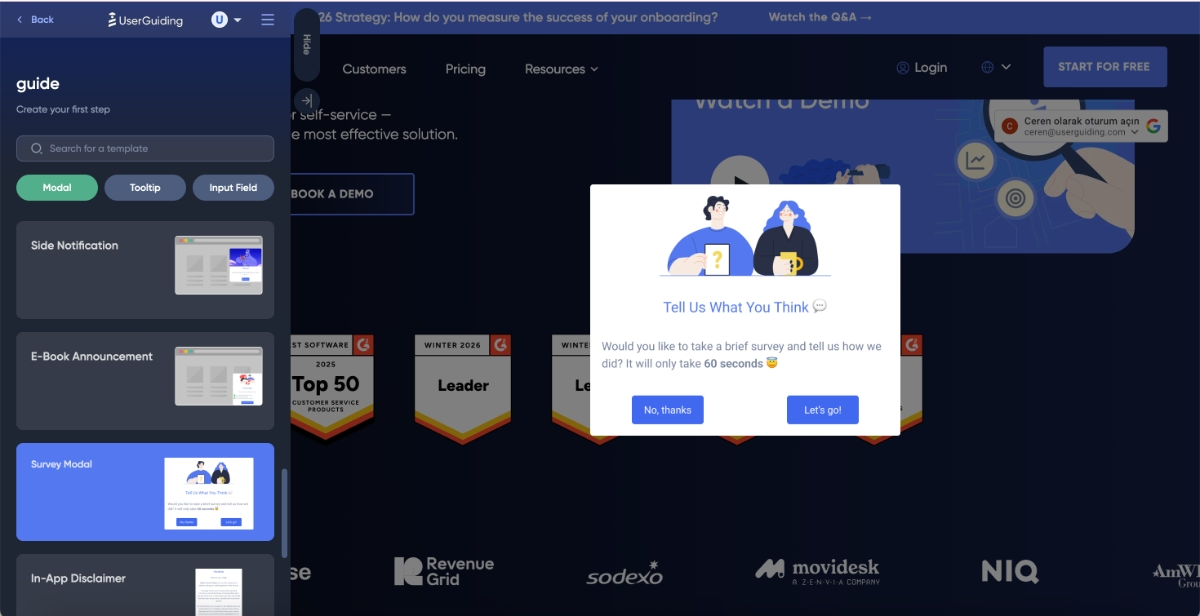
Downtime announcements, new feature announcements, churn deflection survey modals, ebook announcements, side notifications…
Liked what you’ve seen so far?
🎁 Start your free trial and check UserGuiding out for yourself.
Alternatively, if you’d like to compare UserGuiding and Appcues in more detail, let’s take you to our side by side Appcues vs UserGuiding comparison. 👈🏻
Why teams love UserGuiding
Okay, UserGuiding offers more options for user support and education (the knowledge base, product updates, and AI assistants). Plus, it has more templates and in-app guidance that help new users to get started with product adoption and feature promotion.
Is that all? No!
UserGuiding is also more scalable and easier to implement than Appcues.
And these are not just our claims, of course.
👇🏻 Here’s what UserGuiding customers say about the platform:
Easier to implement, easier to maintain
Appcues’ setup and implementation is criticized a lot due to its complexity, and one customer even has stated that they had to hire developers just to implement the tool, if you remember.
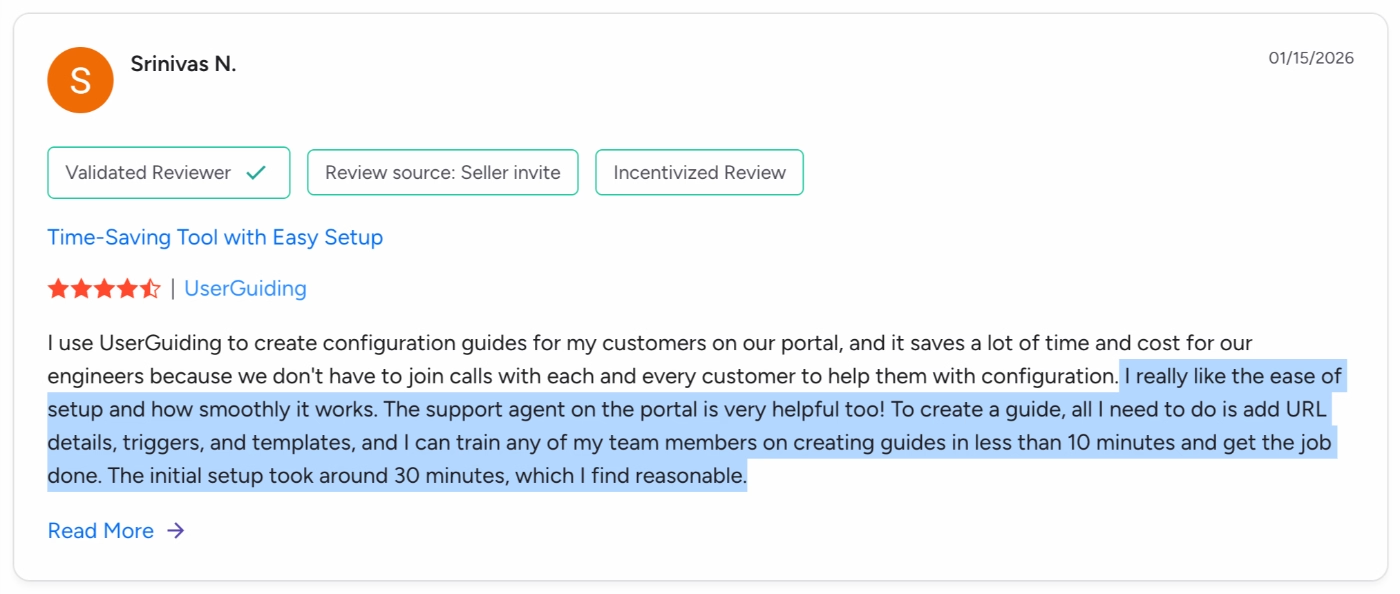
Whereas, UserGuiding’s setup and implementation process is praised a lot for its ease and quickness.
One customer says:
I really like the ease of setup and how smoothly it works. The support agent on the portal is very helpful, too! To create a guide, all I need to do is add URL details, triggers, and templates, and I can train any of my team members on creating guides in less than 10 minutes and get the job done. The initial setup took around 30 minutes, which I find reasonable.”
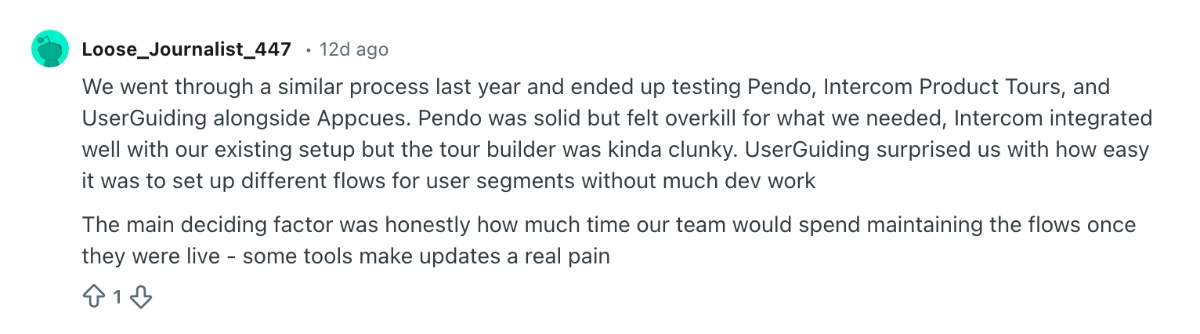
And here’s a Reddit user sharing their experience with UserGuiding’s implementation:
We went through a similar process last year and ended up testing Pendo, Intercom Product Tours, and UserGuiding alongside Appcues. UserGuiding surprised us with how easy it was to set up different flows for user segments without much dev work.”
More cost-effective and scalable
UserGuiding offers 3 paid plans: Starter, Growth, and Enterprise.
The Starter plan starts at $249/mo, and the Growth plan starts at $499/mo, both for 2,000 MAU and billed annually.
So, not only are there more plans and tiers to choose from, but the plans also scale more effectively than Appcues.
Plus, UserGuiding offers monthly-billing options.
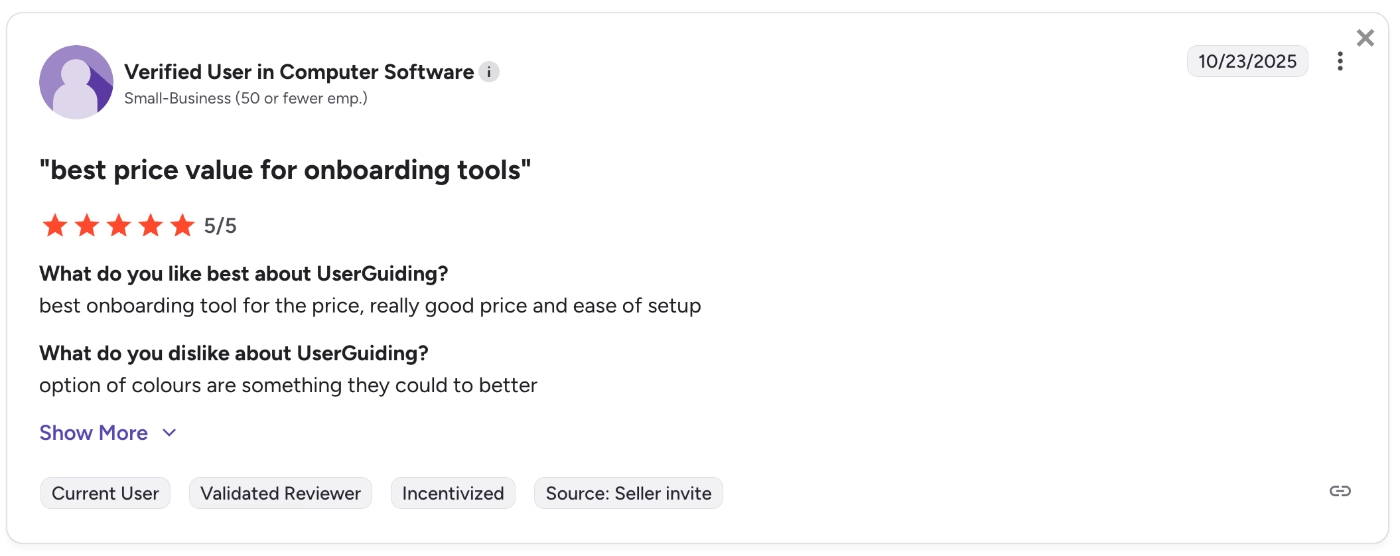
Many customers appreciate UserGuiding’s pricing plans by calling UserGuiding…
Best price value for onboarding tools”
Final Verdict: Is Appcues worth it?
Appcues is one of the pioneers of no-code onboarding tools. It offers many cool capabilities, most of which are very easy to use and intuitive, thanks to the WYSIWYG editors.
The platform’s mobile app support is also an important aspect that draws many people’s attention.
However, it’s a pricy tool that doesn’t scale in a very cost-effective way.
Plus, some of its capabilities can feel limited, depending on your needs and expectations.
So, we’d highly recommend that you check out different alternatives to Appcues before committing to an expensive contract with Appcues.
👉🏻 Here are the top Appcues alternatives and competitors for different needs.
Frequently Asked Questions
What does Appcues do?
Appcues is a product experience and adoption platform that is used for user onboarding, in-app communication, user feedback, and product analytics. The platform offers features such as flows, checklists, banners, and resource centers. Appcues also supports mobile apps and can be used to create mobile app experiences and monitor mobile app engagement. Appcues enables its customers to communicate their updates to their own customers, promote feature engagement, and also lower learning curves for non-technical users.
How much does Appcues cost?
Appcues has 2 plans, Grow and Enterprise. The Grow plan starts at $750/mo (paid annually) and comes with 1,000 MAUs. Depending on your MAU needs and how many apps you’ll use Appcues for, this number can increase very quickly.
Who are the competitors of Appcues?
The most popular competitors of Appcues are UserGuiding, Userflow, Userpilot, Product Fruits, Pendo, and WalkMe. Each of these Appcues alternatives offers features and capabilities for user onboarding and in-app communication. However, they differ in terms of their usability, price, and feature depth. WalkMe and Pendo are enterprise-level solutions that are quite pricy. Userflow and Product Fruits are relatively cheaper; however, they might lack certain adoption features and/or feature depth depending on your needs. Userpilot and UserGuiding are strong alternatives to Appcues. Which competitor is most suitable for you depends on your budget and needs. For example, if you need mobile app support or strong analytics, several of these Appcues alternatives might not work for you.

.png)










