


.svg)
.svg)
.svg)
.svg)



.svg)


.svg)
.svg)


When you’re onboarding your first 20, 50, maybe even 100 users, manual onboarding feels pretty doable. You hop on calls and walk people through the product. Users probably feel very special and cared for, too.
But then, as your user base grows, that same “concierge-style” onboarding starts to slow you down. Your calendar fills up, and suddenly, what used to feel personal now feels unsustainable.
This is what we can call the 100 MAU inflection point.
It’s the moment where manual onboarding stops scaling. And to keep growing, you need to shift your approach, move from human-led onboarding to product-led onboarding.
Product-led onboarding means guiding and onboarding users directly inside your product, using in-app experiences and no-code automation instead of (solely) relying on calls and emails. It’s also a core part of Product-Led Growth (PLG), a model that’s been gaining serious traction over the past few years as more teams realize the product itself can drive activation and adoption.
Since the concept started gaining mainstream attention, especially after Ramli John’s Product-Led Onboarding, more product, customer success, and support teams have been rethinking how they onboard users and moving toward more scalable, in-product experiences.
(Here’s an example 👇🏻)
So, if you’re also looking for ways to scale and automate your onboarding processes, you’re in the right place. In this article, we’ll break down why manual onboarding stops working after a certain point, and how you can transition to a more scalable, product-led approach.
Alright, let’s get into it without further ado. 🔎🔎
TL;DR
- Manual onboarding works fine for your first 100 users, but after that, calls, docs, and webinars start to pile up and slow you down.
- Automation frees your team from repetitive tasks, reduces support tickets, and keeps onboarding consistent as you grow.
- And according to studies, onboarding automation delivers 240% ROI, cuts ramp-up time by 40%, and reduces manual work by 50–80%, with 60% of teams seeing positive ROI in the first year.
- Switching to in-app, automated onboarding also lets users learn by doing, not just watching, which improves retention and feature adoption.
- Tools like UserGuiding make it simple to set up interactive guides, checklists, and resource centers without relying on developers.
- Advanced features of these product-led onboarding tools, like AI integrations and automated localization, can also help you scale globally while keeping the experience smooth and consistent for everyone.
Comparing Onboarding Methods for Scaling Teams
There are several ways to onboard new users and customers. But we can group all these different onboarding strategies and methods into 2 main categories: manual onboarding and automated onboarding.
👉🏻 Manual onboarding includes things like 1:1 demos, group webinars, or sending static documentation via email. Essentially, these are methods where a person guides the user through the product.
- What it entails: Scheduling calls, preparing presentation materials or PDFs, following up with emails, and answering questions individually.
- How it works: Your team delivers the content live or asynchronously, and the user absorbs it passively. Success often depends on the skill, availability, and consistency of the person running the session.
- Why companies prefer it: For early-stage products or small user bases, manual onboarding is attractive because it’s highly personalized. You can adapt explanations on the spot, answer specific questions, and get immediate feedback. This is especially useful when products are complex, or your team wants to maintain a high-touch relationship with key customers.
👉🏻 In contrast, automated onboarding uses tools to guide users directly inside the product, often through interactive walkthroughs, checklists, tooltips, or in-app resource centers.
- What it entails: Designing step-by-step flows, setting up role-based segmentation, adding progress tracking, and optionally gamifying the experience to boost engagement.
- How it works: Users move through the product guided by the system. The onboarding content is triggered at the right moment in context, reducing the need for live explanations. Insights are collected automatically on where users struggle, which features are adopted, and what improvements are needed.
- Why companies prefer it: Automated onboarding scales effortlessly. Once set up, the same guides and checklists work for hundreds or thousands of users, maintaining consistency without adding work to your team. It’s also more measurable, as companies can see where users struggle and optimize flows and in-app experiences.
💡 According to OnRamp’s 2026 State of Customer Onboarding survey, only 26% of SaaS companies are actively investing in onboarding automation. That means 74% of companies are still running onboarding through some combination of spreadsheets, email threads, project management tools, and recurring meetings, systems that were never designed for customer-facing onboarding.
While other studies highlight automation’s importance when it comes to onboarding.
💡 For example, according to a 2026 study by Disco, onboarding automation delivers 240% ROI while reducing client ramp-up time by 40% and cutting manual work by 50-80%. Organizations implementing automated onboarding also see 60% achieving positive ROI within the first 12 months.
The "Hidden Costs" of Manual Onboarding –a.k.a. Why Manual Onboarding isn’t Sustainable
Manual onboarding works really well in the early days. You’re close to your users and you can guide them step by step. You also learn a ton from those conversations about their needs, use cases, and expectations, too.
But when your user base grows a bit, you start to see some problems...
Nothing really breaks overnight, but things start to pile up. More questions, more calls, more things to maintain. And at some point, you realize your team is spending a big chunk of their time just trying to keep onboarding running.
And when you add the need to re-onboard your existing customers (either to refamilirize them with your app and scale their usage, or to introduce some new features and updates), your onboarding needs almost double up.
Here are the main pressure points that tend to show up after ~100 MAU 👇🏻
The Scheduling Bottleneck
The most straightforward issue with manual onboarding is time.
Scheduling, running the session, following up on the session, rescheduling session(s) for different use cases or training the rest of the team…
As the number of users to onboard manually grows, you start seeing:
- Delays between signup and the first onboarding session
- Back-and-forth emails just to find a time
- Users dropping off before the call even happens
And since onboarding is tied to your team’s availability, growth starts to depend on how many calls you can fit into the calendar. Even if you try to fix this by opening up more slots or extending availability, time zones and geographical differences might become a problem.
So then manual onboarding is limited both by how many calls you can run as well as when you can run them.
The Feature Adoption (and Discovery) Gap
Even if you’re doing onboarding calls or demos, users don’t retain everything.
You might walk them through the product for 30-45 minutes, but once they’re on their own, they’ll only remember a fraction of it. Most people default to the simplest path and ignore the rest.
On top of that, advanced features stay hidden unless someone points them out again.
So you end up with a gap:
- Your product has a lot of value
- But users only experience a small part of it
This is where you start seeing underused features and slower activation, even if your onboarding felt thorough.
The Maintenance Trap of Static Onboarding Docs
Documentation feels like the obvious way to reduce manual work, but it comes with its own overhead, especially if your product changes often.
Every time you update the UI, add a feature, or even change a workflow slightly, you also need to update your docs.
In practice, this means:
- Re-taking screenshots
- Editing step-by-step guides
Even if you do keep up, you end up spending a lot of time maintaining and sending content.
And there’s another issue that shows up a lot, especially if you’re onboarding via email, which is version control. If you’re sending PDFs, ebooks, or downloadable guides, different users might end up with different versions, or old files may keep circulating in inboxes.
Plus, you can’t “fix” a doc once it’s been sent.
So even if you update your materials, some users might still follow outdated instructions without you realizing it. These happen especially when your customers onboard new users/ team members by themselves.
The Support Ticket Avalanche
Support tickets are useful as they allow you to u a steady stream of feedback and see where users get confused. Then, you can either jump in to help, or, work on improving your existing user experience and make it less confusing for your next user.
However, this only works if your team can actually keep up with reading and analyzing those tickets.
Once you start growing, the volume increases quickly.
Then, instead of carefully reviewing patterns and improving the experience, your team starts focusing on simply replying on time. Tickets stop being a source of insight and turn into a queue that needs to be cleared.
At that point, two things usually happen:
- First, the same questions keep coming in, but no one has the time to step back and fix the underlying issue. So instead of improving onboarding, you’re just patching it repeatedly.
- Second, the quality of support tends to drop. Your team might start replying later than usual, or they simply don’t have the bandwidth to prioritize more complex, high-impact issues.
Strategies to Scale and Improve Onboarding Without Increasing Your Headcount
If you’re experiencing even one of the onboarding issues we’ve covered so far, it’s usually a sign that your current approach needs to change.
And no, the solution isn’t to hire more onboarding or customer success specialists.
That might relieve the pressure for a while, but it doesn’t really solve the problem. It just scales the same manual process with more people, which gets expensive and hard to manage pretty quickly…
So, here’s what you can (and should) do, instead:
Transition from Manual Demos to Interactive Walkthroughs
Most users won’t remember everything from your onboarding call, and even if they do, they still have to apply it later without guidance, which can become pretty confusing pretty fast.
- “Where was that button again?”
- “What was I supposed to do on this page first?”
- “How do I get back to that section?”
No matter how clearly you explain things during a 1:1 onboarding meeting, it’s still a passive experience. Users are watching, not doing. And because of that, most of what you show stays in short-term memory.
For something to stick, users need to go through the steps themselves. They need to click, try, make small mistakes, and figure things out in context. That’s what actually builds familiarity with your product.
💡 According to knowledge retention studies, people forget around 50% of what they learn through passive experiences within an hour, and up to 66% within a day if there’s no active reinforcement. On the other hand, actually practicing or doing something can improve 24-hour retention by around 50%.
That’s why switching from Zoom calls to interactive in-app experiences (like walkthroughs and product tours) is a good idea.
With interactive in-app onboarding flows, users are guided step by step and they’re prompted to take actions (click here, fill this in, move to the next step). So, they learn by doing, not by watching you use the tool.
Over time, this also creates a more consistent onboarding experience. Every user gets the same level of guidance, without depending on who ran the demo or how much they remember afterward.
💡 This is important because many teams report struggling to standardize and maintain the quality of their onboarding due to factors like high variability in customer needs, a lack of reusable templates, and turnover within their team.

Use Gamification to Drive Engagement
A lot of teams that rely on manual onboarding (whether through 1:1 meetings or group webinars) report low attendance and frequent postponements. Sometimes, customers simply don’t commit to scheduled sessions.
This makes it hard to deliver a consistent experience, and it slows down adoption. Some users miss the key steps entirely, others forget what was covered, and your team ends up spending extra time repeating sessions or following up individually.
But let’s face it, it’s kind of understandable.
Your users are probably busy and have other priorities. Sitting through a long training or webinar (or God forbid several of them) isn’t probably their favorite part of the day, especially when they’re expected to remember every step afterward.
Even initially motivated users can lose track or postpone sessions because in-person onboarding often feels like an intense workload.
What you need to do is, then, to reduce that perceived workload and make onboarding feel more approachable.
Gamification helps do exactly that, it turns your onboarding into a fun little challenge.
For example, you can:
- Use a step-by-step checklist so users can see exactly what’s done and what’s next.
- Add progress bars to give a visual sense of accomplishment.
- Break tasks into smaller actions instead of long, overwhelming flows.
- Reward completion with badges or points to motivate users to keep going.
- Highlight milestones like finishing the first task or exploring a key feature.
- Provide feedback after each action so users know they’re on the right track.
- Allow self-paced progress so users can return later without losing their place.
💡 According to industry benchmarks, gamification can boost conversion rates by up to 50% when the approach is aligned with the right audience and context. On top of that, organizations that use gamification in training programs report cutting training time by half, while also seeing measurable improvements in knowledge retention.
Even if you think your onboarding is not that static because you use video onboarding or create basic visual flows with screen recording tools like Storylane and Scribe, many product teams say that these materials get lower engagement and completion rates, too.
So, the best way to increase onboarding material engagement is to bring them into the product, where the user's interest peaks, and present the materials in a non-threatening way.
With checklists and resource centers, for example.
⚡ Pro Tip: An onboarding checklist also becomes the place where users can actually “check off” tasks, instead of hunting through multiple emails, PDFs, or documents to figure out what to do next. It centralizes the guidance and removes the guesswork.
With manual onboarding processes, things can get lost in communication pretty easily, especially when multiple team members or even different teams are responsible for running various parts of the onboarding experience.
Checklists also make onboarding personalization easier to manage, for both your team and your users.
And that takes us to… 👇🏻
Implement Role-Based Segmentation
With manual onboarding, it’s hard to tailor the experience based on user roles. Even if you try to personalize flows using general customer profiles or typical use cases, it quickly becomes impossible when your customers include multiple types of users.
In most teams, you’ll have a mix: some users are power users who just want to hit the ground running, while others are less technical and need step-by-step guidance.
With manual, in-person training, you either design onboarding for the most advanced users, keeping it short but leaving others confused, or you create a long, detailed onboarding for the least experienced users, which can feel tedious and drain time and energy, for both your team and the customer.
💡 71% of consumers expect tailored content, and 67% report frustration when interactions aren’t personalized. Without role-based segmentation, your onboarding is one-size-fits-all, and as we’ve seen, one-size rarely fits anyone perfectly.
Role-based segmentation solves this by tailoring the onboarding experience to each user’s role, knowledge level, and needs.
- Admins might see setup flows and configuration guidance,
- End users get feature-specific walkthroughs,
- Sales teams could get task-oriented steps, and
- Engineers might see technical setup guidance.
Many customer success specialists are aware of the importance of personalized experiences and communication. They say that you need to ask yourself “what success looks like for a specific customer, coming from a specific background, for a specific goal, with a specific pain point, already using specific tools”.
However, even that is not enough in many cases, and you need to go into even more depth, into the role-level, with automated segmentation.
Automated segmentation means defining user roles, responsibilities, and attributes in your system so that different users automatically see the onboarding content that’s most relevant to them.
Detailed, role-based segmentation also gives you more insightful feedback about your UX and onboarding. By tracking how different roles interact with the product, you can identify where specific users struggle, which features are adopted faster, and where improvements are needed.
Automate In-App Support and Guidance
Up until now, we’ve covered segmentation, gamification, and interactive in-app experiences. And if you’re thinking, “Wow, that sounds like a lot to do,” well, you’re not wrong.
But here’s the thing, it doesn’t have to be complicated.
If you choose the right onboarding platform, you can handle all of these tasks from one place. In fact, setting up automated in-app guidance often takes less time than creating manual documentation, sending repeated emails, or building multiple templates.
Automated in-app support does a few things really well:
- Guides users exactly where they need to go in the product, at the right time.
- Reduces repetitive support questions, because users can get help instantly without waiting for your team.
- Delivers consistent messaging, so every user (within the same segment) sees the same steps, instructions, and tips no matter who they are or when they start.
- Collects actionable insights, letting you see where users get stuck, which flows are most effective, and where you can improve your UX.
And the best part is, once you migrate your manual onboarding processes onto an onboarding platform, your onboarding scales automatically. Whether your team has 100 users or 10,000, the same interactive walkthroughs, checklists, and in-app guides deliver a consistent experience for everyone.
👉🏻 For example, let’s say you have a new feature you want to onboard your existing users to.
Instead of emailing everyone, scheduling calls, or hoping your video tutorial doesn’t get lost in spam, you can create a guide right in the app and show it to them exactly where they need it. You can even trigger it automatically when users show interest in the feature, first, so users see it in context.
When you trigger a guide in-app, you ensure contextual delivery and 100% reach.
Plus, that same guide can be added to your onboarding checklists or your in-app resource center, letting you repurpose content for new users or for ongoing training, again, without extra manual work.
This kind of automation also frees your team to focus on higher-value tasks instead of repetitive, manual work.
Your success team can still onboard enterprise-level customers manually if needed, or simply support their automated in-app onboarding from the side. This hybrid approach ensures high-touch attention for key accounts while letting the majority of users progress through the product independently.
UserGuiding Can Help You Scale Your Onboarding
UserGuiding is a no-code, all-in-one product adoption platform with extensive onboarding, in-app communication, automated support, and customer feedback capabilities, as well as strong analytics.
With UserGuiding, you get everything you need to automate and scale your onboarding flows:
- Product tours
- Onboarding checklists
- Hotspots and tooltips
- Announcement modals (banners, slideouts, pop-ups, etc.)
- NPS and custom in-app surveys
- AI assistant
- Resource center (in-app)
- Knowledge base (standalone)
- Product updates (standalone)
- Segmentation
- Analytics
- Session Replays
- UserGuiding MCP Server
- No-code Event Tracking
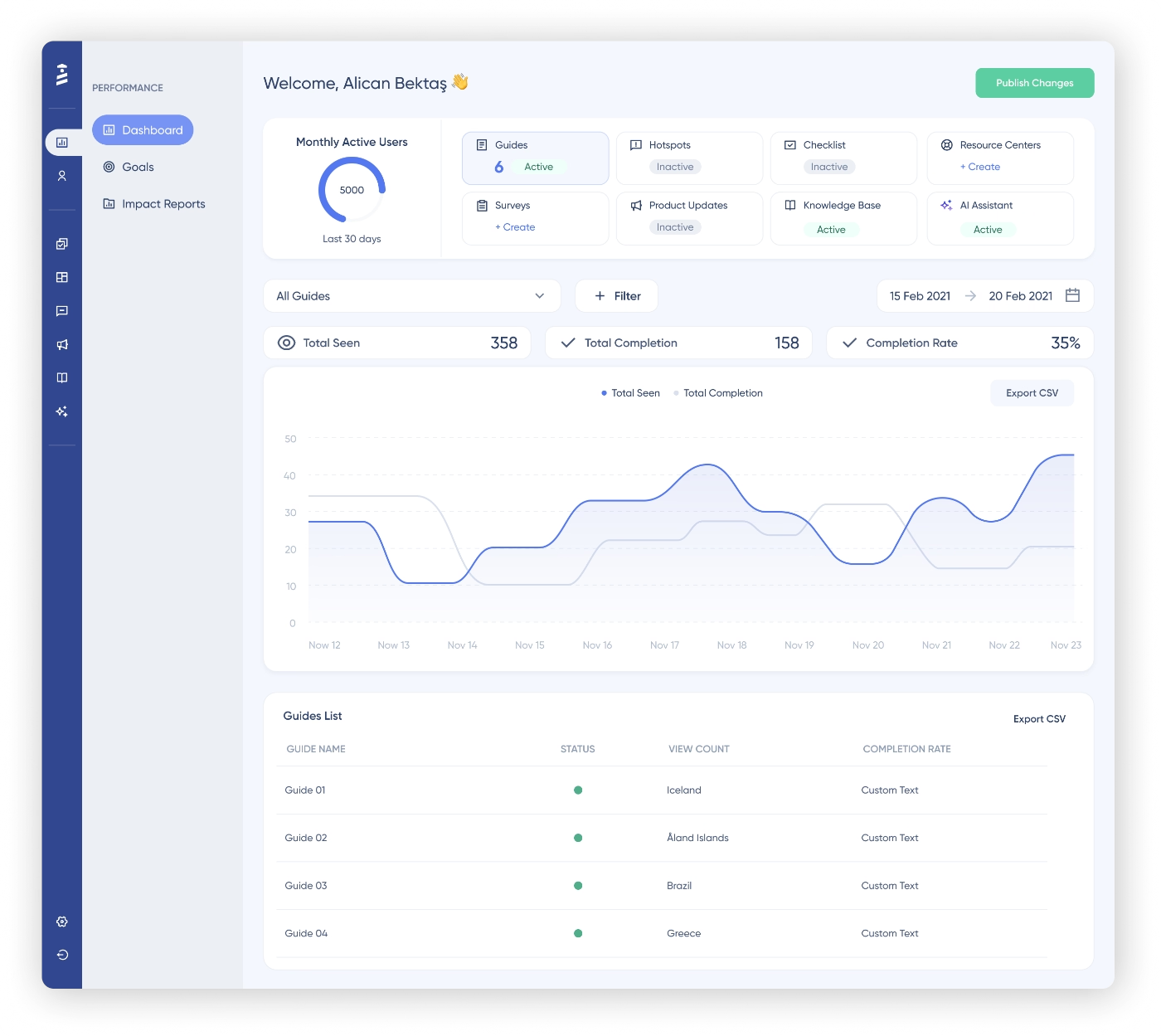
✅ So, with UserGuiding, you can:
All without breaking the bank or spending months to learn how to navigate through a platform.
Here’s why UserGuiding is perfect for scaling your onboarding 👇🏻
Quick Implementation (a real no-code experience)
UserGuiding is built for non-technical teams. You don’t need developers to create onboarding flows or launch in-app experiences. With its Chrome extension and visual editor, you can build and publish onboarding elements directly on your product in minutes.
This means faster time-to-value, both for your users and for your team.
Instead of waiting weeks (or months) for development cycles, you can test, launch, and iterate on onboarding flows almost instantly.
And it’s not just us claiming this simplicity and ease of use/maintenance, it’s actually UserGuiding users saying that.
For example, one UserGuiding customer on G2 says that:
I like the ease of creating and adjusting guides within UserGuiding without relying on the development team. I can test quickly and achieve good results. I also appreciate the reliability of the tool. Additionally, the initial setup was really simple and fast, which allowed me to start creating the first guides and put the tool to use in no time.”
Many UserGuiding customers also highlight how easy the setup and initial implementation are, often mentioning that they were able to get everything up and running in as little as 15 minutes, and feel comfortable using the platform within an hour.
👉🏻 Read more about what UserGuiding users say about the platform and their experience.
Best Price-to-Value Ratio for Scaling Teams
UserGuiding stands out with its transparent and flexible pricing, which is especially important for growing teams. Instead of vague quotes or hidden costs, you can use MAU-based sliders to easily estimate what you’ll pay as you scale.
There are three paid plans, and you also have the option for monthly billing, so you’re not locked into long-term commitments from day one.
This flexibility makes a big difference.
Many onboarding tools require multi-year contracts or introduce steep pricing jumps as your MAU increases. With UserGuiding, pricing scales much more gradually, without sudden spikes.
For example, the Starter plan begins at $249/month for up to 2,000 MAU (billed yearly).
Another important advantage is that all core features are included across all paid plans. As you move up, you’re simply increasing your usage limits.
This means you don’t have to upgrade just to access essential onboarding features, like you often have to with tools like Userpilot or Pendo 👀.
A Comprehensive Toolkit for All Your Onboarding Needs
Instead of juggling multiple tools for tours, surveys, announcements, and support, UserGuiding brings everything together in one platform.
You can guide users with interactive walkthroughs, keep them engaged with checklists, support them with an in-app resource center, and collect feedback, all within the same ecosystem. This not only simplifies your workflow but also ensures a more consistent experience for your users.
UserGuiding’s analytics and engagement monitoring capabilities are evolving very fast, too.
With the recent addition of no-code event tracking and session replay features, the platform’s already detailed material engagement and reporting capabilities got even better.
👉🏻 Check out UserGuiding’s use cases.
Next-Gen Capabilities: Automated Localization and MCP
UserGuiding goes beyond basic onboarding with advanced capabilities like automated localization and its MCP (Model Context Protocol) server.
Let’s start with MCP, because this is where things get really interesting.
The UserGuiding MCP Server allows you to connect your onboarding data directly with AI tools like Claude, Cursor, or any MCP-compatible assistant. In simple terms, it lets these tools access and interact with your UserGuiding data through natural language.
So instead of manually digging through dashboards or exporting data, you can simply ask things like:
- “How many users signed up in the last 7 days?”
- “Show me users on the enterprise plan who haven’t completed onboarding.”
- “Find users who didn’t use Feature X.”
And the AI can fetch that information instantly.
But it doesn’t stop at analytics. Through MCP, AI tools can also take actions on your behalf. For example, they can:
- Look up and manage users or companies
- Track events or update user attributes
- Search, create, or update knowledge base articles
- Analyze onboarding progress and behavior
All of this happens through a secure connection using your API key, meaning the AI only accesses data within your project.
And again, this level of AI-native integration is not something you see in most onboarding tools today.
On top of that, UserGuiding also offers automated localization, which allows you to deliver onboarding experiences in multiple languages without recreating flows from scratch. This makes it much easier to scale globally while keeping the experience consistent across different regions.
To Wrap Up…
Once you pass 100 MAU, manual onboarding becomes harder to keep up with. Plus, with so many parts of work becoming faster and more automated (whether through AI or more “traditional” software tools), there’s really no reason to keep onboarding stuck in the old way.
At this point, it’s high time you move the repetitive parts of onboarding into your product and let them run on their own.
That’s the only way you can scale your onboarding process and still offer a decent, personalized experience to your customers, really.
And for that, you can start a free trial with UserGuiding and see firsthand how much easier onboarding gets when you automate it.
And if you’re curious about other options, here’s a comparison of top onboarding tools, first by ease of implementation, and then by pricing.
Frequently Asked Questions
Is it better to have a human-led or product-led onboarding process?
It depends on your goals and scale. Human-led onboarding works well for small user bases or high-value accounts, offering personalized guidance and real-time answers. Product-led automated onboarding, on the other hand, scales effortlessly, ensures consistency, and reduces repetitive work. Most growing SaaS teams find a hybrid approach works best, where you offer automated flows for the majority, and human touch for key customers.
How to keep onboarding guides updated when your UI changes frequently?
Using an in-app onboarding platform allows you to update guides without rebuilding everything from scratch. Many tools let you edit steps, reposition tooltips, and modify flows visually without any coding required. By centralizing content in one onboarding platform, updates propagate immediately to all users, keeping guidance accurate and consistent even when your product UI changes frequently.
Does an automated onboarding tool require heavy developer resources?
Not necessarily. Modern onboarding platforms are designed for non-technical teams. You can create interactive walkthroughs, checklists, and in-app guidance using drag-and-drop editors or browser extensions. In many tools, developers are only needed for advanced integrations, CSS-level customization, or advanced analytics and reporting capabilities. That said, several “no-code” onboarding tools come with steep learning curves and complex workflows. So, even if you do not necessarily require a developer to use an onboarding tool, you might require additional technical support from either your internal technical teams or the the platform’s support team.
How to personalize onboarding for different user types and customer profiles?
Personalization starts with segmentation. By identifying user roles, technical experience, goals, or tools they use, you can show each user only the content relevant to them. Role-based flows, adaptive checklists, and targeted tooltips allow you to match onboarding to user needs automatically. This ensures users get a tailored experience without manual intervention.

.png)









