

.svg)
.svg)
.svg)
.svg)



.svg)




.svg)
.svg)

Although law firms are on their way to digitizing their services and workflows, many lawyers still struggle with managing the change, as it has been recorded that 36% of lawyers and legal company leaders lack the tech skills needed for tech adoption.
Keeping this in mind, offering thorough onboarding is the key to make sure even the least tech-savvy person can see the value of your solution.
In order to decrease the time and effort consuming process of learning your LegalTeach software, investing in a good digital adoption platform is a must.
To find out which platform works for you the best, keep on reading!
TL;DR
- UserGuiding – A no-code user onboarding platform that allows LawTech firms to quickly build onboarding flows and in-app resource centers without technical resources.
- Whatfix – A versatile DAP that provides support across channels.
- Product Fruits – A cost-effective alternative for smaller or mid-market firms looking for a wide range of onboarding tools.
- Userpilot – A product analysis platform that can provide personalized guidance based on how legal professionals interact with specific software features.
- Userlane – An onboarding tool with a focus on automated, real-time "step-by-step" assistance.
- Pendo – A product adoption platform that can combine detailed analytics with targeted in-app support.
- Stonly – A knowledge base focused DAP that creates interactive decision-tree guides.
- Appcues – A user engagement program that can manage onboarding across both web and mobile.
- Intercom Product Tours – An easy-to-implement solution for existing Intercom users to provide simple, integrated walkthroughs.
- WalkMe – An enterprise-scale platform for large-scale digital transformation projects requiring deep visibility and guidance.
- Chameleon – A product adoption platform for building product tours and micro-surveys with a focus on deep customization.
What are the use cases of DAPs in LegalTech?
Digital Adoption Platforms (DAPs) allow LegalTech companies to:
✅ Drive adoption of complex features through in-app guidance
✅ Reduce user friction in document-heavy workflows
✅ Standardize how users interact with core product flows
✅ Accelerate onboarding for new features and updates
Here are the most relevant use cases:
User Onboarding and Feature Adoption
DAPs help new users get comfortable with your product from day one. By guiding them through key features and workflows, you reduce confusion and shorten the learning curve.
With a DAP, your team can:
- Walk users through processes like contract creation or approvals
- Reduce drop-offs in multi-step workflows
- Ensure consistent usage across different user segments
This way, users can start seeing value faster and actually use your software.
👉🏻 Because the research says that up to 75% of users churn within the first week if the onboarding experience is poor. And “poor” onboarding here refers to confusing, unguided setups as well as lengthy and unfocused product showcases.
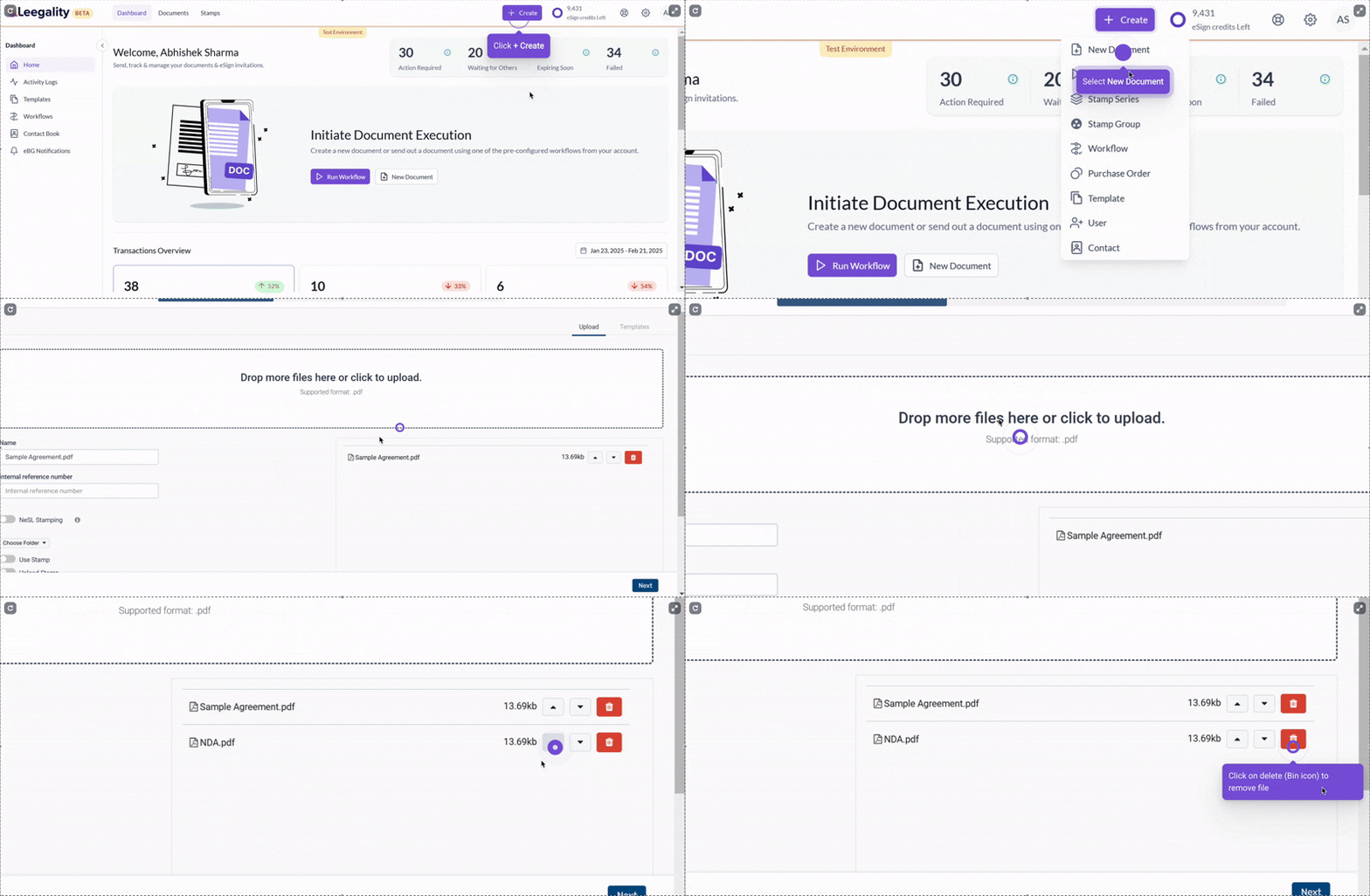
A good example of a goal-oriented onboarding comes from Leegality, a LawTech software for e-signature and legal document management.
Navigational Ease and Decreasing Mental Load
Accurate data entry is critical in LegalTech, but users can easily make mistakes, especially with complex forms or regulatory requirements. With DAPs, you can guide your users to enter the correct information in the right place with tooltips and hotspots.
At the same time, these in-app guidance tools reduce the mental load required to navigate your software and make complex workflows easier to follow.
They lower the perceived learning curve, especially for non-technical or older users.
👉🏻 The ILTA 2024 Technology Survey shows that over half of legal teams cite user resistance as a top hurdle to adopting new technology, often due to perceived complexity and a steep learning curve.
Plus, there’s also the issue of timing when it comes to adopting LegalTech solutions. As a former paralegal explains here, law firms and lawyers in general do not come to your solution in times of ease and breeze. On the contrary, they come and try it with already-loaded minds, buried under workload and deadlines…
So, making sure that your UI and workflows are easy to navigate and that they don't add even more workload onto them or confuse them is important.
Document and Knowledge Management
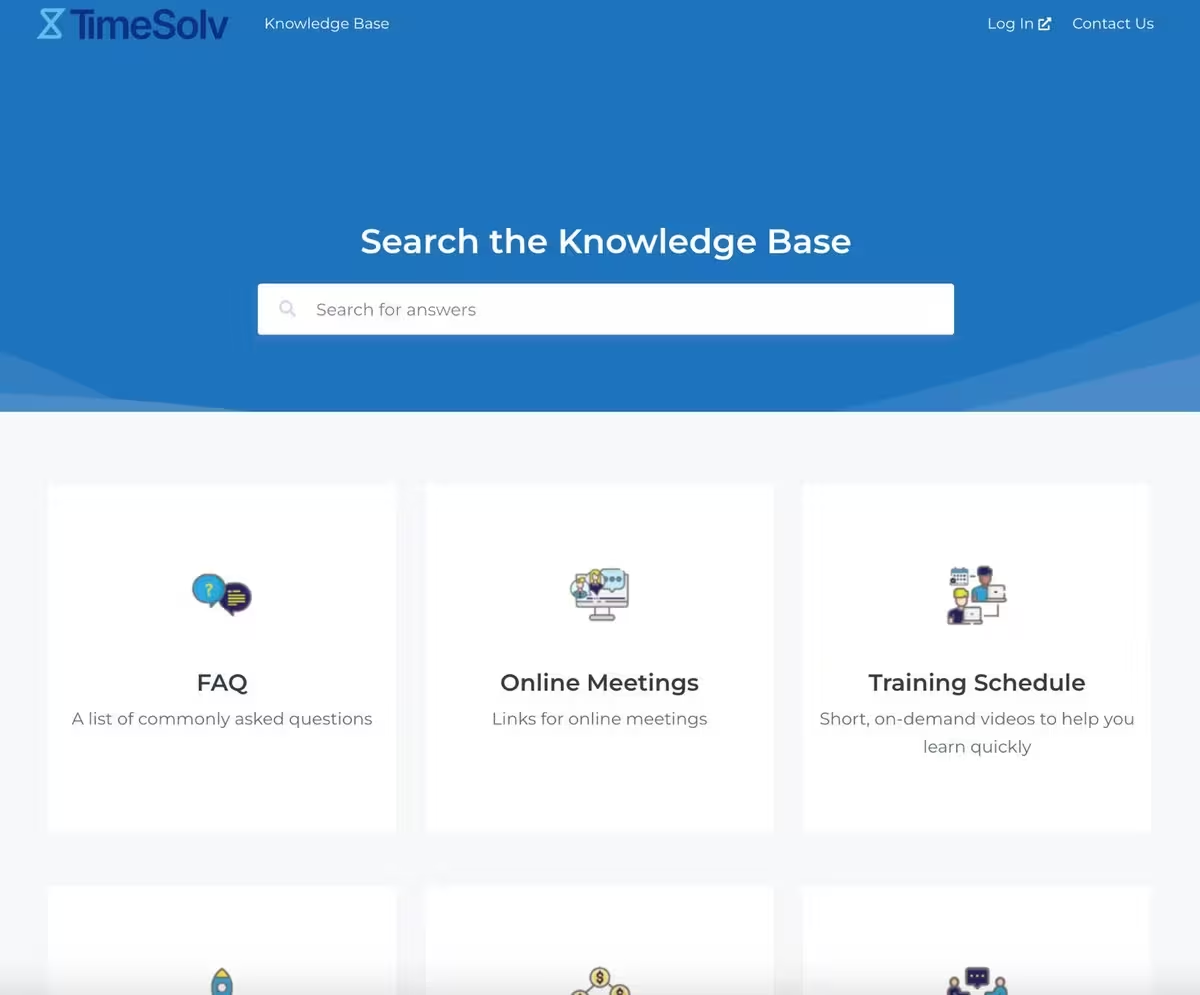
DAPs can help strengthen your document and knowledge management by making information easier to access and maintain. You can centralize your internal knowledge base, standardize processes, and create shared hubs for both your internal teams and your customers.
Here’s an example knowledge base from TimeSolv:
Contextual Support and Self-Service Help
Beyond centralized knowledge hubs and support pages, many DAPs let you set up automated AI support agents and in-app resource centers. This means you can provide contextual, on-demand help right where users need it, complementing your in-app onboarding and ensuring guidance is always available.
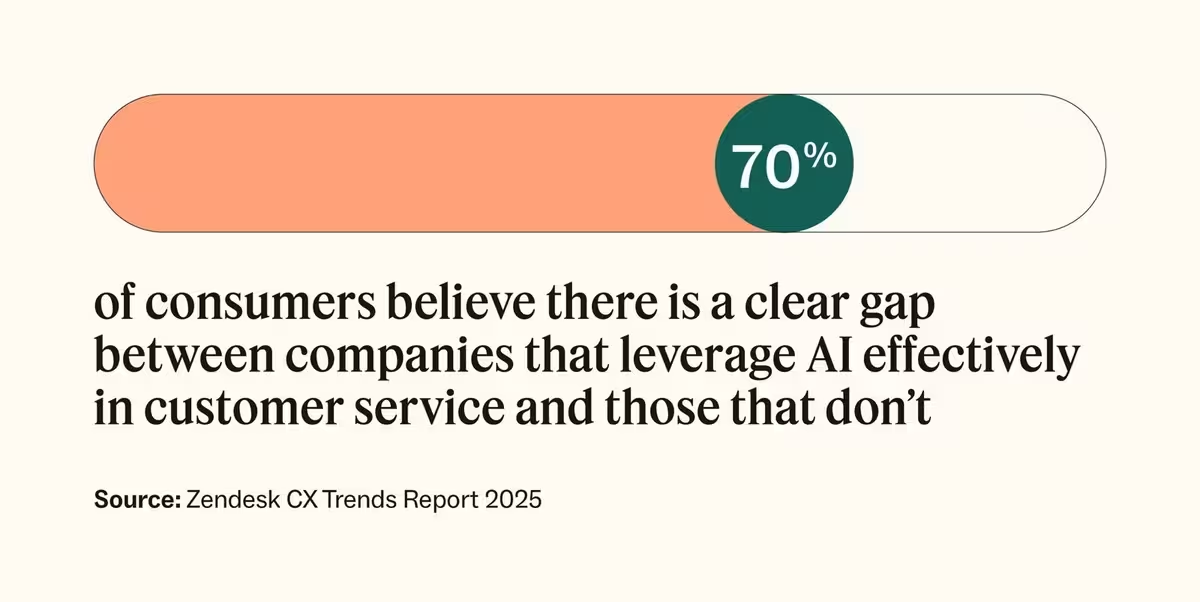
👉🏻 According to Zendesk’s 2025 CX Trends Report, 70% of consumers believe a clear gap exists between companies that leverage AI effectively in customer service and those that don’t, while 81% believe AI has become part of modern customer service.
For a LegalTech software, conversational in-app support (like AI chatbots) is especially important, because:
- LegalTech documentation can be long and complex, and AI support bots simplify steps and guide first-time or non-technical users.
- Large volumes of documents make it difficult to find the right templates or clauses, and bots help users locate what they need quickly.
Feature Rollouts and Product Update Announcements
Rolling out new features or updates can be confusing for users if not guided properly. DAPs make the adaptation (and adoption) process smoother by providing in-app walkthroughs, prompts, and announcements.
With a DAP, your product team can:
- Introduce new features step-by-step without overwhelming users
- Highlight important updates or workflow changes with pop-up modals
- Increase adoption of updates while reducing support requests
- Centralize product update announcements in a dedicated page
This ensures users stay confident and productive, even as your software evolves.
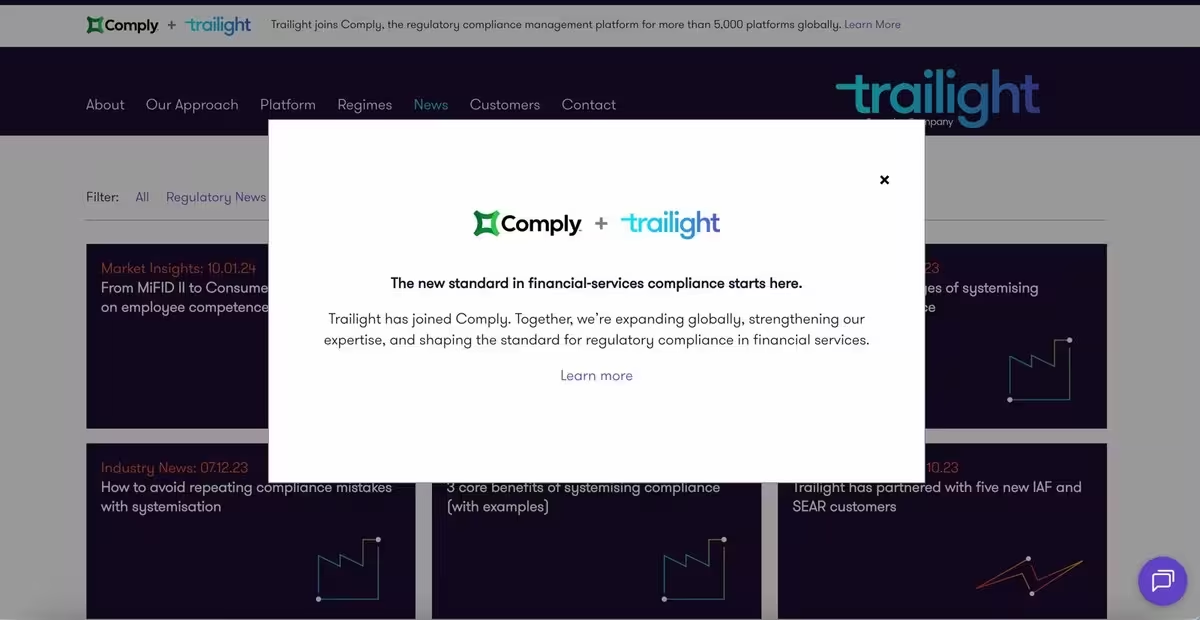
For example, Trailight, a regulatory compliance software, draws attention to an important collaboration news with a pop-up modal on their Product Updates page:
What You Should Look for in a DAP as a LawTech Company?
Whether your tool is there to help automate legal workflows or track billable hours, you need to provide enough support to your users and customers.
So, the question remains, what should you look for in a DAP tool in order to ensure it is secure and easy to use?
EU/Regional Data Residency and Security Certifications
Legal workers process hundreds and tons of confidential data in their workflows every day.
There is no doubt that sensitive information about cases requires sensitive security approaches.
Recently, almost 30 US states, as well as 5 global jurisdictions, have raised ethical concerns when it comes to using cloud-based technologies in law firms.
Therefore, security is an important issue to be handled in the very beginning.
And as a LegalTech company, it’s not just your own data handling you need to worry about, but also that of the tools you use, like your DAP...
Especially if you are a European-based LegalTech company, EU-headquartered or EU-hosted DAPs will be most beneficial for you.
When it comes to security certifications, you should make sure that the DAP you are considering is compliant at least with GDPR, ISO 27001, and SOC 2 Type II.
No-code authoring and ease of implementation
Needless to say, the DAP solution you’re looking to get is only as useful as your (and your team’s) ability to implement and maintain it.
If your team requires a developer’s help every time a legal workflow changes or a new feature launches, the DAP becomes a bottleneck rather than helping your solution to show its value.
Ideally, choosing a DAP where the initial setup only requires a simple browser extension would save you from weeks of, months of waiting for implementation.
Beyond initial deployment, you need to make sure that the usability of the internal dashboard is intuitive for non-technical staff.
You should go for a DAPs with visual editors that allow non-technical staff to create complex walk-throughs, tooltips, and automation triggers without touching a line of CSS or JavaScript. Rather, allows them to build their onboarding flow simply by pointing and clicking on UI elements.
Multi-language localization
Being one of the fastest-growing industries, the global LegalTech market demands support in various languages, such as English, German, French, Spanish, and Portuguese at the very least. You probably have a wide customer base with users (accountants, lawyers, etc.) coming from all over the world.
To support lawyers and clients from many regions and languages and show them how to maximize the benefits of your tool, you should choose a platform that can meet your localization needs.
You may check out the auto-translation options; they can be a good start. However, it may not be enough for the jargon used in specific cases.
Support ticket deflection capability
Lawyers who are already in a time crunch and are dealing with risky cases need ease of communication instead of feeling like hitting a wall each time they try to unlock a feature of your tool.
Considering the stressful working conditions that your users operate in daily, they need to feel confident to navigate the SaaS come rain or shine.
In order to raise the confidence of your customers and guide them to success, choose a DAP that can help you create self-serve guidance.
This can include…
- Knowledge bases,
- In-app help widgets and resource centers,
- Feedback widgets and in-app surveys.
All of these will help you reduce “how-to” tickets and ensure that everyone gets the help they need through the tool itself.
User segmentation and Analytics
As you (probably) already know, LegalTech software is used by many different users coming from many different roles and tech-savviness, ranging from tech-crazy associates to tech-critical older attorneys, from technical IT specialists to non-technical paralegals…
So, you cannot expect them to react to your app in the same way. And you definitely cannot offer them the same level of onboarding support.
Given this diversity, “one-size-fits-all” onboarding is doomed to fail.
To successfully convince your users that this is the tool that will change their lives, the DAP you go for must be able to segment all these different customers based on their roles and behaviors.
This way, you can make sure that the user is trained only on what will be beneficial for them, shortening the time-to-value journey.
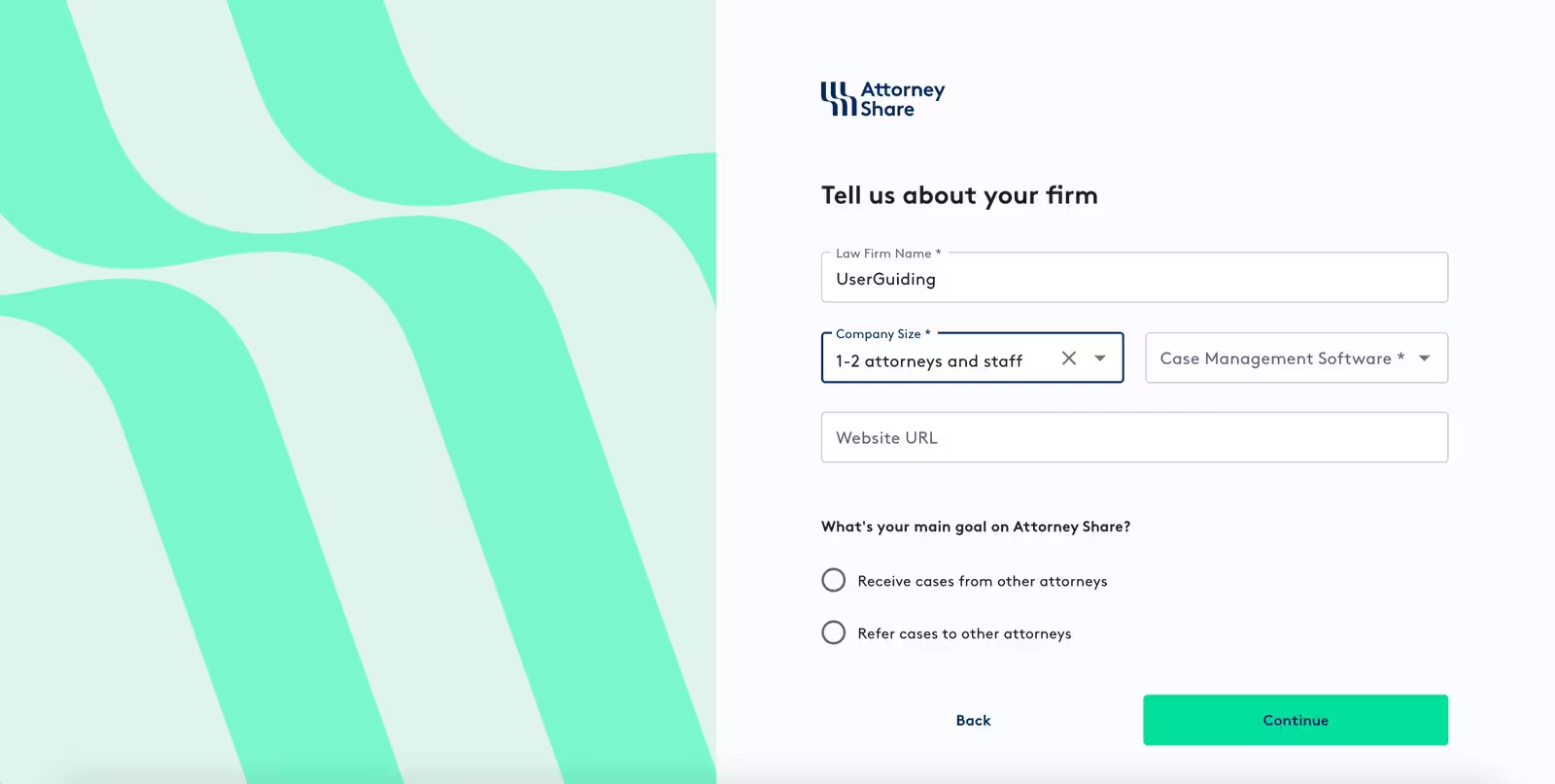
One way to segment your users is to gather information about them (and their use cases) right from the start with an onboarding survey that looks like this:
Also, to ensure a clear, user-focused onboarding, you should combine your segmentation with powerful analytics.
Throughout your onboarding and even after the product is adopted by the user, collect data on adoption rates, feature usage, and guide completion. This would help you prioritise what needs more attention in your tool while also personalizing the onboarding flow for the individual.
Scalable, transparent pricing
As we already mentioned quite a few times, who uses LegalTech software varies significantly. Since LegalTech companies and use cases range from solo practitioners to global firms, the need to know how much you will pay is key.
DAPs with solely enterprise-quote model pricing are not suitable for small or mid-market firms. Therefore, transparent pricing is preferred, especially by mid-market LegalTech startups.
It is also important to make sure the DAP tool you choose has scalable pricing.
Top 11 Best DAPs for LawTech
UserGuiding
UserGuiding is a no-code, all-in-one product adoption and user engagement platform designed to help teams onboard users, drive feature adoption, and enhance in-app engagement, while also supporting self-service customer support.
📌 Here’s a list of what UserGuiding is capable of providing you:
- Product tours
- Onboarding checklists
- Hotspots and tooltips
- Announcement modals (banners, slideouts, pop-ups, etc.)
- NPS and custom in-app surveys
- AI assistant
- Resource center (in-app)
- Knowledge base (standalone)
- Product updates (standalone)
- Segmentation
- Analytics
Want to know more about UserGuiding’s potential? Here’s our in-depth article on UserGuiding’s use cases 👈🏻
First and foremost, when it comes to the security of your data, UserGuiding is there for you. It is fully compliant with GDPR, as well as SOC2 Type2, ISO 27001, and LGPD, making it a great fit for EU, US, and Brazil-based legal firms.
You can learn more about UserGuiding’s privacy policies and the kind of data we collect from here 👈🏻
And you can check all the other security & compliance documentation here 👈🏻
Thanks to its no-code builder, UserGuiding is fast to implement, ensuring that your users see the value of your product in a matter of days, not months.
Also, AI features (Lighthouse included) are available across all plans.
Here is an example guide made by TimeSolv, a legal billing software company, using UserGuiding:
Read how TimeSolv boosted user engagement with in-app messages created without relying on the developers 👈🏻
UserGuiding provides scalable pricing with $249/mo (billed yearly) for up to 2,000 MAUs for the Starter plan, which is beneficial for LegalTech startups or mid-market companies that cannot justify thousands of dollars a year for an enterprise DAP contract.
The Growth plan follows with $499/mo with additional features such as CSS customization and localization. For the Enterprise plan you can book a demo.
If you want to give UserGuiding a chance before committing, it offers a free trial for its Starter plan.
Thanks to it's knowledge base, LegalTech Saas companies can gather educational materials in one place, making the information needed accessible to all users.
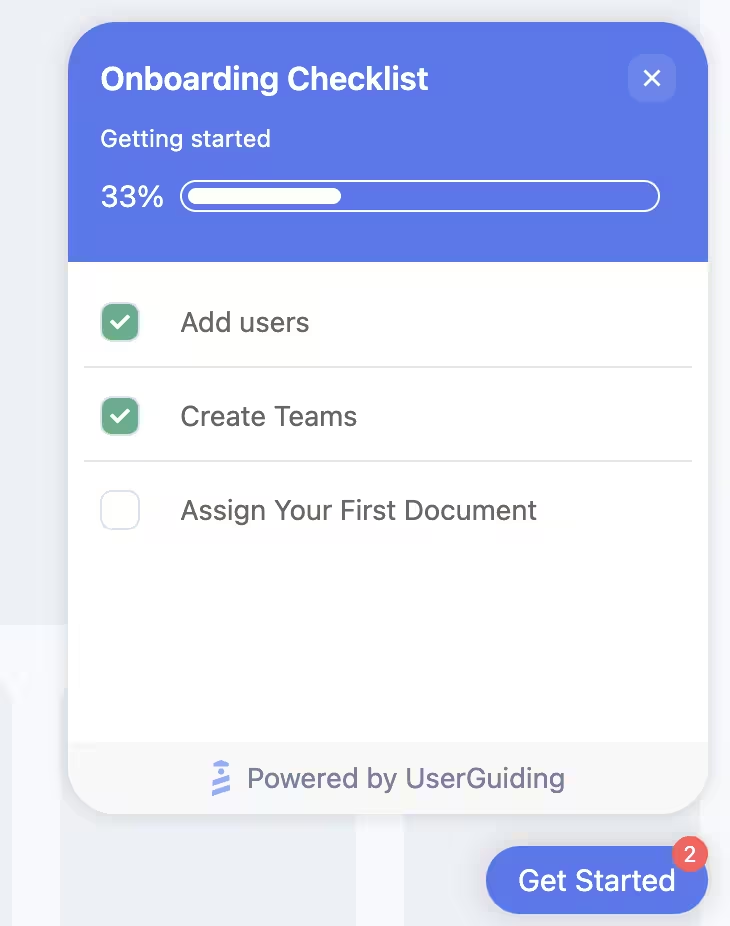
Last but not least, UserGuiding also offers multi-language guide creation that ensures users from different regions can still get the best value out of your product. UserGuiding’s localization supports languages such as English, Spanish, French, and Portuguese.
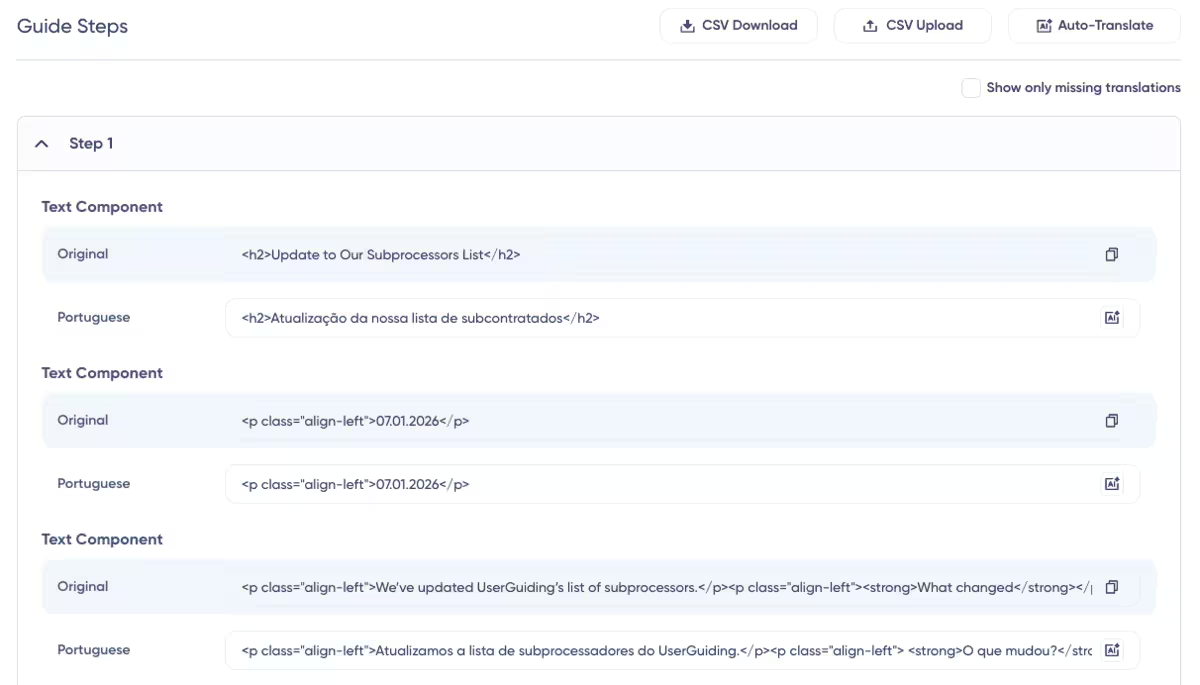
Overall, Userguiding offers the strongest combination of affordability and accessibility, meeting all the pain points identified above.
👉🏻 Take your LegalTech solution to the next level with UserGuiding, try it out yourself!
Whatfix
Whatfix is a digital adoption and product analysis platform that delivers contextual and AI-powered guidance, helping you reduce support costs by enabling in-app self-service support.
Check out our in-depth Whatfix use cases and features analysis.
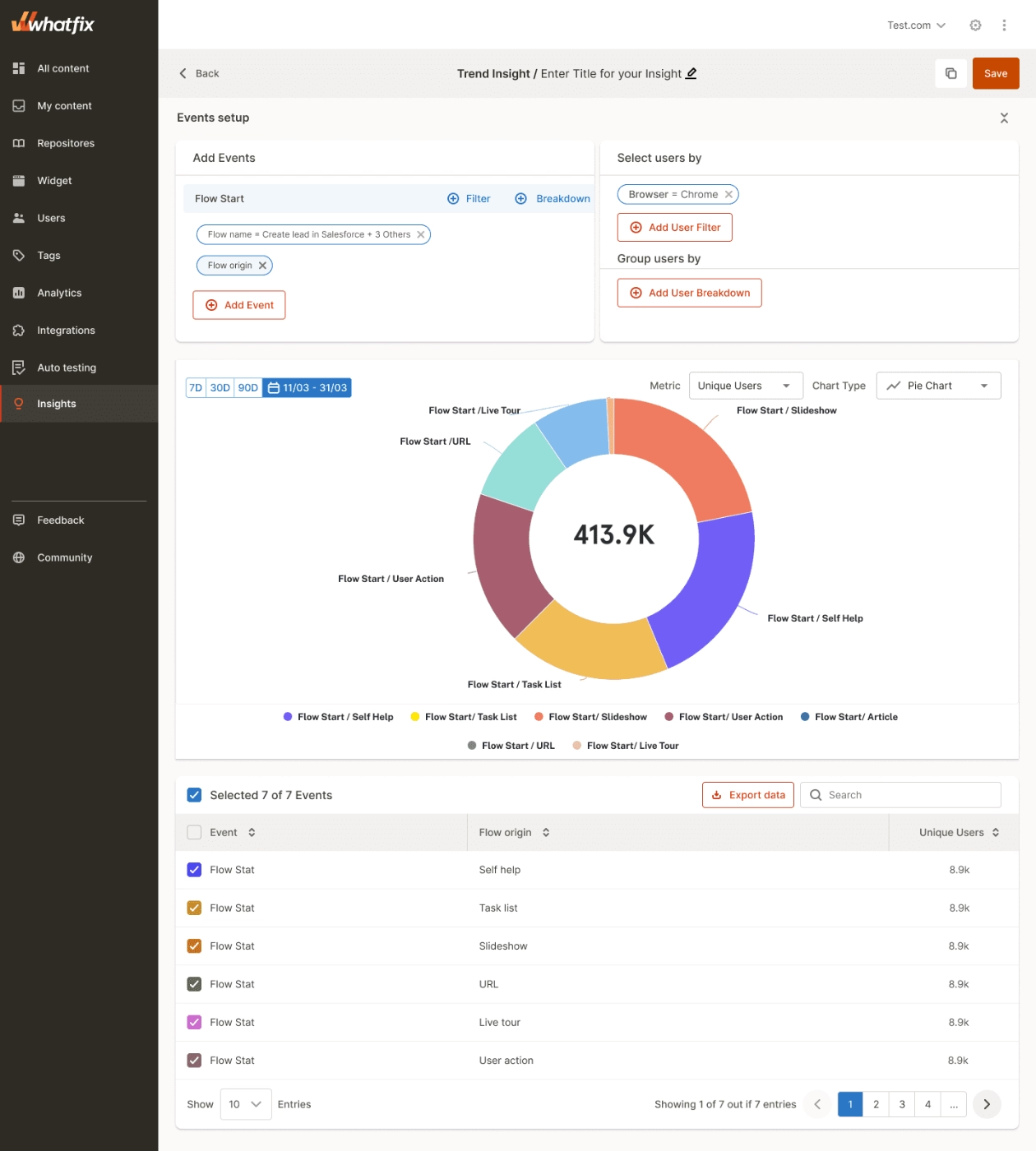
With Whatfix, you can:
- Create in-app tours, flows, and task lists
- Provide self-help support
- Show product updates through pop-ups
- Analyze user behavior and segment users into cohorts
- Auto-translation in multiple languages
Whatfix is also compliant with GDPR, SOC 2 Type II, ISO 27001, and CCPA. Therefore, it can be an option for EU or US-based law firms.
Whatfix’s pricing is neither scalable nor transparent.
You have to get a demo to learn the prices for the plans, as they are not listed on their website. A user reports that “quotes can vary widely depending on use cases, apps supported, and user count, sometimes making budgeting and ROI forecasting difficult”.
According to Vendr data, pricing for Whatfix can go up to $38,766 per year.
This is a lot for a startup to be able to afford.
Although Whatfix does provide thorough guides and in-app support, it lacks key user-adoption features such as a built-in knowledge base and a resource center.
In addition to that, Whatfix is reported to have a steep learning curve, especially in the initial setup, which results in taking up your time and money.
Users have also reported on Whatfix being limited in complex customizations, even needing advanced tech support to achieve said customizations.
Product Fruits
Product Fruits is an adaptive onboarding tool that uses Elvin, an AI agent, to generate onboarding flows that adapt to user behavior, role, and progress.
Check out our in-depth Product Fruits use cases and features analysis.
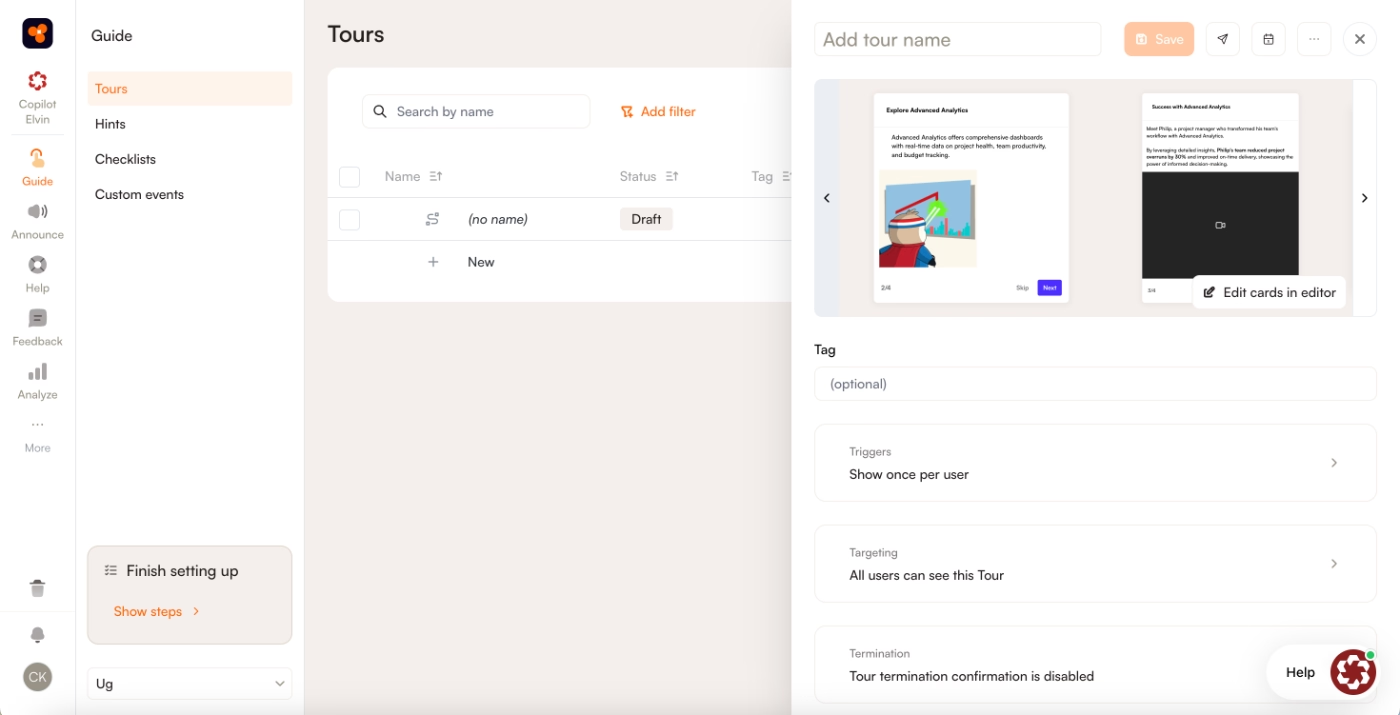
With Product Fruits, you can achieve:
- Tours & Guides
- Knowledge base & help center
- Localization and auto translation (only available for Pro and Business plans)
- AI Co-pilot
First of all, Product Fruits is compliant with GDPR, as well as SOC 2 and ISO 27001.
Product Fruits does not require coding knowledge; however, the learning curve was reported to be a little bit tricky by some users.
Product Fruits is transparent in their pricing, which is $149/mo for their Starter plan. The Pro plan is listed on their website as $249/mo, and the Business plan is $499/mo.
It is an affordable option for startups; however, you might be exchanging affordability with customization options and deep analytics, as some users have complained about them.
Moreover, one user says that Product Fruits “could improve its depth and flexibility for more advanced use cases,” which shows that for a specialised user profile like LegalTech, it might bring about issues.
Userpilot
Userpilot is an all-in-one product growth tool that combines user onboarding, product analytics, session replay, and user feedback to help you increase product adoption.
Check out our in-depth Userpilot use cases and features analysis.
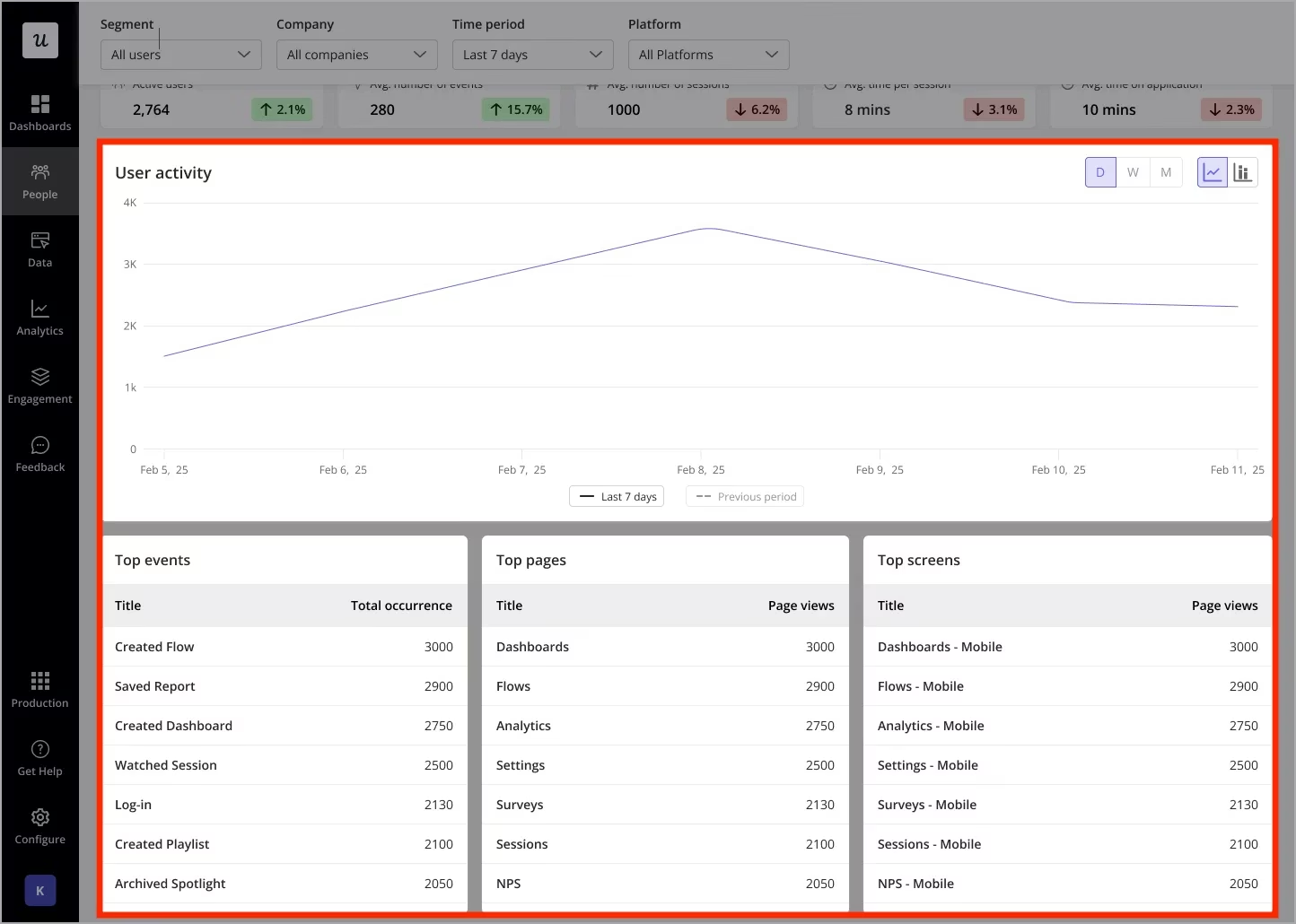
With Userpilot, you get:
- User onboarding flows
- Product announcements
- Self-serve support
Userpilot is also compliant with GDPR, as well as SOC 2 Type II.
Userpilot is praised for its user-friendly interface.
In addition, it is mostly known for its session replays, showing you how your users interact with your tool.
However, users have reported that it can be relatively expensive for early startups, as its Starter plan is listed as $299/mo on their website.
Userpilot does not offer a fully free plan, but only a free trial; moreover, the prices for their Growth and Enterprise plans are not listed.
Let us note that some teams find their advanced customization limited unless they’re on higher-tier plans, and there might be some lag when managing complex onboarding flows with many user segments.
These could be a problem for SaaS tools with many user profiles.
Also, Userpilot does not offer some of the key components, such as a resource center or localization features, to its Starter Plan users.
Userlane
Userlane is a DAP that is designed to make software applications easy to use by guiding people in real-time and offering on-demand support directly inside the app.
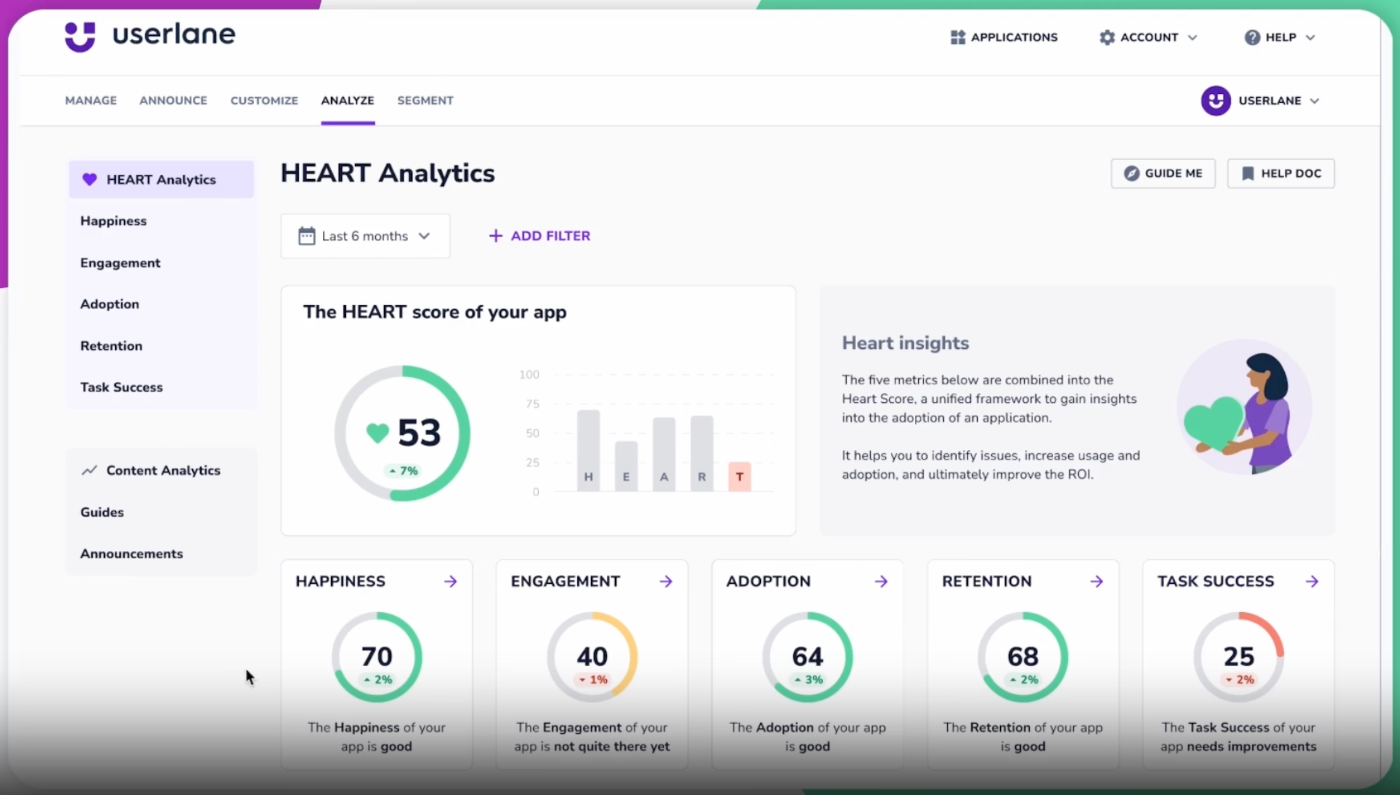
With Userlane, you can achieve:
- Unlimited in-app guides, tooltips, and announcements
- Multi-language support
- User adoption analytics.
Userlane comes with GDPR compliance as well as SSO, 2FA, and ISO 27001 certifications.
Their services are subject to German law, which makes Userlane suitable for EU as well as US-based law firms and legal departments where data security is non-negotiable.
However, Userlane does not have transparent pricing and only offers custom pricing, which can become costly.
According to Vendr data, the average contract value is $17,529 a year.
Unfortunately, it lacks key features such as a knowledge base, a resource center, or survey features.
Pendo
Pendo is a product analytics tool that helps you with cases such as product adoption, user feedback, and product analytics.
Check out our in-depth Pendo use cases and features analysis.
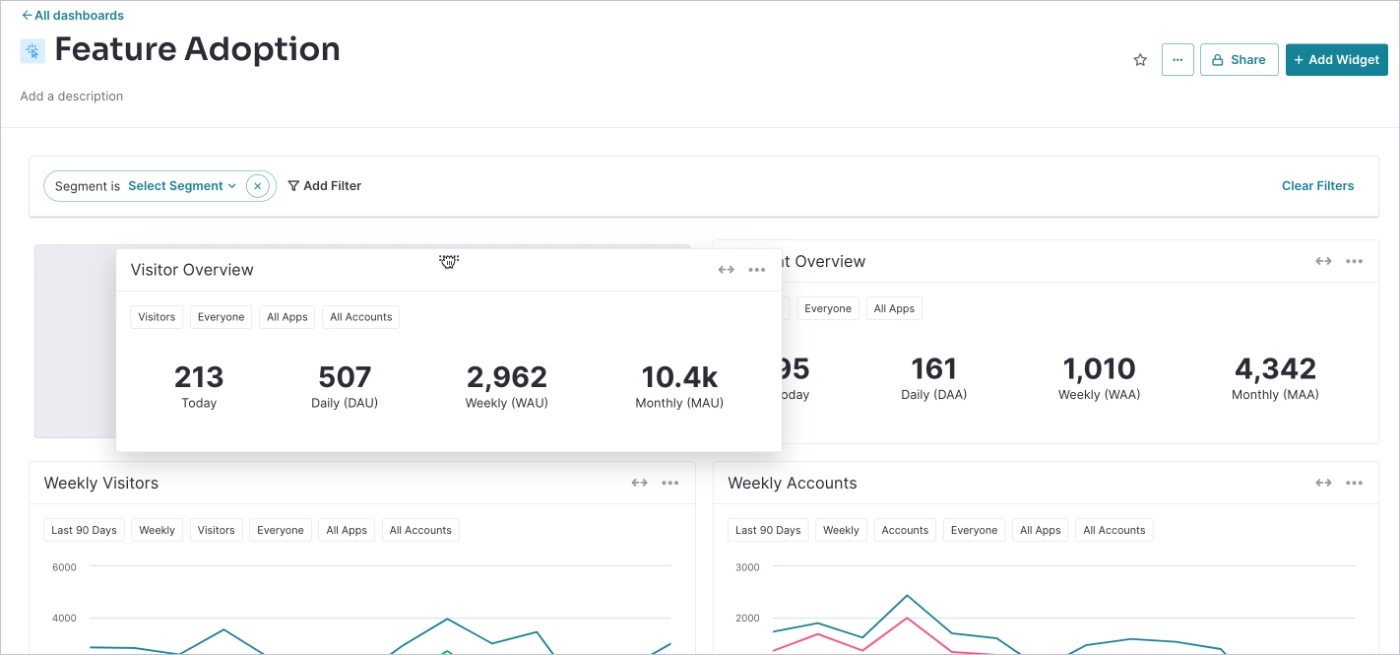
With Pendo’s user onboarding features, you can create:
- Personalized in-app guidance
- Session replays
- Product analytics
Pendo is known for its focus on product analytics and can work for LegalTech companies looking to understand how lawyers interact with their SaaS.
First and foremost, Pendo’s security certifications include GDPR and SOC 2.
Pendo does not offer transparent pricing, and it is known for being on the pricey end of DAP tools, going up as much as $145,000 per year according to Vendr data.
Because of its high-end status, their pricing model easily exceeds the budget for most startups and mid-market legal companies.
Pendo does have a free plan that can be used up to 500 MAUs, which can be good for small startups that are analytics-first and do not need comprehensive guides. However, it should be noted that the free tier does not include features such as resource centers or localization that are important for companies that are looking to get self-serve support in multiple languages for their customers.
Even if you are willing to pay the price for Pendo, the steep learning curve could become troublesome and time-wasting for non-tech-savvy teams. And the limitations in their guide creation have been reported as a frustration by users.
Stonly
Stonly is a knowledge platform for customer service that helps you create step-by-step guides and walkthroughs with a focus on self-serve support for customers and agents.
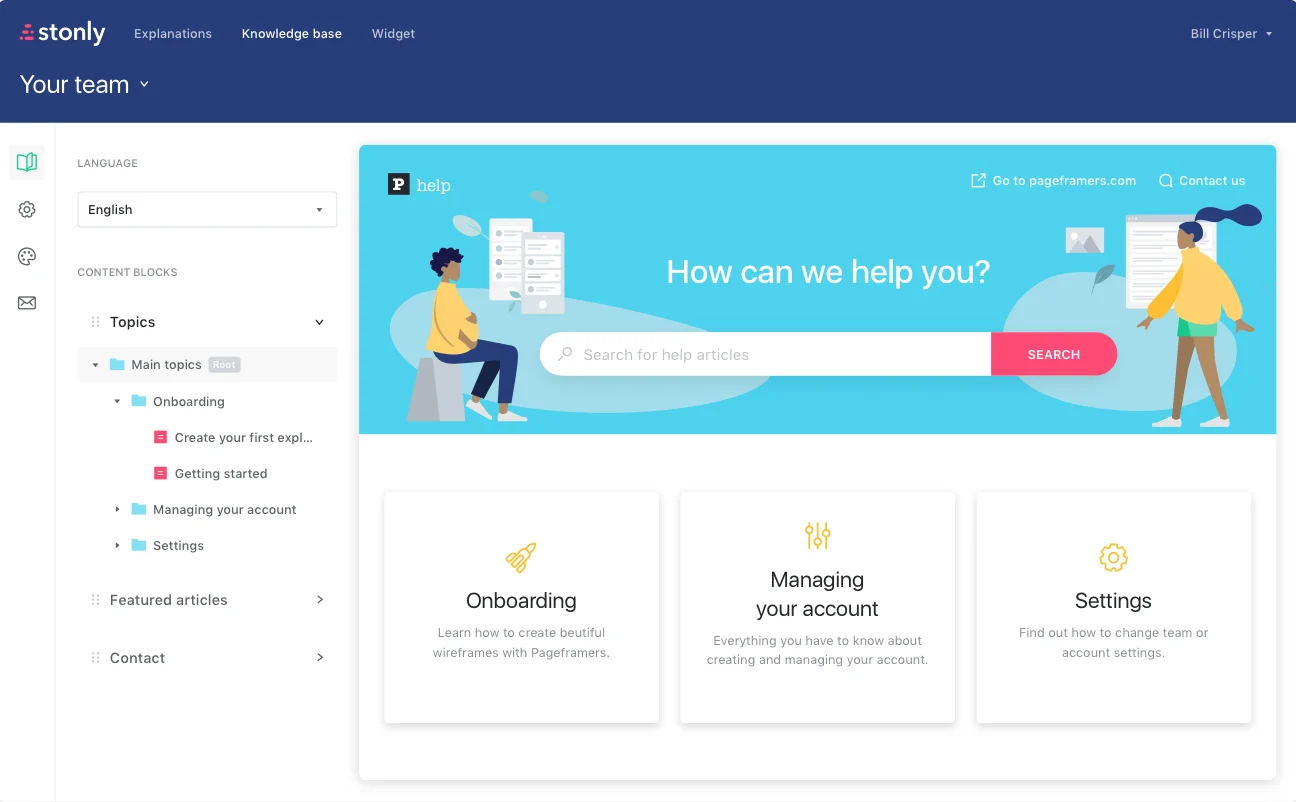
With Stonly, you can create:
- Interactive guides and decision trees that adapt to each customer’s needs,
- Multiple language supports
- Knowledge base
Stonly’s interactive decision tree guides can be beneficial for legal workflows where segmentation is crucial, and the correct action depends on multiple conditional factors such as jurisdiction, case type, and client status.
Stonly is compliant with both GDPR and SOC 2 Type II; therefore, security is not an issue.
Its pricing is not transparent. According to Vendr data, the average cost for Stonly is about $39,000 annually. For small startups, the price might be too much.
Although it is praised by users for its ease of implementation, some users also note customization limitations.
Appcues
Appcues is a no-code user engagement platform that helps you improve product adoption through personalized experiences across different channels.
Check out our in-depth Appcues use cases and features analysis.
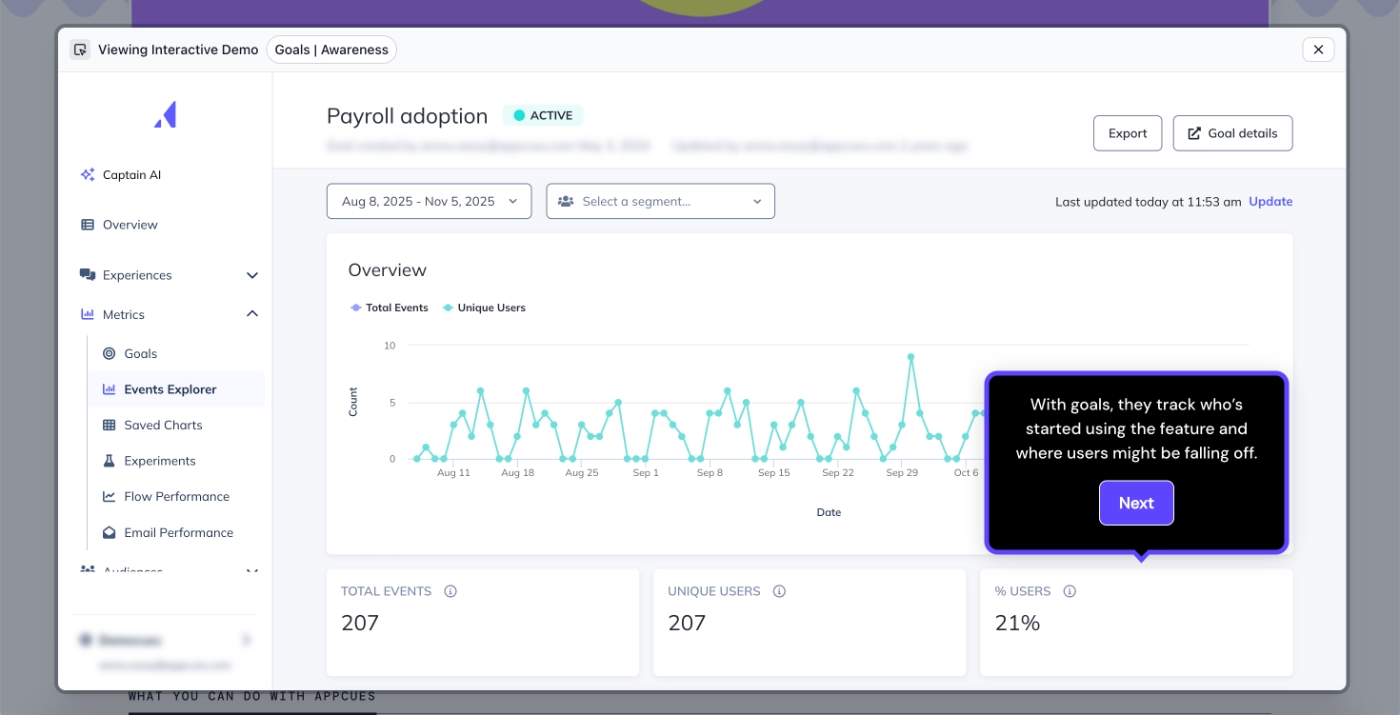
With Appcues, you get:
- Flows, tooltips, and pins,
- Checklists,
- Workflows,
- Localization
Primarily, Appcues’ security certifications include GDPR and SOC 2 Type II.
When it comes to pricing, Appcues offers a 14-day free trial process where you can try out their features. And if you choose to continue with them, they have two plans available on their website: Growth and Enterprise.
The Growth plan is listed as $750/mo for 1,000 MAUs. It is ideal for larger businesses and enterprises and offers access to all features, including Appcues AI and a dedicated CSM.
Appcues also offers mobile support, which can be useful for LegalTech companies that are leaning towards mobile solutions.
Overall, Appcues offers a user-friendly interface and is easy to implement, with a smaller learning curve involved.
However, there are also some users who report that they had to hire JS Developers and that the setup was lengthy and confusing.
These differing experiences reported by the users should be considered when committing.
User reviews mention that the localization feature is not available in all features, which makes the process tedious and inconsistent, breaking the flow for foreign customers.
Intercom Product Tours
Intercom is a no-code, AI-first customer service company helping you manage customer relations and interactions with proactive support features.
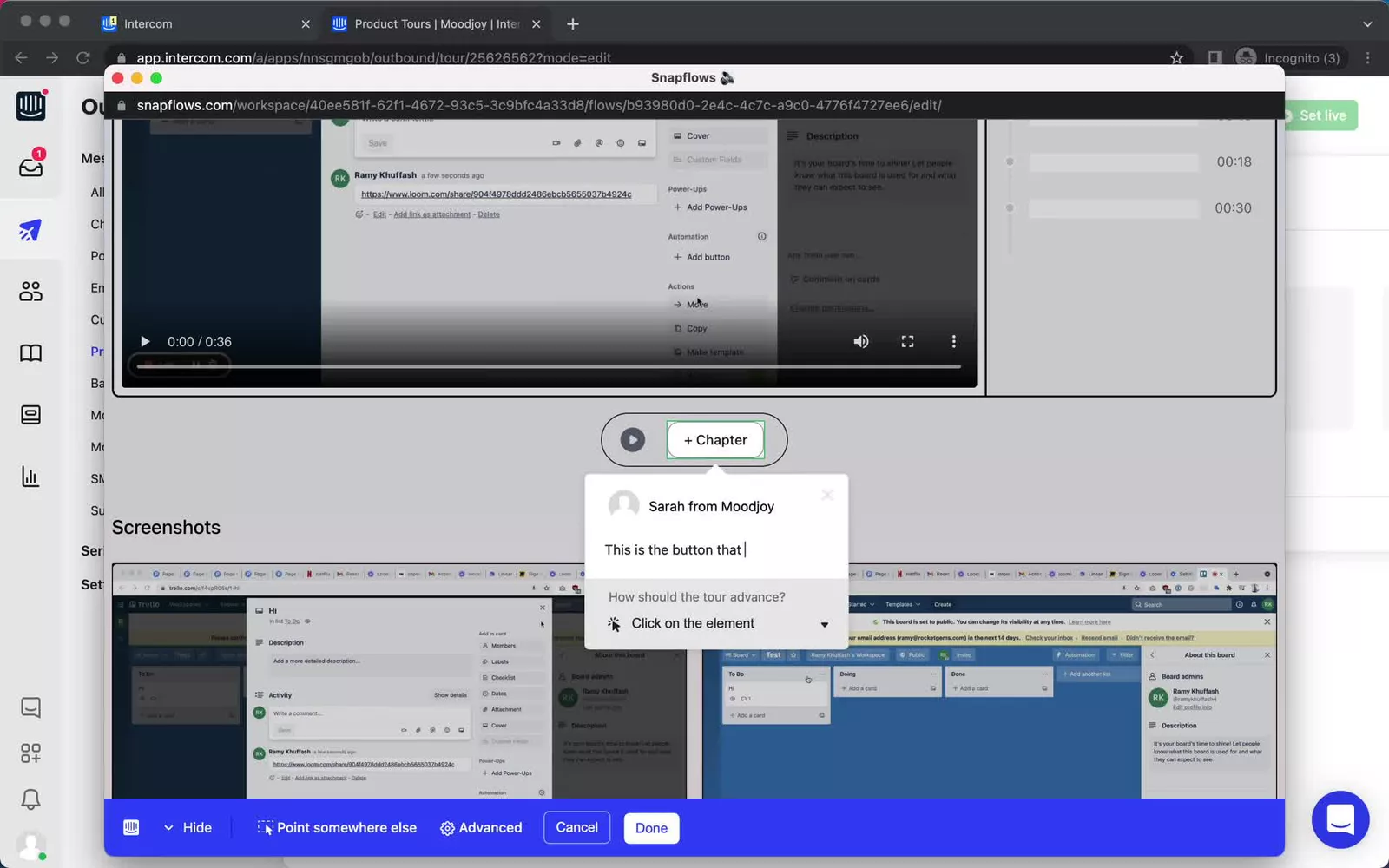
With Intercom, you can have:
- Their comprehensive AI agent called Fin AI
- AI Copilot
- Help center and knowledge hub
Intercom is also compliant with GDPR, SOC 2 Type II, and ISO 27001:2022, along with others.
For LegalTech companies looking for a support-first approach, Intercom could be good.
As an affordable option, Intercom has a 14-day free trial. After that ends, you can choose one of the three plans that they offer, all of which include their AI agent, Fin AI, which costs $0,99 per resolution.
The Essential plan is $39 per seat/mo and comes equipped with messenger, shared inbox, and ticketing, pre-built reports, and public help center.
The Advanced plan is $99 per seat/mo, and has everything in the Essential with additional Lite seats, multiple team inboxes, and a private and multilingual help center.
Lastly, the Expert plan, which is priced at $139 per seat/mo, includes everything in the Advanced plan with an additional 50 Lite seats and further security compliances.
As a support-heavy solution, Intercom offers features such as Product Tours, Checklists, and Surveys in an add-on package called “Proactive Support Plus”. In order to have workflows, tooltips, and other onboarding features, you need to pay $99/month (includes 500 'Messages Sent').
Although Intercom is affordable, with the additional packages for key features and pay-as-you-go type pricing, it can scale up pretty quickly.
Users praise Fin AI agent for its efficiency and automation while also highlighting that it requires a well-maintained knowledge base to work well.
Fin AI also provides support in multiple languages; however, the multi-lingual help center feature is only available for the Advanced plan and up users.
WalkMe
WalkMe is a digital adoption platform that provides personalized guidance and automation by working through a cloud-based overlay system.
Check out our in-depth WalkMe use cases and features analysis.
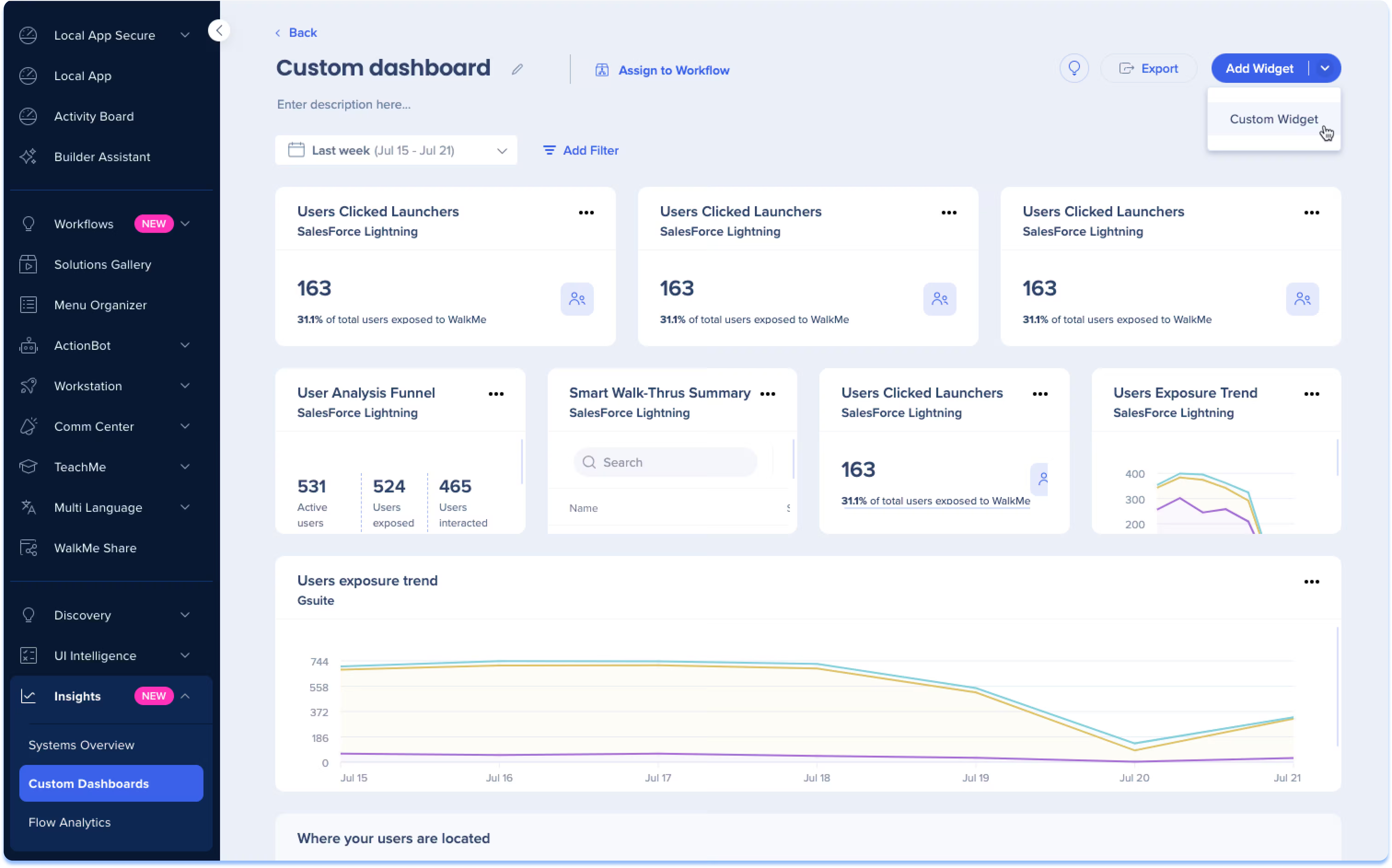
Thanks to WalkMe, you can get:
- In-app guidance
- Guide creation
- Workflow analytics
Firstly, WalkMe is compliant with GDPR, ISO/IEC 27001, and SOC 2 Type II, among others.
When it comes to pricing, WalkMe is not transparent about it on its website. According to Vendr data, the average contract value is $43,827, going up to as much as $493,650 a year.
Already being on the pricier side, some users mention hidden or add-on fees for advanced features, which makes the tool a tough sell for smaller organizations or tight budgets.
Users praise WalkMe for its ability to provide contextual, proactive, and non-intrusive support to the customer exactly when and where they need it within the app, not disrupting the workflow.
WalkMe offers multi-language support for all its plans.
Although its features are praised, there is a steep learning curve to be overcome, with some users reporting that for certain features, they need support from the WalkMe team or community.
Chameleon
Chameleon is an AI-first product adoption platform that enables you to create in-app user experiences, such as tooltips and walkthroughs, without needing to code.
Check out our in-depth Chameleon use cases and features analysis.
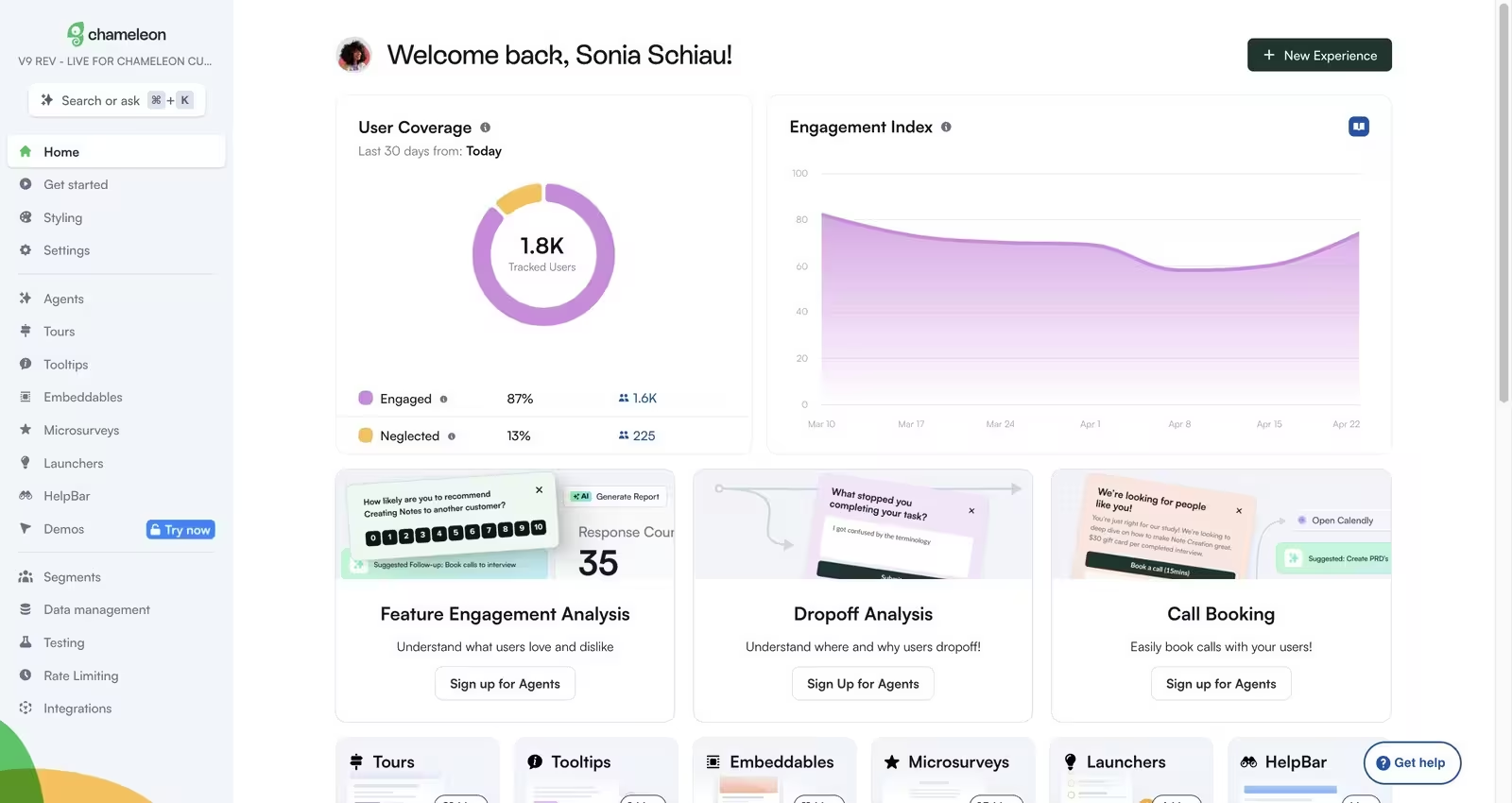
With Chameleon, you can create:
- Product tours,
- Interactive demo walkthroughs,
- Checklists and resource centers
First of all, Chameleon is compliant with GDPR, as well as SOC 2 Type II.
As for pricing, Chameleon offers a free trial of their Startup plan, which is listed at $279/mo after the trial. In the Startup plan, they offer access to tours and tooltips, 5 microsurveys, and their copilot agent.
Their Growth plan is billed annually and listed at $15,000. It includes everything in the Starter, with additional A/B testing and AI interactive demos.
Only the Enterprise plan offers localization, which means that teams with small budgets cannot have access to a localization service.
Its interface is user-friendly, and implementation does not take too much time. It provides clear in-app guidance and contextual help without making your customers leave the product.
However, some users note that there is a slight learning curve, especially for non-technical users.
Moreover, some users note that complex or highly customized tours take some time, especially when covering different user scenarios. This could be cumbersome for companies who have very diverse user profiles and run complex legal workflows.
At a glance…
In short…
With LawTech usage consistently growing, providing a seamless digital experience is an undisputable requirement.
Whether you are looking for advanced product analytics, AI-powered support agents, or simple no-code checklists, there is a Digital Adoption Platform tailored to your specific regulatory and budgetary needs.
Don't let complex workflows lead to user churn.
By combining targeted onboarding flows with a centralized knowledge base, you can transform complex, document-heavy workflows into intuitive, guided experiences. This shift not only deflects support tickets but ensures your users see the value of your software from day one, rather than getting lost in the UI.
Ready to streamline your legal workflows and ensure your users never hit a wall again? Give UserGuiding a try for free today!
Frequently Asked Questions
How can a digital adoption platform help to a legal tech software?
For LegalTech, DAPs work as a bridge between complex legal workflows and the intended customers of the solution. By making use of a DAP such as UserGuiding, you can provide step-by-step guidance to your customers, and provide contextual support when they hit a wall. With features such as in-app resource centers, or knowledge bases you can equip your customer with all their support needs, ensuring that your customers see the full value of the software from day one, rather than struggling.
Are digital adoption platforms secure enough for legal data?
Security is a crucial component to consider for LawTech softwares. When choosing a DAP, make sure that it is compliant with data security certificates such as SOC 2 Type II, ISO 27001 and most importantly GDPR. These security certificates show that the DAP follows international protocols for data encryption and privacy.
Is there a need for a developer while implementing a DAP?
No, there is no need for a developer to implement most DAPs. Most DAPs are designed with “no-code” implementation, which allows non-technical staff to build walkthroughs without depending heavily on an IT specialist. For instance, UserGuiding offers a simple browser extension that lets your team create tooltips and onboarding flows.

.png&w=3840&q=75)