


.svg)
.svg)
.svg)
.svg)



.svg)




.svg)
.svg)


There may not always be obvious fine print when subscribing to an onboarding tool. But there are still hidden costs that tend to show up later, and they’re the ones you need to think about upfront.
In this article, we go beyond the feature pages and pricing pages to uncover these hidden costs.
From MAU-based scaling and add-ons to integrations, implementation effort, and long-term contracts, we’ll break down the real cost behind onboarding tools so you can make a more informed, future-proof decision.
Buckle up, it’s gonna be a long ride. 🎢
TL;DR
- Onboarding software isn’t just about the subscription price; hidden costs like MAU scaling, add-ons, integrations, and implementation time can add up fast.
- Some tools charge predictably (e.g., UserGuiding, Userflow), while others have steep jumps or opaque pricing (e.g., Appcues, Pendo, WalkMe).
- No-code tools like UserGuiding, Product Fruits, and Userflow let non-technical teams set up flows quickly, often in under an hour.
- Free solutions may save money upfront but require heavy developer time, lack automation/AI, and offer limited analytics. Going in-house with your onboarding might also lead to maintenance issues, as even small tweaks or A/B tests can become bigger tasks than necessary.
- UserGuiding stands out for its transparent and scalable pricing, fast implementation, and a comprehensive all-in-one toolkit, which makes it a strong onboarding solution for growing SaaS teams.
Quick Overview of Onboarding Tools and Their Prices
The Real Cost of Onboarding Beyond the Subscription Price
Most onboarding tools are SaaS, so you’re dealing with tiers, add-ons, and either monthly or yearly contracts. Some have more transparent pricing strategies and allow you to approx. calculate your potential cost, some require you to contact their sales team and go through a detailed negotiation process to give you any number.
This way or that way, you get some ballpark or a listing price.
But that number doesn’t really tell the whole story.
The real cost of choosing one platform over another also shows up in less obvious ways, the stuff that either saves you time and effort, or quietly adds more work (and cost) over time.
- Will you need to buy several other tools to support the tool you’ve just bought?
- Will you be stuck in a multi-year contract, even if you do not use/need the tool anymore?
- Will you need to visit your developers for support and cost them valuable time/energy?
- Will you pay a lot of money for capabilities you don’t use because of inflexible plans?
These are only some of the questions to ask before committing to an onboarding platform.
Here are the other factors that add up to the cost of a software tool: 💰💰
MAU increases/ Scalability
If the onboarding software you’re considering has transparent pricing, you might see an MAU calculator/slider that allows you to see how different plans scale as the MAU increases.
UserGuiding, Userflow, Appcues, Product Fruits are examples of onboarding tools with transparent MAU calculators on their pricing pages. However, this is not an industry standard.
There are many other onboarding tools that do not have any information regarding their starting prices or how their pricing plans scale with higher MAU. Pendo, WalkMe, and Userpilot are examples of this category.
So, while choosing a solution, you need to make sure that you check (or ask) different MAU limits and consider whether or not the scaling of the prices is suitable for your user base and how it fluctuates.
👉🏻 Maybe you don’t experience a lot of fluctuation and/or expect growth, so you don’t need big jumps. On the contrary, big MAU jumps are just additional cost that has no value for you.
👉🏻 Or, maybe you’re growing exponentially (or you have a very, very large user base), and broad ranges of MAU quotas are something that you’d appreciate.
Integrations
The integration costs come in mainly 2 forms: the actual cost of acquiring an integration a platform offers, and the cost of not having an integration.
Some onboarding tools include integrations in their base plans, while others lock them behind higher tiers or sell them as add-ons. So even if a platform looks affordable at first, you might end up paying extra just to connect it with the tools you already use (analytics, CRM, support, etc.).
Then there’s the second type, not having an integration available, which is usually more expensive in the long run.
👉🏻 If a tool doesn’t integrate with your stack, you’ll either have to find workarounds (manual data exports, Zapier setups, custom scripts) or just operate with incomplete data. Both options cost time, and time = money.
👉🏻 It also affects how much value you actually get from the tool. If your onboarding platform can’t talk to your product analytics or user data, your targeting and personalization will be limited. Which kind of defeats the point.
👉🏻 And in some cases, lack of integration just creates friction across teams. Marketing, product, and support end up working in silos instead of building on the same data.
Implementation/ Onboarding time
Some onboarding tools are quick to set up. You install a snippet, do a bit of configuration, and you’re ready to go. Others take weeks (or even months) to fully implement, especially if they require heavy engineering support.
👉🏻 If a tool needs a lot of developer time, that’s already a cost. Not just in terms of budget, but also opportunity cost, as your precious team will be working o setting up a tool instead of working on their actual backlog.
👉🏻 Longer implementation also means slower time-to-value. You’re paying for the tool from day one, but you might not actually start benefiting from it until much later.
And there’s also the ongoing side of this. Some tools are easy to update and manage, while others turn every small change into a mini project that require you to contact the support team of the platform or go to your developers, again.
Quick Price-to-Value Comparison Table
Top 13 User Onboarding Software Platforms Compared
With all of this considered, here are the top user onboarding and product adoption tools ranked by price/value 👇🏻
UserGuiding - The Best Value for Growing SaaS
UserGuiding is a no-code, all-in-one product adoption platform that offers features and capabilities for user onboarding, in-app communication, user feedback, and automated self-serve support.
Key features of the platform include:
- Product tours
- Onboarding checklists
- Hotspots and tooltips
- Announcement modals (banners, slideouts, pop-ups, etc.)
- NPS and custom in-app surveys
- AI assistant
- Resource center (in-app)
- Knowledge base (standalone)
- Product updates (standalone)
- Segmentation
- Analytics
- Localization (with auto-translate capabilities, now 🎊)
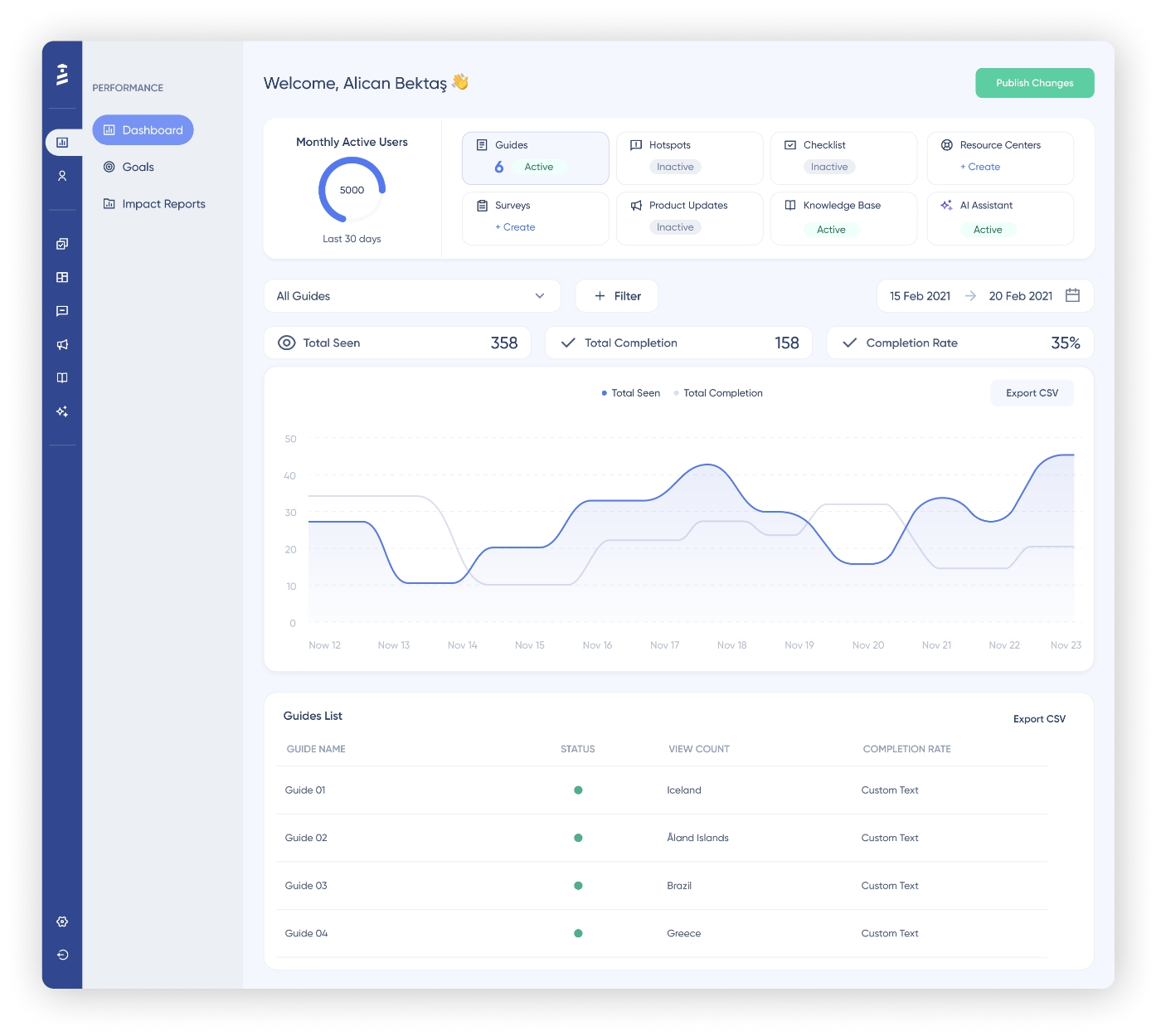
UserGuiding has a modern and user-friendly UI. The code container setup takes less than 15 minutes and under an hour, you can create and go live with your first onboarding flow.
For those who have never used an onboarding tool before, UserGuiding offers contextual in-app guidance and explanations so that there’s little-to-no learning curve, even for the most non-tech-savvy user in your team.
Many UserGuiding users actually say that the platform is so intuitive and easy-to-use that they can implement it without any support from their developers, create materials within minutes, run A/B tests quickly, and even onboard new team members onto the platform easily!
To create a guide, all I need to do is add URL details, triggers, and templates, and I can train any of my team members on creating guides in less than 10 minutes and get the job done. The initial setup took around 30 minutes, which I find reasonable.”
👉🏻 Check out our in-depth UserGuiding use cases and features article for more information.
🎁 You can also start your free trial and check out UserGuiding for yourself.
UserGuiding pricing
UserGuiding has a transparent, MAU-based pricing strategy. There are 3 paid plans (Starter, Growth, Enterprise).
The Starter, Growth, and Enterprise plans are for more comprehensive use cases like product adoption, user education, feature promotion, and user research. All three plans include all the core features/capabilities, like, guides, hotspots, checklists, banners, surveys, resource centers, knowledge bases, product updates, detailed analytics and customization capabilities.
What differentiates one from the other is not the availability of a key adoption feature, but the feature caps and more advanced control settings and admin services.
So, UserGuiding doesn’t hide important features behind more expensive tiers but organizes its pricing tiers based on actual customer needs and account types.
Okay. Now, let’s talk numbers.
The Starter plan starts at $249/mo (when billed yearly) for up to 2,000 MAUs, and the Growth plan starts at $499/mo (when billed yearly) for the same amount of MAUs.
UserGuiding offers a monthly billing option, too.
With the yearly billing, you save 30%, so it’s more advantageous. However, if you prefer a more flexible payment plan, you have that with UserGuiding. In the monthly billing option, the starting price of the Starter plan is $349/mo and that of the Growth plan is $699/mo.
So, you get the idea.
With UserGuiding, you can scale effectively without raising your costs exponentially every 500-1K MAUs, contrary to some other onboarding tools 👀
UserGuiding also doesn’t hide its integrations behind expensive add-on plans. All integrations, except for Salesforce and HubSpot, come with Starter plan. The Growth plan includes Salesforce and HubSpot integrations, as well.
Even AI features (Lighthouse included) are available across all plans.
So, you do not need to pay extra for integrations on top of the subscription cost of the platform.
Who UserGuiding is best suited for
With its customer-centric plans and flexible (and scalable) pricing tiers, UserGuiding offers the best value for money in the onboarding and product adoption market, really.
And that’s not just us claiming that.
Here’s what an ex-Pendo customer says about their recent UserGuiding experience:
The reasonable pricing structure has significantly reduced our software costs and administrative overhead. Integrating well with other software, UserGuiding allowed us to implement additional tools tailored to our specific needs, which collectively resulted in saving $14,000 annually. These integrations and the division of administrative responsibilities are particularly beneficial because, despite some feature overlaps, they allow the support team to use it as a dedicated tool for guiding users through friction points. Overall, UserGuiding has a low initial setup time, a cost-effective structure, and the necessary functionality to support our team's needs effectively. I switched from Pendo to UserGuiding primarily due to cost considerations, as Pendo did not meet our needs efficiently and required excessive administrative effort. UserGuiding is the perfect fit, offering the features we need at a fraction of the cost and administrative complexity. Therefore, I am very likely to recommend UserGuiding, rating it a 9 on the recommendation scale.”
With all that said, UserGuiding is perfect for…
✅ SaaS teams that want to get started fast without relying on developers
✅ Growing companies that need predictable, scalable pricing as their MAU increases
✅ Teams that want an all-in-one tool instead of stitching multiple tools together
✅ Teams that care about ease of use and want to create/update onboarding flows quickly
✅ Companies looking to reduce both tool costs and operational overhead at the same time
Product Fruits
Product Fruits is a no-code product adoption and user onboarding tool designed mainly for small to mid-sized SaaS teams.
Key features of the platform include:
- Tours & guides
- Hints & tooltips
- Checklists
- Pop-ups, banners & newsfeeds
- Surveys & feedback widgets
- Knowledge bases
- AI assistants and Copilot, Elvin

Product Fruits has a fairly simple and straightforward UI. It’s easy to get started with, and most teams can launch their first onboarding elements without much friction.
That said, some users mention that while Product Fruits covers the core onboarding needs well, it can feel a bit limited when it comes to more advanced capabilities like segmentation or analytics.
Product Fruits pricing
Product Fruits also follows an MAU-based pricing model. They offer 3 plans: Starter, Pro, and Business. All the core features (except for surveys and private knowledge bases) are included in all 3 of the plans, with different feature caps, of course.
So, similar to UserGuiding, Product Fruits, too, does not hide its key capabilities behind higher pricing tiers.
Their integrations, though, are not included in all plans.
The Starter plan doesn’t include almost any of the analytics, CRM, and customer support integrations. It only comes with basic integrations like, GA, Heap, Slack, and Active Campaign. Mixpanel, Segment, Zapier, Typeform, Segment (all of which are included in all of the paid plans of UserGuiding, mind you 👀) are not in the Starter plan but come with the Pro and Business plans.
Here are the starting prices of Product Fruits’ plans (when billed yearly):
- Starter plan: $111/mo
- Pro plan: $187/mo
- Business plan: $374/mo
These are all for up to 1,500 MAUs.
When you increase the MAU limit from 1,500 to 3,000 MAUs (when billed yearly), these numbers increase to $149/mo, $224/mo, $524/mo, respectively. And from 3,000 MAUs to 5,000 MAUs, the starting prices of the 3 plans increase to $224/mo, $337/mo, $674/mo, respectively.
All these numbers are for the yearly billing option. Product Fruits, similar to UserGuiding, allow for monthly billing, too. In that case, the starting prices of the plans for up to 1,500 MAUs become $149/mo, $249/mo, and $499/mo, respectively.
So the yearly billing option saves around 25% in the long run.
Who Product Fruits is best suited for
With its simplicity and relatively accessible pricing, Product Fruits is a solid option for…
✅ Early-stage startups that need a quick and easy onboarding setup
✅ Companies that want core onboarding features without too much complexity
✅ Teams that prioritize ease of use over advanced customization or personalization
Userflow
Userflow is a no-code user onboarding and product adoption tool that focuses on simplicity.
Key features of the platform include:
- Product tours
- Checklists
- Surveys
- Resource centers
- Banners
- Announcements
- FlowAI assistant
[Userflow dashboard.]
Userflow is known for its minimalistic interface. The builder is intuitive, and creating flows feels fast and smooth. Similar to Product Fruits, you don’t really need technical help to get started, and most teams can go live pretty quickly.
Users also particularly like about Userflow’s Smartflow and FlowAI features.
Userflow pricing
Userflow has an MAU-based pricing structure with 3 plans: Startup, Pro, and Enterprise. In all 3 plans, all the core features (guides, checklists, hotspots, banners, and announcements) are included and unlimited.
Yes. Unlimited.
Userflow doesn’t have any usage caps that change from plan to plan for these features.
So, what differentiates plans from one another is how much advanced capabilities they come with. For example, certain FlowAI capabilities, CSS-level customization capabilities, advanced reporting and analytics capabilities are not included in the Startup plan.
Do you want control over analytics dashboards? AI-created flows? Custom CSS? Then let’s take you to Pro or Enterprise tiers. The number of surveys and resource centers you can creat with the Startup plan is also limited and you cannot create embedded checklists.
But anyway. Here are the starting prices of the plans:
- Startup plan: $240/mo (billed yearly) for up to 3,000 MAUs
- Pro plan: $680/mo (billed yearly) for up to 10,000 MAUs
Userflow, too, has monthly billing option. In that case, the starting prices of the 2 plans increase to $300/mo and $850/mo, respectively.
As you can see, Userflow follows a different MAU scaling model, where each tier is tied to a specific MAU range. So, if you don’t have a high MAU count but still want the features and admin controls that come with the Pro plan, you’ll end up paying for a lot of unused MAU quota.
On the other hand, Product Fruits’ Pro plan increases in price every 5,000 MAUs after 10,000 MAUs. The pricing isn’t the most budget-friendly, but the wider MAU ranges might actually work in your favor, depending on your growth.
Who Userflow is best suited for
✅ Companies with high MAU counts
✅ Teams that are mainly focused on in-app onboarding (and don’t need off-app communication or support tools)
✅ Teams with high onboarding activity across multiple flows and segments
Hopscotch
Hopscotch is a no-code (and partially low-code) product adoption platform that focuses on in-app onboarding and user engagement.
Key features of the platform include:
- Product tours & guides
- Tooltips & hotspots
- Modals & announcements
- Surveys
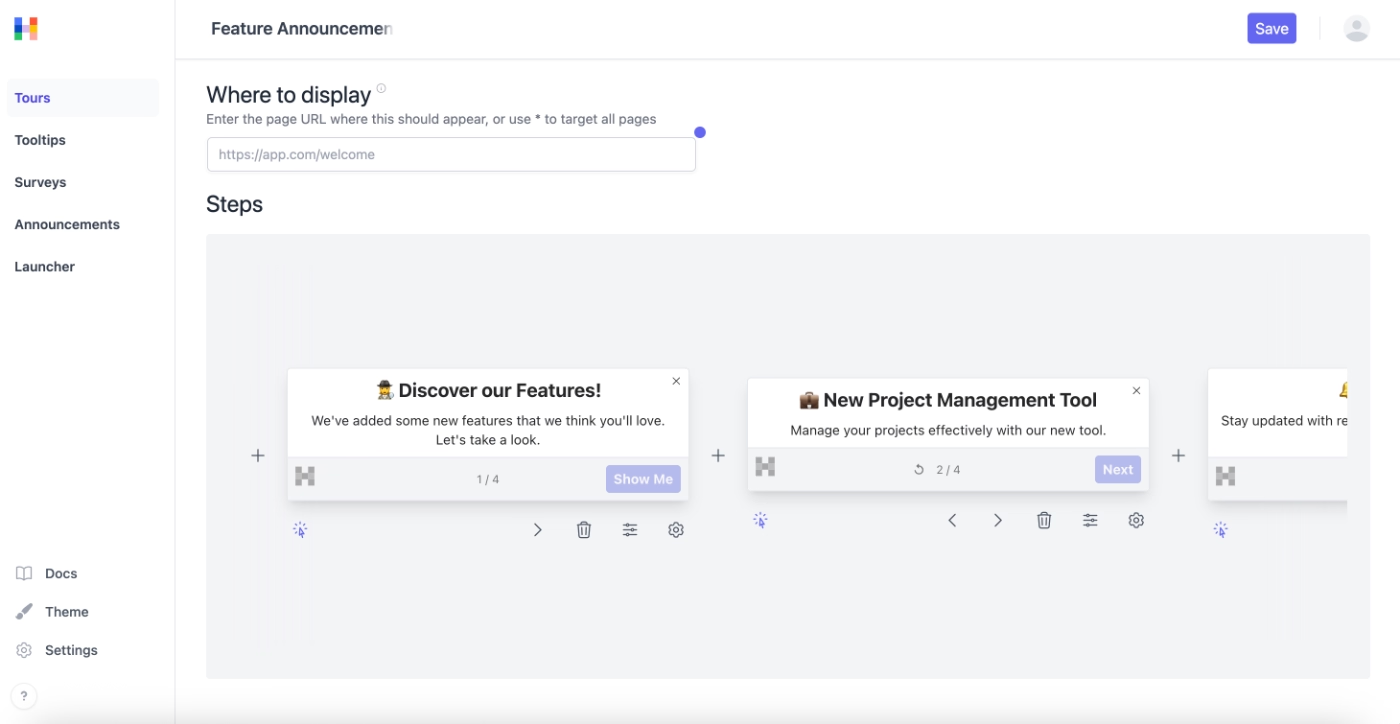
Hopscotch allows for deeper customization and more control over how onboarding experiences look and behave inside your product.
That said, with this flexibility comes a bit more complexity. It’s not the most “plug-and-play” tool out there, and you might need a bit more time (and sometimes technical help) to fully utilize its capabilities.
A lot of the more advanced controls like button behavior and language settings come from working with the browser SDK.
Hopscotch pricing
Hopscotch has three plans: Starter, Growth, and Enterprise.
- Starter: $99/mo for up to 3,000 MAUs
- Growth: $249/mo for up to 10,000 MAUs
All plans include unlimited product tours and in-app messages, so the core onboarding features aren’t capped.
However, MAU limits are fairly rigid, the plans don’t seem very flexible or scalable as your user base grows.
Advanced features, like custom property-based segmentation, and most integrations, are only included in the Growth plan and above, so teams on Starter may need to upgrade if they want deeper targeting or external tool connections.
Who Hopscotch is best suited for
✅ Product teams that are okay with a slightly steeper setup process
✅ Companies that prioritize flexibility over plug-and-play simplicity
✅ Teams that don’t have fluctuating or rapidly growing MAU bases
Produktly
Produktly is a product adoption and product-led growth platform designed for teams that want in-app guidance, user engagement, analytics, product planning, and user feedback in one place.
The platform’s key features include:
- Product tours
- Checklists
- Tooltips
- Announcements
- Surveys, NPS widgets, and feedback widgets
- Changelogs
- Roadmaps
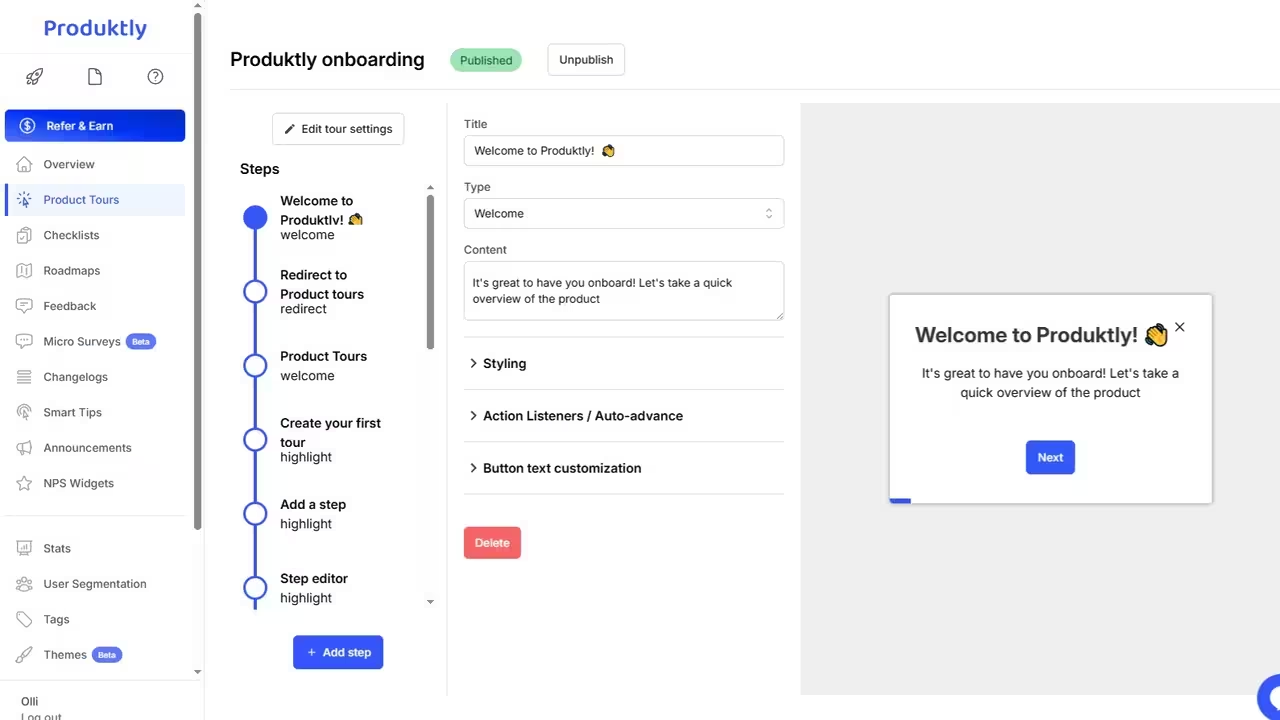
Produktly is technically no-code, so in theory you shouldn’t need developers to get started.
In practice, however, the documentation and support pages are quite technical and they often include code snippets and developer-oriented instructions... This can make onboarding yourself onto the platform a bit tricky, especially if your team is completely non-technical.
So while the platform is powerful, especially considering it’s a both onboarding and product planning solution, the learning curve can be steeper than with other no-code tools.
Produktly pricing
Produktly offers three plans: Developer, Startup, and Growth, with both monthly and yearly billing options.
Yearly billing starting prices:
- Developer: $16/mo
- Startup: $50/mo
- Growth: $166/mo
Monthly billing prices:
- Developer: $19/mo
- Startup: $59/mo
- Growth: $199/mo
All plans include access to all features, but feature caps differ significantly.
For example, the Developer plan includes 5 product tours, 2 checklists, 1 roadmap, and 10 smart tips, while the Startup plan raises these limits significantly (unlimited product tours and checklists, 5 roadmaps, 10 smart tips), and the Growth plan makes almost everything unlimited.
Produktly pricing is also based on triggers and views rather than MAU.
The Developer plan allows 2,000 triggers and 50,000 views per month, the Startup plan supports 7,500 triggers and 200,000 views, and the Growth plan handles 50,000+ triggers and over 1,000,000 views per month.
Who Produktly is best suited for
✅ Teams that are budget-conscious
✅ Teams that don’t mind a steeper learning curve and can handle some technical setup
✅ Teams that want a full solution for both onboarding and product planning in one platform
Intercom
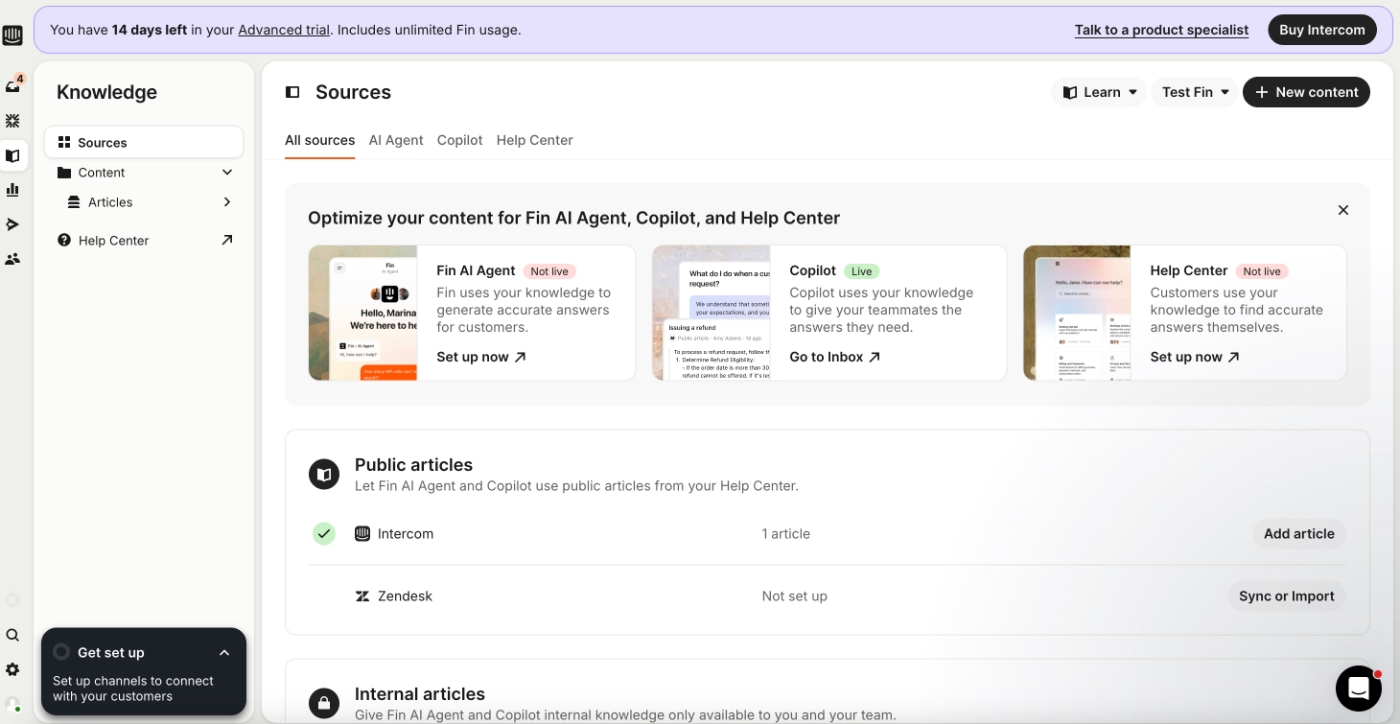
Intercom is a customer communication platform that focuses mostly on automated and self-serve customer support. While it’s not a dedicated onboarding tool, you can still use it for onboarding flows and product announcements (to some extent), as well.
The platform’s main capabilities include:
- Inbox
- Tickets
- Help center
- Copilot and Fin
- Product tours and tooltips
- Checklists
- Carousels (for mobile app)
- Surveys
Intercom pricing
Intercom’s pricing is not strictly MAU-based and can get a bit complex. It typically combines seat-based pricing (for your team) with usage-based pricing (based on contacts, messages, or features).
There are three main plans: Essential, Advanced, and Expert.
- Essential: starts at $29/seat/mo (billed yearly)
- Advanced: starts at $85/seat/mo (billed yearly)
- Expert: starts at $132/seat/mo (billed yearly)
All plans include core communication features like live chat, in-app messaging, banners, and tooltips. However, if you’d like to get access to the rest of the “onboarding” capabilities Intercom offers, you need to get the Proactive Support Plus add-on, which starts at $99/mo.
This add-on includes:
- Product tours, checklists, and surveys
- Push notifications and mobile carousels
- News items and posts
- Series (campaign) builder and A/B testing
So, if you’re planning to use Intercom specifically for onboarding and engagement (not just support), this is an extra cost you’ll need to factor in on top of the base seat pricing.
Intercom has a seemingly budget-friendly pricing structure. However, depending on your feature needs, team size, communication channels, and AI usage (like Fin resolutions), costs can add up pretty quickly.
Who Intercom is best suited for
✅ Customer support teams already using Intercom for their support workflows
✅ Teams that want strong self-serve support and AI agent capabilities
✅ Smaller teams with fewer seats and lower AI (Fin/Copilot) usage, so costs stay manageable
Userpilot
Userpilot is a no-code product growth and user onboarding platform that also offers mobile engagement capabilities.
Key features of the platform include:
- Product tours
- Tooltips and hotspots
- Checklists
- Modals and banners
- Surveys and NPS
- Resource center
- Session replay
- Email messaging (currently in BETA)
- Product engagement analytics and reporting
- Event tagging and tracking
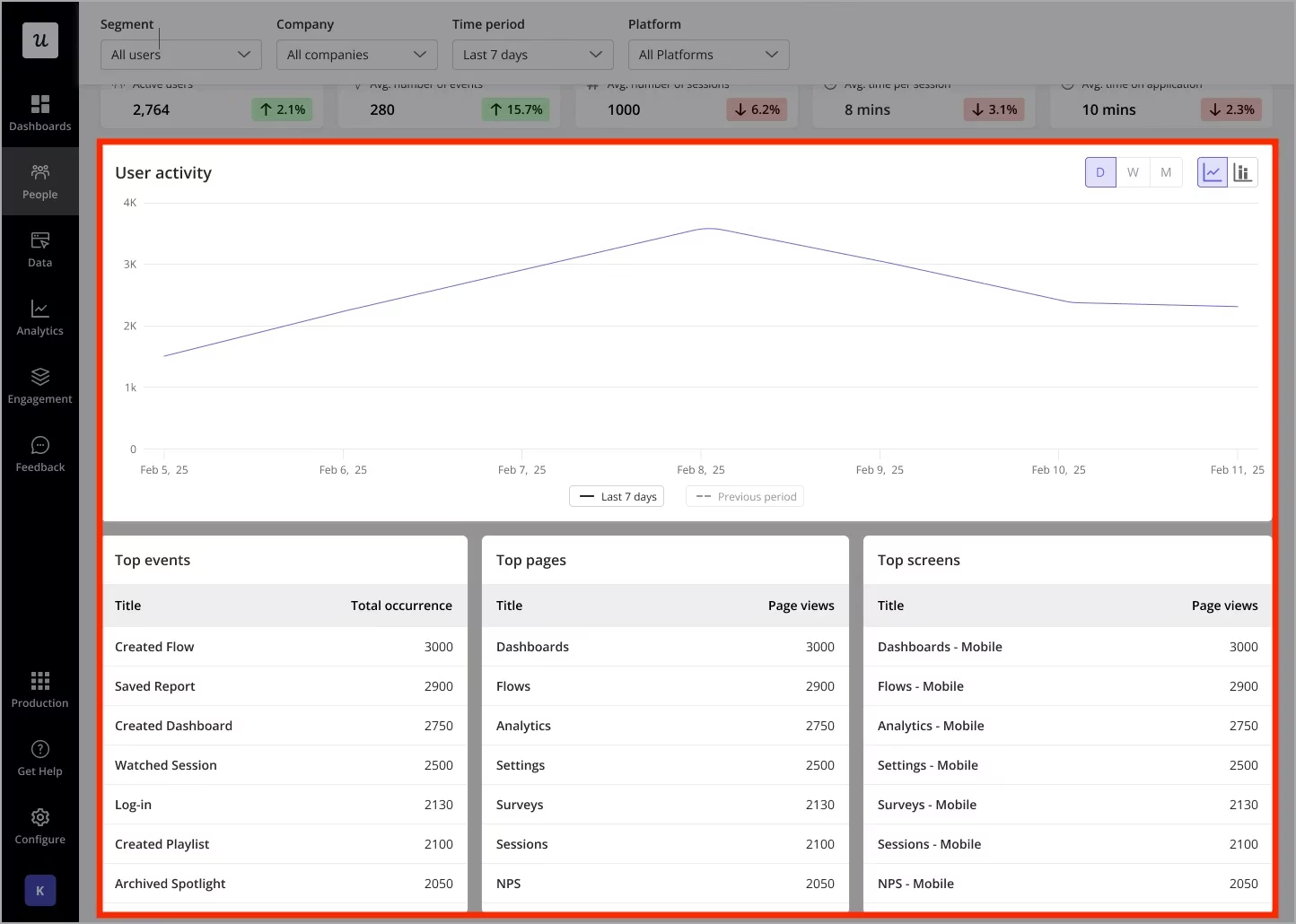
Userpilot’s analytics and reporting capabilities are more advanced than some of the more basic, engagement-focused alternatives we’ve covered so far, like Intercom, Userflow, and Product Fruits. Its event tracking, session recording, detailed segmentation, and multiple reporting views make it a strong option for teams that are looking for deeper analytics within their onboarding solution.
Userpilot pricing
Userpilot has three plans: Starter, Growth, and Enterprise, but only the Starter plan has information regarding its starting price…
- Starter: starts at $299/mo (billed yearly) for up to 2,000 MAUs
- Growth: custom pricing, starting from 5,000 MAUs
- Enterprise: custom pricing, starting from 10,000 MAUs
The Starter plan includes core onboarding and analytics features like in-app engagement, user segmentation, usage tracking, and NPS surveys.
With the Growth plan, you get more advanced capabilities, such as advanced product analytics, event autocapture, resource centers, and email engagement. Add-ons like session replays and mobile engagement are also introduced here, but they come at an extra cost.
So while Userpilot offers strong analytics capabilities and mobile app support –which can be hard to find with other onboarding solutions–, most of the more advanced features are only available in higher-tier (and non-transparent) plans.
This makes it harder to estimate the total cost upfront.
You also can’t really scale with the Starter plan, and depending on your MAU, you might not even be able to start with it due to the strict 2,000 MAU limit…
Userpilot also doesn’t offer a monthly billing option, which means you’re locked into at least a yearly contract (if not longer), making it less flexible compared to other tools.
Who Userpilot is best suited for
✅ Product teams that rely heavily on analytics and user behavior data
✅ Mid-sized to larger SaaS companies with high budgets
✅ Teams that need mobile support or email communication as part of their onboarding strategy
Userlane
Userlane is a no-code digital adoption platform (DAP). It’s used not just for customer onboarding, but also for employee training and internal tool adoption.
Key features of the platform include:
- Interactive step-by-step guides
- Tooltips and in-app instructions
- Announcements and surveys
- User segmentation
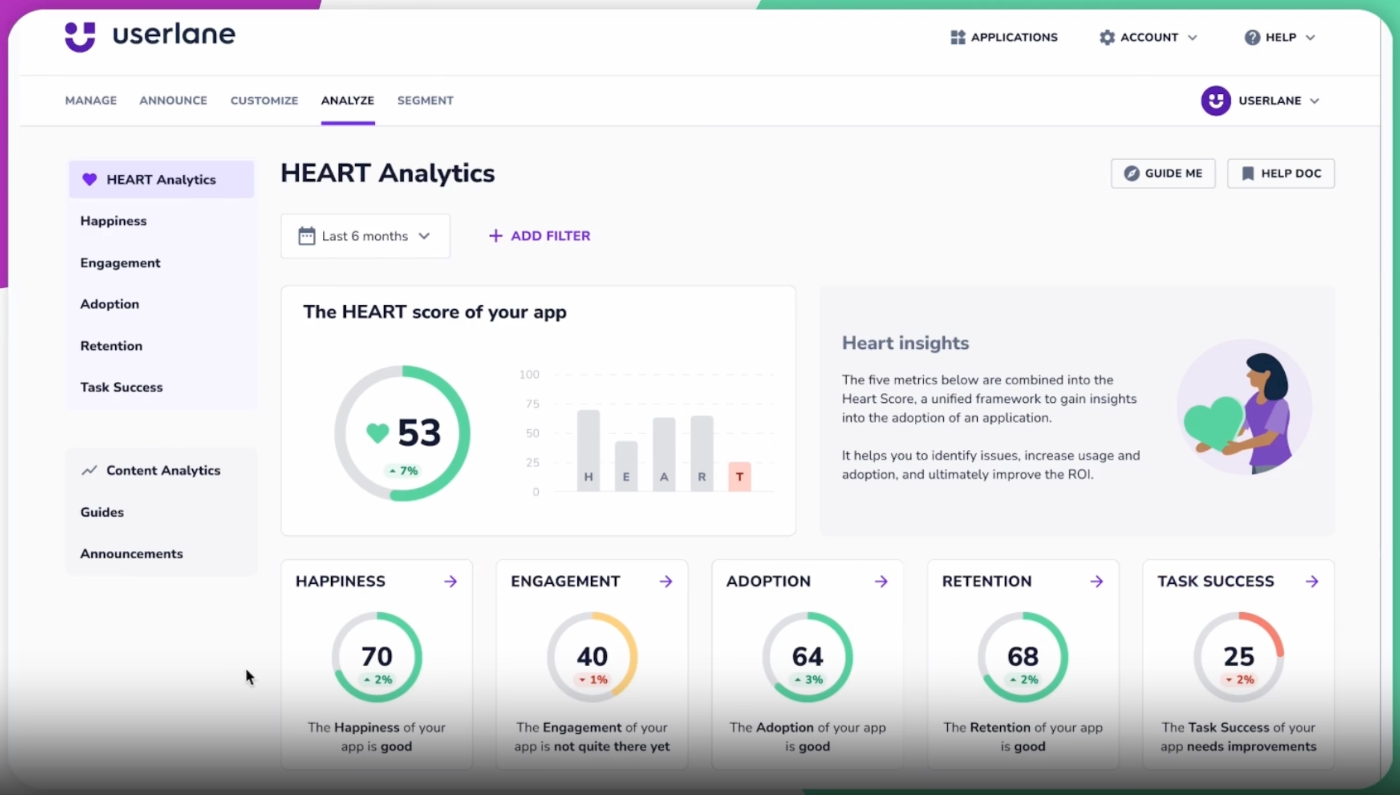
- Behavioral analytics and reporting (both for onboarding material engagment and internal software adoption monitoring)
Userlane pricing
Userlane gives you pretty much nothing in terms of pricing transparency…
No pricing tiers. No MAU-based scaling. No monthly vs yearly billing info. No feature caps.
You have to go through sales and get a custom quote. And it’s not like you’re choosing between predefined tiers either; everything is tailored, so there’s no clear baseline to compare against other tools.
What you do get is a list of included capabilities, which are fairly comprehensive:
- Unlimited in-app guides, tooltips, and announcements
- Advanced targeting and full design customization
- Analytics like user adoption tracking and custom audience insights
So, from a feature perspective, it’s clearly positioned as an enterprise-grade solution.
Howeveri considering the platform’s heavy focus on analytics and change management, not having separate plans for customer onboarding can mean you end up paying for capabilities you don’t actually plan to use.
Plus, from a cost perspective, the lack of transparency makes it one of the hardest tools to evaluate.
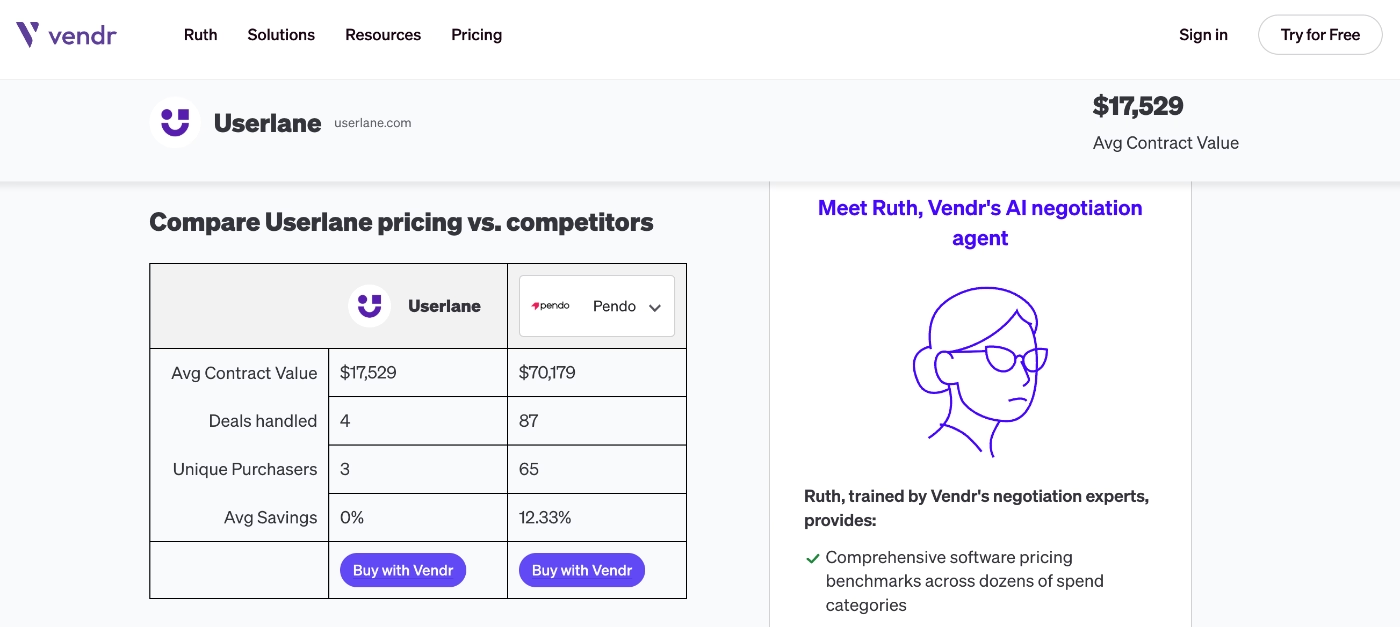
According to Vendr data, the average contract value of Userlane is $17,529.
Who Userlane is best suited for
✅ Enterprise teams with complex workflows and processes
✅ Teams focused on employee training or internal tool adoption
✅ Organizations that can handle custom pricing and longer sales cycles
Appcues
Appcues is a customer engagement platform that offers features and capabilities for not only user onboarding but also for mobile app experiences and email communications.
Key features of the platform include:
- Flows, tooltips, pins
- Checklists
- Lauchpads
- Surveys
- Automated workflows (especially for email communications)
- Push notifications
- Mobile experiences
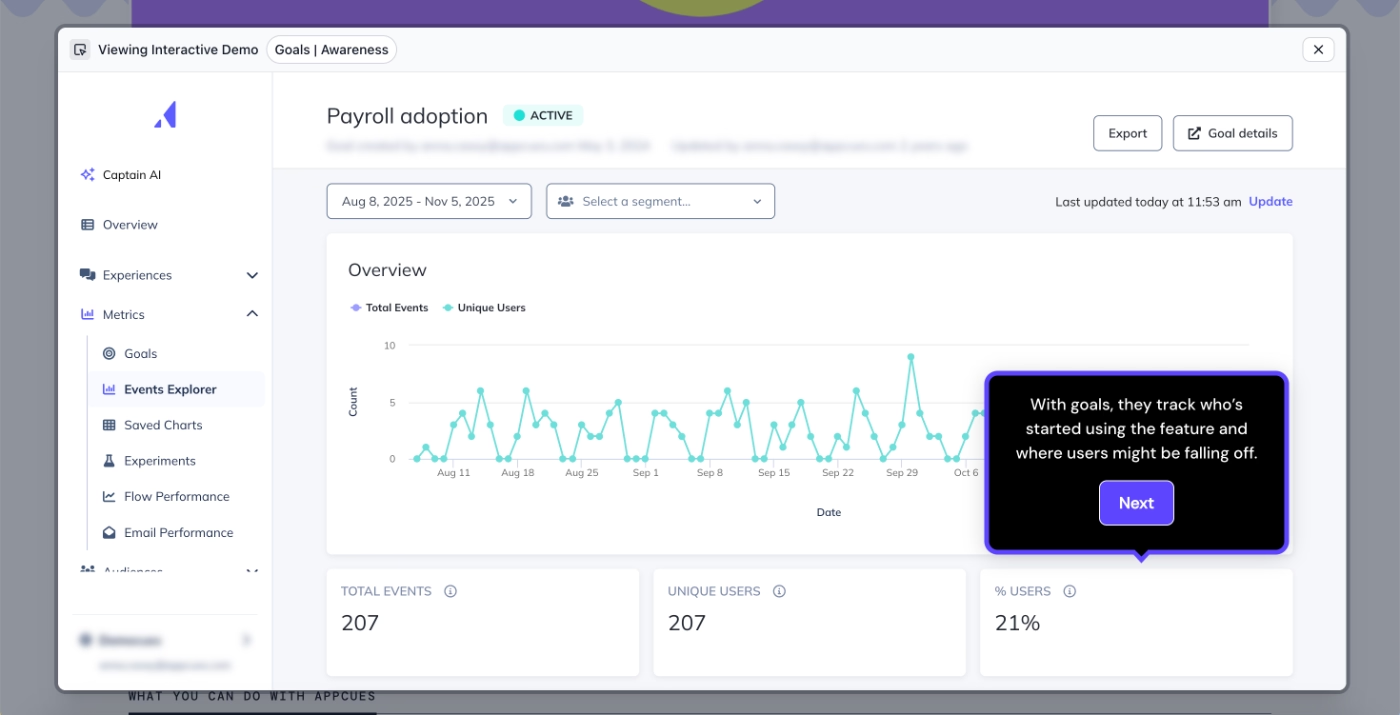
- Event tracking and analytics
- Appcues AI (advisor, delivery specialist, segmentation planner, experience builder, growth analyst)
Appcues pricing
Appcues has two main plans: Grow and Enterprise, and pricing is based on Monthly Active Users (MAU).
- Grow plan: starts at $750/mo (billed yearly) for 1 app
- Enterprise plan: custom pricing
The Grow plan includes access to all experience types, integrations, Appcues AI, and up to 100 published experiences. The Enterprise plan increases these limits (like up to 150 experiences) and adds more advanced support, security, and multi-product capabilities.
That said, there are a few important things to consider:
There’s no monthly billing option, so you’re locked into annual contract, and pricing is not very flexible, as there are only 2 tiers, one being an enterprise plan…
If you ask how the cost of the Grow plan increases as you scale your MAU, from 1,000 to 2,000 MAUs, the starting price increase to $800/mo, from 2,000 to 3,000 MAU, it becomes $850/mo, from 3,000 to 4,000 MAU, it becomes $900/mo.
So, the MAU ranges are pretty narrow.
If you have a larger user base, costs can ramp up pretty quickly.
And if you’re planning to use Appcues for a mobile app as well, that’s counted as a separate app, as these prices are for just one app, your total cost can increase even further.
Who Appcues is best suited for
✅ Companies that need both in-app onboarding and multi-channel engagement
✅ Mid-sized to larger SaaS companies with budget flexibility
✅ Product teams that will make use of advanced features and AI capabilities
Chameleon
Chameleon is an AI and automation-focused product adoption platform that offers all the standard onboarding capabilities as well as AI agents and a lot of integrations/automation recipes.
The main offerings of the platform include:
- Product tours and tooltips
- Banners
- Checklists
- Resource centers
- Surveys
- Embeddables
- In-app navigation shortcuts (CMD + K search)
- Interactive demos
- Copilot and Ranger (Chameleon’s AI agents)
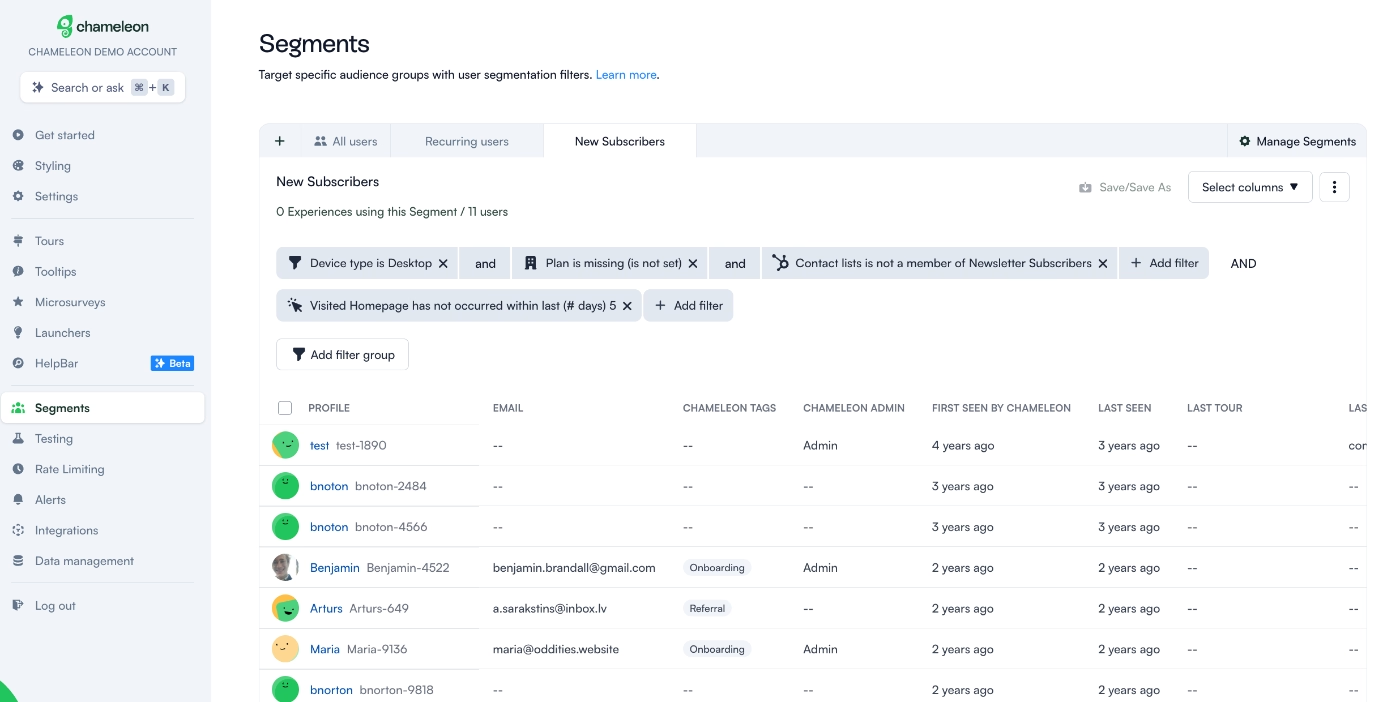
Chameleon’s Copilot automates the creation of in-app experiences like tours, surveys, and announcements by analyzing your product and usage data.
Meanwhile, Ranger helps manage and maintain your Chameleon account. It runs weekly scans to identify outdated or low-engagement experiences, unused audiences, improperly named tours or segments, and inactive teammates.
Ranger is available on the Growth and Enterprise plans, while Copilot comes with the Startup plan, as well.
Chameleon pricing
Chameleon’s pricing scales with Monthly Tracked Users (MTUs) and there are three main plans: Startup, Growth, and Enterprise.
- Startup: from $279/mo (for up to 2,000 MTUs), includes unlimited tours and tooltips, 5 microsurveys, 1 launcher, custom CSS, and access to Copilot. Perfect for small teams just getting started with automation.
- Growth: from $15K/year (for up to 1,000 MTUs), adds unlimited experiences, AI interactive demos, A/B testing, and the Governance suite. This plan also includes Ranger, Chameleon’s agent that automatically cleans up outdated content, unused audiences, misnamed tours/segments, and inactive teammates.
- Enterprise: custom pricing, includes everything in Growth plus unlimited seats, advanced roles and permissions, and localization.
There’s an MAU slider on Chameleon’s pricing page, so you can calculate your potential cost.
The tool doesn’t scale in a very budget-friendly way.
For example, moving from 2,000 to 3,000 MTUs, the Startup and Growth plans increase to $354/mo and $19K/year, respectively. From 3,000 to 4,000 MTUs, they rise further to $429/mo and $20K/year.
Billing options also vary.
The Startup plan offers a monthly billing option (no yearly contract on the pricing page), while the Growth plan is only available with yearly billing.
Who Chameleon is best suited for
✅ Teams with extensive integration needs, as Chameleon offers a wide range of integrations and automation recipes
✅ Teams that are less budget-conscious and comfortable with yearly contracts
✅ Teams that want advanced AI capabilities, like Copilot for in-app experiences and Ranger for account maintenance
Pendo
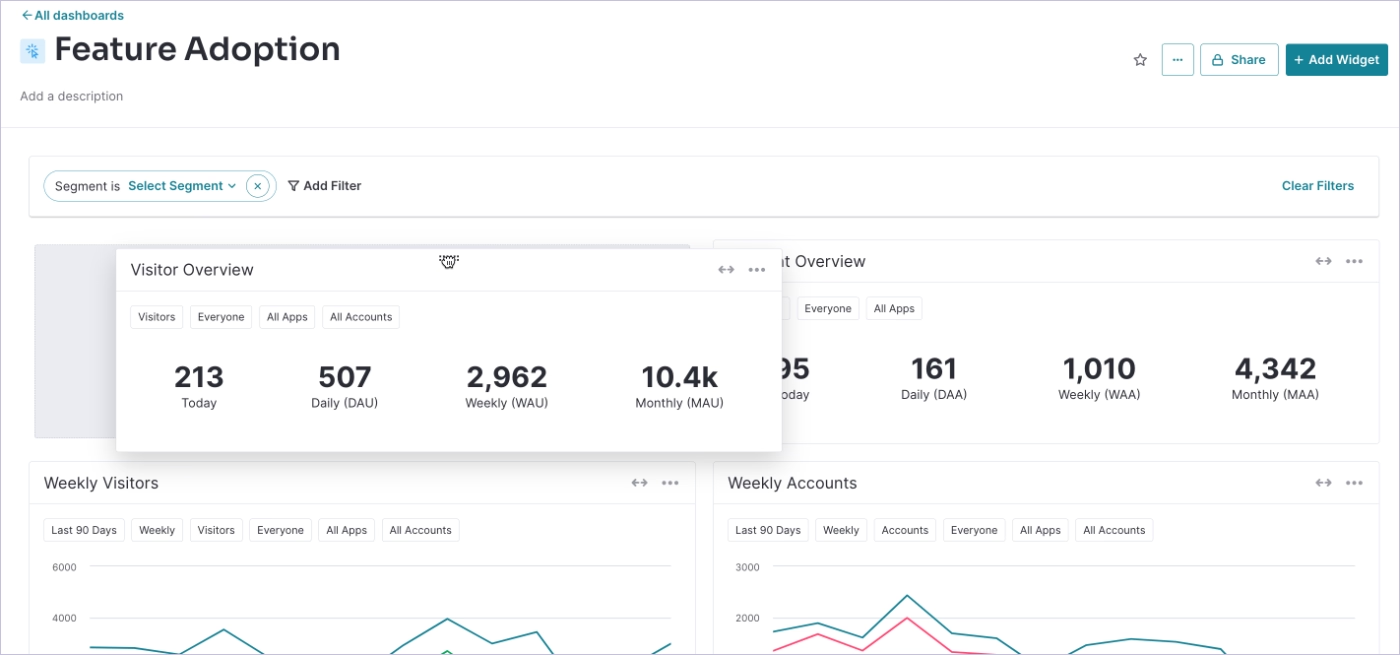
Pendo is an enterprise‑grade product experience and analytics platform that combines deep product usage insights with in‑app guidance and feedback tools.
The main features of the platform include:
- Guides
- Surveys
- Analytics
- Session replay
- Pendo Listen (roadmaps, feedback sentiment analytics, idea prioritization)
- Pendo orchestrate (UX and email journey management)
- Pendo predict for churns and upsells
- Pendo agent analytics
- Mobile app experiences
Pendo pricing
Pendo’s pricing is mostly custom and quote-based, so you need to contact sales for an exact number. That said, there’s also a free plan called Pendo Free, which includes basic product analytics, in-app guides, and Pendo-branded NPS surveys.
The free plan can also be used for up to 500 MAUs, only, so it’s not a very suitable option for many teams…
Pendo’s base plan doesn’t add much beyond the Free plan in terms of features.
It mainly gives you the potential to scale your MAUs and the ability to purchase add-ons. Core functionality like session replays, surveys, sentiment analysis, idea validation, and journey orchestration are mostly sold separately as add-ons. Even with the Core plan, session replays are included, but everything else still requires an extra purchase.
This means that even at higher tiers, you don’t automatically get a comprehensive suite of product planning, advanced analytics, or user research tools, you have to actively buy these capabilities.
API access also comes as an add-on, and every plan, including the Ultimate plan, is limited to just one integration by default. For companies with multiple integrations or significant data needs, these limitations can add substantial costs on top of the base subscription.
Overall, Pendo’s pricing structure is highly flexible in theory, but in practice, the add-ons and integration limits make it a platform where the total cost can grow pretty quickly.
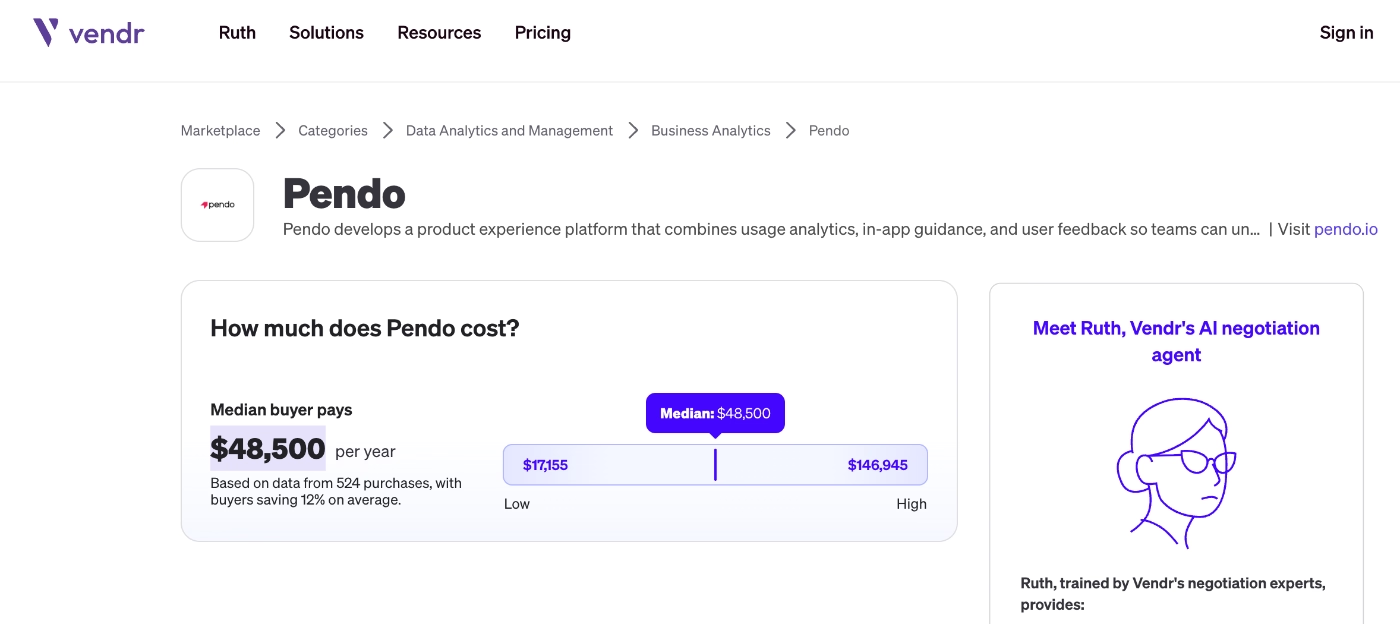
And if you’re wondering what is the average cost of the platform, with all these add-ons and extra invisible costs, according to Vendr data, it’s $48,500/yr.
Many Pendo customers report that contract renewals can be opaque and stressful.
Renewal rates, discounts, and MAU caps can vary widely, and some teams mention that Pendo doesn’t provide an easy way to monitor MAU usage during the term. This means your plan could be adjusted (or costs increased) without much warning.
Plus, negotiations around multi-year contracts can be long and complex, and your outcomes may depend heavily on your negotiation skills. So, if you’re comfortable navigating these discussions, you might secure favorable terms, but for teams without experience in enterprise software negotiations, it can be difficult to feel confident that you’re paying a fair price...
Who Pendo is best suited for
✅ Enterprise teams that need a combined platform for user research, engagement, and product planning
✅ Organizations with dedicated budgets for add-ons and integrations
✅ Companies with strong contract negotiation capabilities, given the opaque renewal and pricing processes
Whatfix
Whatfix is an AI-powered digital adoption platform (DAP) that offers multi-platform support (web, desktop, OS, and mobile) desktop for in-app guidance and support.
The main offerings of the DAP platform include:
- Flows
- Beacons and smart tips (tooltips)
- Task lists (checklists)
- Popups
- Launchers
- Self help wiki (resource center)
- Surveys
- AI agents
- WhatfixAI (material creation, insights, simulations for employee training)
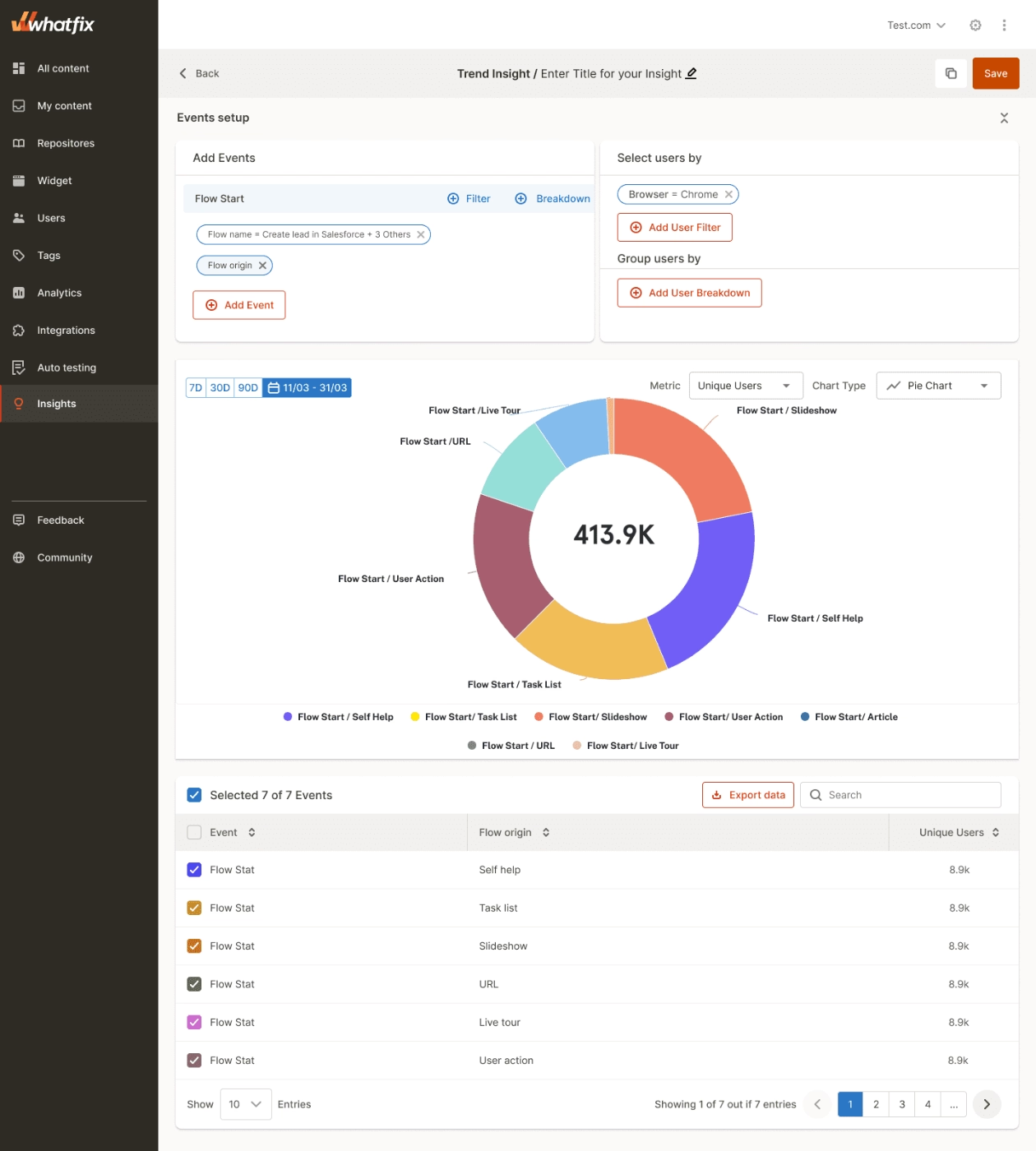
In addition to the main DAP platform, Whatfix also offers Product Analytics and Mirror, both of which have their own separate pricing and plans.
Whatfix pricing
Whatfix does not publish transparent pricing on its website. Pricing is custom and quote‑based.
For the Whatfix DAP, pricing also depends not just on your plan but also on the platform or app you want to implement it on. For Web & Desktop apps, there are three tiers, Standard, Premium, and Enterprise. For Mobile and OS, there’s only one plan available per platform.
It’s unclear whether there are strict feature caps in Whatfix’s Web & Desktop plans.
Standard only includes out-of-the-box surveys (no custom surveys), manual translations instead of automated, basic analytics, and fewer templates and only 2 integrations. Essentially, with the Standard plan, you can handle only the core features, and even then, not all of them…
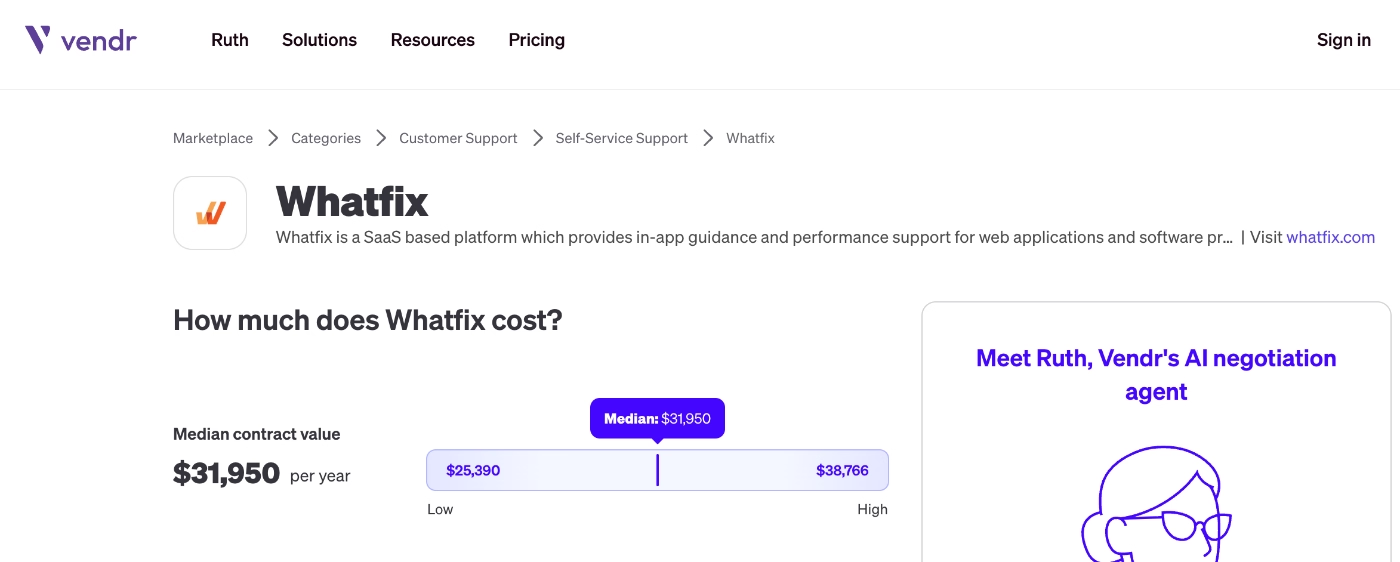
According to Vendr data, the average cost of the platform is around $32,000/yr.
Who Whatfix is best suited for
✅ Organizations with the budget and internal resources to manage a more complex DAP implementation
✅ Teams that are comfortable with a sales‑driven pricing process and custom contracts
✅ Teams that need digital adoption tools across web, desktop, and mobile platforms
WalkMe
WalkMe is a digital adoption platform (DAP) that offers features and capabilities for both user onboarding and employee onboarding. The platform also has use cases for change management, digital transformation, employee productivity, support, and AI adoption.
The platform’s main features include:
- Walkthroughs and stories (automatically created guides from documentation)
- SmartTips (hotspots and tooltips)
- ShoutOuts (announcement modals and popup messages)
- Tasks (checklists)
- NPS, CSAT, and custom surveys
- WalkMe Menu
- ActionBot
- Event tracking and session streams (replays)
- Predictive analytics
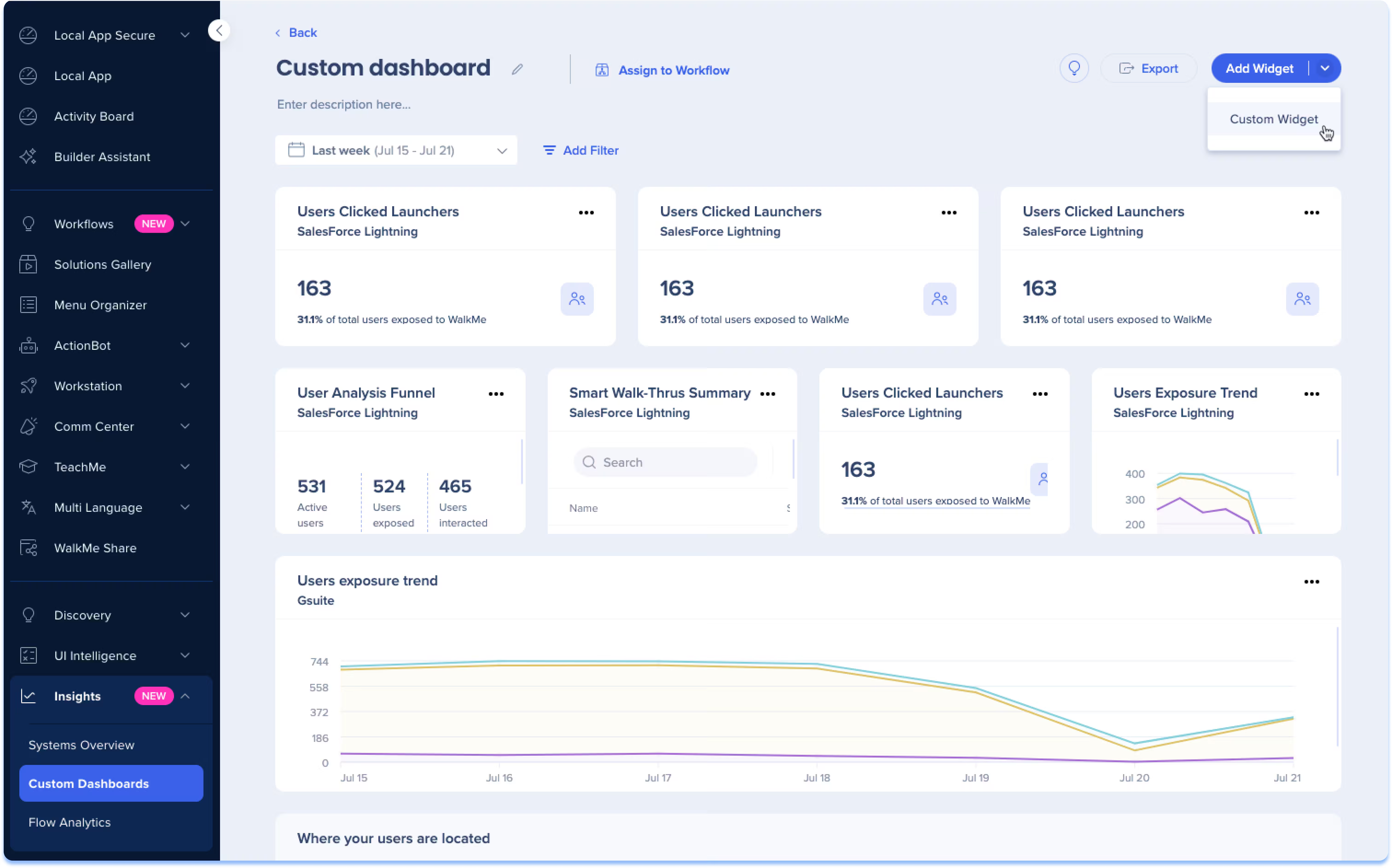
👉🏻 You can check out our in-depth analysis of WalkMe use cases and features for more information.
WalkMe pricing
WalkMe does not publish transparent pricing. There are mainly 2 plans, WalkMe for Customers and WalkMe for Employees, but neither has any starting prices or MAU calculators.
Based on customer reviews and comments on the internet, what influences the price is…
- Number of users/seats
- Contract length
- Access to advanced features, AI capabilities, and employee productivity tools
- Enterprise-level security and control features
- Mobile app support
- Customization, integration needs, and level of service
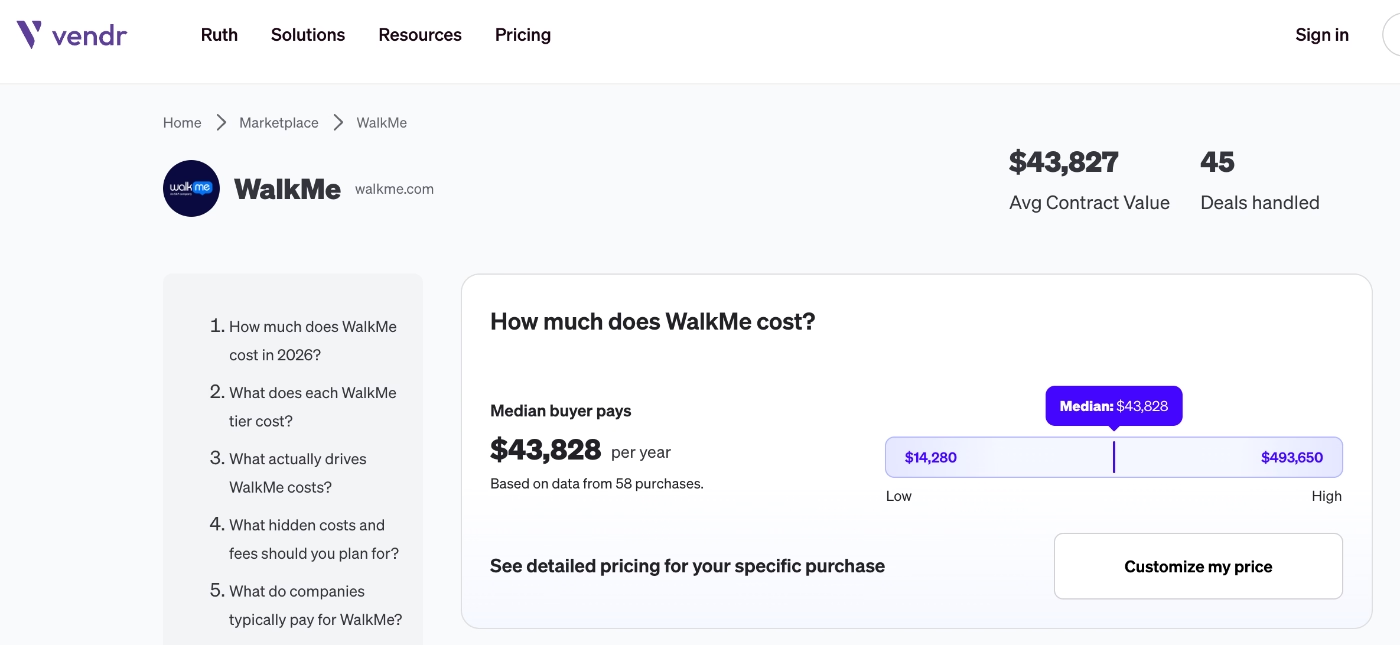
According to Vendr data, the average cost of the platform is around $44,000/yr.
👉🏻 You can check out our in-depth WalkMe pricing breakdown to read more about how WalkMe customers feel about the plans and contract negotiations.
Who WalkMe is best suited for
✅ Large enterprises with complex internal software systems or customer-facing applications
✅ Teams needing employee onboarding and productivity solutions
✅ Organizations driving digital transformation, change management, or AI adoption
✅ Teams prepared for enterprise-level pricing and multi-year commitments
Free Onboarding Software in 2026: What’s the Catch?
We’ve covered different no-code onboarding tools with different strengths and weaknesses, ranging from limited freemium plans and 2-figure monthly plans to 5–6 figure yearly contracts.
But there are also “free” tools to create onboarding flows.
Free in the sense that you don’t subscribe to a paid platform like the ones we’ve just covered. But they also come with certain “costs”...
A lot of coding and technical maintenance
Most free onboarding solutions are either open-source libraries or fully custom-built flows. Which means you (or your developers) have to build everything yourself.
Want a tooltip? You code it.
Need a product tour? You build the logic, triggers, UI, and state management from scratch.
Need to update a step? Back to your developers again.
So while you’re not paying for a tool, you’re paying with developer time, which is usually much more expensive in the long run.
No AI/automation capabilities
Unlike modern onboarding platforms, free solutions don’t come with built-in AI or automation.
There’s no:
- AI-generated flows or content
- Smart targeting or behavior-based triggers out of the bo
- Automated insights or recommendations
Everything is manual.
So while paid tools are increasingly handling the “heavy lifting” with AI, free solutions leave all of that work to your team.
Limited analytics
Analytics is where free tools fall short the most.
At best, you might track basic events like “User clicked next step” or “User completed the tour”. But deeper insights require additional tools or custom tracking setups.
This often means stitching together data from tools like analytics platforms, databases, or custom dashboards. And even then, getting a clear picture of onboarding performance can be difficult.
So while free tools help you build onboarding, they don’t really help you measure or improve it effectively.
👉🏻 If you’re okay with all these drawbacks, here are 7 best free open source user onboarding software.
How to Calculate Onboarding ROI for Your SaaS
When evaluating onboarding tools, ROI isn’t always about revenue. “Value” can mean different things depending on your goals, like higher feature adoption, more in-app engagement, better trial conversion, fewer support tickets, or improved NPS and user feedback.
That said, a simple way to estimate ROI is:
ROI = (Reduction in Churn % × LTV) − Software Cost
To understand and influence this, you’ll want to track key onboarding metrics such as:
- Time-to-Value: How quickly users reach their first meaningful value moment
- Activation Rate: Percentage of users completing key onboarding steps
- Feature Adoption: How many users engage with core features
In short, ROI depends on what success looks like for your product, but faster activation and better retention are usually at the center of it.
👉🏻 Read more about how to calculate and improve LTV.
Conclusion
There are many onboarding solutions out there, and they all come with very different trade-offs.
Some are more affordable but offer limited capabilities. Others are powerful but come with high price tags, steep learning curves, or long-term contracts. Some tools are flexible and scale nicely with your growth, while others lock you into rigid plans that don’t really match how your user base evolves.
So… there’s no one perfect solution for every team.
As much as every platform tries to be the one, it really depends on what you actually need, and how much complexity (and cost) you’re willing to take on.
That said, there are tools that strike a better balance across different use cases.
UserGuiding is one of them.
With its transparent, scalable, and customer-centric pricing, quick implementation, and comprehensive all-in-one toolkit, UserGuiding offers strong value for its price.
🚀 Start your free trial and see the value it offers for yourself!
Frequently Asked Questions
How does pricing scale for onboarding software as the monthly active users (MAU) increase?
Most onboarding tools use MAU-based pricing, meaning your costs increase as your user base grows. Some platforms offer smooth, predictable scaling, while others have steep jumps between tiers. For example, Userflow offers broader MAU ranges within its plans, which can give you more flexibility as you grow. On the other hand, Appcues increases pricing in smaller steps (like every 1,000 MAUs), which can lead to more frequent cost increases as your user base expands.
Which onboarding tools offer the best no-code features for non-technical teams?
Tools like UserGuiding, Product Fruits, and Userflow stand out for their strong no-code capabilities. They offer intuitive builders, templates, and visual editors that let non-technical teams create onboarding flows without developer support. These platforms are ideal for teams that want to move fast and iterate without relying on engineering resources.
How long does it typically take to implement user onboarding software?
Implementation time depends on the tool. No-code platforms can be set up very quickly, for example, with UserGuiding, the initial setup takes less than 15 minutes, and you can create and launch your first onboarding materials within a few hours. More complex, enterprise tools can take weeks or even months to fully implement.
Can user onboarding software work for mobile apps?
Yes, several onboarding tools now support mobile apps, but not all of them. Platforms like Userpilot, Appcues, and Pendo offer mobile onboarding features such as in-app messages, tooltips, and push notifications. However, mobile support is often limited to higher-tier plans or add-ons, so it’s important to check availability and costs upfront.
How can you compare onboarding software ROI or demonstrate value to leaders?
To demonstrate ROI, tie onboarding improvements to measurable outcomes like reduced churn, higher activation rates, faster time-to-value, or increased feature adoption. You can also highlight operational gains, like reduced support tickets or faster implementation. Framing results in terms of revenue impact or cost savings makes it easier for stakeholders to see clear business value.

.png)










