.svg)
.svg)
.svg)
.svg)



.svg)



.svg)
.svg)


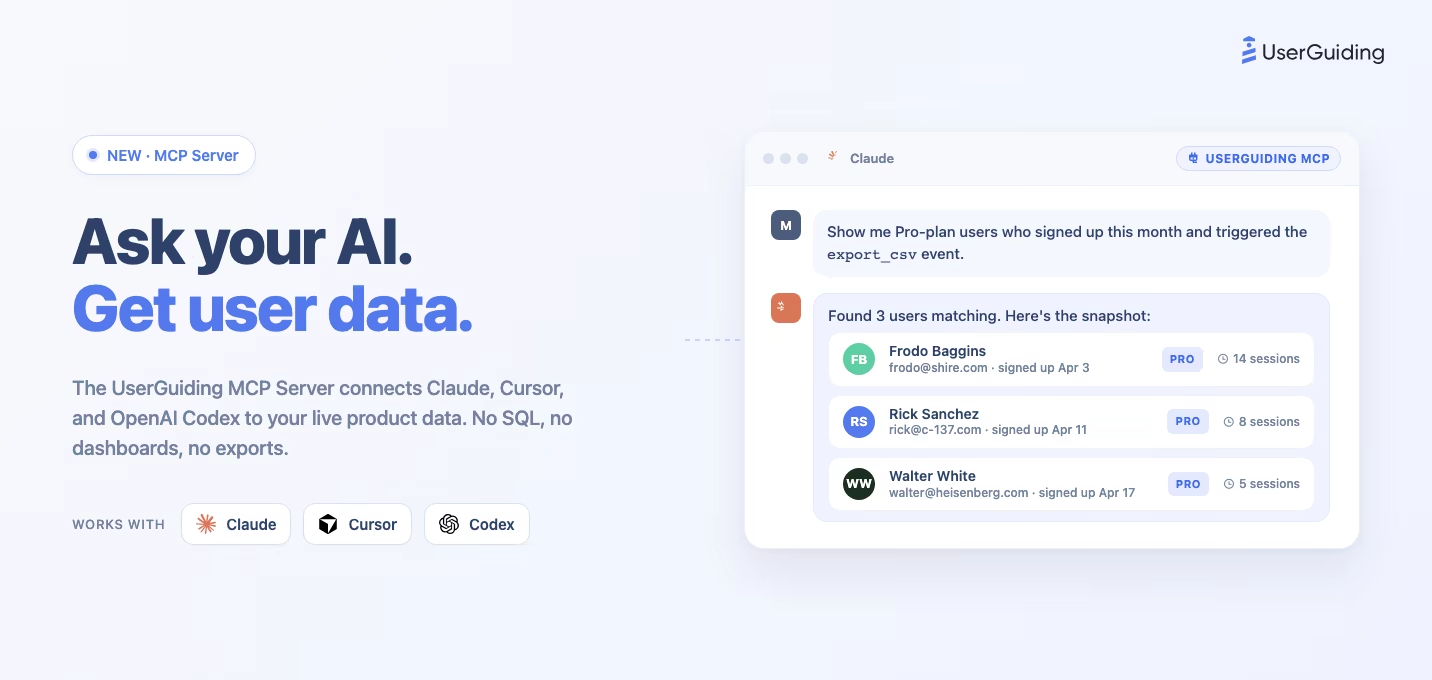
Ask Claude to show you every user on your Pro plan who signed up last month but hasn't triggered your main activation event, and you get an answer in seconds. No SQL, no dashboard filters, no CSV exports. That's the UserGuiding MCP Server: a direct line between your AI tool and the live product data you already track in UserGuiding.
It's built for product, growth, sales, and support teams who want to query their own users the way they talk about them. Before a renewal call, pull a customer's recent activity in one prompt. When a ticket comes in, pull the user's full profile before you reply. When you want to know which cohorts are activating and which are dropping off, ask the question out loud. You skip the dashboard, skip the exports, and get the specific user, attribute, or count you needed.
This post walks through what you can do with it, how to connect Claude, Cursor, or OpenAI Codex in under two minutes, the full tool catalog, and how UserGuiding compares to other product adoption platforms on AI integration.
Key Takeaways
- The UserGuiding MCP Server connects AI tools directly to your UserGuiding project's live data, so you can query your users, companies, events, guides, surveys, and Knowledge Base in plain language without SQL or exports, and act on the answer by creating a segment or drafting content in the same conversation.
- Works with Claude (Desktop and Claude.ai), Cursor, OpenAI Codex, and any other MCP-compatible AI tool.
- The tool catalog spans user management, search and analytics, event tracking, companies, segmentation, Knowledge Base, product updates, and the public roadmap board.
- Available on all UserGuiding plans. No developer help needed to set it up.
- Pairs with UserGuiding's No-Code Event Tracking to cover the analytics stack most teams pay Amplitude, Heap, or Mixpanel for. Track events without code, query them in plain English through the MCP server.
- Connect with OAuth from your AI tool, or grab an API key at Panel > Settings > Project Settings > MCP & API. The full setup guide is in the Knowledge Base.
What is MCP?
MCP (Model Context Protocol) is an open standard released by Anthropic in 2024. It lets AI assistants call external services in a structured, authenticated way, similar to how a developer calls an API, but mediated by the AI model. Instead of pasting data into a chat window or hooking up ad-hoc integrations, the AI tool connects once to an MCP server and gets a well-defined set of tools it can invoke on your behalf.
Claude (Desktop and Claude.ai), Cursor, and OpenAI Codex support MCP natively. Support for remote MCP servers varies by tool, so check your own tool's connector or MCP settings. That means any MCP server you connect, including UserGuiding's, becomes accessible across your AI workflows: coding sessions, research, product questions, pre-demo prep, and anything else you use those tools for.
What you can do with UserGuiding MCP
The UserGuiding MCP Server turns the product data you already track into something you can query conversationally, and now also lets you act on it. Here are the use cases teams are already running.
Ask by name, not by ID. You no longer need to dig a UUID out of the Panel first. Refer to a guide, checklist, survey, banner, or segment by the name you already call it, matched without worrying about capitalisation. If two things share a name, the server hands back the candidates so you can pick the right one instead of guessing.
"How did the Welcome Tour perform this month compared with last month?"
User research without SQL. Filter your users by any attribute or event, combine criteria, slice by cohort. No dashboard filter stack, no CSV export. The AI picks the right search tools automatically.
"Show me all users on the Pro plan who signed up in the last 30 days and triggered the export_csv event at least once."Pre-call research for sales. Before a renewal call or a prospect demo, pull everything the user has done in your product: plan, signup date, feature usage, which goals they hit, which events they triggered this week. Walk into the call with real context instead of asking "what plan are you on?"
"Look up user@acme.com. What's their plan, when did they sign up, and what have they done in the product this week?"
Support context. When a ticket comes in, pull the full user profile and recent interaction history in one prompt. Cuts the 2-3 back-and-forth messages that usually start with "what plan are you on?" and "when did you sign up?"
"Pull the full profile for user@example.com so I can see their plan, features used, and recent activity."
Activation and onboarding analysis. Compare cohorts, find differences in behavior, identify the onboarding steps that separate activated users from ones who churn. No dashboard, no saved segments.
"Show me users who completed our onboarding checklist vs. users who dropped off at step 3. What did the completers do that the others didn't?"
Expansion and churn signals. Find users whose usage patterns suggest they're ready to upgrade, or users on paid plans who are going quiet. These are leads sales and CS usually miss because nobody flagged them.
"Find users on the Starter plan who triggered the api_rate_limit_hit event more than ten times this month."Onboarding drop-off, step by step. Ask where users fall out of a specific guide and get the per-step funnel back: how many reached each step, how many played it, how many finished. Then ask which users are stuck and how far each one got.
"For the Onboarding Guide last month, how many users reached each step, and who stopped before the end?"
Per-material performance. Checklists, hotspots, banners, and Resource Center tabs all report their own interaction and click stats, so you can ask which item in a checklist stalls people or which banner button anyone actually clicks.
"Which item in our Getting Started checklist has the lowest completion, and which banner button got the most clicks last week?"
Build the segment in the same breath. Describe an audience in plain language and have it saved as a segment you can target. Filters combine with AND and OR, filter groups each carry their own operator, and you can filter on how people interacted with a guide, checklist, banner, survey, hotspot, Resource Center, AI assistant, product update, or Knowledge Base, including whether they completed something or only saw it.
"Create a segment called Stalled Trials: users on a trial who completed the Onboarding Guide but not the Getting Started checklist, and have not been seen in seven days."
Draft content from chat. Write a Knowledge Base article and file it under the right category, or draft a product updates post, from the same chat window where you asked the question. Product update posts are saved as drafts, so the Publish click stays with you in the Panel.
"Draft a KB article explaining the new export limit and file it under Billing."
Event trends, not just totals. Ask for an event bucketed by day, week, or month to see whether a launch actually moved usage, or ask for adoption depth to see how many distinct people fired it and how sticky it is.
"Show me weekly export_csv usage since the launch, and how many distinct users adopted it."How to set it up
Getting started takes two minutes. You can connect with OAuth, which needs no key at all, or with an API key from the UserGuiding Panel at Settings > Project Settings > MCP & API. Both use the same server URL and you can switch later.
Server URL:
https://mcp.userguiding.com/mcp/
Authentication: pass your API key as a header (UG-API-KEY: <your-api-key>) or as a query parameter for tools that don't support custom headers (?api_key=<your-api-key>).
Already connected with the old URL? The server used to accept a legacy SSE endpoint at `/mcp/sse`. That endpoint has been retired and now returns HTTP 410, so any config still pointing at it will fail to connect. Change the URL to `https://mcp.userguiding.com/mcp/`, keep the trailing slash, and restart your AI tool. Nothing else changes and your API key stays the same.
Connect with OAuth (no API key)
If your AI tool supports remote MCP servers with OAuth, you do not need to copy a key anywhere. Add https://mcp.userguiding.com/mcp/ as a remote MCP server and the tool sends you to UserGuiding to authorise the connection.
The API key setup below still works and is the right choice for tools that cannot run an OAuth redirect, such as a local JSON config file.
Claude Desktop
Edit claude_desktop_config.json:
{ "mcpServers": { "userguiding": { "url": "https://mcp.userguiding.com/mcp/", "headers": { "UG-API-KEY": "<your-api-key>" } } } }
Cursor
Edit .cursor/mcp.json:
{ "mcpServers": { "userguiding": { "url": "https://mcp.userguiding.com/mcp/", "headers": { "UG-API-KEY": "<your-api-key>" } } } }
OpenAI Codex
Codex follows the same MCP server config format as Cursor. Drop the UserGuiding server entry into your Codex mcp.json using the JSON above. Check OpenAI's current Codex MCP docs for the exact file location on your system.
{ "mcpServers": { "userguiding": { "url": "https://mcp.userguiding.com/mcp/", "headers": { "UG-API-KEY": "<your-api-key>" } } } }
For the full multi-tool setup, including the Claude.ai admin connector flow and query-parameter authentication, see the UserGuiding MCP Server KB article.
What's inside: the full tool catalog
The UserGuiding MCP Server exposes its tools across the capability areas below. Each tool is callable in plain English by any MCP-compatible AI assistant.
User Management
get_user: Look up a user by ID. Returns attributes, company, and interaction history. Connects to User Identification, Segmentation, Analytics.upsert_user: Create or update a user. Merges attributes and optionally attaches to a company. Connects to User Identification, Segmentation.delete_user: Permanently delete a user. Connects to User Identification.reset_user_history: Reset a user's interaction history while keeping their custom attributes. Connects to Guides, Checklists, Surveys, Hotspots, Resource Centers.list_users: List all users with cursor-based pagination. Connects to User Identification, Segmentation.
Search and Analytics
search_users: Search and filter users by attributes or events. Connects to Segmentation, Analytics.get_user_count: Count users matching filters without fetching full records. Connects to Segmentation, Analytics.list_attributes: Discover all available user attributes and their data types. Connects to User Identification, Segmentation.list_events: Discover all tracked event names in your project. Connects to Analytics, No-Code Analytics, Custom Alerts.list_users_by_event: List the users who fired a given event, so you can go from a count straight to the names behind it. Connects to Segmentation, Analytics.get_user_activities: Read one user's activity timeline, with individual interactions and timestamps. Connects to Analytics, Guides, Checklists, Surveys, Hotspots.
Analytics and Insights
-
get_project_overview: Project-wide engagement summary for a date range, with a per-day series and a comparison against the earlier half of the range. Connects to Analytics. analyze_feature_adoption: Adoption depth for one event: distinct adopters, adoption rate, events per adopter, and stickiness. Connects to Analytics, No-Code Analytics.analyze_retention: Cohort retention matrix by day, week, or month, optionally scoped to one segment. Connects to Analytics, Segmentation.get_event_timeseries: Occurrences and unique users for one event, bucketed by day, week, or month with no gaps in the series. Connects to Analytics, No-Code Analytics.count_events: Total occurrences of one event over a date range. Connects to Analytics, No-Code Analytics.get_material_performance: Engagement counts for one guide, survey, checklist, hotspot, banner, Resource Center, or product update post, or for all of one type at once, ranked by activity. Connects to Guides, Checklists, Surveys, Hotspots, Banners, Resource Centers.get_guide_step_funnel: Per-step funnel for one guide: users who reached each step, plus plays and completions. Connects to Guides.get_user_guide_progress: Per-user progress through one guide, including the furthest step each user reached. Connects to Guides.get_checklist_item_stats: Per-item interactions and unique users for one checklist, plus its completion rate. Connects to Checklists.get_hotspot_stats: Interactions, button clicks, dismissals, and unique users for each hotspot in a group. Connects to Hotspots.get_banner_click_stats: Per-button click counts and unique users for one banner. Connects to Banners.get_resource_center_tab_stats: Views and unique users for each Resource Center tab. Connects to Resource Centers.get_goal_performance: How many times each goal was reached in a date range, ranked, including goals nobody reached. Connects to Goals, Analytics.get_survey_report: Full report for one survey: views, responses, response rate, and per-question results with score distributions, choice counts, and drop-off. Connects to Surveys.list_survey_responses: Read individual survey responses, including written feedback. Connects to Surveys.get_segment_performance: Engagement counts for every material targeted to one segment. Connects to Segmentation.get_segment_user_interactions: What the members of a segment actually interacted with. Connects to Segmentation.get_company_engagement: Engagement health for one account: active members, interaction counts, and the same figures for the previous period. Connects to Segmentation, account-level targeting.list_materials: List guides, surveys, checklists, banners, hotspots, Resource Centers, and product update posts with their names and IDs. Connects to all material types.
Events
track_event: Track a named event for a user, optionally with metadata. Connects to Analytics, No-Code Analytics, Custom Alerts, Segmentation.
Companies
get_company: Look up a company by ID. Returns attributes and member user IDs. Connects to Segmentation, account-level targeting.list_companies: List and filter companies with pagination and sorting. Connects to Segmentation, account-level targeting.
Segmentation
list_segments: List your saved segments with IDs, titles, and user counts, and see which are UserGuiding's built-ins. Connects to Segmentation.create_segment: Create a saved segment from filters. Combines attribute filters, event filters, and filters on how users interacted with a guide, checklist, banner, survey, hotspot, Resource Center, Resource Center tab, AI assistant, product update, or Knowledge Base, including seen, completed, dismissed, and interacted states and their negations. Filters combine with AND and OR, and each filter group carries its own operator. Connects to Segmentation, targeting.update_segment: Rename a segment or replace its conditions. Built-in segments cannot be edited. Connects to Segmentation, targeting.
Product Updates
list_product_updates_posts: List your product update posts with their labels and languages. Connects to Product Updates.create_product_updates_post: Draft a new product update post, with a headline, body, labels, and cover image. The post is saved as a draft and you publish it from the Panel. Connects to Product Updates.update_product_updates_post: Edit an existing product update post. Connects to Product Updates.delete_product_updates_post: Delete a product update post. Connects to Product Updates.
Knowledge Base
search_kb_articles: Search KB articles by text query. Returns IDs, titles, descriptions, categories. Connects to Knowledge Base.get_kb_article: Retrieve full KB article content by ID, including title, body, status, and locales. Connects to Knowledge Base.create_kb_article: Create a new KB article with a title, content, and optional description. Connects to Knowledge Base.update_kb_article: Update the title or content of an existing KB article by ID. Connects to Knowledge Base.delete_kb_article: Permanently delete a KB article by ID. Connects to Knowledge Base.list_kb_categories: List your Knowledge Base categories and sub-categories with their IDs. Connects to Knowledge Base.create_kb_category: Create a new Knowledge Base category. Connects to Knowledge Base.* **`update_kb_category`**: Rename or edit an existing category. Connects to Knowledge Base.create_kb_sub_category: Create a sub-category under a category. Connects to Knowledge Base.update_kb_sub_category: Rename or edit an existing sub-category. Connects to Knowledge Base.assign_kb_articles: File existing articles under a category or sub-category, up to 50 at a time. Connects to Knowledge Base.detect_kb_platform: Detect which Knowledge Base platform a site is running, useful when planning a migration. Connects to Knowledge Base.
You can combine these in a single prompt. The AI assistant picks the right tools to answer your question.
See it in action
The example in the previous section came out of a real Tuesday. Our CTO connected UserGuiding's MCP server to Claude, ran the ten-prospect query on our own users, and posted the output on LinkedIn. The reactions and replies are worth skimming if you want to see how other product, sales, and growth teams are already thinking about AI-native access to product data. The post below has the full context.
The No-Code Analytics combo
The MCP server gets more interesting when you pair it with UserGuiding's No-Code Event Tracking. Point-and-click on elements in your product to start capturing events. No code, no engineer time, no new SDK to install. Then query those events through the MCP server in the same sentence you'd use to describe the question out loud.
For most product, growth, and CS teams, that pair replaces a stack that used to look like Amplitude, Heap, or Mixpanel for event tracking plus a separate analytics tool for exploration. With UserGuiding, event capture lives in the same platform as your onboarding, your checklists, and your Knowledge Base, and the MCP server turns product analytics into a chat interface inside Claude, Cursor, or Codex.
The result: product analytics without a dedicated analyst, a separate analytics contract, or an engineering backlog.
What the MCP Server gives you
A quick summary of what's inside the box:
- Read and write access. Query users, companies, events, and material performance; upsert profiles, track events, create and update segments, write Knowledge Base articles, draft product updates, and triage feature requests from your AI tool.
- Interaction depth. Individual guide, checklist, survey, and hotspot events with timestamps, not just aggregate counts.
- No-code setup. Connect with OAuth from your AI tool's connector settings, or paste a JSON config file. Takes about two minutes.
- Natural-language queries. Ask about users in plain English. The AI picks the right tools automatically.
- Real-time data. Queries reflect current state, not a cached export.
This doesn't make MCP the only way to work with product data. Dashboards are still faster for glancing at charts, and SQL is still the right tool for deep analytics. What changes is the middle ground: the ad-hoc questions that used to mean pulling a filter or opening a notebook now happen inline in whatever AI tool you're already in.
Get started
Getting started takes a couple of minutes. Connect with OAuth from your AI tool's MCP or connector settings, or grab an API key at Panel > Settings > Project Settings > MCP & API and drop the server into your config. Then ask your first question. For the full setup reference, including the Claude.ai admin connector flow and examples of filter syntax, see the UserGuiding MCP Server KB article.
Frequently Asked Questions
The server URL stopped working, what changed?
The old /mcp/sse endpoint used the legacy SSE transport and has been retired. Requests to it return HTTP 410 with a pointer to the current endpoint. Use https://mcp.userguiding.com/mcp/ instead, with the trailing slash. Your API key does not change and neither does anything else in your config.
Does it work with ChatGPT or other AI tools?
MCP is an open standard, so any AI tool that can connect to a remote MCP server can use the UserGuiding MCP server. Claude (Desktop and Claude.ai), Cursor, and OpenAI Codex connect today. Support for remote MCP servers varies by tool, so check your own tool's connector or MCP settings. Connecting takes the server URL plus either OAuth or an API key, and nothing extra is needed on our side.
Is the data real-time?
Yes. MCP queries hit UserGuiding's live database, not a cached export. If a user triggered an event 30 seconds ago, your AI tool sees it.
What about data privacy?
Data stays in your UserGuiding project. The AI tool sends queries to the UserGuiding MCP server and receives results. No bulk export or storage happens on the AI side.
Can users break things with write operations?
There are two ways to connect. With an API key, read and write tools share the same key, so treat it like any admin credential and share it carefully. With OAuth you approve the connection on a consent screen instead of pasting a key, and the connection is tied to the project you pick. Read-only use (search, get, list) is safe either way.
Do we need engineering help to set it up?
No. It's a connection you enable in your AI tool's settings. Total setup time is about two minutes.
Which plans include MCP?
MCP is available on all UserGuiding plans.
How does this compare to Amplitude, Heap, or Mixpanel?
Amplitude, Heap, and Mixpanel are product analytics platforms with their own event-tracking SDKs and query interfaces. UserGuiding's No-Code Event Tracking captures the same kinds of user events without code or engineering help, and the MCP server lets you query them in natural language instead of building dashboards. For product, growth, and CS teams who want analytics without a dedicated analyst, it replaces a separate analytics contract with something already in your UserGuiding plan.

.png)