




Feature Requests

Let Your Users Decide Which Feature Requests You Build Next 

Feature requests reach you through support tickets, sales calls, and Slack threads, and none of them tell you which one matters most. Give your users one place to post ideas and vote on each other’s. Nothing goes public until you approve it.
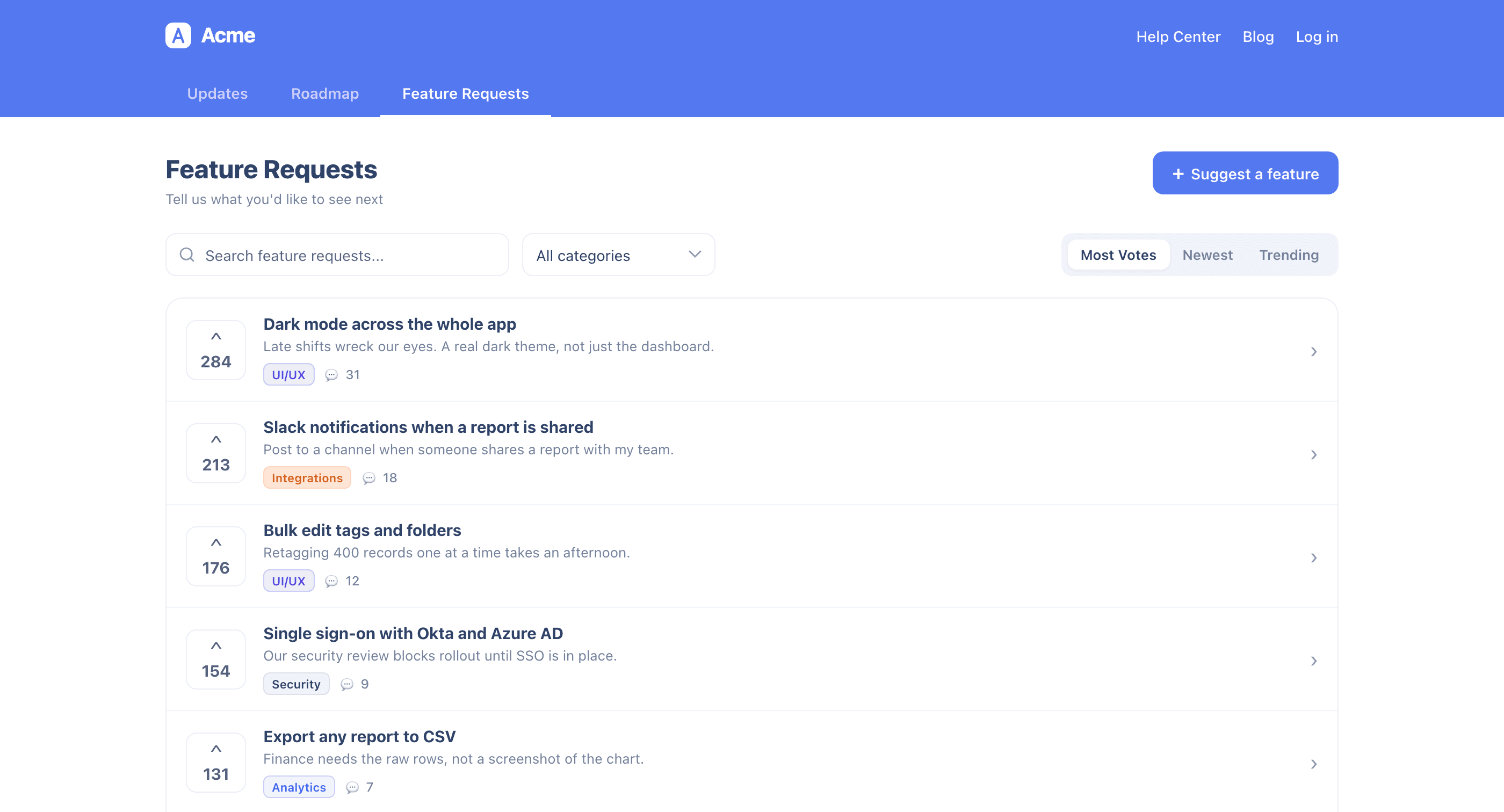
Let the loudest voice stop winning

The request that gets built is usually the newest, the loudest, or the biggest account’s. A feature request board your users can vote on changes that input. They post in their own words, everyone else votes, and you get a list ordered by how many users actually want each thing.
‍
New requests land in a private inbox first, so you decide what gets listed, categorized, or turned down. Promote what you commit to onto your public roadmap, where it keeps collecting votes until it ships.


Everything you need to build the right thing next

A scattered pile of asks becomes a feature request list you can plan against.

A ranked list, not a pile of asks

  • Your users post an idea in their own words, so you read the problem as they described it, not as it survived three handoffs
  • Anyone can vote on a listed request, so “a few people asked” becomes a number
  • Users sort by most votes, newest, or trending, so an idea picking up speed is visible before it has the biggest total
  • Your categories let users filter to what they care about, so the people waiting on mobile stop scrolling past API requests

Nothing goes public without you

  • Every new request lands in a private inbox, so your public board never fills with noise you did not choose
  • Approve a request when you want it listed, and it appears with voting open
  • Turn down what you will not build without it ever going public
  • Spam gets marked and set aside in its own view rather than deleted, so you can still see what you filtered

Built for real volume

  • Select a batch of requests and change their status or category in one pass instead of opening them one at a time
  • Search by title to check whether something has already been asked before you answer a customer
  • Requests and roadmap items share the same statuses and categories, so you maintain one taxonomy, not two

Votes you can trust

  • Show vote counts to everyone when you want the ranking to be public proof
  • Hide the count until someone votes, which lifts participation and stops the leader from anchoring every vote after it
  • Hide counts entirely when you want the input without the scoreboard

No second tool, no second login

  • The board lives inside the product your users are already in, served by the UserGuiding SDK you have installed
  • Nowhere new to send your users, no second account to create
  • Your changelog, roadmap, and request board share one page, so a user who came to read what shipped can ask for what is next
  • When it ships, the person who asked sees it land on the same page where they asked
  • Available on the Growth and Enterprise plans

1,000+ Teams Scaling Successfully with UserGuiding

Join them and take the first step toward growth.
Start your free trial today with confidence.

Frequently Asked Questions

Will my users see every request someone submits?

Only the ones you list. Your public board reads like a curated set of live conversations, not an unfiltered suggestion box.

What stops this from becoming a wishlist nobody reads?

Votes. A request with 200 votes behind it is a different object than the same sentence sitting in a support ticket.

Do my users need another account?

No, and there is nothing for them to install. They give a name and email when they submit a request.

How do I keep spam off the page?

Mark it as spam. It stays off your public board and collects in its own view, so you can look back at what got filtered instead of losing it.

Should I show vote counts?

It depends what you want out of the ranking. Public counts give social proof and make the board feel alive, and hiding the count until someone votes lifts participation instead.

Which plans include Feature Requests?

Growth and Enterprise. Accounts below Growth see an upgrade prompt when they turn it on.