




PUBLIC ROADMAP

Let Your Customers Watch Your Roadmap Move

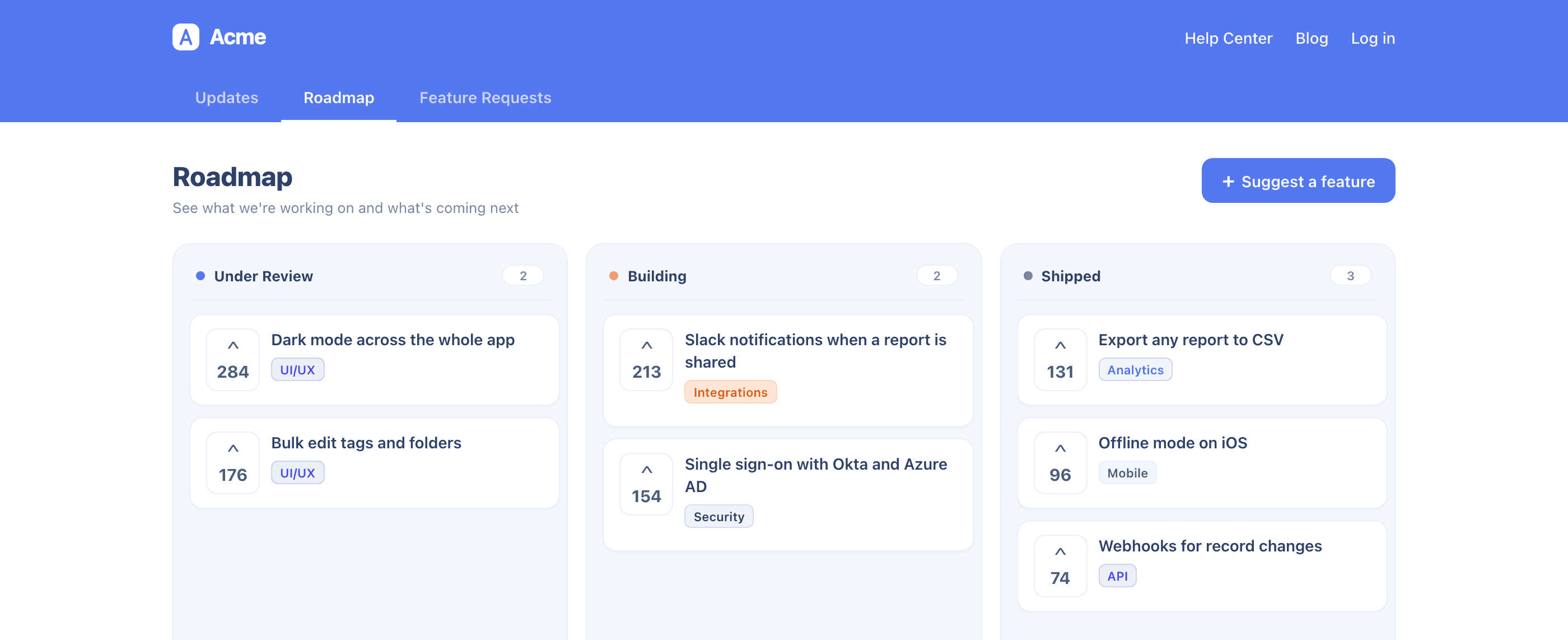
Your team ships constantly, and from the outside almost none of it is visible until the release notes land. A public roadmap shows what you are reviewing, building, and shipping, in columns you name yourself, and lets users vote.
Turn “when is this coming?” into a link you can send

Support fields that question every week, and the honest answer is usually a shrug and a promise to pass it along. A public roadmap turns it into a board your customers can open themselves. Items sit in status columns you create, name, and color, in the order you set, so the board reflects how your team actually works instead of somebody else’s template.
‍
You work it as a kanban board, and a card you drag is a column your customers see change. Open one and you get its votes and comments, which is the part that changes planning meetings: what your customers said, sitting next to the thing you are about to build.


What a public roadmap does for your team

One board that keeps your customers, your support team, and your sales calls on the same page.

Columns that match how you work

  • Create the columns your board shows, each with its own name and color, so a customer reads your team’s language and not a generic template
  • Drag your statuses into the order you want, and that is the order users read them in
  • Group items into categories so a customer can filter down to the area they care about
  • Nothing here is a fixed set of stages. The board is yours to define.

A board your users can act on

  • Users see your columns, filled with what you have committed to
  • They vote on the items they want, so you learn which parts of the plan people are waiting for
  • They open an item to read the detail and leave a comment, so the context arrives attached to the item instead of in a separate thread
  • They filter by category to find their own area

One drag, and the public board is current

  • Work the roadmap as a kanban board grouped by status, like your team already does
  • Drag a card to the next column and the public board moves with it, so your roadmap stops drifting out of date
  • Open a card to edit it and read every vote and comment it collected
  • Create an item on the board, or promote one straight from a feature request your users voted on

Votes you can trust

  • Show counts to everyone when the ranking is proof you want customers to see
  • Hide the count until someone votes, which lifts participation and stops the leading item from anchoring every vote after it
  • Hide counts entirely when you want the signal without the scoreboard

Every language your product speaks

  • Translate your status and category names per locale
  • Translate roadmap item titles and descriptions per locale
  • A customer reading your product in Portuguese reads your roadmap in Portuguese

No second tool, no second login

  • The roadmap lives on the Product Updates page already inside your product through the UserGuiding SDK
  • No separate site to send customers to, no second account for them to create
  • It shares statuses and categories with Feature Requests, so intake and delivery run on one taxonomy
  • Available on the Growth and Enterprise plans

1,000+ Teams Scaling Successfully with UserGuiding

Join them and take the first step toward growth.
Start your free trial today with confidence.

Frequently Asked Questions

Can I use my own column names?

Yes, and you should. Nothing here is a fixed set of stages to work around.

Is a public roadmap risky? I do not want to promise dates.

The board shows stages, not dates. You put an item in the column that is true today and move it when that changes. Nothing on the board commits you to a delivery date unless you write one into an item yourself.

Where do roadmap items come from?

Either you create them on the board, or you promote a feature request your users already voted on. A promoted request arrives with its votes and keeps collecting more as it moves.

Do my users need a separate login?

No. The roadmap is a tab on your Product Updates page, on the same page as your changelog.

Can the roadmap run in more than one language?

Yes, per locale, so customers read the roadmap in the language they picked on your page.

Which plans include the Public Roadmap?

Growth and Enterprise. Accounts below Growth see an upgrade prompt when they turn it on.