


.svg)
.svg)
.svg)
.svg)



.svg)




.svg)
.svg)


When users sign up for your software but leave without actually using it, you have a leaky funnel. Fixing this problem isn't about scrolling through endless options but, rather it's about picking the right tool for the job.
To systematically drive signups to value, product and customer success teams rely on a combination of digital adoption platforms, product analytics software, and interactive product demo platforms.
By utilizing these tools, growth teams uncover exactly where users encounter friction points, guide them through complex UI steps, and trigger contextual pushes where and when they are needed.
To help you find the right tool for highlighting your product’s value to the customers, this guide compares 17 customer activation tools across these ecosystem categories, analyzing their implementation speed, real-world pricing structures, and core capabilities.
TL;DR
- 2026 benchmarks for a good activation rate varies, but the overall median for B2B SaaS companies is reported to be 23-35%.
- Digital adoption platforms act as no-code layers positioned into an app to deliver interactive tours, progress checklists, and tooltips.
- Product analytics tools function as tracking engines that map conversion funnels and behavioral drops retrospectively
- Interactive demo platforms build public-facing clickable simulations used to educate buyers before signup. These three types of tools can help increase your activation rate without developer help.
- The single biggest activation mistake teams make is confusing a user’s “aha moment” with actual activation that comes with long term operational habits and loyalty toward the product.
- As an early-stage startup you can increase your activation rates by establishing validation loops using interactive website demos and core analytics. Scaling companies, on the other hand, can add a native digital adoption platform to continuously deploy real-time guidance without developer needs.
What defines an activated user
True product growth starts with knowing exactly when a user comes to understand the value your product adds to their life.
Many product teams confuse the "aha moment" with customer activation; however, the former, an initial realization should not be confused with the latter, a long-term loyal customer.
To speak more precisely, the aha moment is a user's sudden, passive realization of your product's potential value. Customer activation, on the other hand, is the concrete, measurable behavior that proves the user actually achieved that value.
➡️ For example, let's consider looking into a familiar app and its stages of customer activation, such as Duolingo.
If a user downloads the app, creates an account, and browses the catalog of available languages, they might experience an aha moment regarding how easy it looks to, let’s say, learn Spanish!
But they are not activated yet.
When we see that user choose a specific track, complete their first five-minute interactive lesson, set up a daily calendar reminder, earn their first streak badge, and add the Duolingo widget to their mobile phone home screen, then we are looking at an active, engaged, and truly activated user.
They didn't just see the potential of learning a language; they successfully embedded the app into their daily routine.
Because different products might have different core utilities, their activation metrics might vary as well. While it might be finishing an interactive lesson in Duolingo, it can be manually following a certain number of accounts in X (formerly Twitter), to give another example.
Making sure that your customers unlock these actions consistently can cause major bottlenecks for your developers. Because customer activation is a moving behavioral metric, optimizing it requires rapid changes, continuous experiments and messaging adjustments.
If you have to file a developer ticket and wait for a full code deployment every time you want to test a new tooltip or change an onboarding checklist step, your optimization speed halters. Relying entirely on an engineering team to build this onboarding infrastructure stalls your growth, which is exactly why modern teams turn to no-code activation software.
By using no-code activation tools to guide users directly to their activation milestones, software companies can systematically execute a highly effective three-step framework to increase user activation rates:
- Identify the activation milestone using product analytics: Before you can optimize user behavior, you must look at your historical drop-off funnels and run cohort tracking to pinpoint the exact screen, button, or form where trial users abandon your product. Isolating this correlate-to-convert behavior lets you know exactly which initial milestones actually drive long-term retention.
- Remove friction to that milestone using guides etc. : Once you discover where users get stuck, you can deploy context-aware overlays like interactive checklists and targeted tooltips to clear the path. Guiding users through a visual, sequential setup flow rewards momentum and steers them straight toward their initial activation milestone without cluttering your UI.
- Re-engage stalled users within the first 7 days: If a signup pauses mid-onboarding, you cannot afford to wait weeks to follow up. Deploying automated, targeted multi-channel notifications such as in-app messages or personalized emails within the first week gives distracted users a direct, timely path back to your application to complete their setup.
Comparison of the 17 customer activation tools
| Tool | Category | Best for... | Free trial | Starting price |
|---|---|---|---|---|
| UserGuiding | Digital Adoption Platform | Mid-market B2B SaaS product and customer success teams | Offers a free support plan, as well as a 14 day free trial | Starter plan is $249/month for up to 2K MAUs |
| Appcues | Digital Adoption Platform | Mid-market to enterprise SaaS companies | ✅ | Grow plan is $750/month for up to 2K MAUs |
| WalkMe | Digital Adoption Platform | Enterprise companies managing complex, multi-application flows | ❌ | Vendr estimates the overall cost to be $43,000 yearly |
| Userpilot | Digital Adoption Platform | Mid-market B2B SaaS teams wanting web + mobile + email + push in one platform | ✅ | Starter plan is $299/month for up to 2K MAUs |
| Chameleon | Digital Adoption Platform | Mid-market to enterprise B2B SaaS teams wanting styling control | ✅ | Starter plan is $279/month for up to 2K MAUs |
| Userflow | Digital Adoption Platform | Mid-market SaaS companies wanting easy implementation with real-time data syncs | ✅ | Adoption Studio starts at $500/month for up to 1K MAUs |
| Pendo | Digital Adoption Platform | Enterprise level SaaS companies looking for cross platform analytics with standard onboarding capabilities | ✅ | Vendr estimates the overall cost to be $49,015 yearly |
| Mixpanel | Product Analytics | Mid-market to enterprise product teams wanting quick user reports | Offers a free plan | Their solutions are free for up to 1 million events, after that it is billed $0.28 per 1K event |
| Amplitude | Product Analytics | Growth, data, and product teams wanting cross platform analysis of user journeys | Offers a free plan | Their solutions are free for up to 2 million events, Plus plan is $49/month |
| Heap | Product Analytics | Mid-market e-commerce product teams looking for autocapture solutions | ✅ | Free for up to 10K MTUs, Vendor estimates custom tears around $41,360 yearly |
| PostHog | Product Analytics | Product teams that want to track user behavior and self-host data all in one place | Offers a free plan | Their solutions are free for up to 1 million events, and it si priced pay-as-you-go after that |
| Navattic | Interactive Product Demos | Mid-market SaaS companies wanting self-guided product tours on landing pages | Offers a free plan | Base plan is $500/month for 5 seats |
| Arcade | Interactive Product Demos | Mid-market SaaS growth teams and product marketers wanting walkthroughs that highlight core values | Offers a free plan | Grwoth plan is $42,50/seat/month billed yearly |
| Storylane | Interactive Product Demos | Mid-market and enterprise B2B sales and marketing teams that need advanced guides and buyer-intent tracking | Offers a free plan | Starter plan is $40/seat/month |
| Supademo | Interactive Product Demos | Early-stage startup product teams seeking an AI assisted onboarding recorder | Offers a free plan | Scale plan is $38/creator/month |
| Guidde | Interactive Product Demos | Customer success and support teams wanting multi-language training videos | Offers a free plan | Pro plan costs $29/creator/month |
| Guideflow | Interactive Product Demos | B2B SaaS teams needing analytics-forward user tracking | Offers a free plan | Solo plan is $35/month |
Digital adoption platforms (no-code onboarding flows)
Digital Adoption Platforms (or DAPs) are no-code layers that sit directly on top of your software to guide users through your interface in real time.
Instead of forcing users to read long documentation files or guess their next step, a DAP makes use of interactive elements like step-by-step product tours, onboarding checklists, and contextual tooltips or hotspots directly into your user interface.
For product and customer success teams, the primary benefit of a DAP is speed and autonomy. It allows you to build, test, and change onboarding experiences whenever needed, completely removing developer bottlenecks from the optimization loop.
UserGuiding
UserGuiding is a no-code, all-in-one digital adoption platform that enables product and customer success teams to quickly build interactive walkthroughs, onboarding checklists, and in-app surveys to guide users through software interface, bridging the gap between a user’s first realized value and their actual execution of a retention correlated event.
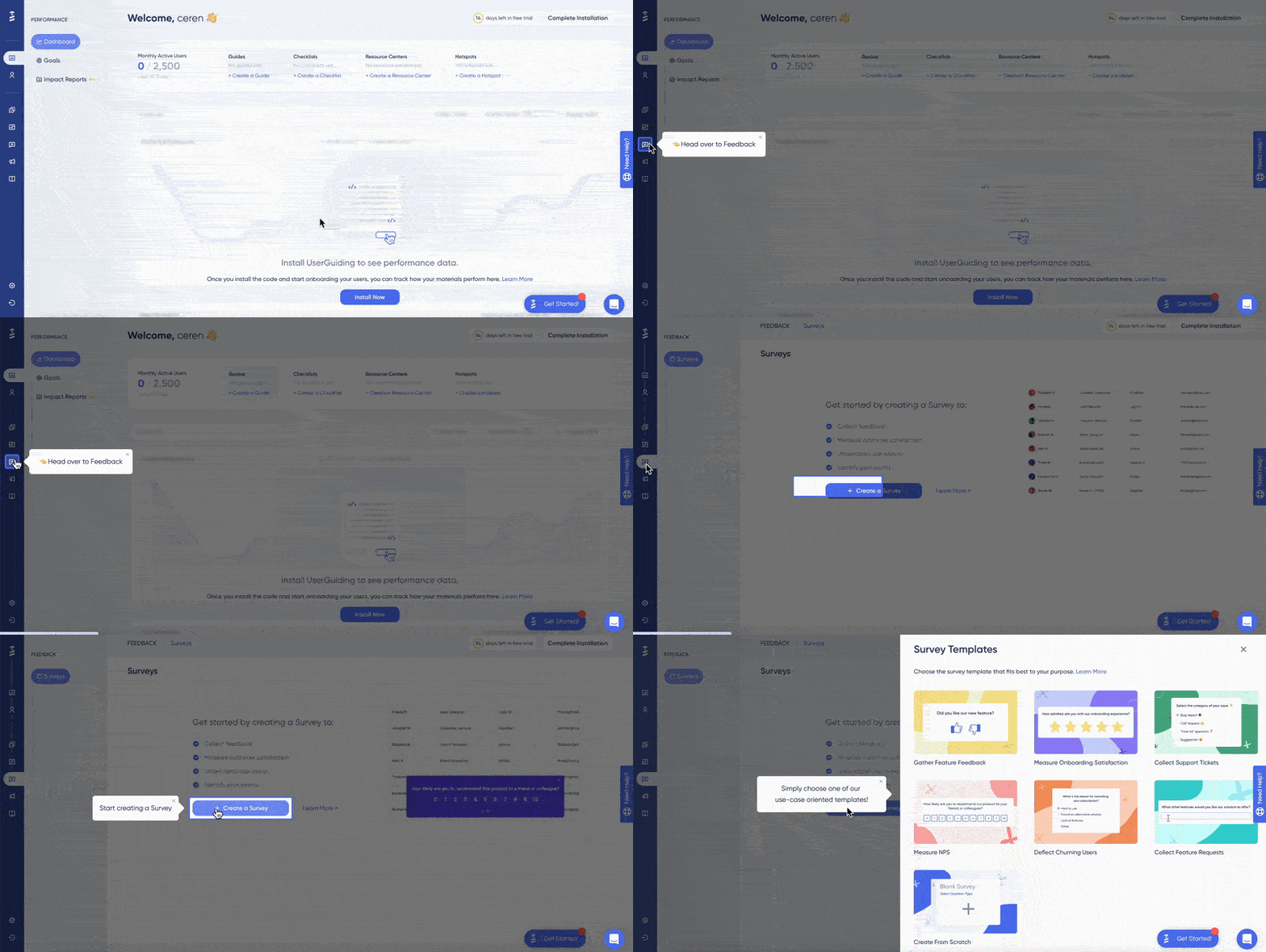
⭐ Best for: Mid-market B2B SaaS product and customer success teams wanting a powerful, 100% no-code onboarding solution that balances enterprise-grade capability with a quick setup time.
UserGuiding provides a fully loaded toolkit which includes but is not limited to:
- Product tours
- Onboarding checklists
- Hotspots and tooltips
- Announcement modals (banners, slideouts, pop-ups, etc.)
- NPS and custom in-app surveys
- AI assistant
- Resource center (in-app)
- Knowledge base (standalone)
- Product updates (standalone)
- Segmentation
- Analytics
- Localization (with auto-translate capabilities, now 🎊)
Moreover, to maximize your product's customer activation rate, you can leverage UserGuiding's latest available features:
- Session Replay: Watch real users move through your interface with sensitive fields automatically masked, allowing you to pinpoint exactly where signups get confused or abandon your funnel.
- No-Code & Page View Events: Track custom user clicks and page view milestones directly without relying on your engineering team to set up custom tracking code.
- UserGuiding MCP: Connect modern development AI tools like Cursor and Claude directly to your account to build, manage, and automate your adoption workflows externally.
- Custom Alerts: Get notified immediately when a guide breaks or completion rates drop below your baseline, keeping your growth team completely proactive.
The ways in which UserGuiding can help you boost your customer activation rate is endless!
You can combine an onboarding checklist with targeted hotspots to guide users directly to your core features. For instance, showing the benefits of your application neatly organized inside an interactive checklist is an excellent way to turn complex setups into effortless victories.
Onboarding checklists have helped the marketing analytics platform Keyhole to drive a massive 550% increase in customer activation, thanks to UserGuiding. You can read more to learn about how exactly they did it!
Or rather, you can launch built-in Net Promoter Score (NPS) and micro-surveys to gather direct feedback from users when your product data reveals friction. Plus, you can offer automated, self-serve support in whichever form the user prefers to keep them engaged.
Moreover, this entire toolkit of UserGuiding is wrapped in an easily trackable, MAU-based pricing strategy that scales with your growth.
UserGuiding does not hide important features behind expensive enterprise tiers; instead, every plan includes access to all core onboarding capabilities, organizing plans based on account control, admin seats, and feature caps.
UserGuiding offers three paid tiers, each covering the essentials you need to provide support for your users — a help center, a knowledge base, a resource center, and top-tier self-serve materials.
Paid plans are as follows:
- Starter Plan: Starts at $249/month when billed yearly for up to 2,000 MAUs, giving you full access to guides, checklists, hotspots, and standard integrations.
- Growth Plan: Starts at $499/month when billed yearly for 2,000 MAUs, adding HubSpot and Salesforce integrations, advanced design controls, and unlimited team seats.
- Enterprise: You need to talk to a sales specialist, it includes everything in the Growth plan with additional features such as specialized security compliances, personal coaching and activity logs.
If you need to hear from actual users of UserGuiding, here is a G2 rating where A user also highlights how UserGuiding ensures that the customers feel supported enough to stay in your product longer and shorten their time-to-value process.
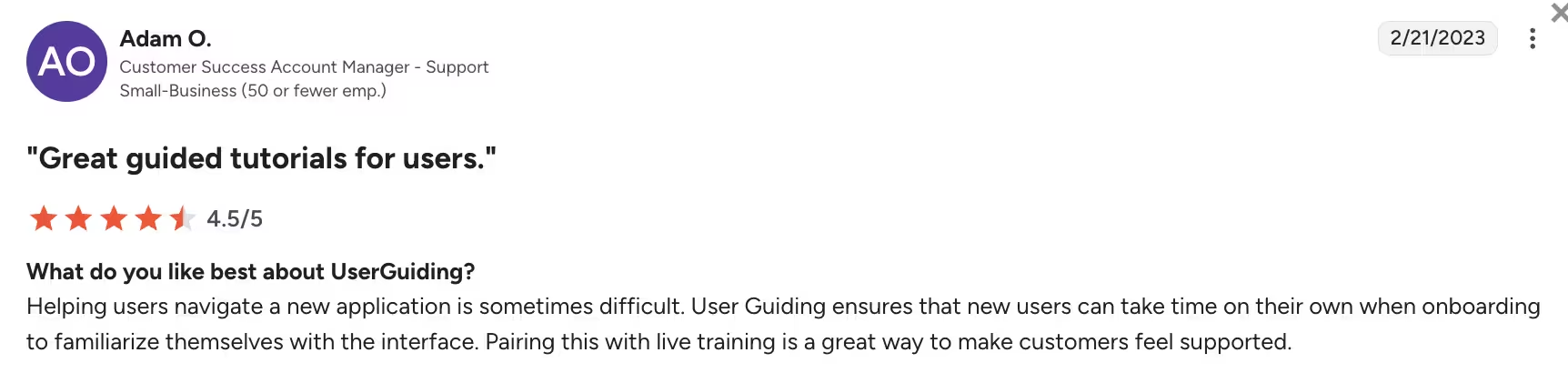
You can read more from here about what real users have been discussing about UserGuiding.
Because UserGuiding is a no-code activation tool, customer success teams can continuously run real-time UX experiments and make changes on flows to get users back on their feet in their journey to activation, anytime anywhere.
Try UserGuiding and its no-code onboarding solutions in order to boost your customer activation rate!
Appcues
Appcues is a no-code product experience platform that enables product and customer success teams to track user behavior and deploy personalized in-app tours, checklists, and multi-channel workflows across web and mobile applications without engineering help.
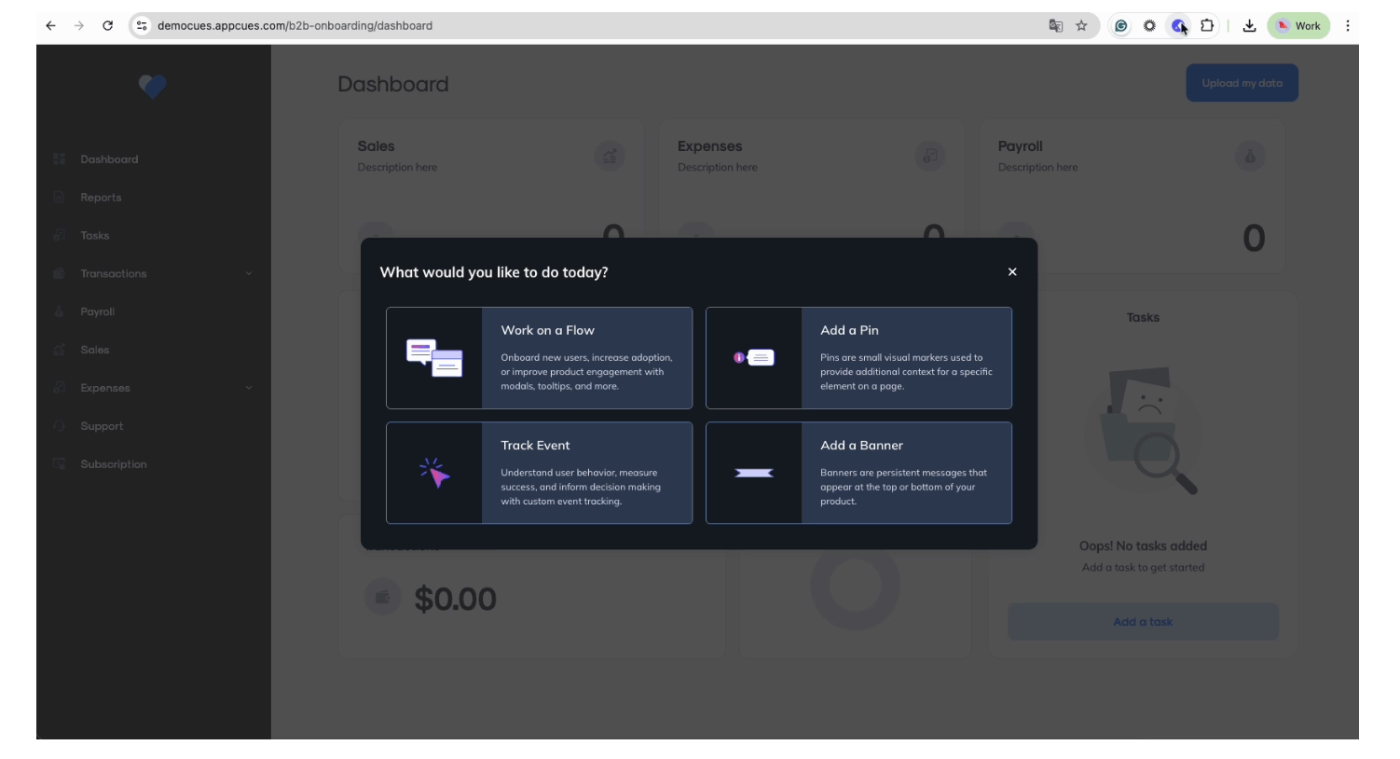
⭐ Best for: Mid-market to enterprise SaaS companies with flexible budgets that need multi-platform onboarding flows for both web and mobile applications.
Appcues provides a suite of user interface patterns designed to help non-tech savvy teams build step-by-step guidance directly over their live product interfaces.
Its core features include:
- Flows.
- Tooltips
- Checklists.
- In-app surveys and NPS.
- Banners
- Resource Centers.
- Appcues AI
- Event Tracking
To increase customer activation effectively, teams can leverage the platform's advanced user property segmentation alongside its core checklists and onboarding flows. By defining segments based on user roles or past behavioral events, you can trigger highly personalized onboarding flows that includes tailored checklists to map out a clear, step-by-step path that guides each user cohort straight to the specific feature that triggers their individual "aha moment."
For instance, you can track user drop-off points and immediately deploy a targeted tooltip to clarify a confusing step before users abandon the trial funnel.
Growth teams can also use Appcues AI to optimize copy directly inside active flows, making it easier to test different phrasing variations that nudge stalled users back into action.
When it comes to money, Appcues follows a rigid pricing structure based on MAUs, with all tiers requiring annual contracts as there are no monthly billing options available.
- Grow Plan: Starts at $750/month (billed annually at $9,000/year) for up to 2,000 MAUs, which includes access to Appcues AI, standard integrations, and a strict limit of 1 published application.
- Enterprise Plan: Available via custom quote-based pricing only, which is required if you need advanced features like multi-app support, localization, custom security controls, or multi-year enterprise contracts.
It should be noted that pricing scales rapidly inside narrow MAU increments. Additionally, mobile app tracking is treated as a completely separate application, which can double your subscription cost if you need to activate users across both web and mobile channels simultaneously.
👉 You can check out our detailed explanation on Appcues’ use cases, features and pricing here.
WalkMe
WalkMe is an enterprise-class digital adoption platform that helps build an AI-powered guidance, automation, and analytics layer across complex software ecosystems to streamline user workflows and optimize digital experiences.
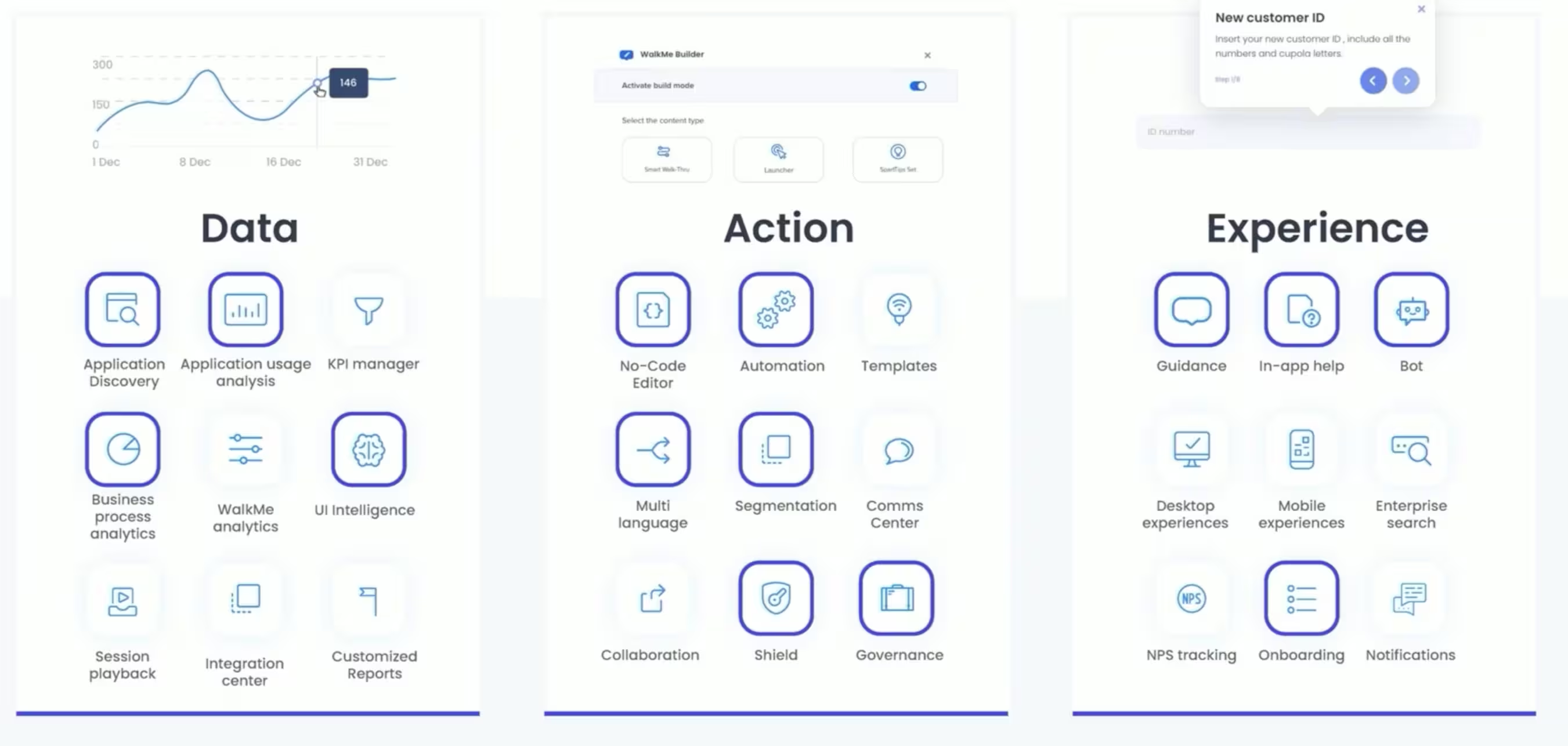
⭐ Best for: Enterprise companies needing to manage complex, multi-application digital adoption and workflow automation across both internal employee software and customer-facing products.
WalkMe offers a technical feature set designed to manage large-scale user experiences and data governance across an organization's full software ecosystem. Its core features are as follows:
- Smart Walk-Thrus.
- SmartTips.
- Shoutouts.
- Task Lists (Checklists).
- ActionBot.
- WalkMe Menu and Workstation.
- WalkMeX.
- Analytics and Reporting.
- Cross Platform Coverage
Beware that since WalkMe is an enterprise-first system, customer-facing product-led growth teams often find it to be an awkward fit for driving simple customer activation. It is not a quick plug-and-play solution; implementing the platform, managing its backend, and configuring its advanced automation paths typically takes 8 to 12 weeks and requires substantial technical maintenance, with a steep learning curve as the cherry on top.
When it comes to talk of the cost, WalkMe decides not to, since they do not publish transparent pricing tiers, feature caps, or user calculators anywhere on its website.
To get an estimate, organizations must negotiate a custom contract with their sales team based on targeted applications, usage scope, and additional modular bundles like session replays or advanced security controls.
These plans are split into "WalkMe for Employees" and "WalkMe for Customers," which packages are built around multi-year commitments with implementation services priced separately.
According to Vendr, WalkMe is one of the most expensive options on the market, with median deployments costing enterprise buyers between $43,000 and $79,000 per year, and custom six-figure contracts becoming common at scale.
Furthermore, because the builder interface is highly technical, teams face secondary overhead costs in the form of dedicated internal application managers or specialized IT resources required to maintain the flows over time.
👉 You can check out our detailed explanation on WalkMe’s use cases, features and pricing here.
Userpilot
Userpilot is a product experience platform that combines product analytics, user feedback tools, and no-code in-app engagement layers to help optimize onboarding and drive feature adoption.
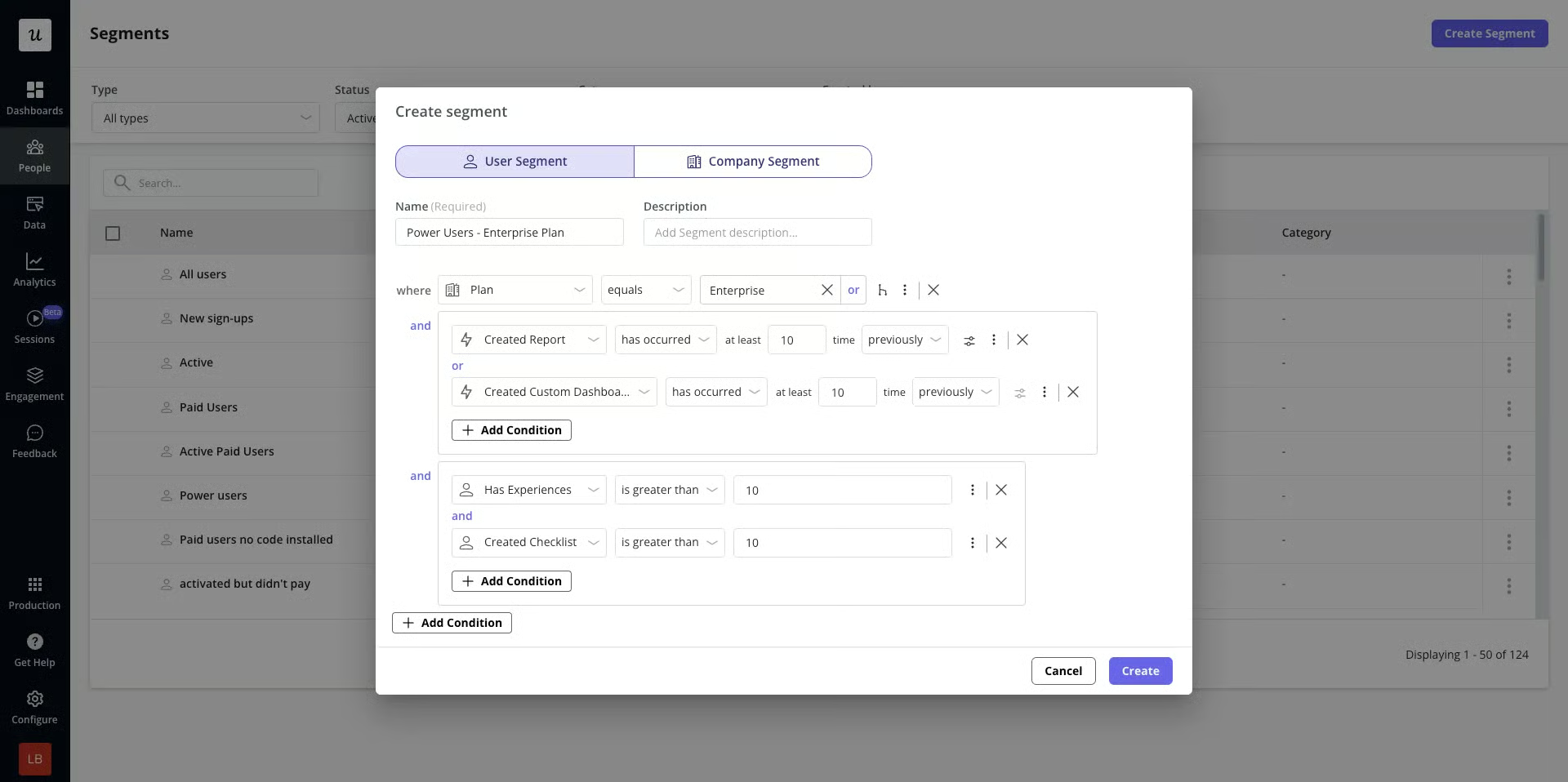
⭐ Best for: Mid-market B2B SaaS teams looking for a single platform that connects product usage analytics with behavioral-triggered in-app engagement flows.
Userpilot provides a unified interface designed to help product-led growth teams build, test, and analyze contextual user journeys. Its core features are made up of:
- Interactive Tours.
- Spotlights, Banners, & Checklists.
- Adoption Analytics.
- Retroactive Events Autocapture.
- Session Replay.
- In-App Resource Centers.
- Surveys.
- Mobile & Email Engagement.
With Userpilot’s adoption analytics, you can isolate the exact screen or step where users stall during their onboarding process.
Instead of hardcoding a fix, you can immediately deploy an interactive walkthrough that triggers contextually at the identified point, showing users exactly how to execute the step needed to hit their initial milestone of value.
In this way, increases customer activation rate by closing the gap between behavioral data and user guidance, giving non-tech savvy teams the ability to run smart A/B tests on onboarding variants without submitting development tickets.
However, while Userpilot provides analytics pipelines, navigating its extensive event-tagging structures and setting up advanced behavioral targeting rules introduces a noticeably higher learning curve.
If your customer success team lacks technical help, implementing its advanced segmentation engine can require developer support to function accurately.
In terms of pricing, Userpilot uses tiers scaled based on MAUs and feature tiers, operating without a permanent free version but offering a standard free trial for upfront validation.
There are no monthly billing options available for its base packages, meaning teams are locked into annual contractual commitments.
- Starter Plan: Starts at $299/month (billed annually at $3,588/year) for up to 2,000 MAUs, including interactive tours, checklists, user segmentation, and limited product analytics capabilities.
- Growth Plan: Starts at $799/month (billed annually) for 5,000 MAUs, which unlocks the in-app Resource Center, unlimited product analytics, event autocapture, and advanced content triggering.
- Enterprise Plan: Quote-based custom pricing reserved for larger organizations that require custom roles and permissions, data warehouse synchronization, premium integrations, and single sign-on (SSO) infrastructure.
Unfortunately, key advanced capabilities are hidden from the standard subscriptions; things such as unlimited session replays and premium integrations must be negotiated separately as paid add-ons.
👉 You can check out our detailed explanation on Userpilot’s use cases, features and pricing here.
Chameleon
Chameleon is an AI powered, automation-focused product adoption platform exclusively for web applications designed to build and manage no-code user guidance with product tours, tooltips, microsurveys, and banners.
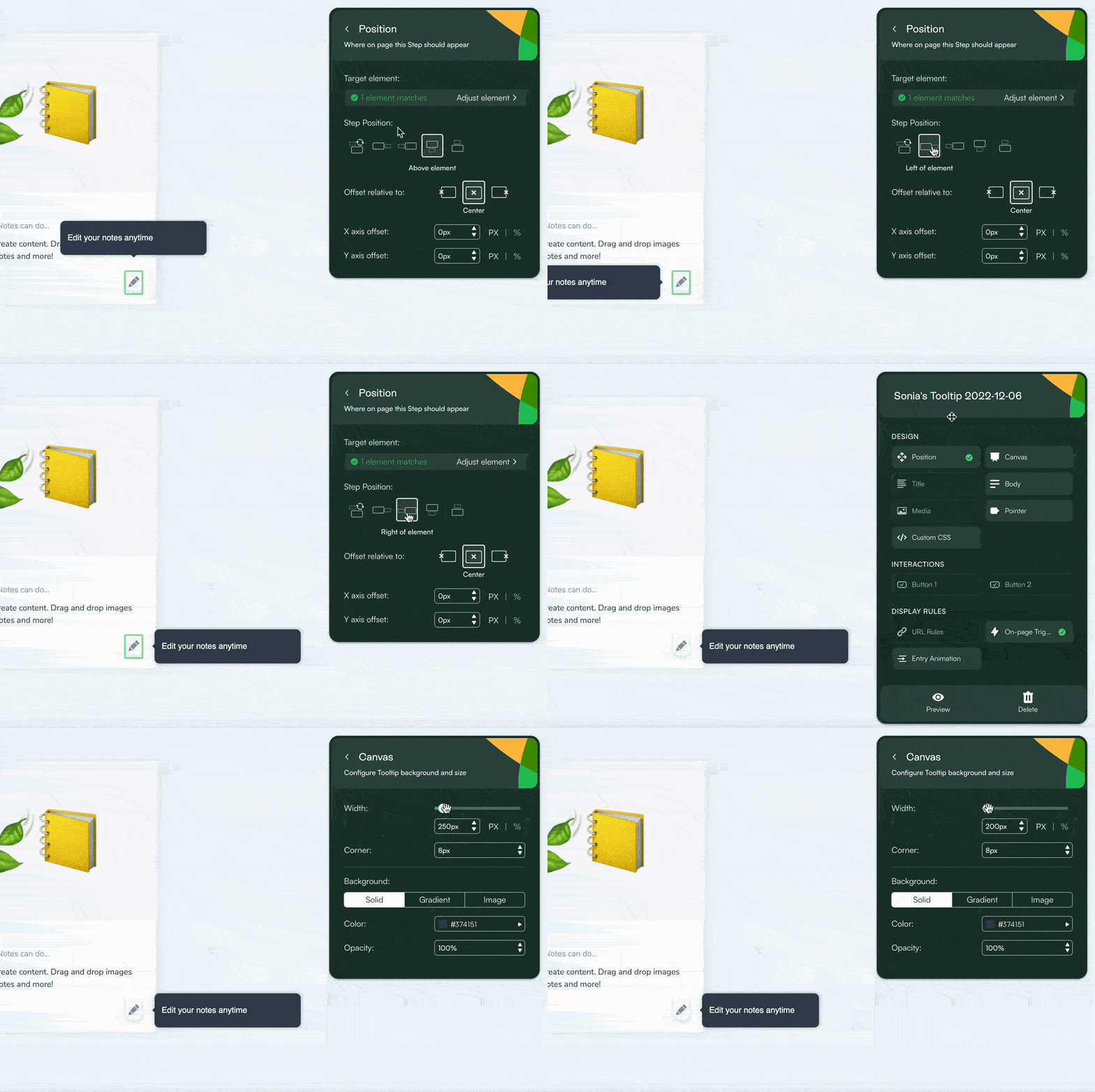
⭐ Best for: Mid-market to enterprise B2B SaaS teams who require advanced styling control, custom CSS configurations, and deep technical integration capabilities..
Chameleon provides a highly configurable set of user experience patterns aimed at modifying user behavior without coding.
Its core features are as follows:
- Product Tours & Tooltips.
- Banners & Announcements.
- Launchers & Checklists.
- Microsurveys & NPS.
- Embeddables (Inline HTML).
- AI Interactive Demos.
- Copilot & Ranger Agents.
Chameleon targets product activation friction by giving non-technical teams a point-and-click environment to test and deploy UI variations over live elements.
For example, if product tracking shows that a specific drop-off occurs on a complex configuration page, you can use Chameleon to place a real-time tooltip explaining the field's direct utility. Additionally, its built-in A/B testing suite lets you split-test different guide variations to see which copy variant yields higher completion rates.
However, because Chameleon focuses strictly on the in-app experience and deep CSS styling adjustments, it lacks external support infrastructure like help centers or standalone knowledge bases.
Furthermore, because advanced features like experience governance and button behavior configurations require custom CSS selectors or familiarity with developer syntax, non-technical teams may encounter a steeper learning curve when building complex multi-step flows.
In terms of pricing, Chameleon calculates its subscription costs based on MTUs, meaning pricing is tied directly to the unique volume of end-users who interact with your product each month rather than your entire database.
- Startup Plan: Starts from $279/month for up to 2,000 MTUs, which includes custom CSS access, Copilot AI agents, unlimited tours, and strict usage caps of 5 microsurveys and 1 single launcher. This tier offers a choice between monthly and annual payment structures.
- Growth Plan: Starts from $15,000/year (billed annually only), which unlocks unlimited experience publishing, native A/B testing, AI interactive product demos, and the Ranger governance agent.
- Enterprise Plan: Available via custom quote-based pricing for larger organizations requiring multi-product deployment capabilities, localized languages, and granular roles and permissions.
Moving past the 2,000 MTU baseline on the Startup plan causes costs to scale quickly.
Additionally, if your product experience breaches your plan's assigned active user allotment mid-cycle, overage charges are automatically appended directly to your subsequent invoice cycle.
According to contract buying data compiled by Vendr, negotiated contract averages for mid-market teams on Chameleon typically sit around $23,938 per year.
👉 You can check out our detailed explanation on Chameleon’s use cases, features and pricing here.
Userflow
Userflow is a digital adoption platform designed to build fast, lightweight, and responsive in-app onboarding flows and resource centers using a no-code builder.

⭐ Best for: Fast-growing, mid-market SaaS companies prioritizing a lightweight script that does not impact application performance while offering deep, real-time data syncs.
Userflow focuses on giving product and growth teams a minimalistic, fast-loading builder to modify in-app user experiences without engineer deployments. Its core feature toolkit includes:
- Product Tours.
- Onboarding Checklists.
- Banners and Announcements.
- Hotspots and Tooltips.
- Surveys.
- Resource Centers.
- FlowAI Assistant.
Userflow aims to eliminate friction by giving non-technical builders an intuitive visual workflow editor to test and deploy UI variations in real time.
For example, if product data reveals a significant user drop-off during an implementation phase, you can use Userflow to place a targeted tooltip to clarify the field instantly.
Additionally, its built-in analytics dashboard tracks guide completion metrics and user drop-off rates so you can refine messaging mechanics.
However, because Userflow focuses strictly on in-app engagement, it lacks native multichannel support paths like external help centers or transactional email workflows.
Furthermore, advanced design rules, custom CSS styling capabilities, and premium behavioral tracking insights are locked entirely behind its higher pricing tiers, meaning teams on the introductory package may experience visual or functional configuration limits.
Userflow calculates its subscription costs based on MAUs combined with rigid plan feature gates, offering both monthly and annual payment options. Userflow utilizes a wide tier-switching model rather than a granular slider.
Userflow structures its platform subscription costs around two core product lines: Adoption Studio (for proactive in-app flows and behavior analytics) and Adoption Agent (for reactive AI assistant capabilities). Both products operate on transparent, scalable sliders based on usage metrics, offering flexible monthly and annual billing terms.
- Adoption Studio: Starts at $500/month on monthly billing for up to 1,000 MAUs. This plan includes unlimited targeted creation of flows, checklists, tooltips, surveys, and complete analytics dashboards, alongside deep features like custom CSS, A/B testing, and full white-label branding right from the baseline tier.
- Adoption Agent: Starts at $100/month on monthly billing for up to 500 AI credits per month. This tier scales independently by message consumption and provides an always-on conversational customer assistant trained directly on your documentation to guide users dynamically inside the app.
Notably, both packages grant unlimited team administrator seats, include 3 isolated application environments, and unlock top-tier data security frameworks without forcing you into custom enterprise contract negotiations.
However, because advanced enterprise Single Sign-On (SSO/SAML) setups and complex compliance audit logs are unbundled from standard packages, teams requiring corporate identity governance must purchase them separately as paid system add-ons.
👉 You can check out our detailed explanation on Userflow’s use cases, features and pricing here.
Pendo
Pendo is an enterprise product experience platform that unifies detailed product usage analytics, user feedback modules, and non-technical in-app guidance.
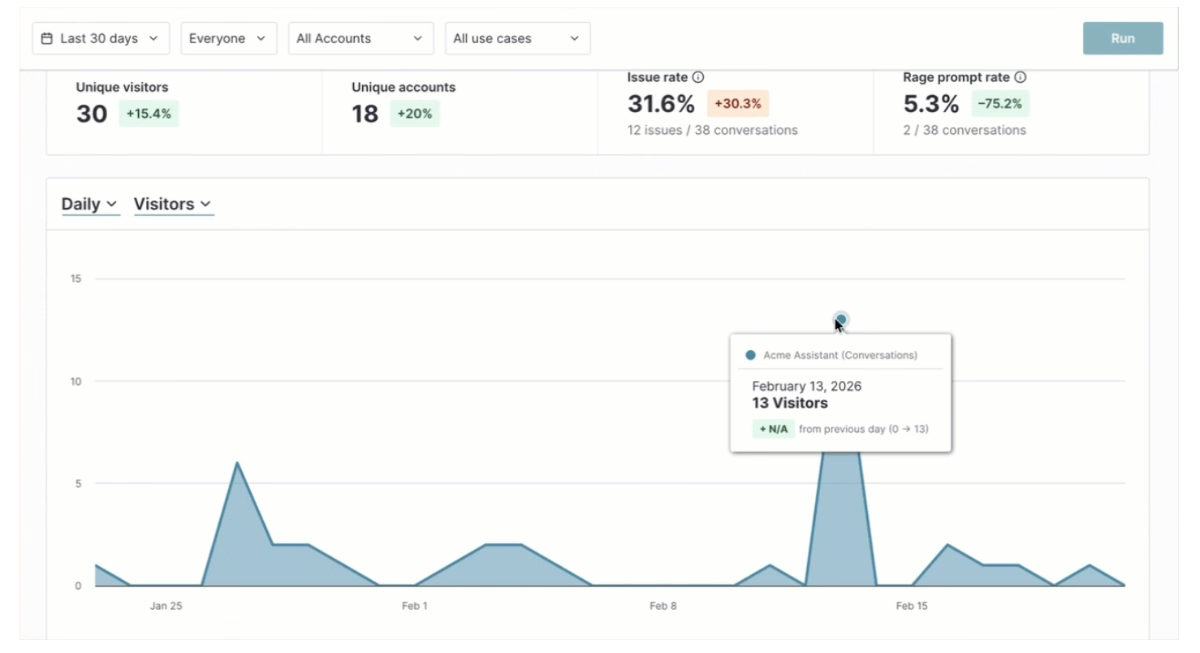
⭐ Best for: Enterprise-level SaaS organizations requiring detailed, cross-platform product usage analytics alongside standard digital adoption capabilities.
Pendo provides an extensive suite of product management and behavioral tracking capabilities across web and mobile applications.
Its core features are:
- Product Analytics.
- In-App Guides and Sliders.
- Session Replay.
- Pendo Listen.
- Pendo Orchestrate.
- Pendo Predict.
- NPS & In-App Surveys.
Pendo is not designed as a simple plug-and-play extension; establishing clean retroactive tracking code, passing specialized data attributes, and managing multi-application dashboards requires heavy coordination with engineering teams during initial implementation.
If your customer success team lacks the developer time or advanced technical expertise to manage complex event categorization structures, configuring its targeting framework can delay speed-to-value.
Pendo relies primarily on custom, quote-based enterprise pricing contracts that are negotiated on an individual basis by sales teams, though a highly restricted introductory version is provided for small audiences.
- Pendo Free: A cost-free introductory tier built for up to 500 MAUs, which includes standard core analytics, basic in-app guides, and Pendo-branded NPS questionnaires.
- Base & Custom Tiers: Custom quoted subscriptions that unlock higher MAU limits, single sign-on (SSO), localized text translation layers, and multi-product administrative controls.
Core system upgrades, programmatic API keys, and specialized modules are unbundled from standard base agreements, meaning integrations beyond your first single connected application must be purchased separately as paid add-ons.
Furthermore, capabilities like advanced journey orchestration, feedback validation sentiment tools, and extended session recording histories scale data usage costs quickly.
Vendr shows that mid-market teams face opaque contract renewal negotiations and spend an average median price of $49,015 per year on Pendo services.
👉 You can check out our detailed explanation on Pendo’s use cases, features and pricing here.
Product analytics (to find the activation milestone)
Product analytics platforms track, compile, and visualize exactly how users interact with your software after signing up.
For growth and customer success teams, the reality is simple: you cannot optimize an activation milestone you have not identified.
While a digital adoption platform handles the in-app guidance layer to fix friction points, product analytics tools provide the diagnostic data needed to discover those friction points in the first place.
Implementing these tools allows you to look at drop-offs retrospectively, run behavioral cohorting, and map out the exact correlation-to-convert behaviors that separate long-term customers from signups who churn.
Mixpanel
Mixpanel is an event-based product analytics platform that tracks and analyzes user interactions across web and mobile applications, helping you understand how your customers interact with your product in real time.
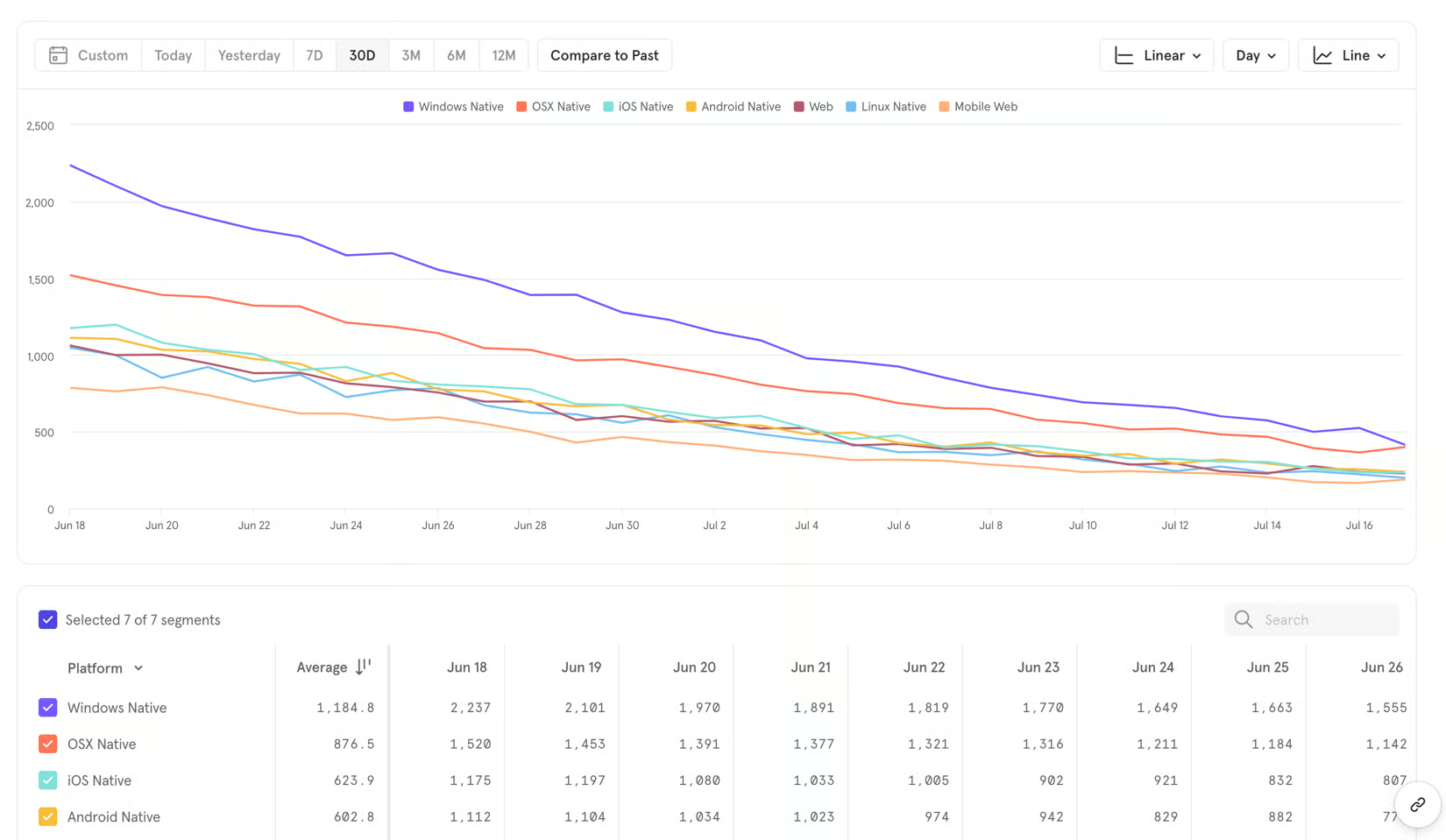
⭐ Best for: Mid-market to enterprise product management teams with structured developer support that require quick, self-serve quantitative reports to map complex user conversion paths.
Mixpanel shifts your focus from basic page views to granular user actions. It tracks unique user events and properties. Its core features are:
- A/B Testing
- Customer Engagement
- Retention features
- Visual coding
- Mobile Surveys
- Notifications, bookmarks, annotations
- Event tracking
- Comprehensible Data Analytics
- Mixpanel AI and Mixpanel MCP
With Mixpanel’s analytics features, you are able to identify the exact moment where users get frustrated and drop out. Having figured that out, you can distinguish between the active users and the ones who dropped out before reaching their aha moment, and fix those precise steps.
However, because Mixpanel is a data collection engine, it does not contain tools to build or trigger in-app guidance overlays like tooltips, sliders, or onboarding widgets. To act on these diagnostic charts, you must connect Mixpanel to an external digital adoption platform or pass the data back to developers to build interface adjustments manually.
➡️ When it comes to pricing, Mixpanel could be affordable if you do not have many events. They offer their solutions for free (also called the Free Plan) until you hit 1 million events, after this milestone, you are billed $0.28 per 1K events which is the Growth Plan.
It should be noted that Vendr estimates the average yearly cost of Mixpanel to be $38,194; highlighting that costs can add up pretty quickly. Lastly, for the Enterprise Plan which comes with premium support and additional security compliances, you need to contact a sales member.
Amplitude
Amplitude is an event-based product intelligence and behavioral analytics platform designed to help digital teams track, understand, and optimize user actions across web and mobile applications.
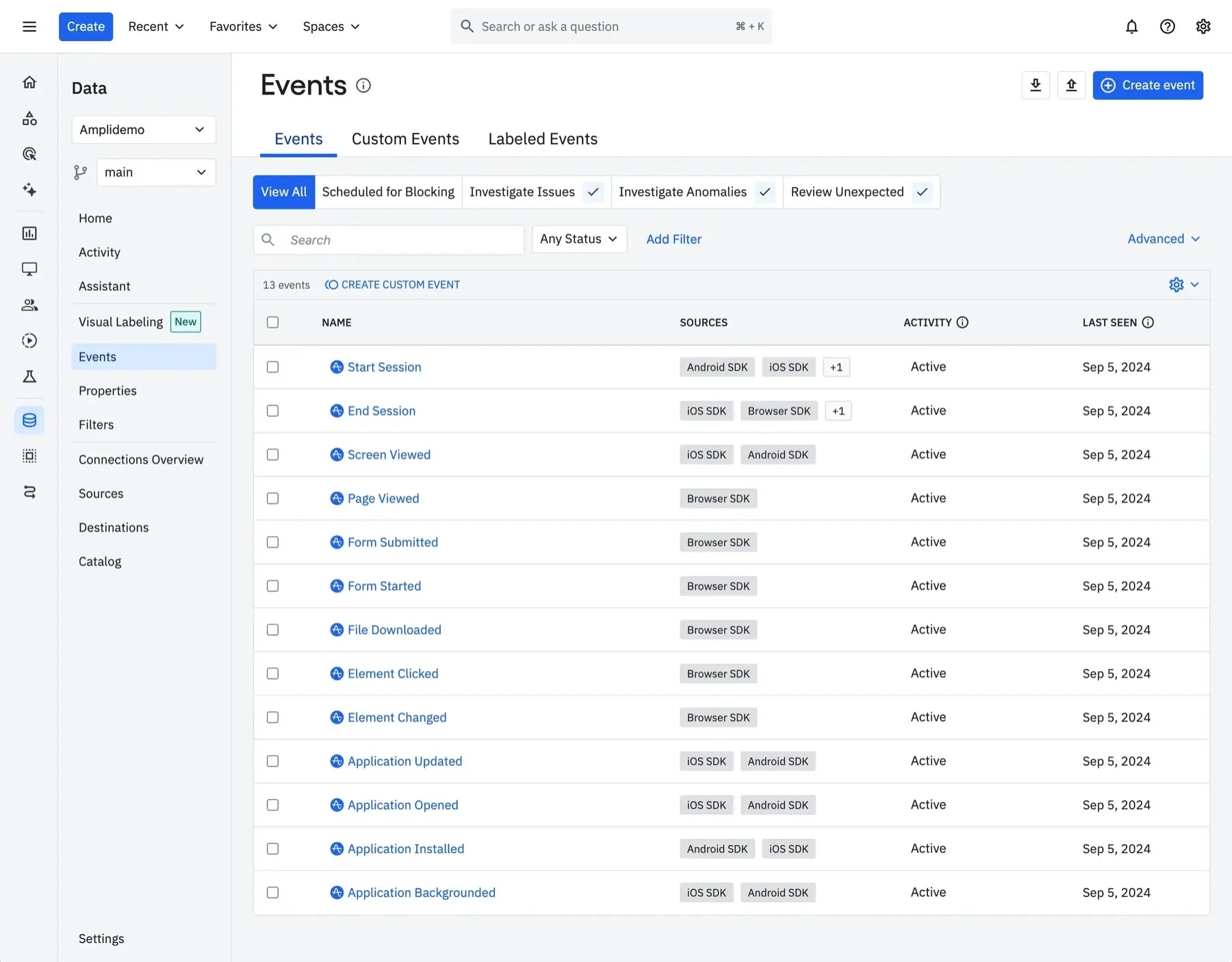
⭐ Best for: Growth, data, and product management teams looking for a highly advanced cross-platform system to analyze complex user journeys and calculate causal retention behaviors.
Amplitude is engineered to map out the exact actions users complete inside an application, operating on a unified data layer that aggregates individual interactions. Its analytical features include:
- Funnel Analysis.
- Event Segmentation.
- Compass & Signal Reporting.
- Behavioral Cohorting.
- Session Replay.
- Web Experimentation & Feature Flags.
- Amplitude AI Assistant & MCP.
Amplitude improves activation rate by delivering real-time insights that allow growth teams to base their onboarding strategies on exact user behaviors rather than speculation.
For example, if your funnel metrics show that signups who skip an account initialization step drop off completely within 48 hours, you can isolate that user cohort and design targeted communications specifically for them.
Although Amplitude lets you get needed data analysis thanks to their Starter and Pro plans, solutions like guides, tooltips, surveys, and more are available only in higher plans. This is not ideal if you are looking for an all-in-one platform that will not only show you what is causing a problem but will let you fix it as well.
As mentioned above, Amplitude offers 4 tiers, calculated by a combination of MTUs and event volumes.
- Their Starter plan is an introductory tier and is offered for free up to 10,000 MTUs or 2 million events per month.
- Plus plan, on the other hand, starts at $49/month (billed yearly) for up to 300,000 MTUs, unlocking unlimited product analytics dashboards, behavioral cohorts, custom audience synchronization, and custom feature tagging.
- Custom quote packages called Growth and Enterprise plans are required after exceeding the Plus plan and unlock features such as guides, localization, causal monitoring, feature experimentation code suites, predictive audiences, and advanced single sign-on (SSO) governance.
Vendr indicates that the average cost of Amplitude medians around $64,000 a year.
Heap
Heap is a digital insights and product analytics platform—now part of Contentsquare—that automatically captures and maps end-user behavior across web and mobile applications.
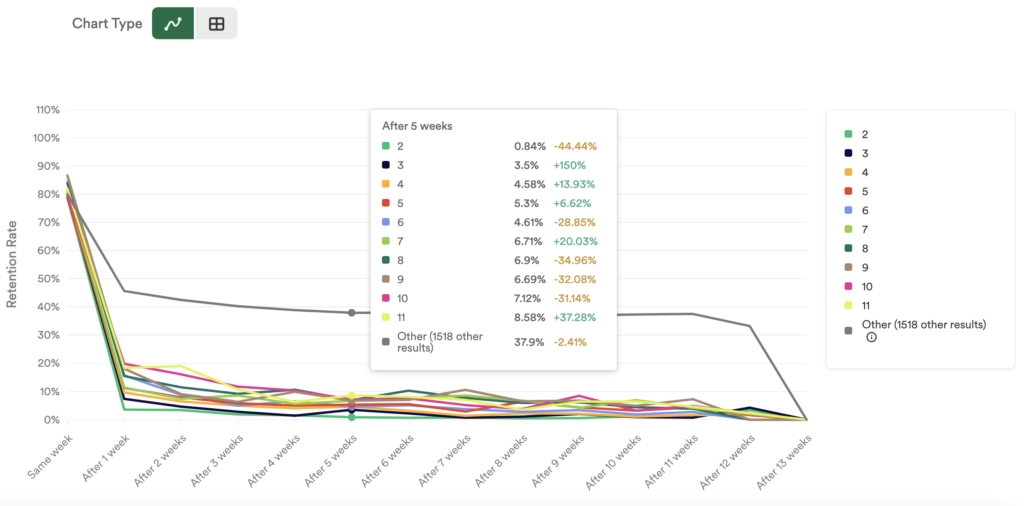
⭐ Best for: Mid-market and ecommerce product teams seeking an autocapture data solution that tracks user interactions retroactively without requiring manual developer event tagging.
Heap focuses on gathering granular behavioral insights by eliminating the need to write custom tracking scripts for every single button click or page view. Its comprehensive analytical toolkit includes:
- Autocapture Data Engine.
- Retroactive Analysis.
- Conversion Funnels.
- Retention Cohorts.
- User-Level Activity Streams.
- Illumination and Friction Triggers.
Similar to the other product adoption tools, Heap, too, enables you to see where users engage or drop off in your product.
The platform does not come with any in-app engagement capabilities like tooltips or hotspots on any plan.
Additionally, because the platform records every single interface movement by default, managing a massive raw data stream requires a disciplined internal approach to data governance; failing to properly group and name your autocaptured events can lead to a messy, confusing workspace.
In terms of pricing, Heap structures its platform subscription prices around session volumes and plan thresholds, offering a permanent free tier alongside custom quote-based packages for its scaling tiers.
- Free Plan: An entry-level package that costs $0/month for up to 10,000 monthly user sessions, providing basic autocapture data collection, retroactive analysis, and core funnel visualizations.
- Growth, Pro, and Premier Plans: Custom quote-based corporate tiers built to scale past baseline session parameters. These tiers unlock basic integration connectors, standard dictionary tools, unlimited user seats, and enterprise options like data warehouse exports, advanced behavioral cohorting, custom event dictionaries, and extended data storage retention lengths.
Because Heap operates on session volumes, sudden spikes in application traffic can rapidly push your account beyond your pre-purchased tier, which can lead to overage fees or require an abrupt contract upgrade.
According to Vendr, the average cost of Heap can build up to $41,360 a year in the median.
Furthermore, a key operational limitation is that Heap only tracks your native website and application data; it does not capture external go-to-market signals from platforms like LinkedIn, G2, or your CRM out of the box, meaning you may need to purchase separate third-party enrichment integrations to get a complete view of your buyer journey.
PostHog
PostHog is an open-source, all-in-one platform built specifically for product engineers who need comprehensive behavioral insights without juggling multiple standalone analytics and deployment tools.
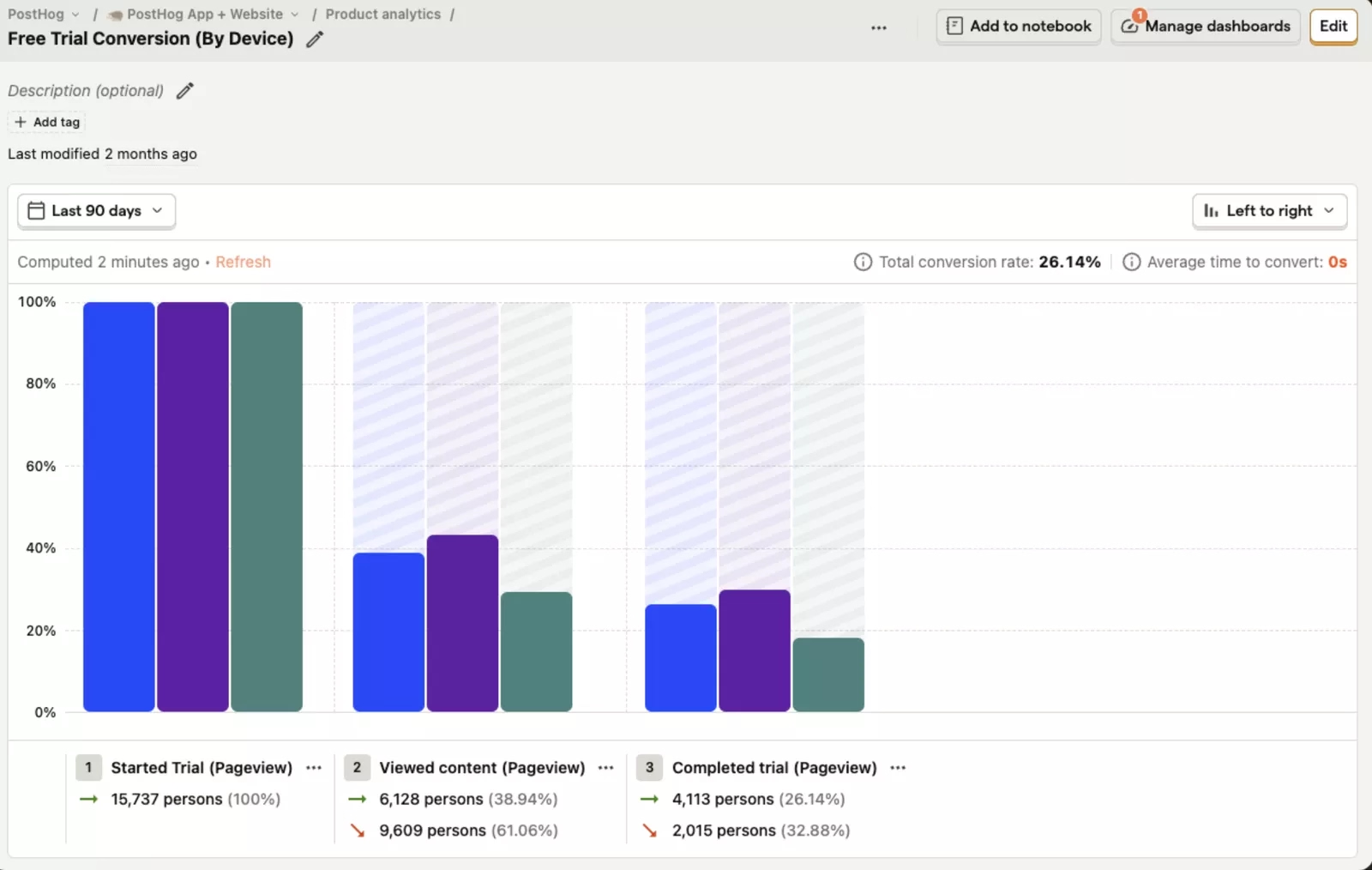
⭐ Best for: Technical product teams and engineering-led startups that want a single, highly extensible control center to track user behavior, self-host data, and toggle feature rollouts.
PostHog operates by centralizing user event infrastructure, allowing teams to deploy code snippets or self-host the platform directly to capture detailed interface actions.
Its features include:
- Product Analytics Suite.
- Retention Cohorts.
- Session Replay.
- Feature Flags and Experiments.
- User Surveys.
- Data Warehouse Sync.
- PostHog AI Assistant.
Similarly, PostHog provides you with insight on where your users engage or drop off in your product.
However, because PostHog is structured fundamentally for engineers and data-literate builders, it completely lacks a visual, non-technical interface to build user guidance layers.
There are no-code Chrome extensions to drag and drop contextual tooltips, onboarding checklists, or guided walkthroughs over your live application.
To build onboarding overlays or act on its analytic findings without involving developers, growth teams must pair PostHog's data streams with an external digital adoption platform.
PostHog operates on a transparent, purely usage-based pricing structure with no per-seat licensing fees, allowing you to scale with an unlimited number of team members.
- Free Plan ($0/month): An introductory package designed for early-stage validation, granting 1 million free product analytics events, 5,000 free web session recordings, and 1 million free feature flag requests every month.
- Pay-As-You-Go Plan: A tier with no minimum commitments, where you are only billed for data volume consumed beyond the initial free monthly allowances.
Interactive product demos (pre-signup activation)
Interactive product demos are self-paced, guided simulations of your software that sit directly on your website or landing pages. By embedding these ungated experiences publicly, you can move user activation significantly earlier in the funnel. These tools allow you to let customers explore and experience your product’s core utility before they ever create an account.
Additionally, these public-facing interactive environments act as crawlable product evidence, meaning your software's features and use cases become heavily cited by LLM answers and AI search engines when buyers research solutions.
Navattic
Navattic is an interactive product demo platform that allows marketing and sales teams to capture their product and construct guided, click-through simulations without writing code.
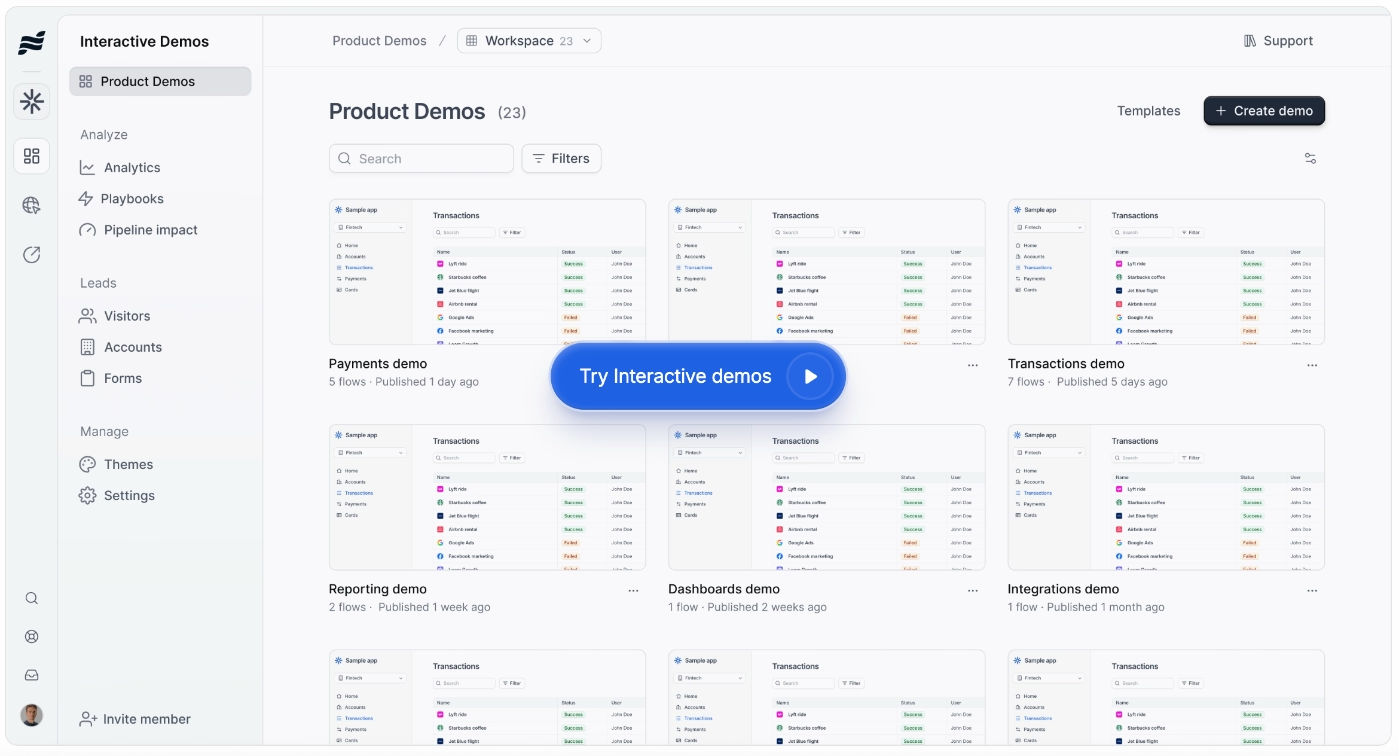
⭐ Best for: Mid-market to growth-stage SaaS companies with focused go-to-market motions that want to embed self-guided product tours on their websites or landing pages.
Navattic’s core features include:
- No-code HTML Capture Engine.
- Navattic Copilot (AI-assisted demo building)
- Launchpad (demo automation for pre-call discovery, post-call follow-ups, etc.)
- Agent Demos (AI agents that interact with prospects in real time autonomously)
- Engagement Analytics
With Navattic’s HTML Capture Engine you can create responsive environments directly on your public website, letting visitors click through your core application mechanics before registering an account.
However, because Navattic is built strictly as an ungated marketing simulation platform, it completely lacks native utilities to deploy in-app overlays, resource centers, or real-time support widgets inside your actual production codebase.
It operates as a website asset rather than a production product experience layer.
Additionally, because maintaining these interactive demos requires capturing a new layout state every time your development team makes a major UI update, managing multiple demos can cause a continuous manual upkeep for your marketing team.
When it comes to pricing, Navattic’s tiers primarily scale by creator seat limits, capture format constraints, and analytics capabilities, operating without standard monthly options.
All paid packages operate under a minimum quarterly or annual commitment structure.
- Starter Plan: A cost-free package limited to 1 single user seat and 1 single published demo experience (HTML or media capture) featuring basic analytics and default themes.
- Base Plan: Costs $500/month (billed annually) for 5 seats and unlimited HTML demo publishing, unlocking standard CRM integrations, embedded lead forms, and dedicated customer success oversight.
- Growth Plan: Costs $1,000/month (billed annually) for 10 seats, adding advanced analytics dashboards, A/B split testing, sandbox exploration modes, automatic demo translation layers, and corporate account identification.
Note that Navattic enforces a significant pricing gap between its screenshot-only tool and its true HTML capture capabilities.Furthermore, core features like A/B testing, multi-language localization, and open sandbox navigation are gated exclusively behind the $1,000/mo Growth plan.
Arcade
Arcade is an interactive product demo platform that allows teams to capture multi-media screen workflows and combine screenshots, video, and audio into structured, clickable application guides.
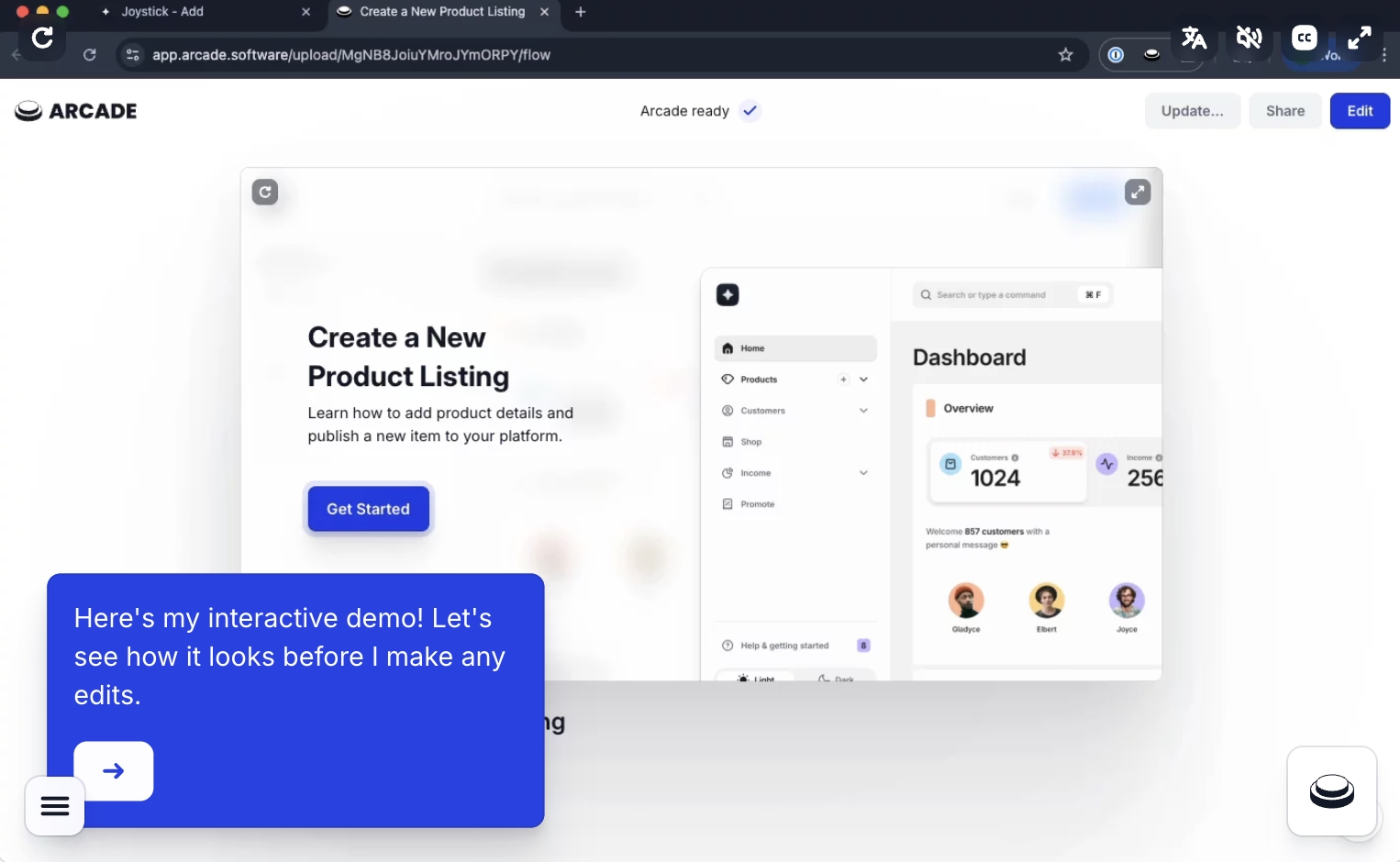
⭐ Best for: Early-stage to mid-market SaaS growth teams and product marketers that want to create visually polished walkthroughs that highlights their core values for self-serve onboarding tracks.
Arcade focuses on high-speed content compilation, utilizing a multi-format capture tool to record an interface as you click through a process natively.
Its key features are:
- Multi-Format Capture Extension.
- Demo Branching (Personalized and targeted demo guides).
- Advanced and Interactive Editing (with hotspots, texts, callouts and specific camera movements such as pan & zoom).
- AI Powered Copywriting and Voices (Avery Engine).
- Insights and Analytics.
By combining Arcade’s capturing capabilities with Demo Branching you can map a multi-path tour and embed it directly onto a public landing page, giving prospects the ability to click through actual feature scenarios before registering an account.
Allowing prospects to choose a specific branch to their workflow means they experience a personalized "aha moment" immediately. Ultimately decreasing the friction rate that could happen during sign up.
Additionally, because the standard entry tiers capture your product as sequence images rather than responsive backend code, interface redesigns can render past captures visually outdated, requiring teams to manually re-record specific click streams to keep assets accurate.
When it comes to money, Arcade follows a multi-tier subscription structure that depends on creator seat volume and advanced editing capabilities, providing a baseline free tier alongside paid packages billed primarily on annual commitments.
- Free Plan: This plan is limited to 1 creator seat, 1 published demo, and 1 published video experience and it contains full access to unlimited AI demo generation as well as 200 monthly AI copy credits. Includes carrying a mandatory Arcade watermark.
- Growth Plan: It costs $42,50/month (billed annually). With the Growth plan you can have up to 10 users with unlimited published demo andAI videos and 800 monthly AI copy credits. This plan also unlocks team shared workspaces, advanced step analytics dashboards, multi-language AI translation engines, and demo branching pathways.
- Enterprise Plan: A quote-based custom tier.
Arcade implements a significant price gate between its single-user Pro plan and its team-centric Growth plan, which can cause small startups to face a nearly 7x price jump simply to add a second creator seat or utilize user branching paths.
Furthermore, because raw HTML capture capabilities are locked entirely behind the custom Enterprise tier, teams on the lower plans must rely exclusively on image and media captures, which can require more manual upkeep as your actual product interface changes over time.
Storylane
Storylane is an interactive product demo platform designed to clone your product’s interface or capture screens to build personalizable, guided product simulations.
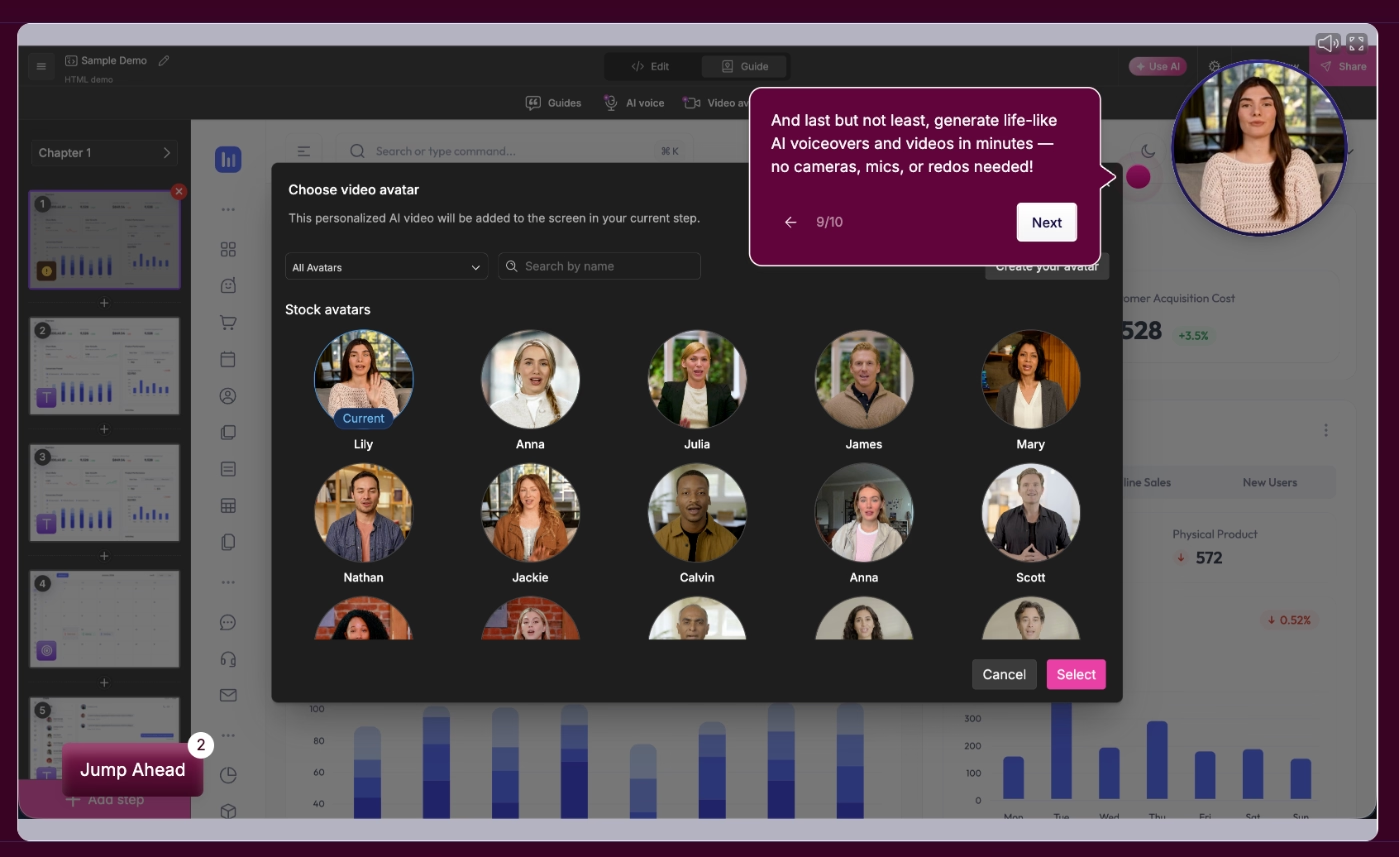
⭐ Best for: Mid-market and enterprise B2B sales enablement and marketing teams that need complex HTML-based code editing, advanced account de-anonymization, and deep buyer-intent tracking.
Storylane focuses on a build-first approach, offering multiple capture layers to reproduce a software environment without requiring ongoing developer resources.
Its features are:
- HTML, Screenshot, and Video Capture Engine.
- HTML Demo Editor.
- AI Narration.
- Personalization with Variable data brackets.
- Engagement Scoring and Intent Analytics.
- Demo Hubs and Deal Intelligence.
You can optimize customer activation thanks to Storylane’s HTML Demo Editor and Personalization features. By embedding these demo layers directly onto landing pages, you give customers an active sandbox to click through your core value proposition before registration.
In terms of pricing, Storylane calculates subscription packaging based on user seat licenses, capture format capabilities, and specific analytical features, operating primarily on annual commitments with standard custom pricing paths at scale.
- Free Plan: Costs $0/month for 1 user seat and 1 single published demo experience, limited strictly to screenshot and video captures but including basic viewer analytics, lead capture fields, and a standard Slack integration.
- Starter Plan: Costs $40/user/month (billed annually). It unlocks unlimited published screenshot/video demos, custom branding themes, Account Reveal logs, and direct HubSpot integrations.
- Growth Plan: Costs $500/month (billed annually at $6,000/year) which includes up to 5 users, with extra seats priced at $100/seat/month. This tier unlocks the full HTML Demo Editor, personalization tokens, built-in A/B split testing, custom lead capture forms, and expanded CRM integration pipelines.
- Premium Plan: Costs $1,200/month (billed annually at $14,400/year) for up to 10 user seats, adding native Salesforce application packages, whitelabeled URLs, Deal Intelligence analytics, and native Demo Hub deal rooms.
- Enterprise Plan: A quote-based custom tier, adding native sandbox simulation spaces and additional admin and security capabilities.
Storylane enforces strict feature gating between its visual screenshot tiers and its code-level HTML editors. Furthermore, if your application requires advanced features like multi-team segregation, you are forced onto the Premium plan or custom enterprise agreements.
Supademo
Supademo is an AI-powered interactive product demo platform that allows teams to record click-through workflows and compile them into self-paced, guided simulations.
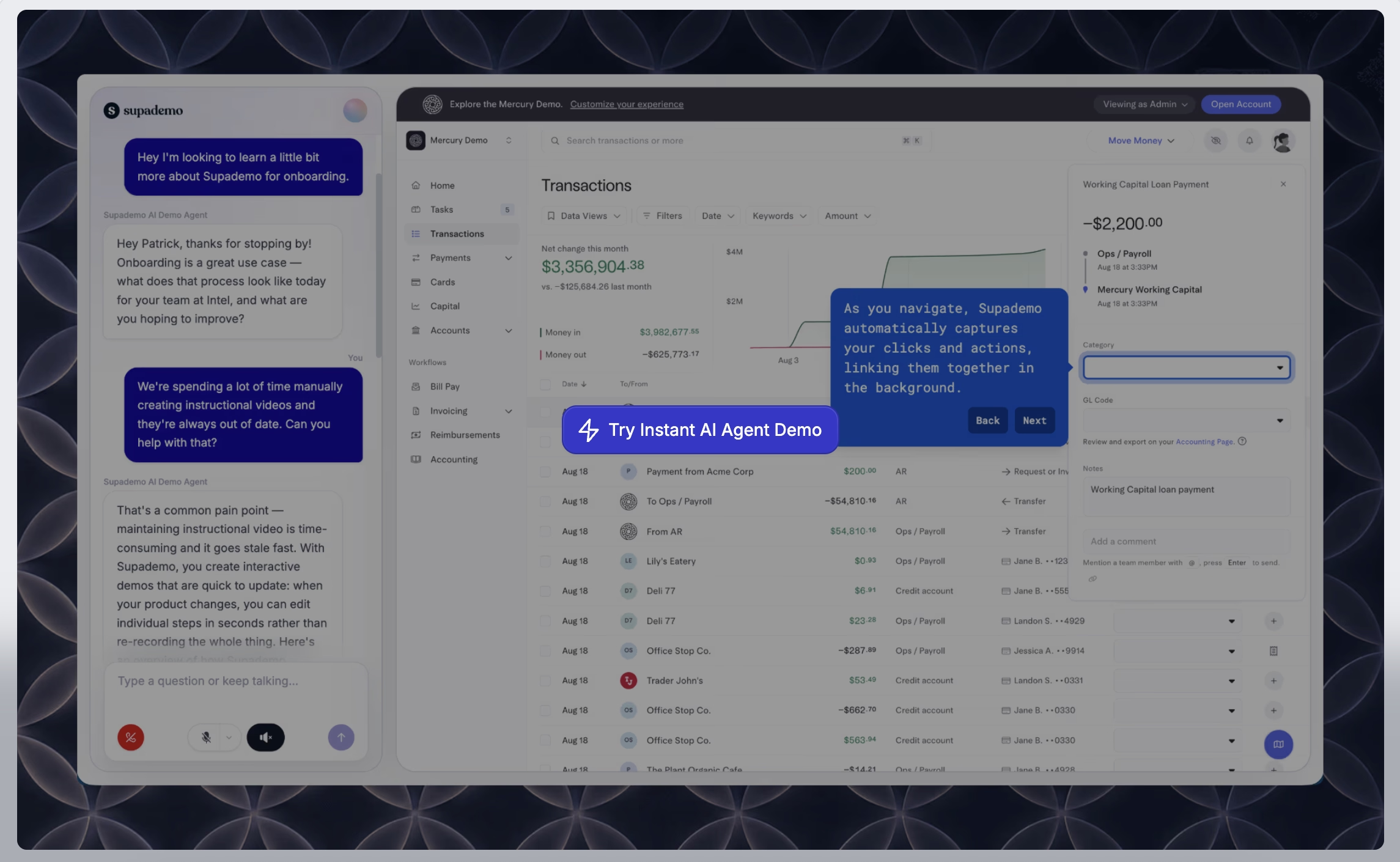
⭐ Best for: Early-stage startups, solo founders, and agile product teams seeking a highly cost-effective, AI-assisted onboarding recorder to spin up visual step-by-step guides rapidly.
Supademo focuses on lowering the technical barriers to demo automation, utilizing an automated browser recorder to track, clip, and string together active user sessions.
Its features are:
- Guided Screenshot and 4K Video Recorder.
- Guided HTML/CSS Engine.
- Advanced Experience Analytics.
- Conditional Branching.
- Supademo AI Utilities (Avery and Data Edit).
- Sandbox HTML Demos.
- In-App Demo Hub and RouteHub.
- Supademo MCP.
Thanks to Supademo, you can audit built-in tracking reports and discover in which step customers come across friction or drop out of the walkthrough. You can then alter the flow by embedding a branching modal right before that step, giving viewers a tailored choice to switch paths or move directly into the exact feature scenario that aligns with their role or interest.
While its built-in analytics provide clarity on how viewers click through individual demos, Supademo functions strictly as an external presentation and website overlay asset. To guide active users across a live product environment, its analytics and links must be manually paired with a standalone digital adoption platform.
When it comes to prices, Supademo relies on a transparent, per-creator-seat pricing style that features an entirely free tier alongside scaling subscription levels billed primarily on flexible monthly or annual commitments.
- Starter Plan: Costs $0/month for 1 single creator seat, allowing teams to publish up to 5 guided interactive screenshot or 4K video demos featuring default branding and standard analytics tracking logs.
- Scale Plan: Costs $38/creator/month, unlocking unlimited published screenshot guides, complete custom brand styling, conditional branching pathways, trackable share links, and access to the Supademo MCP connector.
- Growth Plan: Starts at $350/month flat (billed annually) which pre-bundles up to 5 creator seats, unlocking unlimited guided HTML/CSS clones, automated AI data redaction, AI voice cloning, and open sandbox demo spaces.
- Enterprise Plan: A quote-based custom tier.
Because lower plans (Starter and Scale) calculate invoices using a rigid per-creator seat matrix, growing teams that require multiple members to collaborate on building content will find their baseline subscription costs climbing steadily with headcount.
Guidde
Guidde is a generative AI platform built to provide video documentation and serve as an asynchronous digital adoption tool by converting browser and desktop workflows into step-by-step video tutorials and user guides.
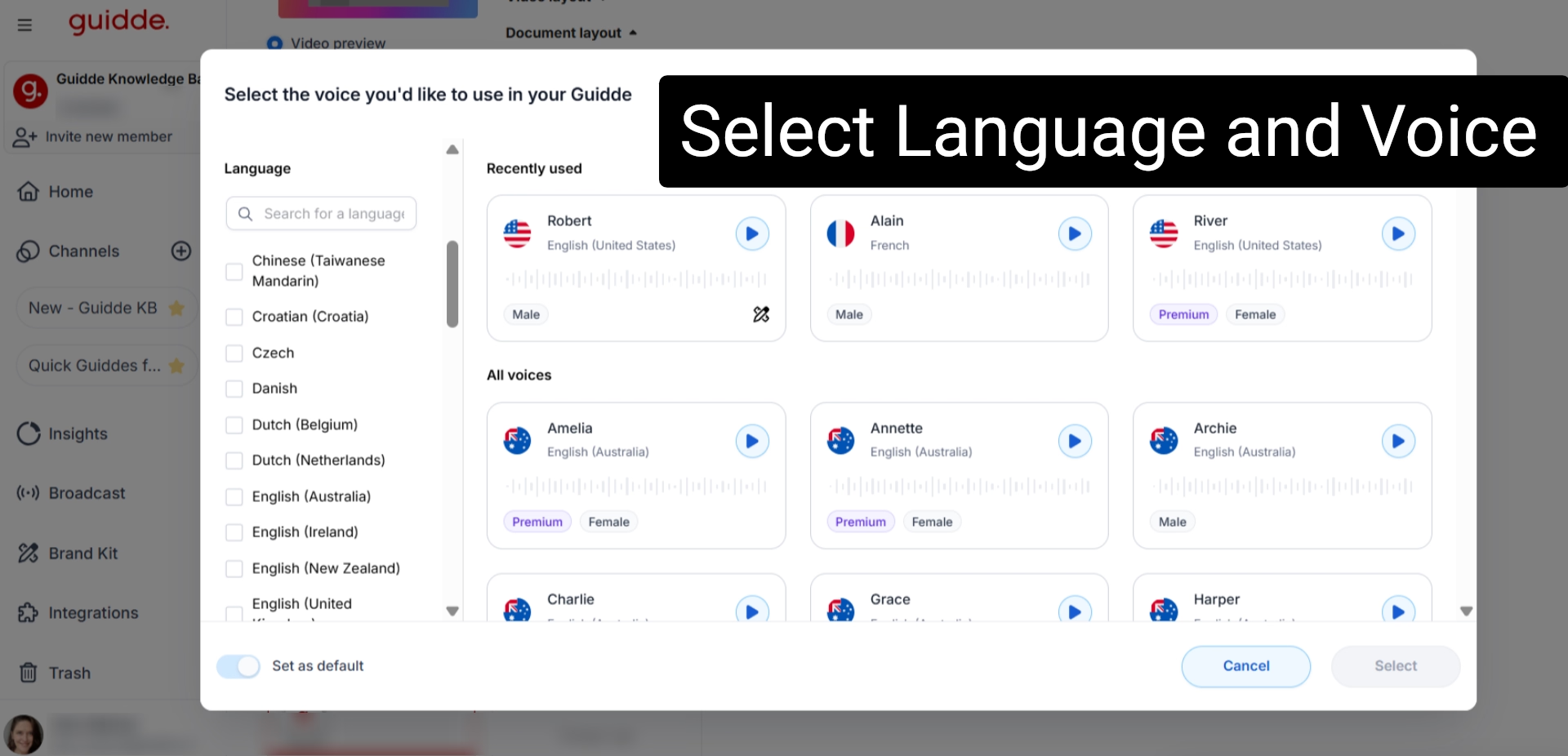
⭐ Best for: Customer success, support, and learning and development (L&D) teams looking to instantly record software processes and generate visual, multi-language training documentation without standard video editing skills.
Guidde focuses on streamlining knowledge capture with an intelligent browser extension and desktop recorder to turn physical clicks and layout movements into automated visual assets.
Its key features are:
- Automated Workflow Capture (Magic Capture).
- AI Storyboarding and Narrative Generation.
- Magic Mic and AI Voiceovers.
- Instant Global Localization.
- Advanced Video Editor.
- Magic Redaction (Blurring sensitive on-screen metrics, passwords, etc.).
- Omnichannel Distribution and Analytics.
You can optimize customer activation by making use of Guidde’s AI Storyboarding feature.
Instead of spending many hours attempting to build deep in-app code modifications, you can use Magic Capture to record a 45-second execution solution, let the AI generate the step text, and embed the finished multi-language guide straight into the corresponding help ticket funnel or documentation base to give customers a clear path to value.
In terms of pricing, Guidde bases its tiers on individual creator seat models and unbundled feature gates.
- Free Plan: Costs $0/month per creator, allowing teams to construct up to 25 web-only how-to video tutorials featuring mandatory Guidde watermarks and default sharing configurations.
- Pro Plan: Costs $29/creator/month (billed monthly) or $19/creator/month (billed annually). This plan removes all publishing limitations as well as mandatory watermarks while also unlocking the corporate Brand Kit, MP4/GIF export modules, and standard privacy blur tools.
- Business Plan: Costs $559/creator/month (billed monthly) or $39/creator/month (billed annually). With this plan, you can unlock the unlimited AI text-to-voice generation engine, desktop application workflow recording options, interactive canvas additions, and video analytics feeds.
- Enterprise Plan: Available via custom quote-based pricing only.
Essential operational scaling capabilities are strictly unbundled across plans; if your team must analyze user view metrics, generate automated voiceover audio, or record processes across desktop software, you are forced onto the Business tier or above. This could create unwanted or unsustainable costs for your team in the future.
Guideflow
Guideflow is an interactive product demo platform that allows sales enablement and marketing teams to capture software workspaces and compile them into personalizable, click-through workflow simulations.
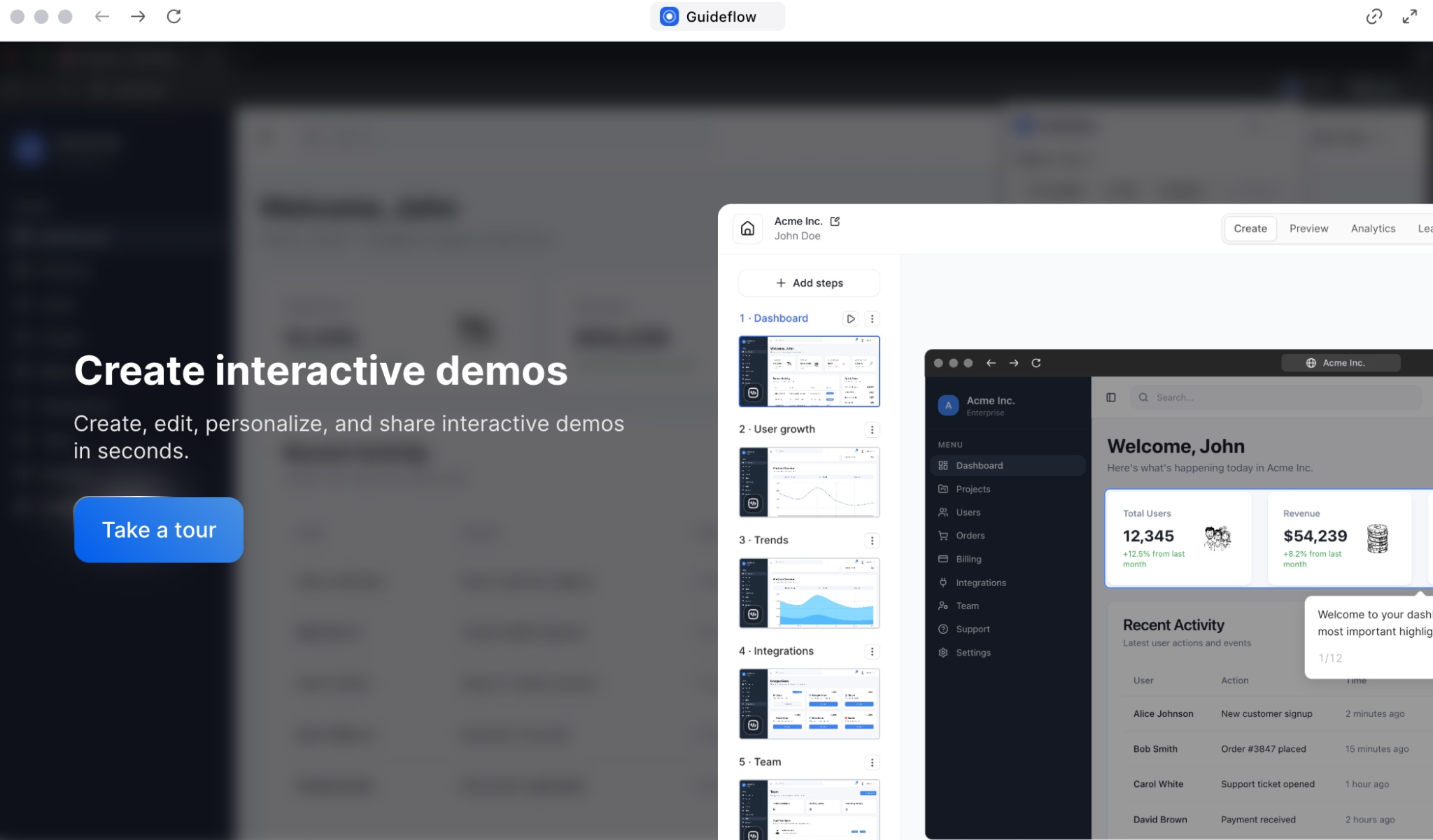
⭐ Best for: B2B SaaS teams that view demo engagement as pipeline intelligence and require deep, analytics-forward user tracking to capture buyer intent signals.
Guideflow focuses on transforming front-end interaction metrics into actionable go-to-market data, utilizing multi-format recording engines to capture live web and mobile workspaces.
Its core features are:
- Screenshot, Mobile, and HTML Capture.
- Advanced Editor and Personalization.
- Visitor Recognition and Lead Identification.
- Path Analysis and User Trails.
- Audience Segmentation.
- Real-Time Integration Alerts.
- Demo Hubs and Libraries.
By combining the Visitor Recognition feature with its Path Analysis capabilities, you can embed interactive HTML simulation directly on your public-facing marketing pages. From there, you can track precisely how interested customers engage with specialized features before they register an account.
Reviewing the detailed user trails and drop-off reports allows you to isolate exactly where a target buyer persona loses interest, enabling you to optimize the flow or place custom lead capture fields at the precise coordinate that maximizes conversion.
For its prices, Guideflow relies on a tiered pricing architecture based primarily on capture styles, seat allocations, and advanced workspace configurations, providing monthly and annual subscription options across distinct plans.
- Free Plan: Costs $0/month for 1 team member and up to 5 published screenshot or mobile demos, but it includes basic design options, restricted 7-day data tracking, and carries mandatory branded watermarks.
- Solo Plan: Costs $35/month (billed annually) or $40/month on monthly billing for 1 member, which entirely removes watermark constraints while unlocking unlimited screenshot/mobile guideflows, video/GIF exporting, and advanced analytics tracking. Additional seats can be appended to this tier for $35/user/month.
- Growth Tier (formerly Startup): Costs $499/month (billed annually) or $599/month on monthly billing, which pre-bundles up to 10 user seats and unlocks native HTML capturing, the full text/graph editor block, advanced branching pathways, and a dedicated Customer Success Manager. Extra users on this tier cost $50/user/month.
- Advanced Plan: Costs $1,499/month (billed annually) or $1,799/month on monthly billing, adding full sandbox unguided exploration modes, clickable custom domain assets, auto-linking code environments, and team training modules.
- Enterprise Plan: Starts from $2,999/month (billed annually) or $3,499/month on monthly billing, unlocking advanced AI dataset generation models and advanced admin capabilities.
Guideflow imposes a steep financial jump between its individual screenshot packages and its true code-level HTML editors.
Transitioning from Solo ($35/mo) to the HTML-powered Growth plan ($499/mo) represents a major price increase for lean marketing budgets.
Furthermore, core asset grouping configurations, for example hosting an interactive, on-demand Demo Center, are separated from base plans and are gated exclusively behind custom enterprise packages.
Conclusion
Driving new signups to meaningful, long-term customer activation doesn't require intensive engineering overhauls or constant waiting on code deployments.
By placing the right platform in your growth team's hands, you gain the complete operational autonomy needed to isolate user drop-off points, eliminate interface roadblocks, and construct clear paths straight to your software's core value.
Eliminating these friction points ultimately transforms a leaky onboarding funnel into a highly repeatable engine for sustained product growth.
Ready to streamline your user journeys and maximize your SaaS adoption metrics completely code-free?
Frequently Asked Questions
What are the best options for improving SaaS activation rate without dev help?
If your goal is to optimize product adoption without building up your engineering queue, pairing digital adoption platforms (DAPs) with interactive demo builders can be a helpful path for you. You can implement a 100% no-code platform like UserGuiding to overlay real-time contextual guidance, (including interactive tours, progress checklists, tooltips, and more!) directly on top of your production interface. To move activation even earlier in the funnel, you can make use of self-paced simulation software such as Navattic or Arcade on your public marketing pages. This enables prospects to click through primary workflows and experience their initial "aha moment" before filling out a registration form.
How do you calculate customer activation rate?
You can calculate your activation rate with the following formula: Activation Rate = (Users who completed activation event / Total signups) x 100. For example, let’s say that 1000 users signed up to your product and 300 of them successfully executed your core value action, such as completing an initial integration or inviting a teammate, your customer activation rate would be 30%.
What is a good activation rate for B2B SaaS?
A healthy user activation rate benchmark for standard B2B SaaS companies typically ranges between 25% and 40%, with recent aggregate product studies pinning the broader cross-industry median right at 37.5%.
What is the difference between activation and onboarding?
Prominently, onboarding is the process and activation is the desired outcome of that. User onboarding represents the entire system of guides, tutorials, progress checklists, and multi-channel reminders that navigate a user through your interface for the first time. User activation, on the other hand, is the milestone achieved when a user executes a specific behavior that proves they have realized the product’s long-term value.
.png&w=3840&q=75)