.svg)
.svg)
.svg)
.svg)



.svg)




.svg)
.svg)


Product tour software automates the onboarding process and allows teams to replace human-led sessions with self-service interactive guides. Gartner estimates that 75% of new applications will be built on low-code platforms by 2026. HubSpot reports that low-code/no-code platforms have the potential to reduce development time by 90%.
Instead of hands-on sessions, the future of adoption is now shaped by self-service experiences powered by these platforms.
In this post, we’ll talk about the best product tour software in 2026, why teams are moving to automated products, and the ROI of no-code onboarding.
Open an empty document, sit down, and let’s dive in.
TL;DR
- Low-code/no-code platforms can reduce development time by 90% and automating the onboarding process with product tour software increases feature adoption.
- More teams today are choosing automated product tours over hands-on sessions to save time and take control of how users experience their product from day one.
- No-code onboarding can save between 40 to 400 hours a month, depending on your team size.
Why Teams Are Moving to Automated Product Tours in 2026
You’ve just rolled out a new feature. The launch went smoothly, the UI looks clean, and then the same requests start rolling in: “Can someone walk me through this?”, “Is there a demo?”, “Do you have a quick training?”
So you schedule a session. Then another. Then record a product walkthrough. Then update it. Then realize it’s already outdated because the moment you ship, the clock starts ticking on keeping everyone aligned.
That’s the real pressure: not building the product, but keeping people caught up with it.
And at scale, that pressure turns into a hidden risk. Slow onboarding delays adoption. Confused users churn quietly. Internal teams burn time repeating the same explanations instead of moving the product forward.
This is where the “developer bottleneck” quietly becomes the enemy of growth.
Every improvement to onboarding, every tweak to a walkthrough, every attempt to make the product easier to understand gets funneled through engineering. And when priorities compete, onboarding almost always slips behind roadmap features.
As a result, the experience meant to drive adoption is always one step behind the product itself. This tradeoff isn’t acceptable anymore. Therefore, teams are moving to automated product tours to save time and take control of how users experience their product from day one. Instead of relying on developer cycles, Product and Customer Success teams now build, launch, and refine guided walkthroughs on their own.
It’s a shift in ownership as much as it is in tooling.
When you empower your team to create onboarding experiences without waiting on engineering, you remove friction at the exact moment users need clarity most. Updates happen in real time. Guidance becomes contextual. Learning stops being an event and starts becoming part of the product itself.
Here’s how both approaches compare 👇
Human-Led Sessions (The Old Way):
- Momentum breaks: Users wait for training instead of exploring immediately.
- Resource drain: Teams repeat the same walkthroughs instead of focusing on growth.
- Knowledge gaps: What’s explained live is often forgotten or missed.
- Scaling friction: More users means more sessions, more coordination, more overhead.
- Time-bound learning: Help is only available when someone is there to give it.
Self-Service Walkthroughs (The New Way):
- Instant clarity: Users learn in the moment, inside the product.
- Team efficiency: One experience supports thousands without added effort.
- Built-in consistency: Every user gets the same guidance, every time.
- Continuous iteration: Updates happen instantly and no dev queue is required.
- True scalability: Growth doesn’t increase workload but compounds impact.
When users can’t quickly understand value, they don’t stick around to find it.
Automated product tours solve that by meeting users where they are, exactly when they need help. They remove the lag between shipping and understanding. And they break the “developer bottleneck” that keeps onboarding stuck in the past.
Proven Examples of Automated Product Tours
Before we talk about the real-world success of product tours, let’s define it:
A product tour is a UX pattern that virtually guides users through the basics of a product or service to help users understand the core features and functionality.
It often appears after users sign up or first log in to an application in the form of an interactive walkthrough and guided introduction to a digital product.
Each step of the product has one aim: to ensure that users quickly grasp how to use the product and achieve their goals as quickly as possible, and within a repeatable pattern.
Now, let’s talk about proven examples from real businesses.
These examples show how automated product tours breathe life into new features instantly and without IT involvement.
Each one runs seamlessly inside the existing UI, guiding users in context and accelerating adoption from day one.
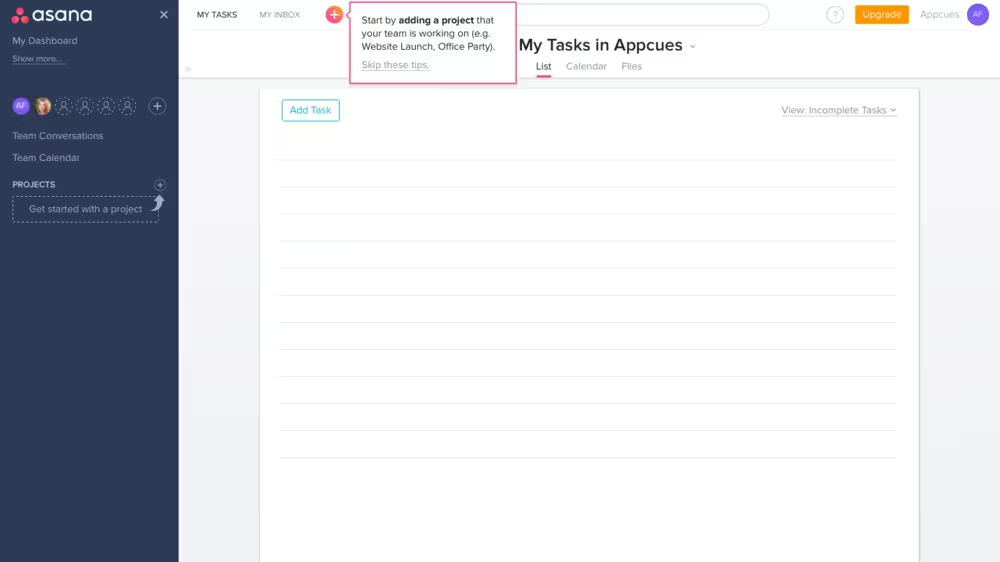
- New feature rollout (from Asana): When rolling out major dashboard updates, teams use in-app tours to spotlight what’s new the moment users log in. Instead of scanning release notes, users are guided step-by-step within the interface, exploring changes in real time. This approach drives immediate engagement and shortens.
- Time saved: ~40 hours per release cycle because it eliminates the need for live walkthrough sessions, reduces internal enablement meetings, and cuts down on repeated “What changed?” support inquiries.
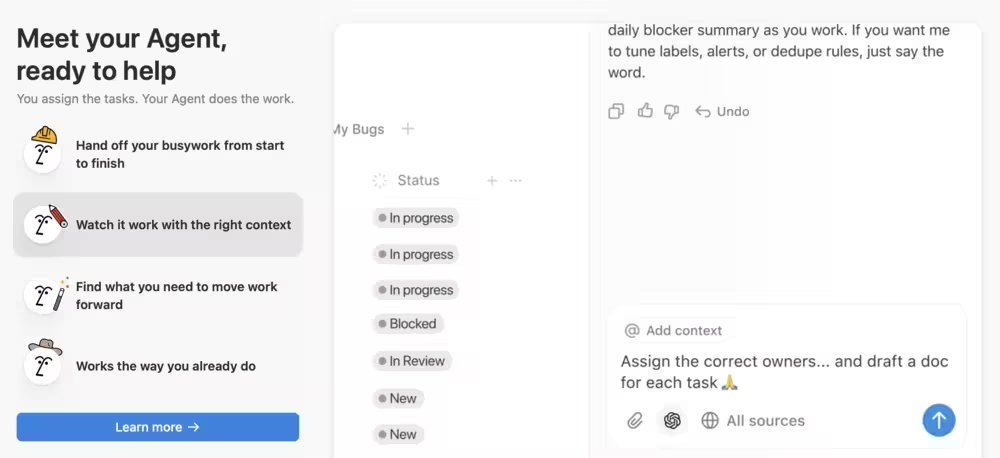
- Onboarding new users (from Notion): When Notion introduced its AI agent, it did so by streamlining onboarding with interactive tours that walk users through how they can hand off their busywork and get contextual answers. These tours adapt based on user behavior, making the experience feel intuitive and personalized without external training.
- Time saved: ~60 hours/month because it replaces manual onboarding calls, reduces reliance on training materials, and minimizes back-and-forth with support during initial setup.

- Upselling premium features (from Wistia): Tools often surface premium features through contextual, in-app guidance. As users explore advanced dashboards, embedded tours highlight additional capabilities exactly when they’re most relevant, creating natural upgrade moments without interrupting workflow.
- Time saved: ~25 hours/month because it reduces the need for sales demos, follow-up emails, and one-off feature explanations from account managers.
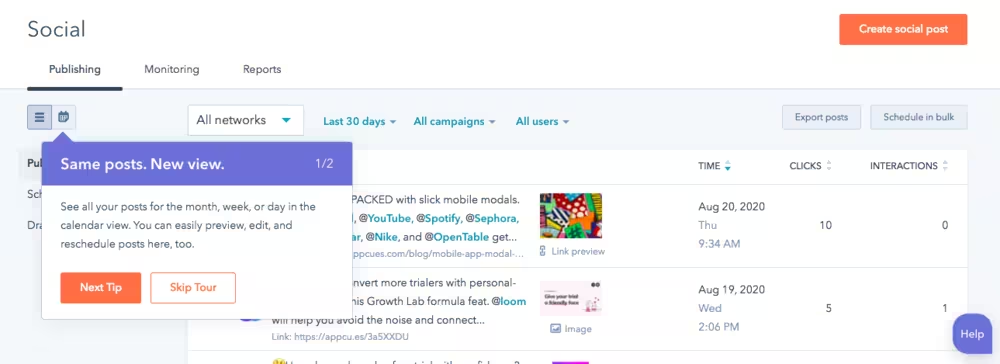
- Feature adoption boost (HubSpot): CRM platforms increase adoption of advanced features by triggering targeted tours and tooltips at the right moment. When users enter specific workflows, guided prompts demonstrate value in context, helping users take action immediately instead of postponing or ignoring new tools.
- Time saved: ~35 hours/month because it cuts down on customer success outreach, repeated training sessions, and reactive troubleshooting tied to underused features.
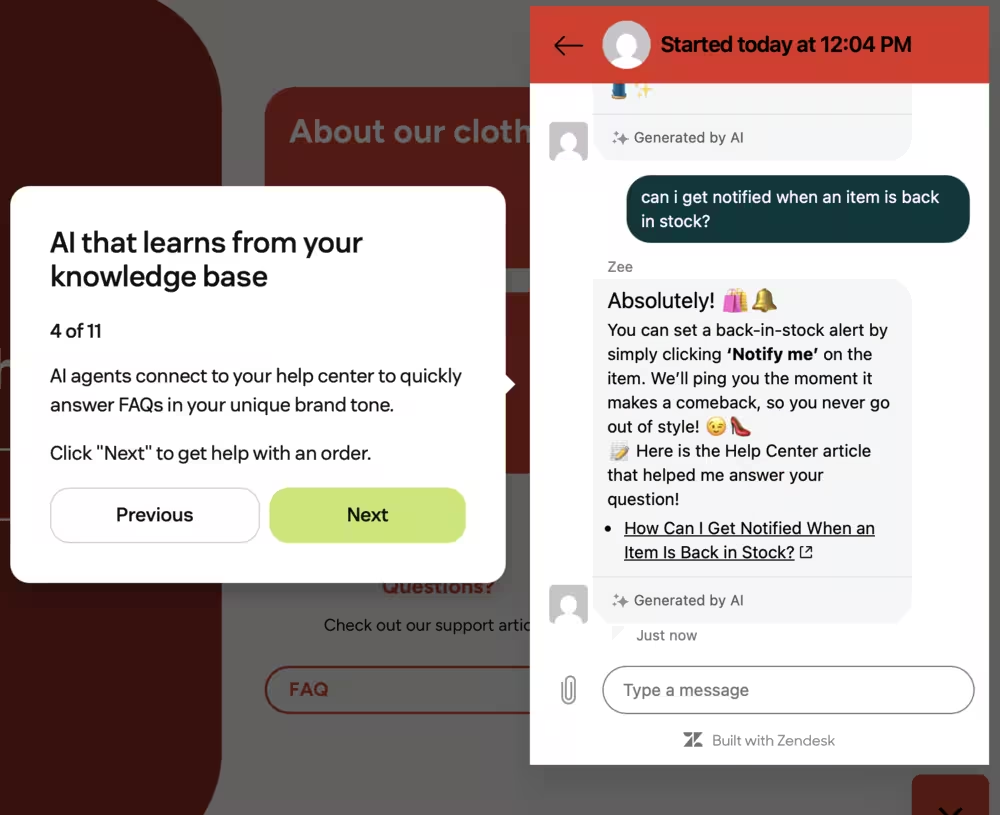
- Reducing support volume (Zendesk): Support platforms reduce repetitive tickets by embedding guided tours directly into complex workflows. Users get instant, on-screen help exactly where they need it, eliminating friction and avoiding back-and-forth with support teams.
- Time saved: ~50 hours/month because it deflects common “how-to” tickets, decreases resolution time, and frees support agents from handling repetitive inquiries.
By delivering contextual, in-product guidance that feels native and seamless, these tours transform how users learn, adopt, and gain value without slowing down teams or disrupting the existing user experience.
The ROI of No-Code Onboarding: How Much Time Can You Save?
No-code onboarding tools do more than simplifying implementation. They also reduce the amount of hands-on, repetitive work required to educate users and support product adoption. The time savings scale significantly with team size, making these tools valuable for both startups and enterprise organizations.
Here’s a practical breakdown of estimated monthly time savings based on team size 👇
Where These Savings Come From
1. Driving Feature Adoption at Scale
Instead of relying on live demos or repeated walkthroughs, no-code product tours guide users contextually inside the product. This eliminates the need for teams to repeatedly explain the same features and ensures users discover value faster without requiring direct intervention.
A large percentage of support tickets typically come from onboarding friction: users asking how to get started or where to find key features. Interactive guides, checklists, and tooltips proactively answer these questions, allowing support teams to focus on higher-value interactions rather than repetitive requests.
3. Faster Iteration Without Bottlenecks
Non-technical teams can quickly update onboarding flows without waiting on engineering resources. This reduces delays and eliminates the need for back-and-forth coordination, especially when improving onboarding based on user feedback.
4. Scalable Growth Without Linear Costs
As your user base grows, onboarding demands typically increase. Without no-code tools, this often means hiring more support or customer success staff. With no-code onboarding, the same team can support significantly more users without a proportional increase in workload.
The bottom line is that the ROI of no-code onboarding is ultimately about reallocation of time. Hours previously spent on repetitive onboarding tasks can be redirected toward strategic initiatives like improving user experience, optimizing conversion funnels, and expanding product adoption.
2026 Comparison: Top Product Tour Tools for Non-Technical Teams
When a better alternative is just a click away, it gets harder to find the most suitable tool for your needs.
To make this process easier for you, we’ve tested five no-code platforms for product tours and analyzed reviews from users who actually used them. The comparison list also includes product tour software pricing you can expect in 2026.
Here’s the full breakdown 👇
Note on no-code rating: Our rating is designed to evaluate how effectively a product tour platform enables non-technical users to independently build, launch, and optimize in-app experiences without developer support.
Rather than relying on a single factor, the rating is based on five weighted criteria:
- Ease of initial setup: A true no-code tool should minimize time-to-value and reduce reliance on developers from day one.
- Visual builder and UI simplicity: The core promise of no-code is usability. If non-technical users struggle to build flows, the tool isn’t truly no-code.
- Event tracking without code: Product tours depend on user behavior; requiring code for tracking creates a major bottleneck.
- Customization without CSS/JS: Product tours depend on user behavior and requiring code for tracking creates a major bottleneck.
- Maintenance and iteration independence: No-code is more about continuous iteration without engineering bottlenecks than just building.
Free Exploration vs Guided Tours
Guided product tours may not be everyone’s cup of tea. For those who want to explore a product more freely and on their own terms, demo platforms might just do the trick. Here’s another comparison table with tools we’ve tested and hunted for reviews online 👇
Keep in mind that interactive demos are standalone, simulated product experiences that prospects can explore outside the actual app, typically used in marketing and sales to showcase value before signup.
In contrast, in-app guided tours run inside the real product and guide existing users step-by-step to drive onboarding, activation, and feature adoption. In short, demos sell the experience, while guided tours help users succeed within it.
Step-by-Step Implementation Timeline
Finding the best product tour software for your team is only half the battle. Once you have your pick, it’s important to map an implementation plan and stick to it, so you can monitor changes closely.
Here’s our 4-week implementation timeline example for non-technical teams to go live 👇
- Week 1: Install and create your first guide
- Week 2: Work on checklists and tooltips
- Week 3: Set up analytics to collect data from users and iterate
- Week 4: Measure what’s working or not and scale accordingly
Why UserGuiding Is the Fastest No-Code Solution for 2026
Speed wins. And when it comes to product adoption, waiting on engineering is no longer acceptable.
UserGuiding is built for teams that want to move now, not next sprint. It empowers product, marketing, and customer success teams to create in-app experiences on their own timeline, inside their existing UI, without friction.
At UserGuiding, no-code actually means something. You’re not stuck translating ideas into tickets or waiting for implementation cycles. You launch, iterate, and improve in real time. As a result, you get faster onboarding, higher feature adoption, and a product experience that evolves as quickly as your users do.
UserGuiding also helps you win faster. And with enterprise-grade reliability, including GDPR and SOC2 compliance, you’re not trading speed for security. You’re getting both.
Here’s what UserGuiding offers in addition to product tours 👇
Checklists
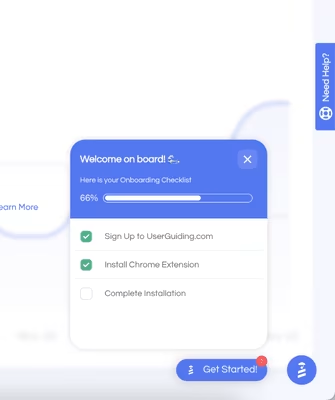
A good onboarding checklist can stop an overwhelming first experience in its tracks. Instead of leaving new users guessing where to start, you guide them through exactly what matters.
One step at a time, directly inside your product. This creates momentum from the very first interaction and keeps users moving toward activation without confusion or drop-off.
What makes this powerful is control. Non-technical teams can design onboarding flows that align perfectly with user goals. No dependencies, no delays.
Want to update the steps based on a new feature release? Adjust messaging to match a campaign? You can do it instantly. Build it yourself in minutes, then refine it as you learn what works.
Checklists also create visibility. You’re not only guiding users but also seeing where they succeed and where they stall. That means better decisions, faster improvements, and onboarding experiences that actually convert.
Tooltips
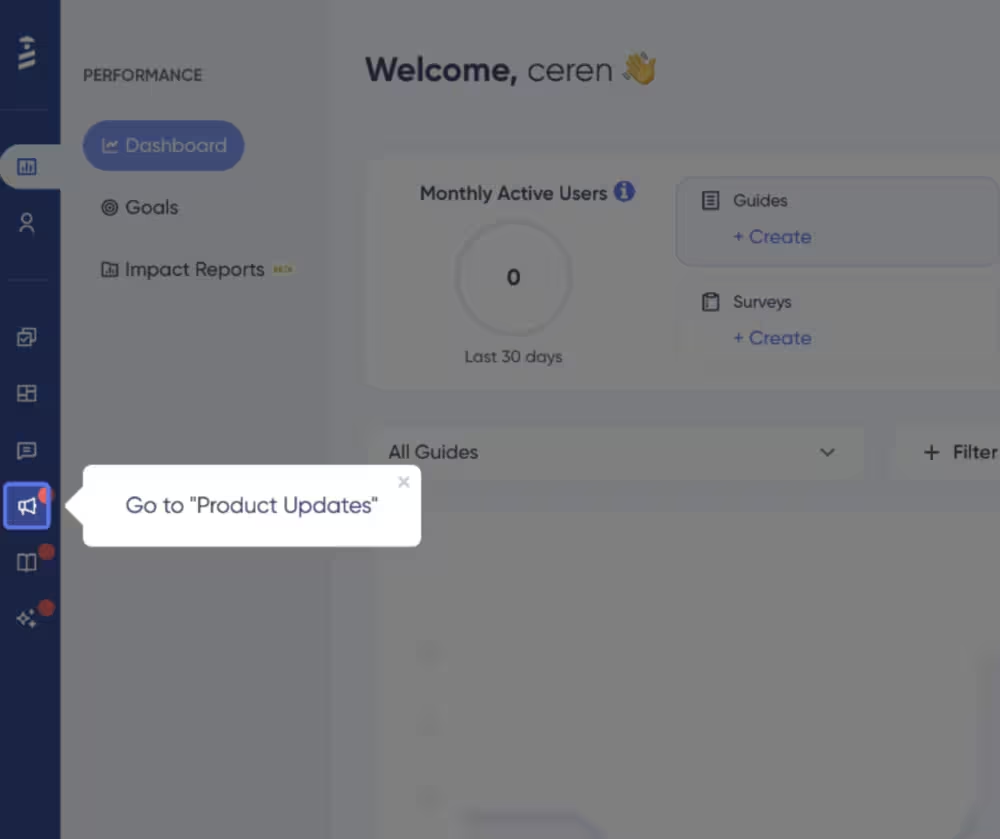
Tooltips bring clarity exactly where users need it without interrupting their flow. Instead of forcing users to leave the interface to find answers, you deliver guidance in context. A small nudge, a quick explanation, or a helpful tip can be the difference between confusion and confidence.
For non-technical teams, this is a game-changer. You can highlight features, explain workflows, and reduce friction without relying on developers to implement UI changes. Everything happens within your existing product experience, seamlessly layered into what users already see.
And because tooltips are so easy to deploy and adjust, they become a living part of your product.
Launch a new feature? Add guidance instantly. Notice users struggling with a step? Fix it on the spot.
Analytics
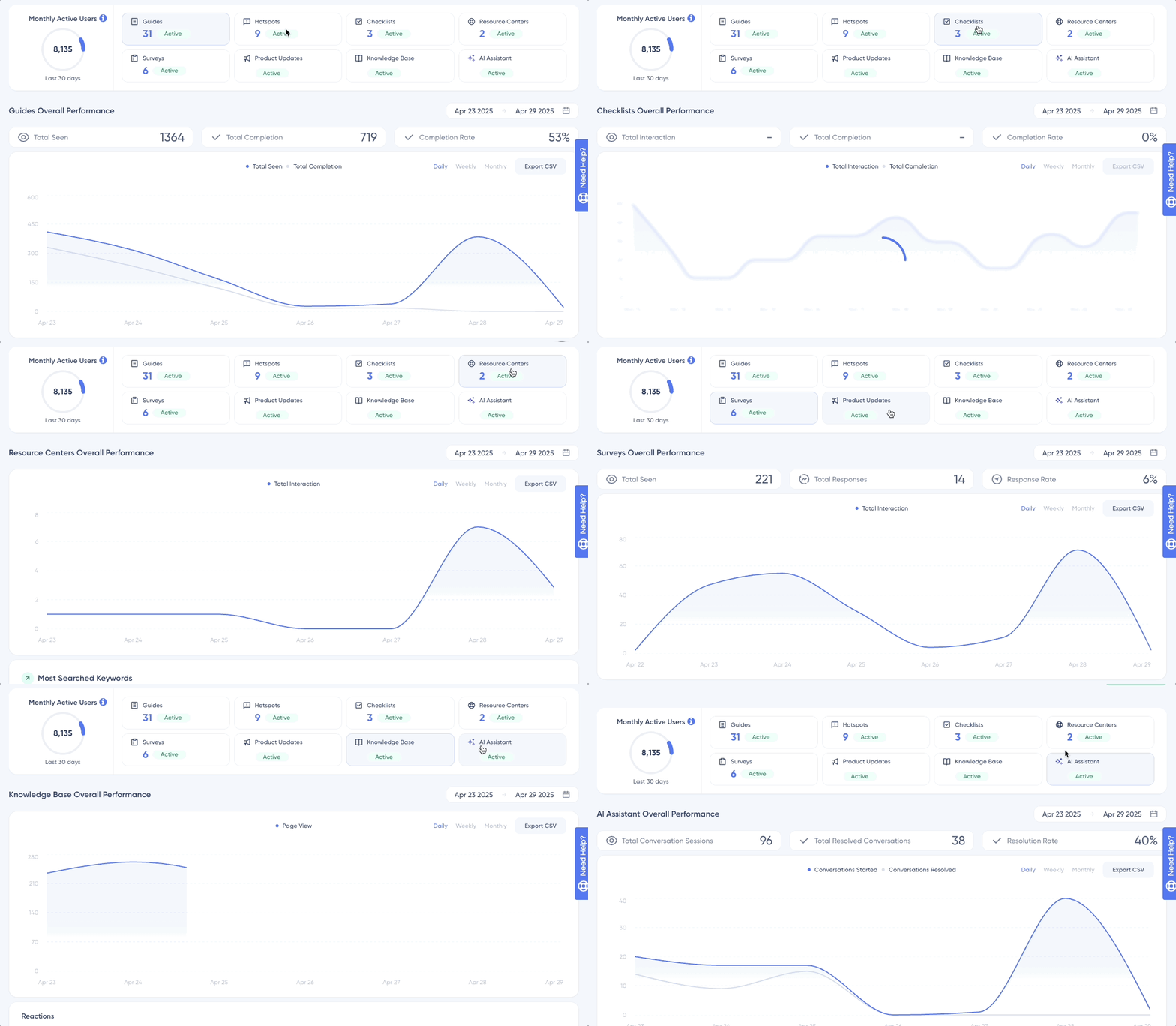
Great experiences come from insights turned into action.
UserGuiding’s analytics give you a clear view of how users interact with your onboarding flows, product tours, and in-app elements. You can see what’s working, what’s being ignored, and where users drop off.
This means that non-technical teams no longer have to wait for data exports or custom reports. The answers are already there, ready to act on. That means faster decisions, smarter iterations, and a constant feedback loop that improves your product experience over time.
More importantly, analytics tie everything back to outcomes. It makes outcomes more visible. With this visibility, every improvement becomes intentional.
And because all of this operates within a secure, enterprise-ready framework (with GDPR and SOC2 compliance built in), you can trust the data you’re using to make those decisions.
In short
The pressure to onboard faster, scale smarter, and drive real product adoption isn’t going away, so teams that rely on manual training will keep feeling that strain, while those who shift to automated product tours turn onboarding into a growth engine.
By breaking the “developer Bottleneck" and taking control of how users experience your product, you create a system where learning happens instantly, updates happen effortlessly, and users reach value without friction.
Frequently Asked Questions
What’s the functionality of a product tour?
A product tour guides users through key features with step-by-step, in-app prompts. It highlights value at the right moment and reduces confusion and accelerates activation. Proven results show interactive walkthroughs can increase feature adoption by 20 to 40% and significantly reduce support tickets within the first 30 days.
How long should a product tour be?
The most effective product tours are short and focused, typically 2 to 5 minutes or 3 to 7 steps. The goal is quick wins, not full training. Shorter, contextual tours improve completion rates and help users reach their first “aha” moment faster.
Does no-code onboarding software require developer involvement?
No-code onboarding tools are designed to minimize or eliminate developer dependency. Product and Customer Success teams can build and update tours without engineering support. This removes delays caused by the “developer bottleneck" and enables faster iteration, with teams launching updates in hours instead of weeks.
How much does product tour software cost in 2026?
Product tour software pricing typically ranges from $50 to $500+ per month, depending on features, user volume, and integrations. Many platforms offer tiered pricing. Proven ROI comes from reduced onboarding costs, increased activation rates, and lower churn, often offsetting the investment within a few months.
Why are automated product tours more effective than traditional onboarding?
Automated product tours deliver consistent, on-demand guidance directly inside the product. Unlike scheduled training, they’re available 24/7 and scale instantly. Companies using self-service onboarding can see faster user activation and measurable improvements in retention in a shorter period.

.png)