


.svg)
.svg)
.svg)
.svg)



.svg)




.svg)
.svg)


If you’re already investing in onboarding, analytics, or customer success tools but adoption still stalls. That gap is revenue left on the table. Missed upsell opportunities. More frustrated customers.
A user adoption platform bridges that gap by actively guiding users, boosting engagement, and helping teams realize the full value of their product investments.
Here, we’ll explore how these platforms work, why top SaaS companies swear by them, and how to choose the right one for your team.
✅ A user adoption platform helps SaaS teams turn sign-ups into active, retained users through in-app onboarding, guidance, and feature discovery.
✅ User adoption platforms reduce time-to-value, increase feature adoption, and lower churn, all without heavy engineering effort.
✅ If you’re comparing user adoption tools, focus on no-code setup, fast implementation, pricing transparency, and actionable adoption analytics.
✅ Most mid-market SaaS teams shortlist 2–3 platforms and evaluate them through a free trial with real users.
✅ UserGuiding stands out for growing SaaS teams by offering enterprise-level adoption features at transparent mid-market pricing, with no-code setup and a 14-day free trial.
What is a user adoption platform?
In buying conversations, a user adoption platform usually means customer-facing, in-app guidance tools, not employee-focused digital adoption platforms (DAPs). The goal of these platforms is to turn sign-ups into active, retained users who experience value.
For most B2B SaaS teams, this value often looks like helping customers complete tasks faster, launch campaigns without support, or generate reports automatically — essentially making their day-to-day work smoother and more efficient.
Instead of relying on emails, PDFs, or training sessions, user adoption platforms deliver step-by-step prompts, tooltips, and walkthroughs directly inside the product.
For clarity, while terms like product adoption, digital adoption, and user adoption are used interchangeably online, we make a clear distinction in this post👇
- User adoption: External customers adopting your SaaS product, typically used for customer-facing use cases
- Digital adoption: Broader term including employee training on internal tools
- Product adoption: The overall journey from awareness to habitual use
Why teams buy a user adoption platform
Most teams don’t buy a user adoption platform because it sounds nice or the giants in their industry also buy one. They buy it because poor adoption is quietly draining revenue.
When users don’t reach value quickly, churn goes up. Customer acquisition cost (CAC) gets wasted. Expansion stalls because customers never discover the features that justify higher tiers or add-ons. Even “retained” users can be risky if they use only a fraction of the product.
Why teams actually buy these platforms for
At a practical level, teams buy user adoption tools to accelerate time-to-value. New users can complete key actions on day one instead of getting stuck, bouncing, or opening a support ticket. In the cutthroat SaaS environment, this is necessary to keep the churn below the “catastrophic” 10% rate.
They also help the feature discovery process. No more hoping users find advanced capabilities on their own. Instead, your team guides the right users to the right features at the right moment.
Support reduction is another major driver. In-app guidance answers “how do I…” questions before they ever reach your help desk and free up customer success and support teams to focus on higher-impact work.
Last but not least these platforms scale onboarding without heavy engineering input. Product, growth, and customer success teams can launch, iterate, and personalize onboarding flows without waiting on empty development calendars.
Buying signals: When it becomes a priority
A user adoption platform becomes a necessity when the same onboarding questions keep hitting support, activation rates stay stubbornly low, or trial users fail to convert.
At that point, adoption blocks growth instead of growing your company.
Who user adoption platforms are (and aren’t) for
Not every product needs a user adoption platform. And that’s okay. These tools work best when there’s enough complexity and scale to justify the investment.
User adoption platforms are a strong fit if:
- You’re a mid-market (or a fast-growing small) SaaS team, either PLG or hybrid.
- Your product has multiple features or workflows that users need to discover.
- Engineering bandwidth is limited, and you need onboarding and guidance without heavy dev involvement.
- Retention or activation is a key metric or OKR for your team.
User adoption platforms aren’t likely a fit if:
- You’re pre-PMF with an MVP still in testing.
- Your product is static or low-interaction with few features to guide.
- You’re dealing with internal-only tools, where in-app guidance is less critical.
💡 Readiness check: If two or more of the “strong fit” points apply to your team, you’re likely ready to invest in a user adoption platform for measurable growth.
What teams compare at the decision stage
By the time teams reach the decision stage, they’re no longer just looking at big feature lists. They’re evaluating criteria that directly impact adoption, efficiency, and ROI.
Here’s what really matters 👇
- Time-to-value: Can you launch flows in hours or will it take weeks of dev time? Slow implementation delays activation and keeps users from realizing value.
- No-code ownership vs. Dev dependency: If your team relies on engineering for every update, onboarding and guidance become bottlenecks. No-code control keeps your team agile.
- Pricing transparency: Hidden costs or complex tiers can derail budgets and make ROI harder to justify.
- Analytics depth vs. usability: Rich data is useless if your team can’t interpret it. You need insights that translate into action.
- Support and onboarding quality: Even the best tool can fail without strong vendor support, templates, and guidance.
To really zero in on must-haves and “This is useful but we can do without,” we’ve created a more detailed list below 👇
Deal-breakers (Non-negotiables)
- No-code flow creation
- Segmentation and targeting
- Adoption analytics
- Reasonable pricing model
Nice-to-haves (Context-dependent)
- AI assistants
- Advanced CSS control
- Mobile SDKs
- Enterprise governance features
Focusing on deal-breakers helps teams confidently eliminate tools that won’t deliver value, while nice-to-haves can guide fine-tuning your final choice.
At this stage, it all comes down to separating must-haves from bonus features so you invest in the platform that actually drives adoption.
10 best user adoption platforms for 2026
Even the best products fall short if users don’t engage. OpenAI highlights this in its 2026 prediction, noting a “capability overhang” — the gap between what technology can do and how people actually use it.
The platforms below help close that gap through onboarding and in-app engagement:
1) UserGuiding – Best all-in-one for growing SaaS teams
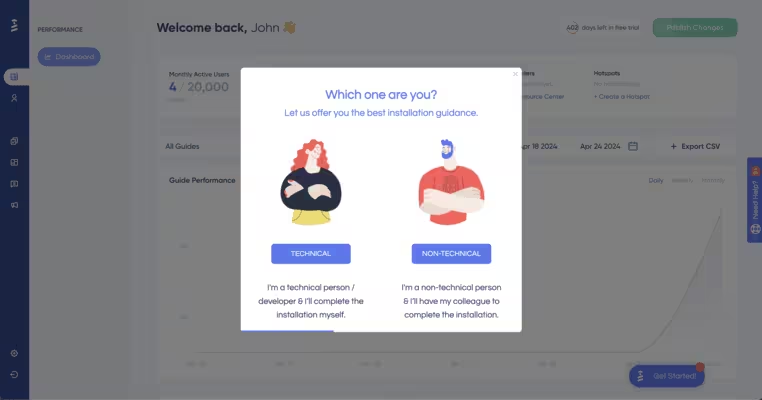
UserGuiding lets product, growth, and CS teams build in-app tours, tooltips, and checklists without writing code or waiting on engineers. Teams use it to get new users to key actions faster, guide them to understand features, and reinforce value as the product grows.
Key features:
- No-code product tours, tooltips, and checklists
- NPS, In-app microsurveys and announcements
- User segmentation and behavior-based targeting
- Adoption analytics and engagement tracking
Best for:
- SMBs and mid-market SaaS teams that need to launch interactive onboarding flows without the expensive price tag
Trade-off:
- Less advanced customization than enterprise-only platforms
Pricing:
UserGuiding’s cost is based on your product’s monthly active users (MAUs). The prices below are for 2,000 MAUs:
- Starter: Starts at $249/mo. Includes guides, hotspots, checklists, surveys, banners, NPS, product updates, knowledge base, analytics, segmentation, and AI assistant
- Growth: Starts at $499/mo. Includes everything in Starter, plus A/B testing, goal tracking, custom CSS, localization, and premium integrations
- Enterprise: Custom pricing. Includes everything in Growth, plus SOC2, GDPR, HIPAA compliance, personalized coaching, and activity logs
If you’re evaluating tools right now and want to see whether in-app guidance actually improves activation and feature usage, try UserGuiding free for 14 days (no credit card required). Moreover, 43% of UserGuiding users go live in under 1 day.
Marketing pages sometimes overestimate strengths. Real buying insight often comes from users comparing tools in public forums. We’ve scoured Reddit forums to give you an accurate picture of how SaaS teams describe their experience with UserGuiding. Here’s what we’ve found👇
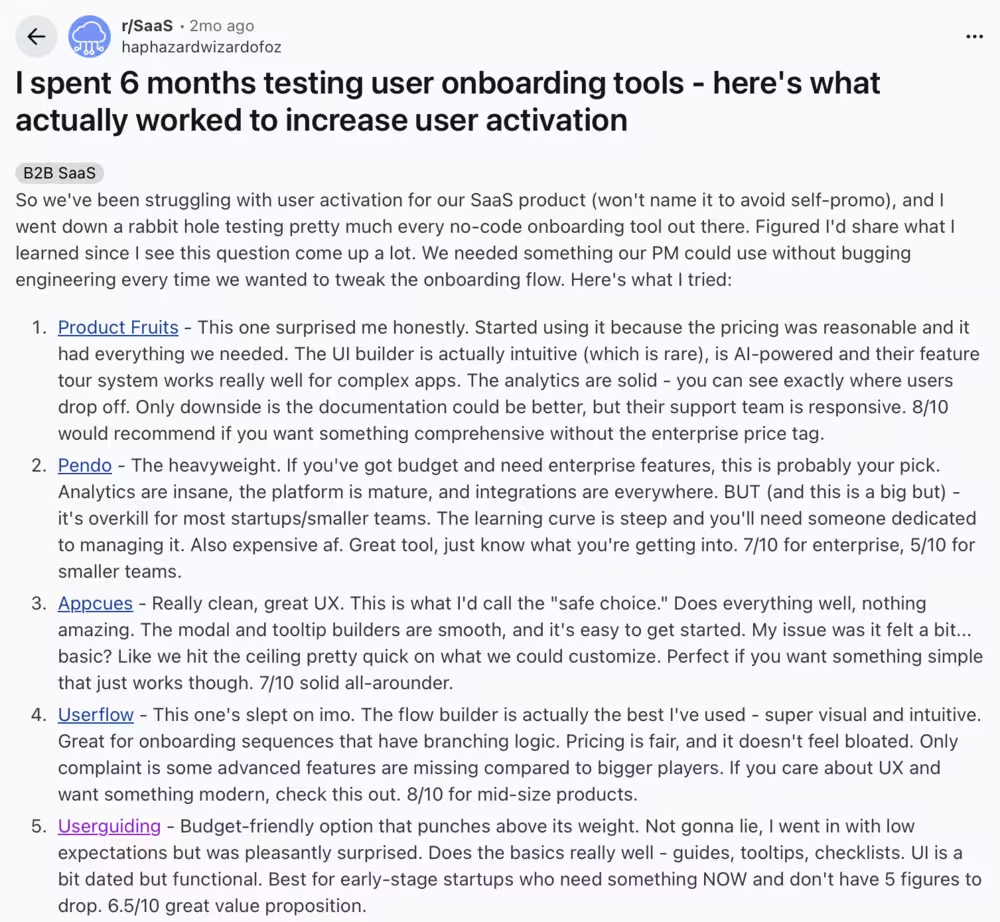
“Budget-friendly option that punches above its weight. Best for early-stage startups who need something NOW and don't have 5 figures to drop.” — SaaS founder, Reddit
2) Userpilot – Best for analytics-driven product teams
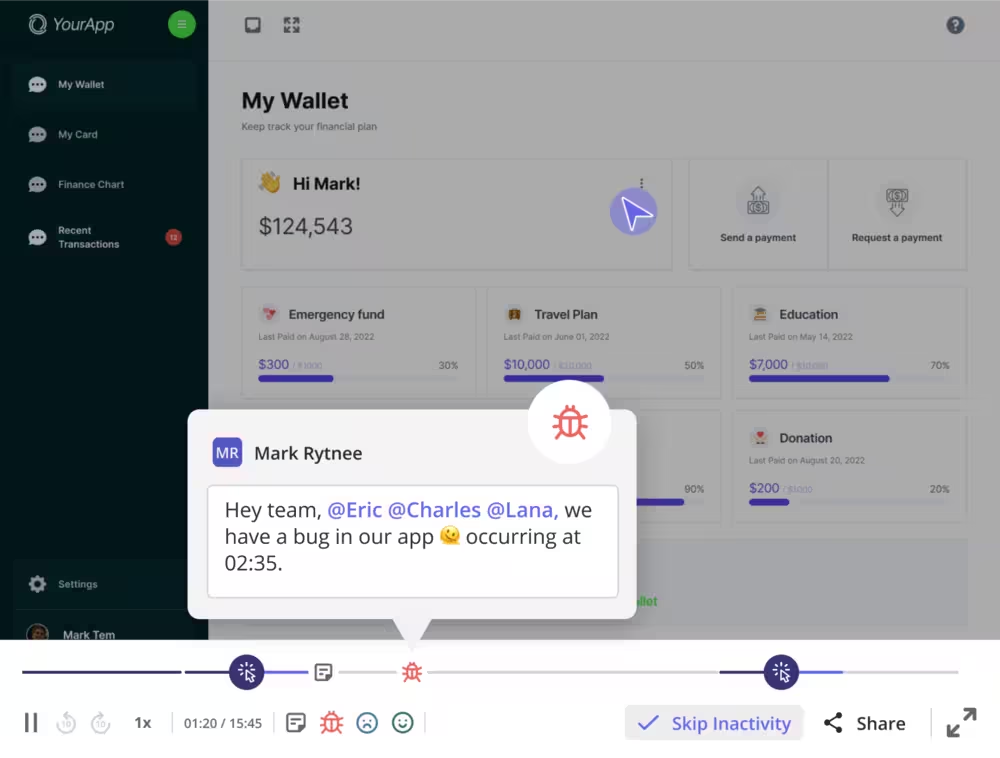
Userpilot focuses heavily on combining in-app experiences with detailed product usage analytics.
Product-led teams that want adoption tools tightly connected to usage analytics often shortlist it but the learning curve or analytics depth feeling heavier than what’s needed to drive day-to-day adoption changes is a concern.
Key features:
- Advanced segmentation and event-based targeting
- Product usage and funnel analytics
- No-code in-app experiences
- Feature tagging and trend analysis
- Behavior-driven lifecycle emails (Beta feature)
Best for:
- Product teams that want deep insights tied directly to in-app guidance
Trade-off:
- Higher learning curve compared to simpler tools, making it harder to use features effectively
Pricing:
- Starter: Starts at $299/mo (up to 2,000 MAUs). Includes in-app user engagement, user segmentation and tracking, usage trends, NPS survey
- Growth: Custom pricing (up to 5,000 MAUs). Includes everything in Starter, plus advanced product analytics, event autocapture, resource center, in-app surveys, email engagement. Unlimited session replays and mobile engagement are available as add-ons
- Enterprise: Custom pricing. Includes everything in Growth, plus premium integrations, bulk data export and import, data warehouse sync, custom roles, and security compliance
3) Appcues – Best for web + mobile adoption
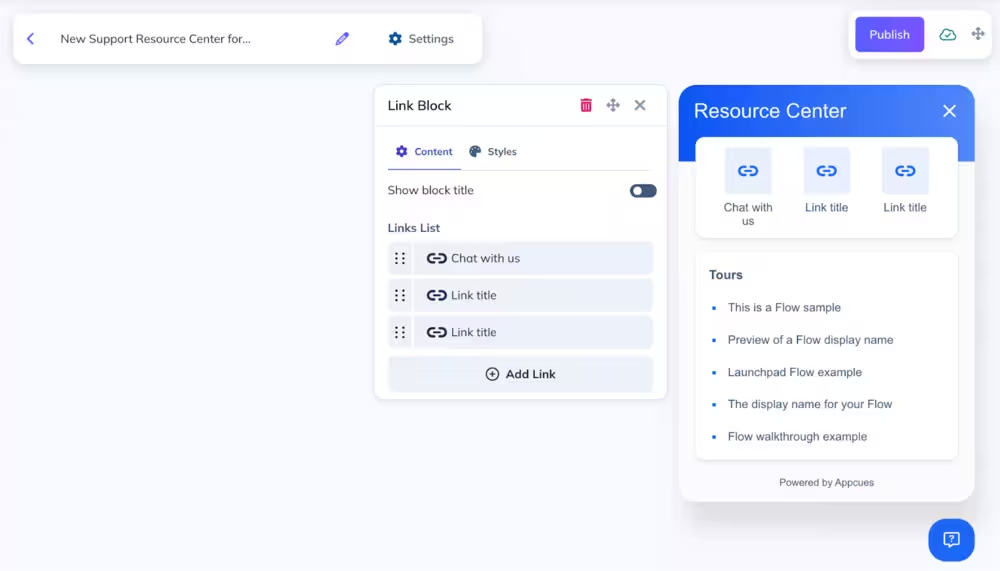
Appcues is often shortlisted by teams that need onboarding across both web and mobile apps, especially when product tours must stay consistent across platforms.
In practice, teams choose Appcues for its mobile SDK support but frequently compare against lighter-weight tools when pricing and implementation effort become a concern.
Key features:
- In-app messaging, behavioral email, and push notifications
- In-app onboarding flows and tooltips
- Mobile onboarding support
- User segmentation
Best for:
- SaaS teams running both web and mobile products, where onboarding flows need to be managed in one place
Trade-off:
- Pricing scales quickly as usage grows
Pricing:
- Start: Starts at $300/mo. Includes 50+ published experiences, flows, checklists, reporting, analytics, and email support
- Grow: Start at $750/mo. Includes everything in Start, plus 100 published experiences, resource center, NPS, premium integrations, and Customer Success support
- Enterprise: Custom pricing. Includes everything in Grow, plus 150+ published experiences, multi-product pricing, priority Success and Support, and advanced security.
4) Pendo – Best for enterprise product analytics
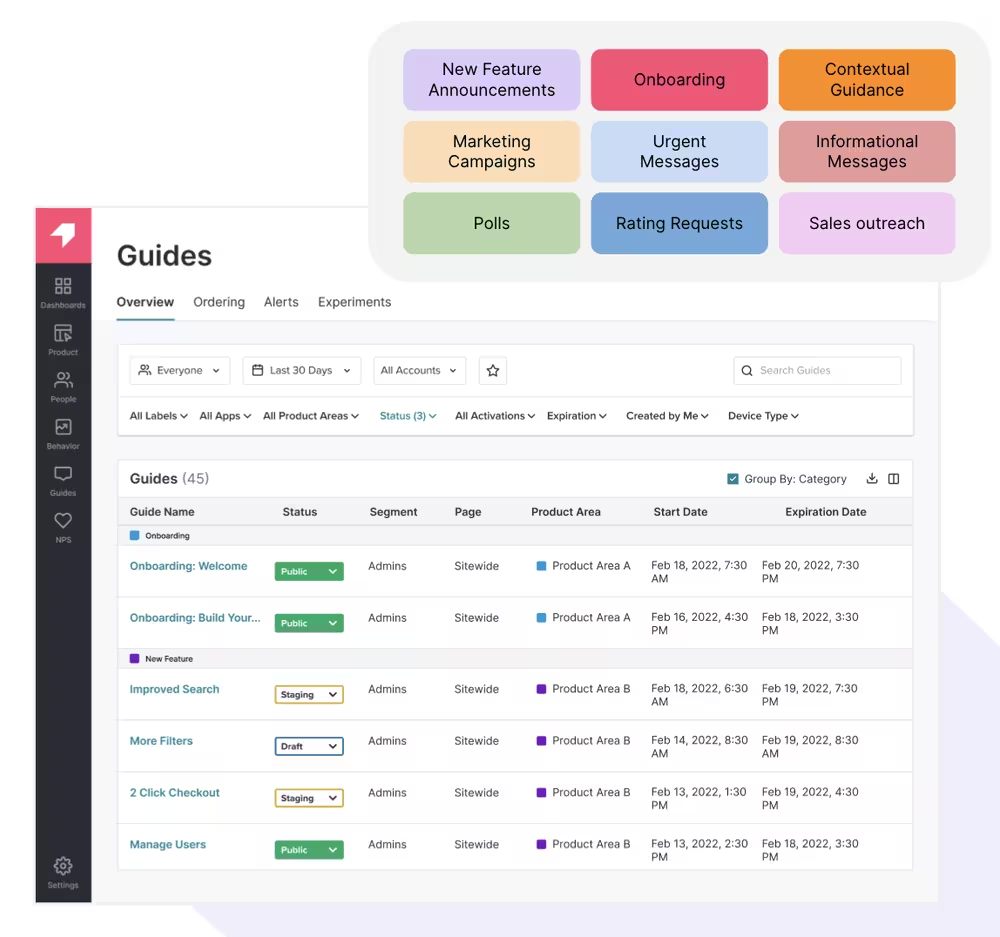
For large product organizations that prioritize deep product analytics over lightweight onboarding, Pendo is frequently put on recommendation lists. It’s often compared to WalkMe for analytics depth and to Userpilot for scale, but ruled out by mid-market teams due to implementation time and cost.
Teams usually adopt Pendo when long-term product insights matter more than fast onboarding iteration.
Key features:
- Deep product usage analytics
- In-app guides and walkthroughs
- Feedback collection
- Roadmapping insights
- AI-powered predictions for churn and upsell
Best for:
- Enterprise teams prioritizing analytics and long-term product strategy
Trade-off:
- Implementation and cost can be heavy for mid-market teams
Pricing:
- Pendo doesn’t list pricing details publicly. It offers three custom-priced plans: Base, Core, and Ultimate, as well as a Free plan for adoption essentials. Vendr, a third-party for transparent software pricing, reports the median price as $48,400/year.
5) WalkMe – Best for employee digital adoption
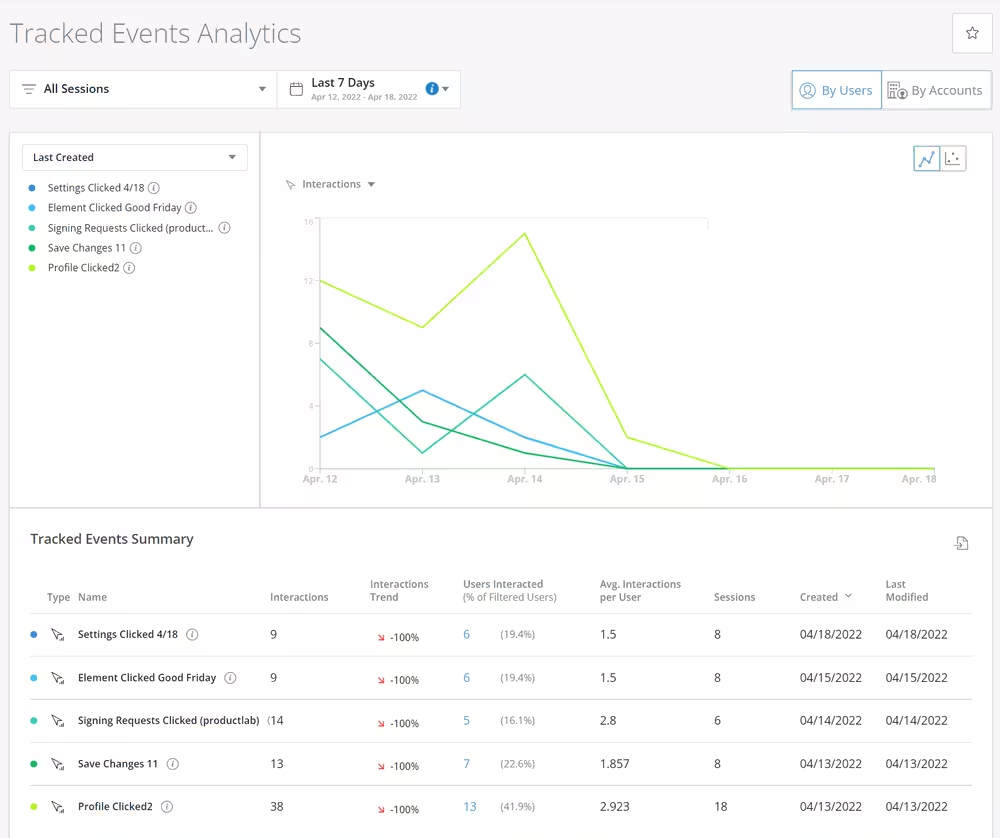
WalkMe is built primarily for employee enablement and internal system training, not customer onboarding. It’s often considered for enterprise buying cycles, but SaaS teams quickly rule it out if they’re focused on customer activation.
WalkMe makes sense when compliance, process enforcement, and cross-app workflows outweigh PLG needs.
Key features:
- Step-by-step employee guidance
- Workflow automation
- Compliance and governance tools
- Cross-application guidance
Best for:
- Large enterprises rolling out complex internal systems
Trade-off:
- Overkill for customer-facing SaaS onboarding
Pricing:
- You need to request a quote for pricing. Vendr users report $43,975/year as the median price but contextual AI assistance, extended app usage, and data storage are add-ons, which may drive the price even higher.
6) Whatfix – Best for enterprise employee + customer use
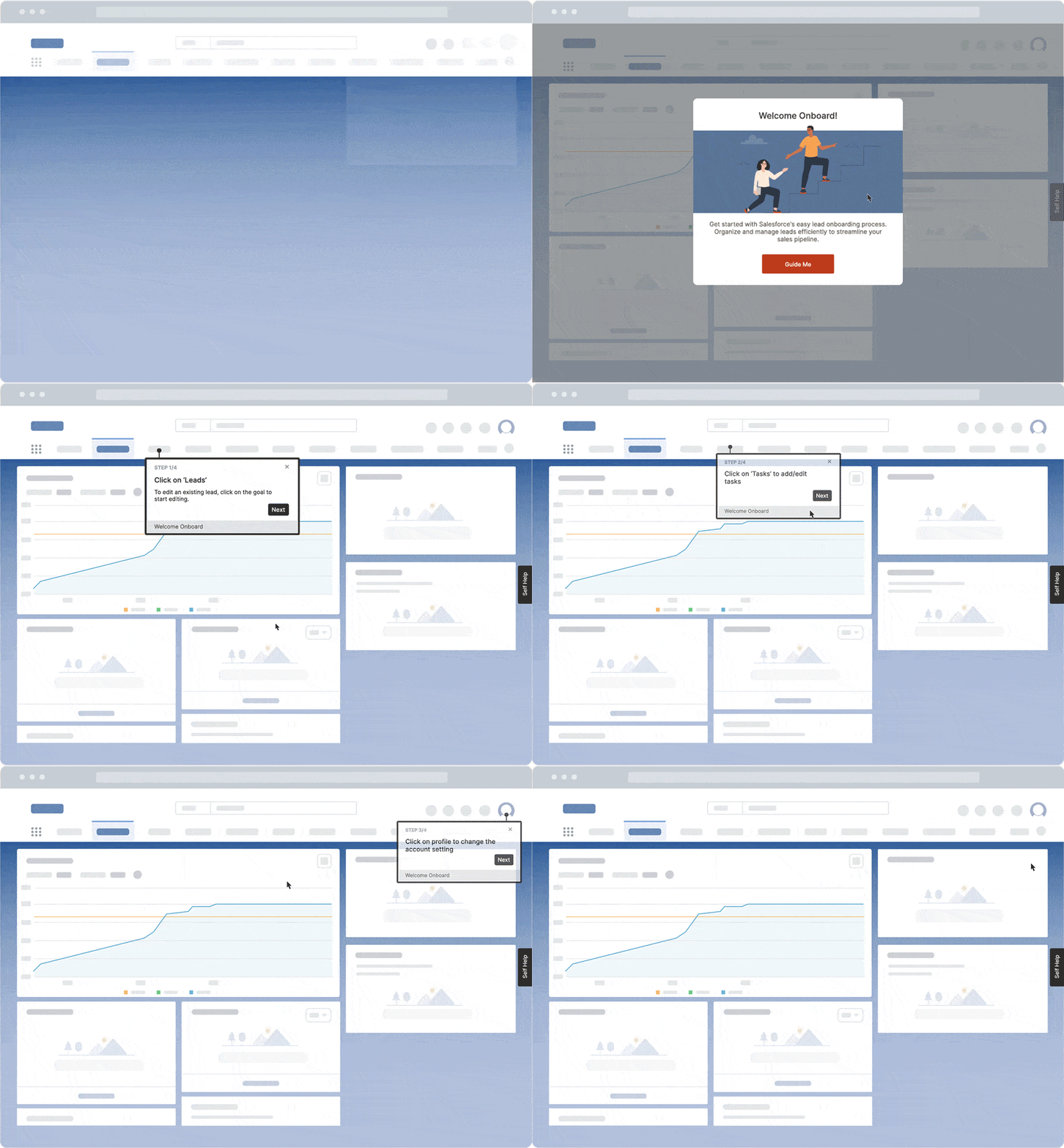
Whatfix supports both customer-facing and employee-facing adoption, making it flexible for large organizations with mixed use cases. On the other hand, product-led SaaS teams often rule it out due to its experimentation abilities. Its strength lies in breadth, not speed.
Key features:
- Interactive in-app walkthroughs
- Guidance Agent, Insights Agent, Authoring Agent (for analytics)
- Analytics and reporting
- NPS and micro-surveys
- Mirror (simulation and sandbox environment)
- Multi-application support
Best for:
- Enterprises needing adoption across customers and internal teams
Trade-off:
- Less intuitive for fast-moving product teams
Pricing:
- You need to schedule a call to get a custom quote for Whatfix. DAP, Product Analytics, and Mirror are sold separately with platforms (web, mobile, OS) affecting the pricing as well. Users on Vendr report that the median annual contract is $31,950.
7) Chameleon.io – Best for design-forward SaaS
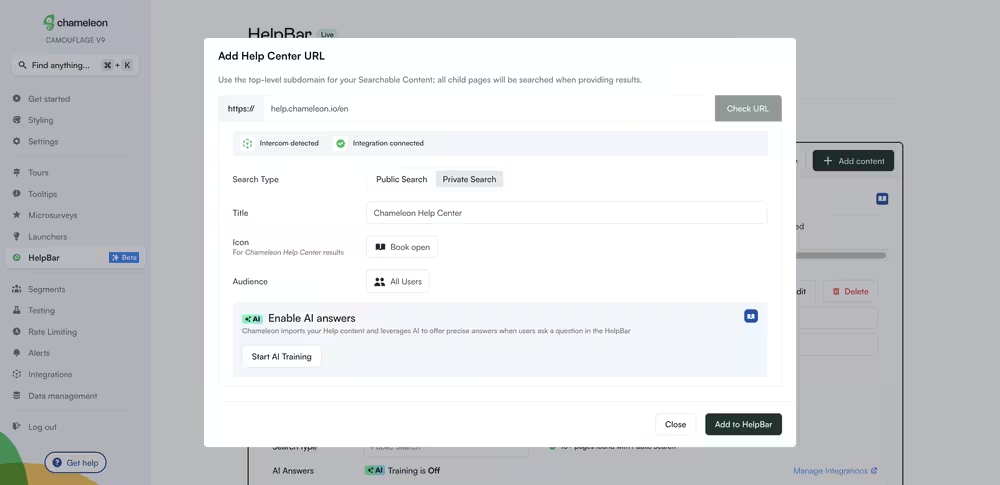
Chameleon.io often appeals to teams that care deeply about visual consistency and branded in-app experiences. It’s often compared to Appcues and UserGuiding, but it requires CSS and technical knowledge to keep things going.
Teams end up choosing Chameleon when design control matters more than ease of setup.
Key features:
- Customizable tooltips, tours, banners
- NPS and microsurveys
- CSS-level styling control
- Targeted in-app messaging
- Segmentation options
Best for:
- Design-conscious SaaS teams
Trade-off:
- Requires more setup and technical comfort
Pricing: Prices are listed for 2,000 MAUs.
- Demos Free: Free. Includes unlimited interactive demos, CTAs, and engagement tracking
- Startup: Starts at $279/mo. Includes everything in Demos Free, plus unlimited tours, tooltips, 5 microsurveys, custom CSS, and Copilot Agent
- Growth: Starts at $18,000/year. Includes everything in Startup, plus all experiences unlimited, A/B testing, rate limiting, unlimited goals tracking, and Customer Success
- Enterprise: Custom pricing. Includes everything in Growth, plus unlimited seats, roles and permissions, localization, and contract redlining
8) Product Fruits – Best budget-friendly option
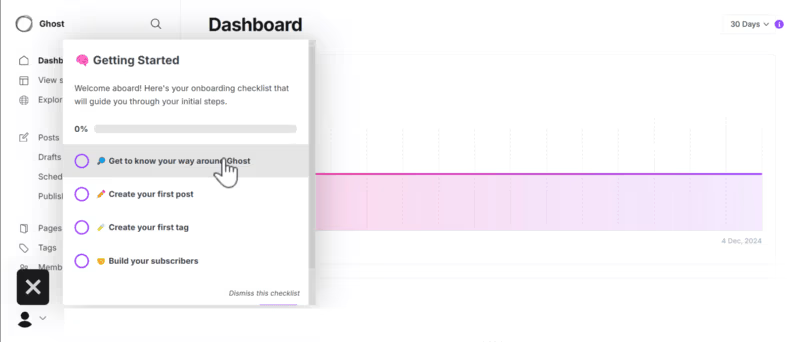
Product Fruits is usually chosen by early-stage or cost-conscious teams that need basic onboarding without enterprise pricing.
It’s a lower-cost alternative to some of the tools on this list, but chances are you’ll quickly outgrow its analytics and targeting depth. It works best when simplicity is the priority.
Key features:
- Tours, guides, tooltips, and hints
- Checklists, in-app announcements
- NPS and microsurveys
- Basic analytics
- Knowledge base widgets
Best for:
- SMBs looking for simple onboarding without high costs
Trade-off:
- Limited analytics and scalability
Pricing: Pricing is listed for 2,000 MAUs.
- Starter: Starts at $149/mo. Includes unlimited tools and tooltips, 3 checklists, Elvin widget (AI automation for support questions), in-app announcement, knowledge base, one-way integrations
- Pro: Starts at $224/mo. Includes everything in Starter, plus unlimited checklists, NPS and microsurveys, custom events, rest API, and JS triggers
- Enterprise: Custom pricing. Includes everything in Pro, plus custom agreements, available SLAs, and advanced access controls
9) Intercom – Best adoption + support combo
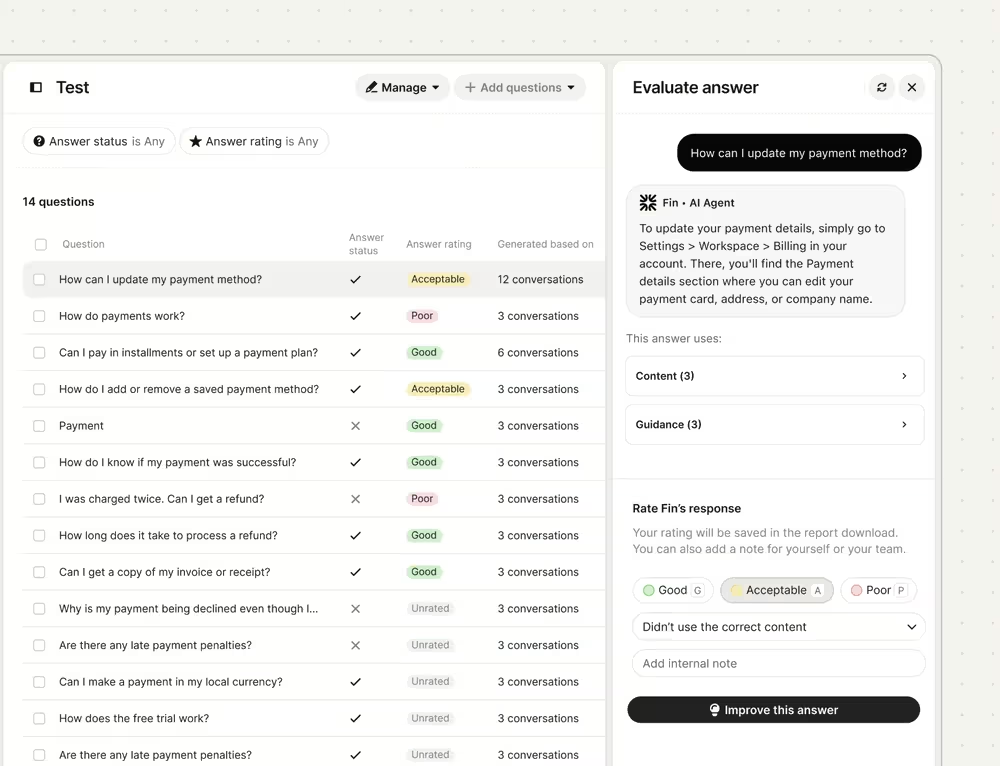
Intercom blends customer support, messaging, and onboarding into a single platform. Because it’s a customer support platform first, adoption analytics and advanced targeting options are limited compared to other adoption-first platforms in this list.
Intercom consolidates a lot of customer-facing elements but doesn’t really specialize in adoption to be a top contender.
Key features:
- In-app messaging and chat
- Product tours and tooltips
- Help center integration
- Customer engagement automation
- Fin (AI Agent)
Best for:
- Teams that want onboarding to be tightly connected to support
Trade-off:
- Adoption features are not as specialized
Pricing: Intercom’s pricing is based on seats instead of MAUs served. All plans include Fin AI Agent (charged separately, $0.99 per resolution) but you can turn it off. If you already have a helpdesk, you can only subscribe to Fin AI Agent. You can also purchase Proactive Support Plus ($99/mo for 500 messages sent/mo) and Copilot ($29/mo per agent) as add-ons.
- Essential: Starts at $29/mo per seat. Includes messenger, shared inbox and ticketing system, pre-built reports, and public health center
- Advanced: Starts at $85/mo per seat. Includes everything in Essential, plus multiple team inboxes, workflow automations builder, round robin assignment, private and multilingual help center
- Expert: Starts at $132/mo per seat. Includes everything in Advanced, plus SSO and identity management, HIPAA support, multibrand messenger and help center
💡 It’s important to remember that most of the user adoption features (like surveys, checklists, and tours) are included with the Proactive Support Plus add-on, not the base product.
10) Apty – Best for process compliance
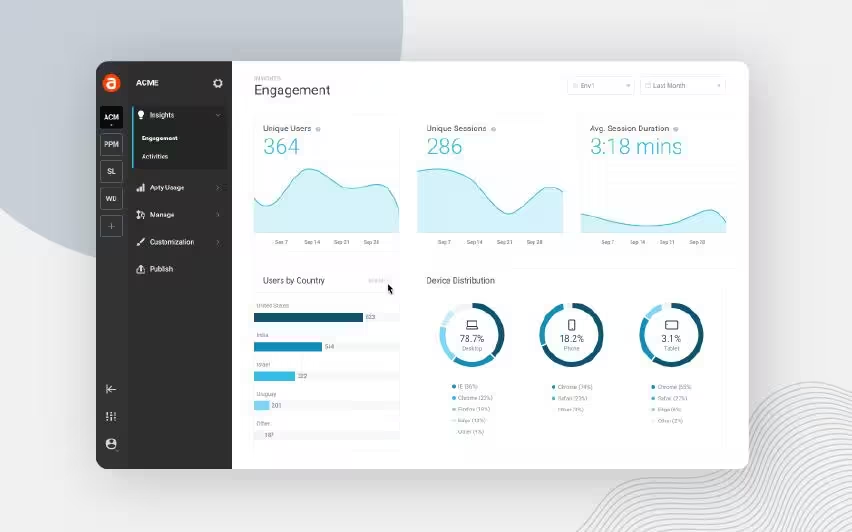
Apty is most often adopted in regulated or process-heavy environments where correct workflow execution matters more than feature discovery.
It’s commonly compared to WalkMe and Whatfix, but lacks experimentation and speed that PLG teams need. Apty fits into your stack when compliance is the core buying driver.
Key features:
- Workflow guidance and validation
- Compliance monitoring
- Analytics and reporting
- Role-based experiences
Best for:
- Organizations with strict process or compliance needs
Trade-off:
- Less flexibility for product-led growth use cases
Pricing:
- Apty doesn’t have any pricing tiers, just a base price of $9,500/year per app.
Quick comparison table
Just skimming tools for now? No worries! We’ve gathered all the information you need in a simple comparison table, so you can quickly start working on your shortlist.
Keep in mind that our table focuses on elimination criteria teams use at the decision stage (implementation speed, ownership, and fit by company size) rather than long feature lists👇
How to shortlist the right user adoption platform (without overbuying)
The biggest mistake teams make when shortlisting user adoption tools is less about choosing the wrong tool than it’s about choosing too many. This process is the most effective when you eliminate aggressively.
- Step 1 – Eliminate by use case: Start by clarifying who the platform is for. If your goal is customer adoption, rule out employee-focused digital adoption platforms right away. Internal training tools are built for SOPs and compliance, not activation, feature discovery, or retention. This single distinction will instantly cut down your shortlist in half. This distinction between user adoption and employee digital adoption comes up frequently when teams compare tools:
UserGuiding worked well for customer onboarding at our SaaS company, but when we needed an enterprise digital adoption platform for employee training across regions, we needed a different type of solution.” — Enterprise team member, Reddit
- Step 2 – Eliminate by resources: Next, be honest about your team’s bandwidth. If onboarding and in-app guidance require engineering support for every update, you’ll move slowly and underuse the platform. Teams with limited dev resources should prioritize no-code tools owned by product, growth, or CS. If the tool can’t be launched or iterated without engineers, it’s likely a poor fit.
- Step 3 – Eliminate by budget reality: Not every team needs an enterprise-level platform. SMB tools often cap analytics or targeting, while enterprise solutions come with governance features (and hefty price tags) that mid-market teams may never use. Match the platform to your current stage, not your future org chart, or you’ll overpay for unnecessary complexity.
💡 A simple shortlisting tip: Once you’ve eliminated by use case, resources, and budget, narrow your list to two tools max. Trial both in real workflows. The right choice will be the one your team actually uses easily.
What to look for during a free trial
Will this platform work for your team in the real world?
Your answer will tell you whether that user adoption platform is a good fit. To get to that answer, though, you need to do something else: sign up for a free trial. A free trial will pressure-test execution, not promises.
First, see how fast you can launch something real. If you can’t build and publish a live onboarding or feature walkthrough in under 24 hours, adoption will move slower than expected.
Next, involve non-technical teammates. Multiple members from multiple departments should be able to edit flows without touching code. If small changes require engineering help, that friction won’t magically disappear after purchase.
Then, look closely at analytics. You should clearly see where users drop off, which steps get ignored, and whether guidance actually changes behavior. Surface-level metrics aren’t enough on their own.
Test targeting and segmentation as well. Can you trigger flows based on behavior, role, or lifecycle stage, or are all users treated the same?
Don’t forget to check pricing clarity as well. If costs only become clear after a sales call, you might expect surprises later (bumping up your plan without clear communication, not notifying hitting feature usage limits in a timely manner, etc.). A good trial removes certainty, not adds to it.
Common buying mistakes (and how to avoid them)
One of the common mistakes you can make is buying an enterprise-grade platform too early. These tools come with advanced governance and customization, but also long implementation cycles and high costs that mid-market teams rarely need.
Another trap is over-indexing on features. A long checklist looks impressive at first, but if most sit unused, you won’t drive adoption. What matters is how quickly your team can launch, test, and iterate in-app guidance.
Similarly, many platforms charge for deep analytics that teams never fully use. Insight only matters when it’s accessible and actionable.
Teams also underestimate implementation effort. If every change requires engineering time, onboarding becomes slow and inconsistent.
The best approach, then, is choosing a platform that matches your current stage. Tools like UserGuiding are designed for mid-market SaaS teams that need fast setup, no-code ownership, and clear pricing (without overpaying for enterprise complexity they won’t use).
In short…
At the decision stage, the goal is clarity. You need a user adoption platform that fits your team’s size, resources, and adoption projections, not one that adds unnecessary complexity.
The strongest buying decisions come from narrowing your shortlist based on real constraints: customer-facing use cases, no-code ownership, realistic budgets, and fast time-to-value. From there, testing one or two tools in real workflows quickly shows which platform can deliver measurable impact and which ones slow you down.
If you’re actively comparing options and want to validate adoption impact without a long setup or heavy engineering involvement, UserGuiding is a practical place to start. It’s designed for mid-market teams that need to launch fast and understand what users actually do in-product.
Frequently Asked Questions
What is the difference between a user adoption platform and a digital adoption platform?
User adoption platforms are designed for customer-facing SaaS products. They help users reach value faster through in-app onboarding, tooltips, checklists, and contextual guidance that improves feature adoption and retention.
Digital adoption platform (DAPs) is an umbrella term that includes both customer and employee use cases. Enterprise DAPs like WalkMe or Whatfix are often used to train employees on complex internal software such as Salesforce, SAP, or Workday.
If your primary goal is improving customer onboarding, activation, and retention, you’ll want a user adoption platform like UserGuiding, Userpilot, or Appcues. If you need large-scale employee training and compliance, an enterprise DAP may be more appropriate (though typically at a much higher cost and implementation effort).
How much does a user adoption platform cost?
Pricing varies widely based on target market and complexity:
- Budget tier ($79–150/month): Product Fruits, HelpHero — basic onboarding features for early-stage teams
- Mid-market tier ($249–350/month): UserGuiding, Userpilot, Appcues, Chameleon — full adoption toolkits with no-code setup
- Enterprise tier ($20K–$100K+/year): Pendo, WalkMe, Whatfix — advanced analytics, security, and enterprise support
Most platforms price based on monthly active users (MAUs), which means costs can scale quickly as your product grows. Buyers should also watch for hidden costs like mandatory onboarding fees, premium support add-ons, or core features locked behind higher tiers.
For mid-market SaaS teams, platforms with transparent pricing and no-code setup tend to deliver faster ROI and lower risk.
Do I need coding skills to use a user adoption platform?
The majority of user adoption platforms today are built specifically for product managers, customer success teams, and growth marketers, not engineers. No-code builders and browser extensions allow teams to create tours, tooltips, checklists, and in-app messages visually.
- Fully no-code: UserGuiding, Product Fruits, Userpilot
- Mostly no-code (CSS optional): Appcues, Chameleon
- Developer-heavy: WalkMe, Whatfix (enterprise DAPs)
While some tools allow advanced customization with CSS or APIs, a true user adoption platform should let a non-technical teammate launch a complete onboarding flow end to end. If developer involvement is required for everyday changes, it often becomes a problem later down the road rather than a solution.
How long does it take to implement a user adoption platform?
Implementation time depends on tool complexity, required integrations, and internal approval processes:
- Same day: UserGuiding, Product Fruits — install a snippet and launch flows within hours
- 1–2 weeks: Userpilot, Appcues — additional setup for analytics and team workflows
- 1–3 months: Pendo, Chameleon — more planning and data configuration
- 3–6+ months: WalkMe, Whatfix — enterprise implementations with security reviews and custom workflows
For most SaaS teams, faster implementation means faster time-to-value. Lightweight, no-code platforms allow teams to test real onboarding flows with real users quickly, then iterate based on data instead of waiting months for rollout.

.png)










