.svg)
.svg)
.svg)
.svg)
.svg)



.svg)




.svg)
.svg)


Both Userpilot and UserGuiding are tools with onboarding elements that guide your users during the onboarding process and elevate their post-onboarding product exploration.
These elements include guides, hotspots, checklists, and resource centers to help users navigate your product.
So, where do they differ? Let's find out ⬇️


What is Userpilot?
- TrustRadius: ⭐ 9.1/10 (4 reviews)
- Capterra: ⭐ 4.6/5 (57 reviews)
- G2: ⭐ 4.6/5 (396 reviews)
Userpilot is a product growth platform that enables you to increase in-app engagement through several UI components.
This product is catered to product managers and sales analysts as it includes features to back up your data processing, such as event tracking, funnel, and trend analysis.
Userpilot Best Use Cases
1- Product Analytics
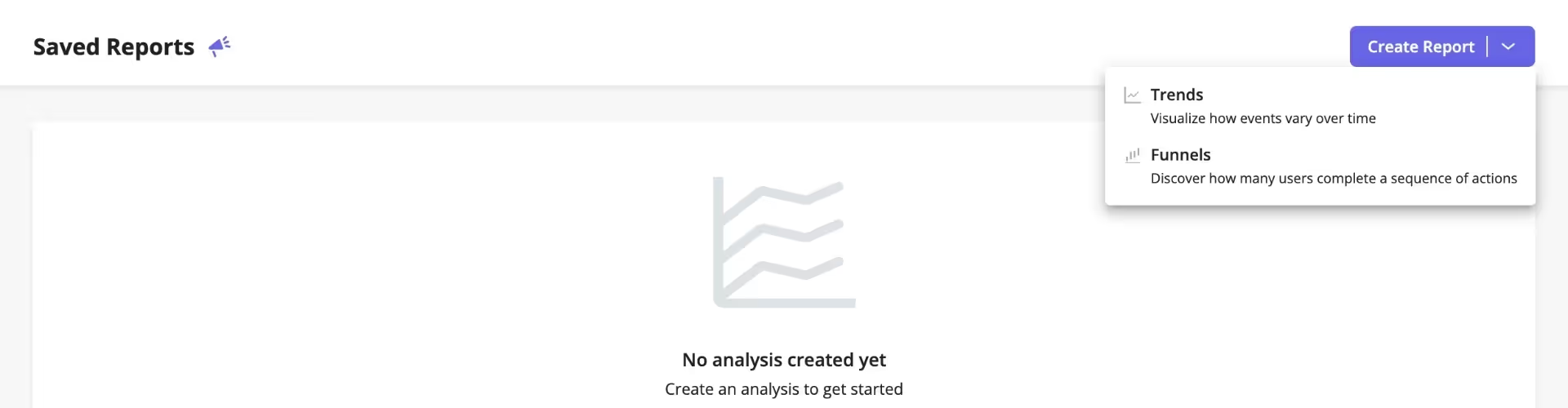
Userpilot has a highly functioning analytics and reporting system that allows you to picture the customer journey with real-time analytics.
For example, you can pinpoint the current patterns and design a path to accommodate the shifts in user preferences and better fit the trends.
Moreover, you can utilize its analytics dashboard creation section to create different chart types and acquire visual resources and reports that depict your users' behavior during each stage.
2- Feature and Event Tracking
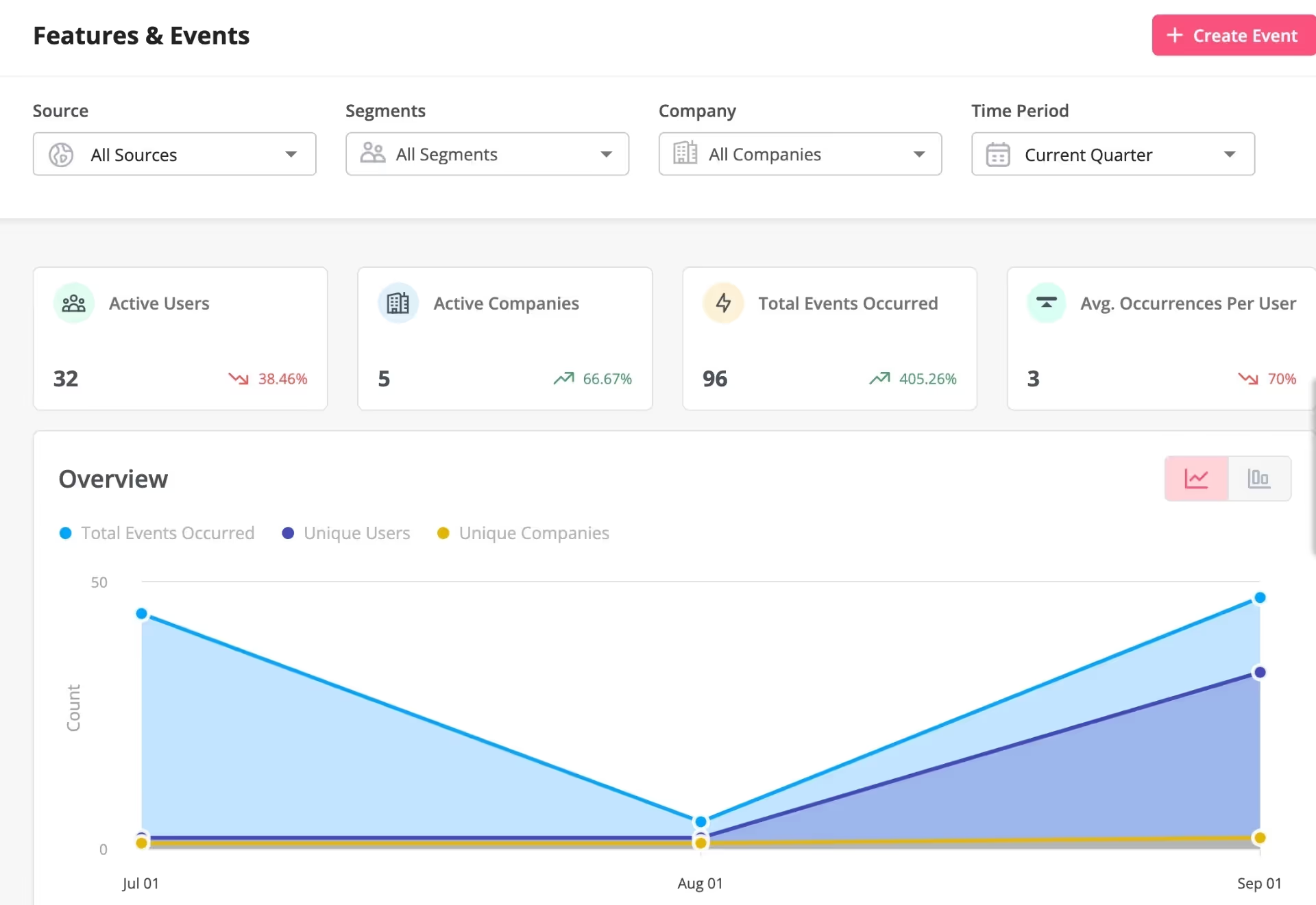
Userpilot offers a no-code feature and event tracking section to understand user behavior and view your feature usage.
This section provides an overview of user activity and how they spend their time within your product, showing you the data regarding the features they benefit from (and don't utilize much).
With this information, you can:
- check the impact of your in-app guidance for each feature,
- prioritize between your features to increase adoption based on user segments,
- and make more data-driven decisions to achieve your growth goals.
Pricing
Userpilot has three pricing plans, the former having a 14-day free trial and the other two having an adjustable MAU (Monthly Active Users) range. Here is how the pricing starts on a yearly basis:
- Starter Plan: $249/month (up to 2,000 MAUs).
- Growth Plan: $749/month.
- Enterprise Plan: Custom quote.
What is UserGuiding?
- TrustRadius: ⭐ 9.3/10 (4 reviews)
- Capterra: ⭐ 4.7/5 (51 reviews)
- G2: ⭐ 4.7/5 (391 reviews)
UserGuiding is a product adoption platform that enhances the in-app experience you deliver by offering flows and streamlining your feature rollouts.
Product managers, whose tasks include tracking product adoption and creating an effective product strategy, can use this tool.
Customer success managers and UX designers can also use this tool to create a user-friendly and seamless experience, improving user satisfaction.
UserGuiding Best Use Cases
1- Product Adoption

UserGuiding supports your adoption efforts by allowing you to promote your new features in-app, ensuring that you don't cause any intervals in user engagement.
You'll also have a chance to inform your users through a changelog (which can be viewed in-app or as a standalone page) for each update—accelerating and streamlining the communication process.
This benefit will enable your users to understand what's new (and what's not new but relevant), take action, and become more familiar with your product.
2- User Onboarding

User onboarding is a crucial part that no one should miss; it aims to capture users from the very start by showing them the ropes, and that's exactly what you can achieve with UserGuiding.
When a first-time user lands on your page, you'll be able to introduce them to your product as the solution to their pain point with UI elements like modals and checklists.
Showing them around your product and then letting them explore freely with some clues here and there in the form of interactive elements will help them achieve their goals and increase user retention.
Pricing
UserGuiding’s pricing plans are based on the number of active users you have. When billed yearly:
- Starter Plan: Starting from $174/month.
- Growth Plan: Starting from $349/month.
- Enterprise Plan: Custom quote.
Userpilot vs UserGuiding
It's time to start analyzing the common points and differences between these two tools based on their:
- user-friendliness,
- features,
- pricing,
- strong points and shortfalls,
- customer support.
While Userpilot's website is easy on the eye, its design is not very user-friendly, making it difficult for users to grasp the core values. Compared to UserGuiding, which enables you to achieve your goals effectively thanks to its high usability, it is a solution that's hard to adopt and employ.
Both tools have simple onboarding materials, such as product tours; however, they differentiate when it comes to features that focus on product adoption. For example, UserGuiding has a product updates page and is capable of in-app update announcements—neither of those is possible with Userpilot.
Both tools offer adjustable MAU ranges in their pricing plans, except for Userpilot's basic plan, which only offers a fixed number of MAUs.
Comparing their pricing structure, UserGuiding has more scalable plans, while Userpilot offers a more expensive service, especially for startups and small businesses to adopt.
As a strong point, Userpilot has a powerful analytics section that enables you to enhance your product journey via insights. Meanwhile, UserGuiding has a simple analytics dashboard that allows you to check the performance of your onboarding content in the form of completion, view, abandon, and MAU rates.
UserGuiding's strength is the full set of no-code engagement and adoption elements that are highly customizable, increasing retention and adoption simultaneously. Userpilot falls short on this aspect as it mostly serves as an analytics tool.
Based on the reviews online, Userpilot has a bad reputation for its customer support quality and reply time, while UserGuiding doesn't have a negative comment on the same matter.
Based on G2’s quarterly report, we see that UserGuiding is preferred to Userpilot in the following topics and receives more positive comments:


Conclusion
Having a lot in common, UserGuiding and Userpilot share simple user onboarding elements.
What differs the most is their most focused aspects: UserGuiding has features that fit better for product adoption, while Userpilot has a focus on product analytics.
Moving on, these tools offer flexible services for your needs, as they have various features that can help you during complex processes.
So, pick your side based on your needs and fuel your growth 🏎️
Frequently Asked Questions
What is the use of Userpilot?
Userpilot is used for product growth due to its strong analytics and reporting section, along with its user onboarding capabilities.
Does Userpilot work on mobile apps?
No, Userpilot doesn't work on mobile apps.
Which is better: Userpilot or UserGuiding for SaaS?
For SaaS, UserGuiding is a better fit since it offers a more comprehensive scope with its focus on product adoption owing to features like product updates and in-app announcements.

.png)