.svg)
.svg)
.svg)
.svg)
.svg)



.svg)


.svg)
.svg)


With its strong background and customer portfolio, Pendo is one of the most popular product experience tools.
It has strong and detailed analytics features, as well as digital adoption and onboarding functionalities. However, due to its feature-based pricing and additional costs for add-ons, it is known to be more expensive compared to its competitors.
UserGuiding is a product adoption platform that offers tools for user education, feedback gathering, and feature engagement.
It empowers businesses to manage user experience with smooth user onboarding and in-app communication. With its intuitive and simple UI and little to no learning curve, it's a very easy-to-use platform.
Today, we are delving deep into comparison to see which tool has the perfect set of features that you are looking for.
TL;DR
Pendo:
- Excellent for analytics with functionalities for website, feature, funnel analysis, and more.
- Includes a roadmapping feature to help plan and visualize product development.
- Lacks certain user engagement features like hotspots; many additional settings are paid add-ons, such as guide logics.
- Pricing is not publicly set and is known to be expensive.
- Offers a free version, but it is very limited.
- Has a steep learning curve.
UserGuiding:
- Great for in-app user engagement with surveys, hotspots, announcement modals, in-app resource centers, etc.
- Provides knowledge base and product updates page creation as standalone pages.
- Ensures user communication and product adoption from the first release of a feature through release notes. And maintains inside the app with guides, tooltips, and resource center articles.
- Pricing is public and cheaper compared to Pendo.
- Customer support is always accessible for every user, while Pendo offers only self-help to its free users.
- Has little to no learning curve.


What is Pendo?
🔹 G2 Crowd Rating: 4.4 (1,423)
🔹 Capterra Rating: 4.5 (215)
Pendo is a product analytics and user engagement platform. It enables businesses to create in-app guides, collect user feedback, and create a roadmap for their products. Additionally, it offers tools for product discovery and event tracking.
Here's what the platform looks like:

It's a great product that solves multiple problems at once. However, with so many tools and features, there is a steep learning curve.
Many users complain that it takes them more than a few days to figure out how to use it. The detailed analytics dashboards can also be overwhelming and confusing.
Best Use Cases for Pendo
In-Depth User and Product Analytics
Pendo offers various event tracking and product analytics functionalities. You can get reports for your pages, features, and custom events.
Additionally, you can get user reports for your visitors, accounts, or segments. Pendo has behavior analytics, as well, which enables teams to monitor conversion and retention.
Although some great analytics features are hidden behind the premium plan, it still offers many analytics tools to free plan users.
User Satisfaction Evaluation
You cannot conduct detailed user surveys and gather feedback with Pendo's free plan. But you can still send out NPS surveys (directly within your app or via email).
It's not enough to assess the success of a new feature or a release, but it still says something about the overall product and user satisfaction. If you have the paid plan, you can capture user feedback and get custom reports of the trends.
You can even conduct product research to test ideas and prioritize feature decisions.
In-App Guidance
Pendo combines different solutions under one tool, one of which is user onboarding. It guarantees in-app communication and guidance through guides.
It facilitates a smooth product experience and paves the way for higher product adoption.
With guides, you can simplify complex features, create tooltips, and introduce your features without overwhelming your users. You can also create an in-app resource center if you have one of the paid plans.
Roadmapping
Pendo also allows you to create and share product roadmaps. There are 2 roadmap templates: "Timeline" and "Now, Next, Later."
The first one enables you to plan each quarter with greater precision, while the second one provides more flexibility. Additionally, you can place ideas in your backlog if you're not yet ready to move forward with them.
Pricing
Pendo offers a free plan for up to 500 monthly active users. However, Pendo doesn’t have set pricing for bigger plans. Instead, you can contact their sales team to get a custom plan for your business.
Pendo’s pricing is feature and usage-based, and it possibly scales with how many users you have, like other analytics tools. Though Pendo does not publicly share its pricing, it is very well known that Pendo is more expensive than the market average.
Pendo also does not offer customer service to free users. So you have to rely on help articles and knowledge base guides for support.
Moreover, unless you choose the "Ultimate" plan, many small features are not included in the plans. Even if you get in-app guides with the plans, you have to get add-ons for guide logic, guide automation, and localization.
What is UserGuiding?
🔹 G2 Crowd Rating: 4.7 (391)
🔹 Capterra Rating: 4.7 (51)
UserGuiding is a product adoption platform that doubles down on user onboarding and engagement with powerful in-app elements.
It is a “no-code” product that everyone, regardless of their technical background, can set up and start using immediately. Also, UserGuiding costs below the average of similar products but provides the same value – if not more.
Here's what UserGuiding's UI looks like:

Here is what you can create with UserGuiding:
- Interactive product tours and guides
- Tooltips and hotspots
- In-app messages and announcement modals
- Onboarding checklists
- Resource centers
- NPS surveys and in-app surveys
- In-depth analytics and reports
- Product updates pages
- Knowledge bases
UserGuiding empowers teams with segmentation and customization functionalities, too.
Best Use Cases for UserGuiding
Interactive User Education
With UserGuiding, you can educate your users right within your product. It allows you to create product tours, feature guides, and in-app resource centers.
This way, you can guarantee access to your more detailed step-by-step guides within your product without turning them into lengthy tours. Also, with onboarding checklists, you can help your new users set up their accounts and become familiar with the product.
Here's a product tour created with UserGuiding 👇🏻
And an onboarding checklist 👇🏻

In-App Communication
Educating users is one thing, communicating with them is another. Luckily, you can do both with UserGuiding. You can create announcement modals, banners, and hotspots to inform users about updates or simply welcome them.
Additionally, you can enhance these announcements with explanatory videos. UserGuiding also offers segmentation capabilities for in-app messaging. You can personalize your welcome messages and trigger specific tours based on user segments.
Here's an example:

Feature Engagement
UserGuiding can also help you increase feature engagement. If you have many features/ tools, it can be difficult to ensure feature adoption.
Or when you release a new feature recently. Your users might be confused about its use cases or they might be totally unaware of it.
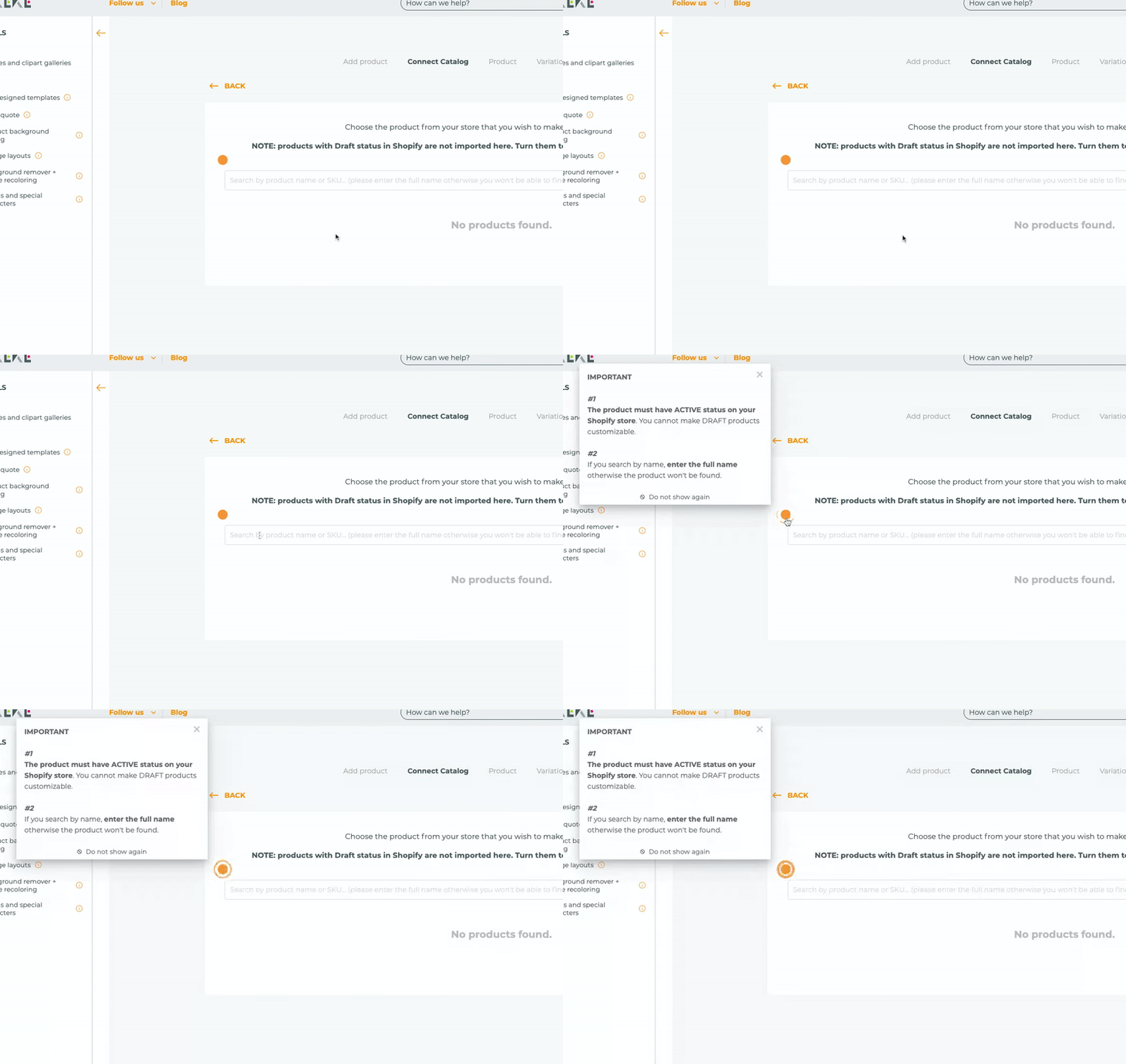
What you can do is promote the feature with a shiny pulsing tooltip. You can provide contextual information or briefly explain the use cases in the tooltip. You can even provide pro tips and tricks on how to master the new tool.
For example, like this:
User Feedback Gathering
You can collect user feedback with custom in-app surveys, NPS surveys, and CSAT surveys. UserGuiding offers various survey templates for various use cases.
However, you can always create your own survey from scratch, as well. Here are the existing in-app survey templates:

Product Updates Announcement
In-app announcements are great for informing active users about new releases and updates. However, they have their drawbacks, too. First, they tend to be short.
Second, they disappear, so users cannot refer back to them repeatedly. Here release notes and product updates pages step in.
The standalone product updates page you create with UserGuiding can help you gather all your release notes about important updates in one place. You can categorize and tag them to facilitate reading.
So your users can easily sort through the updates and find what they're looking for.
Moreover, you can gather user feedback on your update announcement page. Users can leave both emoji reactions and text feedback for entries —even anonymously.
Let's see UserGuiding's own product updates page as an example:

Goal Tracking
UserGuiding allows you to set and track goals to analyze how your users interact with your product.
You can define and evaluate key user interactions/ events that are crucial for you and monitor them. You can create specific goals for specific segments, as well. Once your goals are defined, you can create impact reports and analyze product performance.
Documentation Organization
With UserGuiding, you can create standalone knowledge bases in addition to in-app resource centers.
If you're seeking ways to enhance your self-serve experience or organize your how-to guides, help articles, and other documents, a knowledge base is the solution.
You can write articles, address FAQs, and categorize everything into different sections. Knowledge base analytics are also handled separately.
So you can view user search reports, page analytics, and individual article performance.

Pricing
UserGuiding’s pricing plans are based on the number of active users you have. When billed yearly:
- Starter Plan: Starting from $174/month.
- Growth Plan: Starting from $349/month.
- Enterprise Plan: Custom quote.
Pendo vs. UserGuiding
Based on G2’s quarterly report, we see that UserGuiding is preferred to Pendo in the following topics and receives more positive comments:


In Short...
Pendo offers great analytics functionalities and many other features for user onboarding and feedback gathering. However, when it comes to comprehensive product adoption and user engagement, it simply lacks many functionalities. Or, hides them behind very expensive plans and add-ons.
Here's when UserGuiding comes onto the stage and steals the light.
Compared to Pendo, it offers more features for less money. Plus, a dedicated customer support team for all users!
Frequently Asked Questions
When to Use Pendo?
Pendo is an all-in-one product analytics and digital experience platform. It can help you understand user behavior or enhance product engagement. It offers various tools to improve user onboarding, gather user feedback, and create product roadmaps. It's ideal for businesses aiming to make data-driven decisions about product development and user experience.
Who competes with Pendo?
Pendo competes with several other product analytics and user engagement platforms. Key product analytics competitors include Mixpanel, Amplitude, Heap, and Google Analytics. On the user engagement side, it competes with product adoption tools such as UserGuiding, WalkMe, and Chameleon.

.png)